

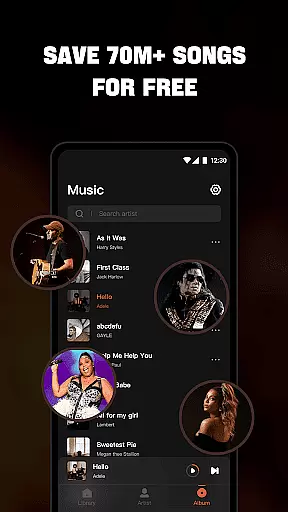

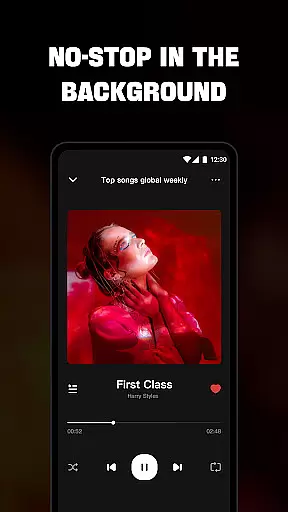
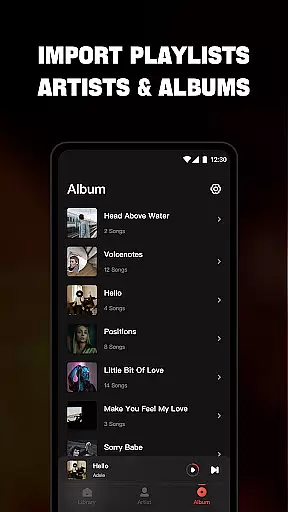
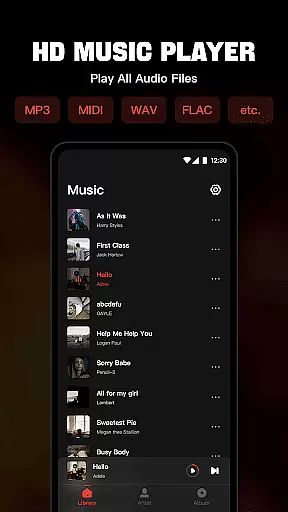
Mixtube is a versatile offline music player that allows you to enjoy all your favorite songs anytime, anywhere without an internet connection. The app supports a wide range of audio formats including MP3, MIDI, WAV, FLAC, AAC, and APE, ensuring high-quality playback for all your music files.
With its built-in top-quality equalizer, Mixtube enhances your listening experience by allowing you to customize sound settings. You can organize and access your music library by songs, artists, albums, folders, or playlists. Additional features include background play, lock screen controls, notification bar playback, and widget support, making it a comprehensive audio player solution.
Whether you're at home, commuting, or traveling, Mixtube ensures uninterrupted music enjoyment. Its user-friendly interface and powerful functionality make it an ideal choice for audiophiles who value both quality and convenience in their music listening experience.
Mixtube stands out with its comprehensive feature set tailored for music enthusiasts. One of its key strengths is the ability to handle all popular audio formats, providing users with a seamless playback experience regardless of file type. The built-in equalizer offers multiple presets and custom settings, allowing users to fine-tune their audio experience according to personal preferences.
The application's organizational capabilities are equally impressive. Users can sort and access their music collection through various views including artist, album, folder, and custom playlists. The app maintains smooth performance even when managing large music libraries. Background playback functionality ensures continuous music streaming while using other apps or performing daily tasks.
Additional notable features include lock screen controls, notification bar playback management, and home screen widgets for quick access. These thoughtful design elements enhance user convenience and accessibility. The premium version removes advertisements, providing an uninterrupted listening experience while maintaining reasonable subscription pricing options.
Offline Music Player offers an extensive music library that allows users to import and manage all their audio files seamlessly. The app supports a wide range of formats including MP3, MIDI, WAV, FLAC, AAC, and APE, ensuring that no matter the source or type of your audio collection, you can play it without any issues.
The emphasis on copyright authenticity is evident as the app lets users enjoy their legally acquired music without restrictions. By focusing on personal content, Mixtube ensures that users are not infringing on any copyrights while enjoying their favorite tunes.
This vast compatibility and respect for user-owned content provide significant value by consolidating all audio files into one easy-to-navigate interface. Whether you're listening to timeless classics or the latest hits, this app guarantees a smooth playback experience across different file types.
One of the standout features of Offline Music Player is its built-in top-quality equalizer, which elevates the sound listening experience to the next level. Users have the ability to customize their audio settings, ensuring that each track sounds as good as possible according to individual preferences.
In addition to high-quality playback, the app provides various audio enhancement options. These include adjusting bass, treble, and other sound frequencies, allowing users to fine-tune their music exactly how they like it. This feature caters to audiophiles who demand the best from their listening sessions.
By offering these advanced audio controls, Offline Music Player ensures that every song, podcast, or audio file is delivered with clarity and depth. This attention to audio detail enhances user satisfaction and makes daily listening more enjoyable.
User-friendly interface
Wide format support
Powerful equalizer
Offline functionality
Comprehensive library management
No online streaming
Limited free features
Subscription required
Occasional ads
Large file size

 4.70
4.70
Simply convert wav to mp3. Clear. Reliable. Safe.
4.2
The Skullcandy App Experience
3.20
Pay Once, no monthly payment
4.60
The Music Journey in Your Hands
4.30
Next generation modular control surface
4.10
Offline Music Player & MP3 Player.Powerful equalizer, Lyrics, Themes, Tag Editor
4.80
Slow music down without changing pitch.
3.70
Be a true music maker: create beats, mix and make music like a real DJ!
4.30
Make songs with AI! Any genre, custom lyric, song generator for music creation!
4.80
Record, Mix & Master with all n-Track effects, 64-bit audio and Stem Separation.
4.70
Taal player that lets you sing any Indian & Western song with Tabla & Tanpura
4.60
A complete sound package for the sound engineer or enthusiast
4.60
DJ Music Mixer - DJ Remix: remix songs, make beat music & record mix of DJ.
4.40
Help you quickly get started with Shokz headphones
4.40
Manage your Sonos system directly from your home-screen!
4.40
A High-Precision Audio Spectrum Analysis App
4.20
The original SP-1200 experience on your iPad
4.20
Music Streaming suite for Ampache, Nextcloud Music and compatible backends.
4.3


User Reviews