
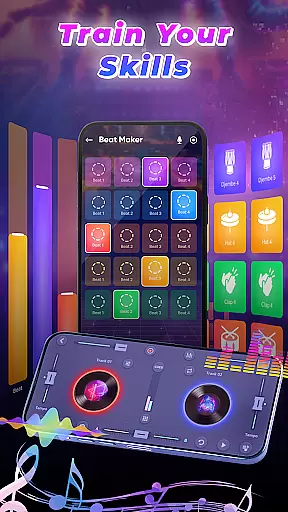
DJ Music Mixer - Beat Maker is a versatile music production tool designed for both amateur and professional DJs. This app combines a powerful virtual DJ mixer with advanced beat-making capabilities, allowing users to create professional-quality mixes anytime, anywhere. The application features an intuitive interface that supports both horizontal and vertical orientations, making it adaptable to various devices and user preferences.
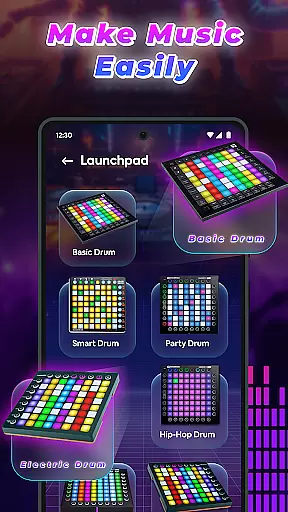
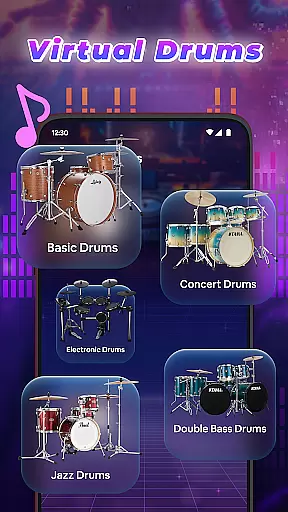
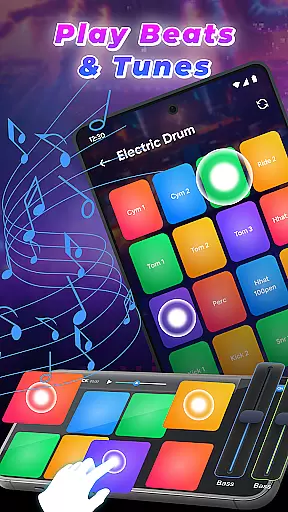
At its core, the app provides essential DJ tools including a robust Equalizer, Bass Booster, and multiple drum kits ranging from classic to modern styles. Users can access their complete music library, organize tracks by playlists, and apply real-time sound effects during performances. The built-in launchpad system offers various sample categories such as Party Drum, Acoustic Drums, and Hip-hop Drum, enabling creative experimentation with different musical styles.
This comprehensive music solution proves particularly valuable during live performances and events, where its optimized beat detection and smooth transition features help maintain professional-grade mixing quality. Additionally, the app's recording functionality allows users to save their creations in high-definition audio formats, making it suitable for both casual music enthusiasts and serious producers looking to refine their craft.
The app distinguishes itself through its extensive feature set tailored specifically for music production enthusiasts. Its professional beat maker system stands out with multiple drumming styles and kits, including Ludwig, Electronic, Jazz, and African variations. The advanced DJ mixer component provides comprehensive access to users' entire music libraries, organized across tracks, artists, albums, and folders, ensuring efficient music management during performances.
Unique to this application is its dual-mode launchpad interface, available in both horizontal and vertical orientations. This flexibility allows users to customize their workflow according to their preferred device orientation. The app's sophisticated beat detection algorithm ensures seamless transitions between tracks, while its real-time effect processing maintains audio quality during live mixing sessions. Professional-grade recording capabilities enable users to capture their mixes in HD quality, preserving the integrity of their creations.
Additional notable features include customizable Equalizer settings, Bass Booster functionality, and a vast library of built-in samples. These elements combine to create a comprehensive music production environment that supports both structured composition and spontaneous creativity. The app's ability to handle complex mixing tasks while maintaining user-friendly accessibility makes it a valuable tool for DJs at all skill levels.
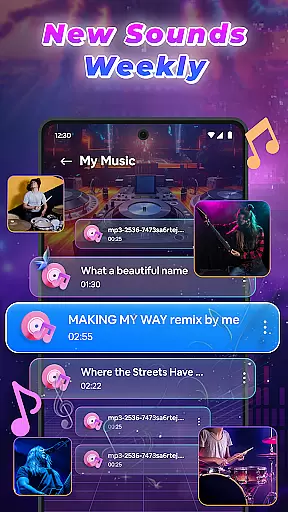
In the realm of DJ Music Mixer - Beat Maker, the vastness of the music library is a pivotal feature that enhances user experience. This app grants access to an extensive music library encompassing tracks, artists, albums, and folders, allowing users to explore and mix a diverse range of songs.
The app's infrastructure supports the organization of music through various categorizations, ensuring that users can efficiently locate and integrate their preferred tracks into playlists. This meticulous organization not only simplifies navigation but also enriches the mixing process by providing a plethora of choices at oneu2019s fingertips.
Regarding copyright authenticity, DJ Music Mixer - Beat Maker emphasizes the importance of using legitimate music sources. The app incorporates features that guide users towards understanding the significance of copyright compliance, thus fostering an environment where creativity thrives within legal boundaries.
Ultimately, the expansive and well-organized music library empowers users to experiment with unique mixes and beats confidently. By prioritizing both size and authenticity, the app ensures that creators have the resources needed to produce original content while respecting intellectual property rights.
Audio quality stands as a cornerstone in the architecture of DJ Music Mixer - Beat Maker, dictating the caliber of sound output achievable by users. The app offers multiple audio quality options, enabling DJs to fine-tune their mixes with precision and deliver professional-grade audio experiences.
Users are provided with settings to adjust audio parameters, including Equalizer and Bass Booster functionalities. These tools allow for the customization of sound profiles, catering to individual preferences and optimizing tracks for different environments and speaker systems.
Furthermore, the ability to save and record mixes in HD audio underlines the app's commitment to high-quality sound production. This feature ensures that every beat, transition, and effect resonates with clarity and depth, capturing the nuances of each mix accurately.
By integrating advanced audio quality options, DJ Music Mixer - Beat Maker not only elevates the standard of music production accessible on mobile devices but also democratizes the art of DJing. Users from beginners to professionals can craft, refine, and share their musical creations with confidence, knowing that the app supports their journey towards sonic excellence.
User-friendly interface
Extensive sound library
Real-time effects processing
High-quality recording options
Flexible orientation support
Occasional performance lag
Limited free features
Steep learning curve
Subscription fees required
Device compatibility issues

Offline and always ad-free - stream in the highest quality available.
 4.10
4.10
10-Band Audio Equalizer, Sound / Bass Booster for Spotify Users & Music Players
4.40
Most Advanced AI Song Generator and Music Creator. Rap, Pop, Rock, Gospel & more
4.70
Permanently backup Now Playing. Maps, filters & listening stats.
4.00
Your song collections with lyrics and chords on Android smartphones and tablets.
4.80
Help you quickly get started with Shokz headphones
4.40
Let your Android device with the sound effects you want
4.50
Slow music down without changing pitch.
3.70
Listen to offline music and sounds from all categories
4.70
Tune in to the greatest hits on UK Radio | The home of Capital, Smooth & Heart.
4.90
Unleash your creativity! Turn simple prompts into full fledged songs.
4.70
Bass Booster & Volume Equalizer Pro improves your music and video sound quality
4.60
Recording studio w/ 10k beats, pro vocal FX and a network of 20M rappers & fans!
4.60
Save hundreds of dollars for a physical strobe tuner and instead use this app.
4.50
Time Trainer: accurate metronome w tools to help you develop your internal time!
4.20
Sheet music reader, piano & music note player. Play music score & learn to read.
3.90
Background pads for your band
3.80
The Cubase remote control app
3.60
Simply convert wav to mp3. Clear. Reliable. Safe.
4.1


User Reviews