
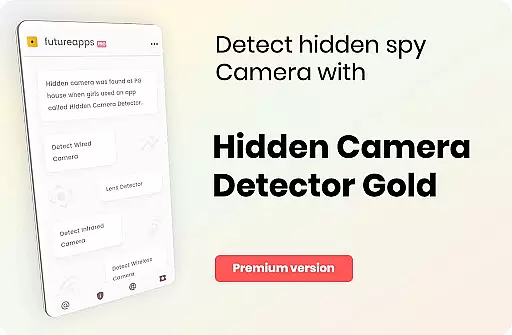
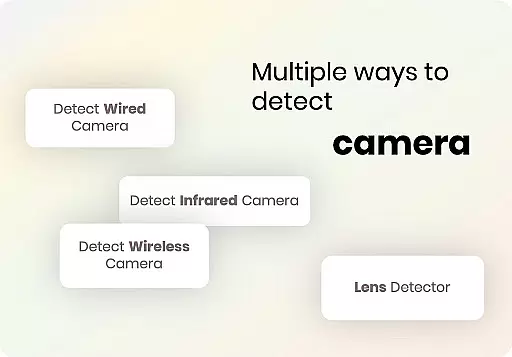
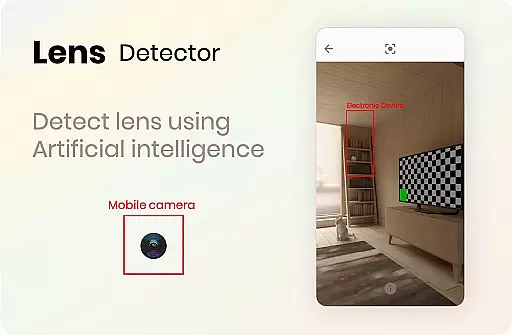
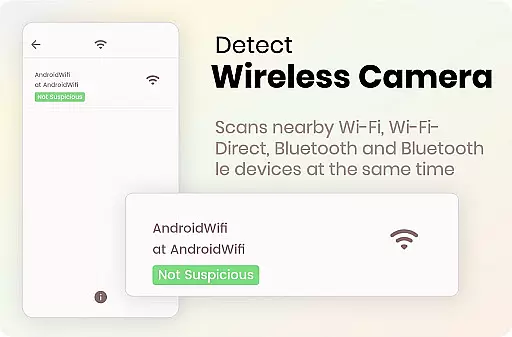

Hidden Camera Detector Gold is a specialized tool designed to help users identify potential hidden cameras in their surroundings. The app utilizes the magnetic sensor in your smartphone to analyze magnetic activity, raising an alarm when it detects patterns similar to those of camera devices. This makes it particularly useful for checking private spaces like showers, changing rooms, or hotel rooms before use.
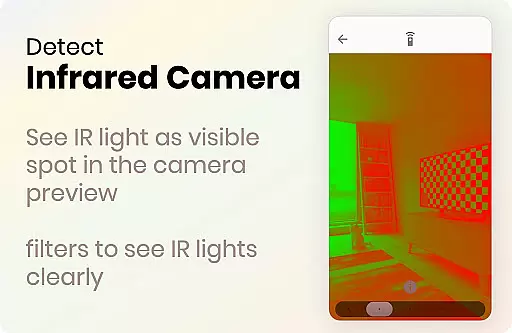
In addition to its magnetic detection feature, the app also includes an infrared camera detector. This tool allows users to scan for infrared lights that are invisible to the naked eye but may indicate the presence of infrared cameras. By employing luminescence effects, the app highlights these potential threats on your device screen. With both features combined, Hidden Camera Detector Gold provides a comprehensive solution for ensuring privacy and security in potentially compromised environments.
This app is especially valuable for travelers, renters, or anyone concerned about digital privacy. It empowers users to take proactive measures against unauthorized surveillance while offering easy-to-use tools for identifying suspicious devices. Whether you're staying in a hotel or visiting a new location, this app ensures you can safeguard your personal space effectively.
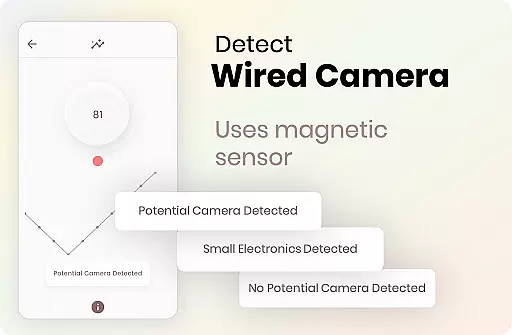
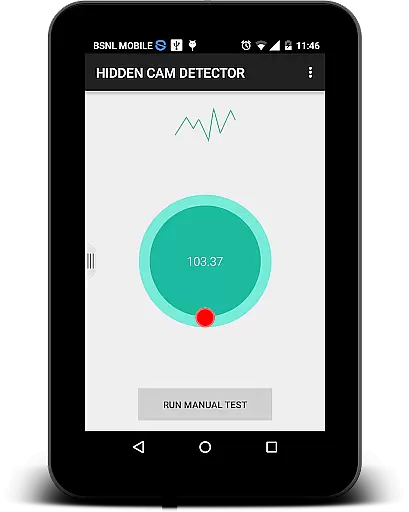
Hidden Camera Detector Gold offers two primary features that set it apart as a privacy protection tool. First, its magnetic detection functionality uses your smartphone's built-in magnetic sensor to scan for magnetic signatures associated with hidden cameras. By moving your phone around suspicious objects such as mirrors, flowerpots, or electronic devices, the app will alert you with a beep if it detects magnetic activity resembling that of a camera lens. This innovative approach helps pinpoint areas where hidden cameras might be concealed.
The second key feature is the infrared camera detector, which leverages your phone’s camera to identify infrared light sources. Infrared cameras often emit light that is invisible to the human eye but can be detected through specialized scanning. The app enhances this capability by applying luminescence effects, making any detected infrared light appear as bright white spots on your screen. This dual-layered detection system ensures thorough scanning for both visible and invisible threats.
Additional functionalities include location sharing, allowing users to notify friends or family if a hidden camera is found, and compatibility with devices equipped with magnetic sensors. While the app cannot guarantee 100% accuracy due to environmental factors, its combination of advanced detection methods provides a robust line of defense against unauthorized surveillance.
Hidden Camera Detector Gold offers a unique set of tools aimed at detecting hidden cameras through magnetic and infrared detection. The app's core functionality relies on the phone's magnetic sensor to analyze magnetic activity, alerting users when it detects patterns similar to those emitted by cameras. This feature is especially useful in places like changing rooms or showers where privacy is crucial.
In addition to magnetic detection, the app includes an infrared camera detector. This tool leverages your phone's camera to identify infrared lights that are invisible to the naked eye. When using this feature, any white light appearing on the screen could indicate the presence of an infrared camera. It's important to note that the effectiveness of these features depends on the quality of your phone's sensors, and the app provides clear instructions on how to use them effectively.
The app also emphasizes user safety by allowing location sharing with friends if a suspicious camera is detected. This ensures that others can be cautious when visiting potentially compromised areas. With its dual detection methods, Hidden Camera Detector Gold equips users with practical tools to enhance personal security.
Despite the technical nature of its functions, Hidden Camera Detector Gold maintains a straightforward and intuitive interface. Users can easily navigate between the magnetic and infrared detection features without encountering unnecessary complexity. The app provides clear guidance on positioning the phone correctly to ensure accurate readings, which simplifies the overall user experience.
For instance, the app instructs users to move their phone near suspected objects while facing the deviceu2019s sensor towards the target. This simple yet effective approach helps users quickly locate the sensor position on their phone. Additionally, the FAQ section addresses common issues, such as distinguishing between metal interference and actual camera signals, further enhancing usability.
While occasional app crashes may occur during infrared detection, the developers offer practical solutions, such as closing other camera apps running in the background. These thoughtful design elements contribute to a seamless interaction, making Hidden Camera Detector Gold accessible even to non-technical users seeking peace of mind.
User-friendly interface
Effective dual detection
Real-time alerts
Privacy protection
Location sharing
Requires magnetic sensor
Occasional false alarms
Dependent on hardware
Limited without sensor
Background app conflicts

 4.50
4.50
pdf merge, word to pdf, jpg to pdf, edit pdf, convert to pdf and much more!
4.20
Safely recover deleted photos, videos, and files with a single easy tap.
3.70
An open-source APK explorer for Android!
4.10
Excellent scientific calculator with symbolic algebra, integrals, derivatives
4.80
PC precision for mobile gaming: dominate with keyboard and mouse!
4.30
Quickly check the frequency of the Earth
4.30
Clean up large files and similar photos, fast and easy to use
4.40
Protect your device with antivirus, storage cleanup, and system monitoring
4.70
FV File Manager Pro, Fast and powerful file manager for Android
4.60
Quickly switch to an encrypted DNS server on Android TV
4.50
Screen Mirroring for Roku Sticks, Roku TCL TV and Roku Hisense TV
4.50
Button mapper, mouse toggle, sleep timer and a lot of another features
4.50
Mirror your screen to Fire TV - Super fast and simple
4.40
An easy-to-use calculator designed to save time calculating and bending conduit
4.30
Amateur Radio app for APRS: Track friends, exchange messages, get tactical info.
3.90
Unleash gamepad precision for ultimate mobile gaming dominance.
3.90
A non-root local ADB shell client. READ BELOW!
3.40
Undelete and recover your lost or deleted files with DiskDigger!
3.40


User Reviews