

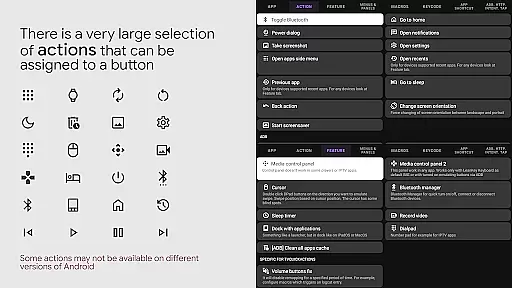
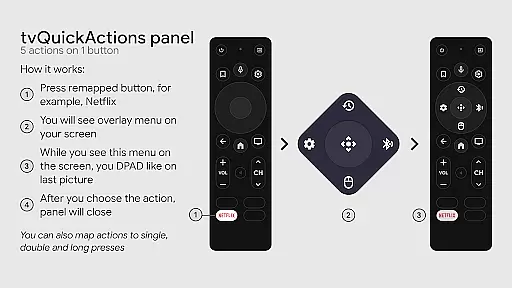
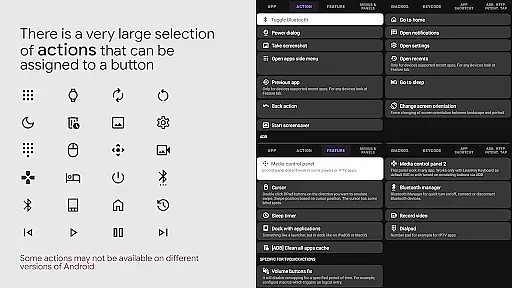
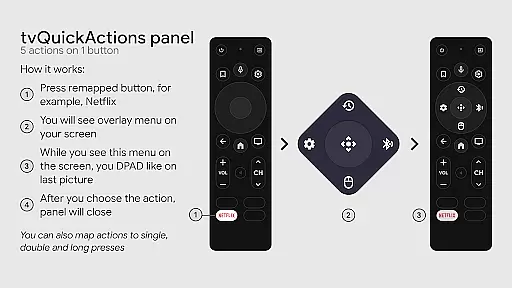
tvQuickActions Pro is an advanced button/key mapper specifically designed for TV devices, compatible with Android TV, Google TV, and AOSP on most devices. Its standout feature allows users to assign up to five actions to a single remote button, significantly enhancing device functionality.
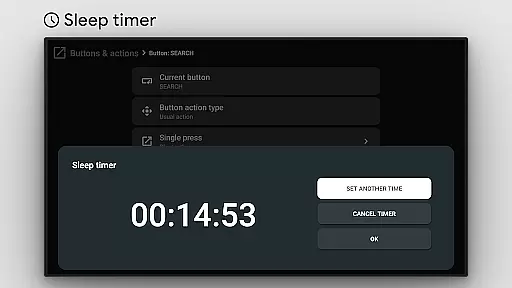
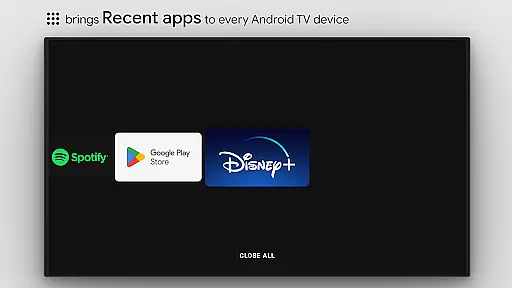
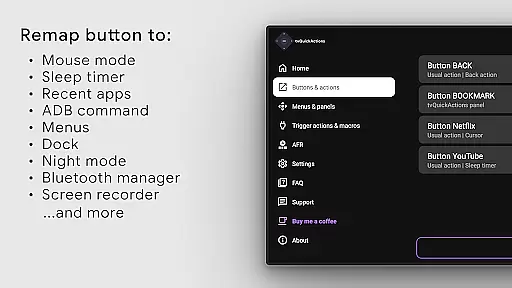
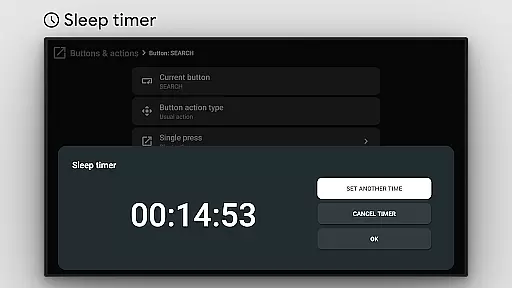
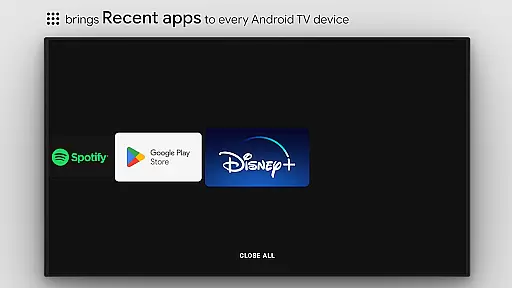
This app transforms your TV experience by adding useful features such as custom menus, recent apps management, and even ADB commands as actions. It also supports unique functions like mouse toggle, sleep timer, dialpad, screen recording, night mode, and Bluetooth management, making it the ultimate tool for power users.
Whether you're looking to optimize your TV's usability or unlock hidden potential, tvQuickActions Pro offers a versatile solution that caters to both casual viewers and tech enthusiasts alike.
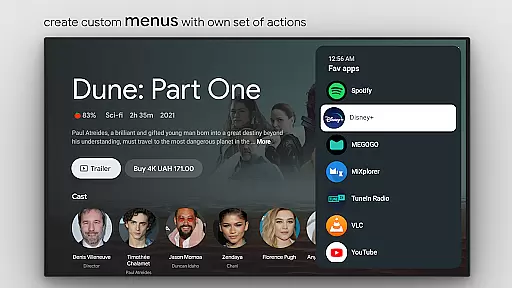
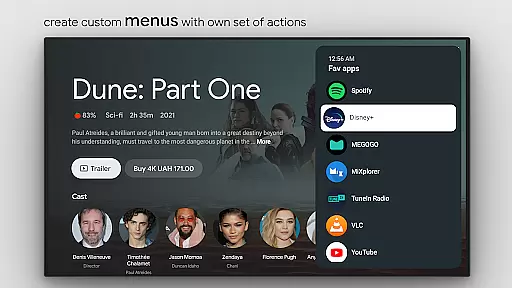
tvQuickActions Pro boasts an impressive array of features tailored for TV device customization. One of its core functionalities is the ability to create custom menus with any desired actions, allowing users to streamline their workflows and access frequently-used functions quickly.
The app supports remapping Netflix buttons on specific devices like Xiaomi and TiVo Stream 4K, while also enabling remapping of app buttons on various other models. Additionally, users can set actions for power-on events, sleep mode transitions, and create custom channels for Android TV home screens.
With options ranging from opening apps and shortcuts to controlling media playback and toggling system settings, this tool provides unparalleled flexibility in managing your TV environment. The inclusion of AccessibilityService API ensures reliable key remapping and automated mode selection through AutoFrameRate feature.
tvQuickActions Pro stands out as a highly accurate and effective button/key mapper specifically designed for TV devices, including Android TV, Google TV, and AOSP on most devices. The app's core functionality allows users to assign up to five actions to a single button on their remote control, significantly enhancing the utility of their device.
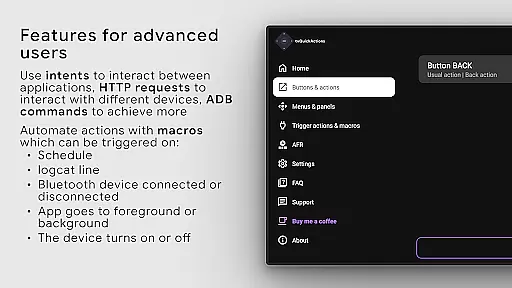
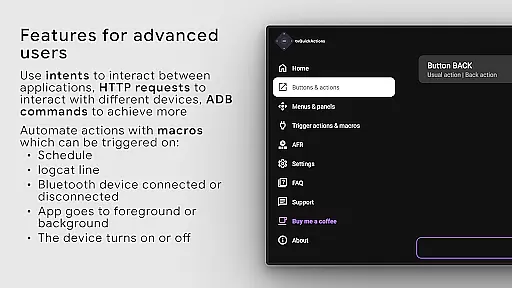
The application supports an extensive range of actions, from opening apps and recent apps management to executing ADB commands and toggling features like WiFi, Bluetooth, and media controls. This versatility ensures that users can customize their TV experience precisely according to their preferences and needs.
One of the unique aspects of tvQuickActions Pro is its ability to support remapping buttons on specific devices such as Xiaomi and TiVo Stream 4K, adding layers of customization previously unavailable. This level of detail in catering to different hardware showcases the app's commitment to precision and user-centric design.
By integrating advanced features like Auto Frame Rate for Amlogic devices and supporting custom channels for Android TV, tvQuickActions Pro not only enhances user interaction but also optimizes device performance. This dual focus on customization and optimization underscores the app's effectiveness in delivering a superior TV experience.
Despite its complex functionalities, tvQuickActions Pro maintains an interface that is both simple and intuitive, ensuring users can navigate and utilize its features without a steep learning curve. The app provides a seamless experience by organizing its extensive capabilities into manageable sections, each accessible through straightforward menus.
Users can easily create custom menus with any actions they prefer, ranging from shortcuts and intents to keycodes and system controls. This flexibility is presented in a clean layout that prioritizes ease of access and quick setup, making it possible for users to tailor their TV's functionality swiftly.
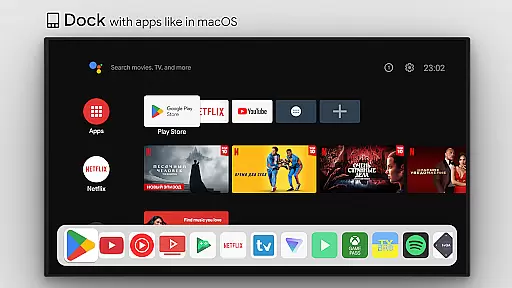
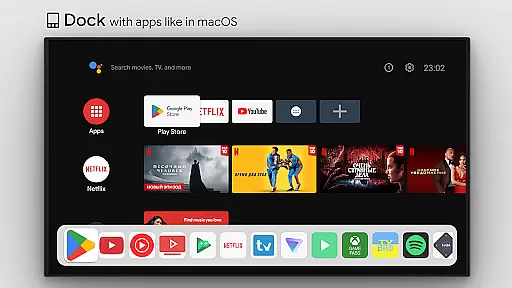
In addition to customizable actions, tvQuickActions Pro includes innovative features like a dock similar to macOS/iPadOS, a media control panel, and night mode, all integrated within an intuitive framework. These additions enrich the user experience without complicating the interface, demonstrating the app's dedication to combining powerful tools with user-friendly design.
Overall, tvQuickActions Pro exemplifies how sophisticated technology can be packaged into an accessible format, allowing users to harness the full potential of their TV devices effortlessly. Its emphasis on clarity and ease of use makes it an invaluable tool for enhancing and personalizing the digital living room environment.
Highly customizable
Wide device compatibility
Unique feature set
Powerful automation capabilities
Comprehensive action options
Complex setup process
Limited support for older Android versions
Some features may not work on all devices
Requires technical knowledge
Premium price point

 4.50
4.50
Transfer Files, APK from Phone to Watch & Install.
4.2
Unit and currency converter with easy and simple UI.
4.80
Clean the junk files on your device
3.40
Enjoy smooth gameplay with Game Booster
4.90
Optimize your WiFi network, turn your phone into Wifi Analyzer
4.70
With videos, electrical calculators, and built-in ebook, Ugly’s has your answer.
4.50
A clean app.
4.50
fast and easy mp3 music downloader
4.80
Easily install aab(Android App Bundle) files on your Android device with our app
4.80
The one-and-only remote control for PC, Mac, and Linux
4.70
HD Camera captures every special moment.
4.60 4.50
4.50
Forza Tuning Calculator App for Forza Horizon 5, Motorsport and Earlier Titles
4.40
Carry a FTP server in your pocket and avoid USB cables for file transfer
4.20
VESC Tool can monitor and configure VESC-compatible devices over BLE and Wifi
4.20
MS-DOS in your pocket. Play old DOS games anywhere you are ;)
4.10
A convenient photo, video, and file recovery tool.
4.00
Download any file easily and quickly with Downloader
4.2


User Reviews