
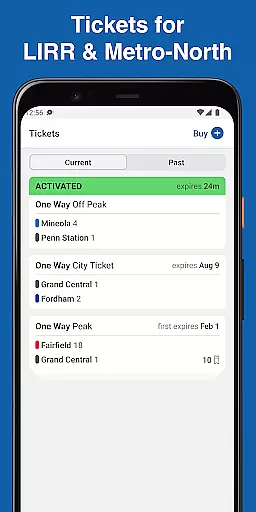
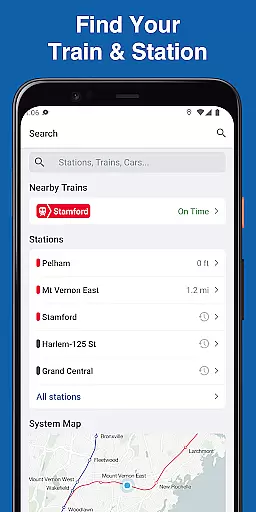
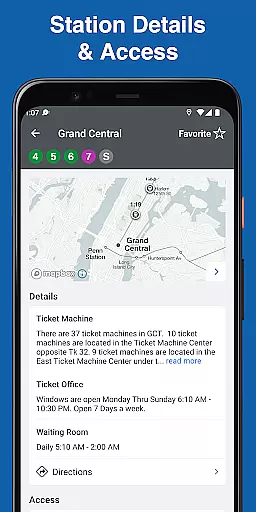
MTA TrainTime is a comprehensive travel application designed specifically for Long Island Rail Road and Metro-North Railroad commuters. This app serves as an all-in-one solution for managing train travel, offering users the ability to purchase and use tickets directly through their mobile devices. With features like real-time GPS tracking, trip planning, and train tracking, it ensures that travelers are always informed about their journeys.
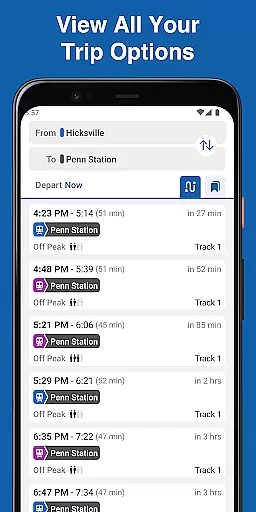
In addition to ticketing, MTA TrainTime provides detailed trip planning tools that include departure times and transfer information, making it easier for users to organize their commutes efficiently. The app also supports saving frequently used trains for quick access and allows users to share their trips with others. Whether you need to know how crowded a train is or require assistance from customer service, MTA TrainTime delivers essential functionalities to enhance your commuting experience.
MTA TrainTime stands out with its robust set of features tailored for rail commuters. One of the key highlights is the ability to buy tickets using Google Pay or traditional credit/debit cards, with the added flexibility of splitting payments between two cards. This feature simplifies the purchasing process and caters to various payment preferences.
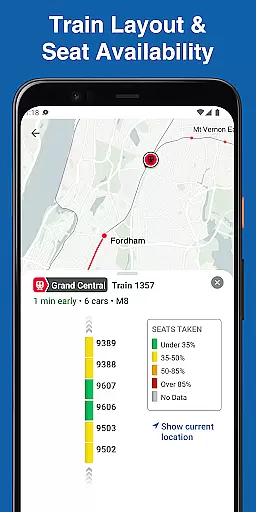
The app excels in trip planning by providing detailed schedules including departure times and transfer details even before starting your journey. Users can search for multiple origin and destination stations simultaneously, which streamlines the planning phase significantly. Additionally, the real-time GPS tracking updates every few seconds, ensuring accurate location data of trains. The inclusion of train layouts and crowd density indicators further enhances user convenience by allowing them to choose less crowded cars.
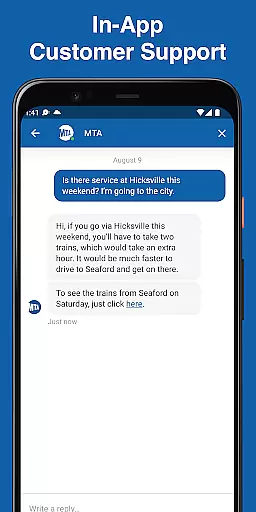
Customer support is seamlessly integrated into MTA TrainTime, enabling users to chat with representatives from either LIRR or Metro-North directly within the app. These comprehensive features collectively ensure that users have a smooth, efficient, and well-supported travel experience.
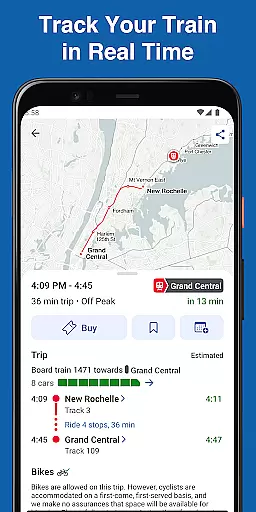
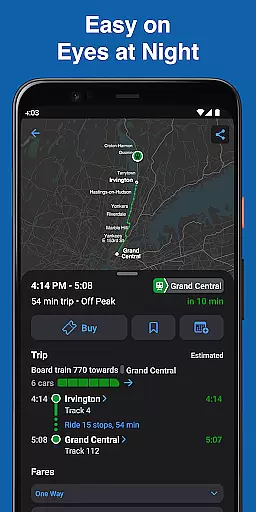
Map accuracy is essential for any navigation app, and MTA TrainTime excels in this area. The application provides real-time GPS tracking that updates every few seconds, ensuring that users have the most current location data of their trains. This feature allows commuters to follow their trips with precision, offering peace of mind and reducing uncertainty about train locations.
The app's map functionality goes beyond just tracking; it includes detailed layouts of each train. Users can see how crowded individual train cars are, which is invaluable during peak travel times or for passengers who prioritize personal space. With such granular detail, riders can make informed decisions on where to wait for their train or which car to board upon arrival at the station.
Furthermore, MTA TrainTime supports multi-destination trip planning, allowing users to search for two origin and/or destination stations simultaneously. This flexibility ensures accurate mapping not only for direct routes but also for more complex journeys involving transfers. Commuters receive comprehensive departure times and transfer details before they travel, enhancing their confidence in the information provided by the app's maps.
Route planning is a core component of the MTA TrainTime app, designed to streamline the commuting experience for Long Island Rail Road and Metro-North Railroad customers. The app allows users to plan trips with detailed departure times and transfer information prior to traveling. This proactive approach enables passengers to prepare their journeys in advance, reducing stress and potential delays caused by unforeseen changes.
One innovative feature of MTA TrainTimeu2019s route planning is the ability to save frequent trains for easy access. Regular commuters can quickly retrieve their commonly used routes without having to input the details repeatedly. Additionally, the option to share trips with family and friends adds a social dimension to route planning, keeping loved ones informed about expected arrival times.
For those seeking even more convenience, MTA TrainTime offers the unique capability to search for two origin and/or destination stations at once. This dual-search function caters to travelers who may need to consider alternative starting points or endpoints, providing them with optimized route options. By integrating these advanced route-planning tools, MTA TrainTime empowers users to navigate their commutes with efficiency and ease.
User-friendly interface
Real-time train tracking
Multiple payment options
Detailed trip planning
Integrated customer support
Limited to specific railroads
Occasional GPS inaccuracies
No offline functionality
Requires stable internet
Payment issues reported

Find AI powered cameras, ALPRs, and other surveillance infrastructure near you
 4.70
4.70
Offline maps & GPS for hiking, travel, fieldwork & outdoor adventures
4.70
Fully offline 1:50k New Zealand topographical map North Island
4.0
Airport parking, with airport shuttle (TPS shuttle), reservations, and Spot Club
4.80
Order a cab online. An affordable taxi ride and driver in no time. What a bolt!
4.80
Your real-time window to the world. Explore anywhere, anytime.
3.30
Find radar, speed camera, flight tracker. Use hud, location tracker, speedometer
4.20
Track friends in real-time and explore worldwide live cameras.
4.60
GPS phone tracker, family locator, secure location sharing app
4.20
This app is military GPS coordinate systems helper. (MGRS, UTM & DMS Maps)
4.80
Park in Chicago, NYC, Boston, SF, Houston & more!
4.70
Parcel map, property lines, owner, acres, land use, zoning and more from Regrid.
4.60
Turn your Android device into a real off-road GPS using off-line topo maps!
4.40
ParkWhiz, an Arrive Mobility brand, part of the Arrive Network
4.30
Navigation, weather, offline maps & tools for smarter, safer travel planning.
4.00
Get real-time bus and train schedules for easy, hassle-free city transportation.
3.90
Live Satellite view app for find GPS navigation Direction and live location map
3.70
Explore Earth with live GPS, satellite view & street navigation
3.60
Explore the world with Live Satellite View, 3D Maps, GPS Navigation & Earth Map.
2.90


User Reviews