
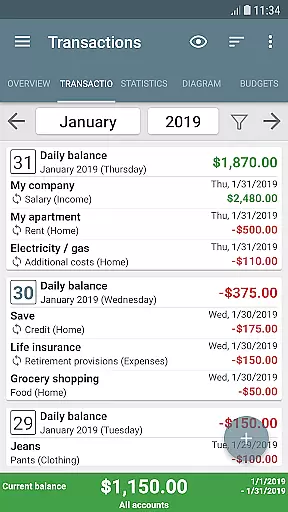
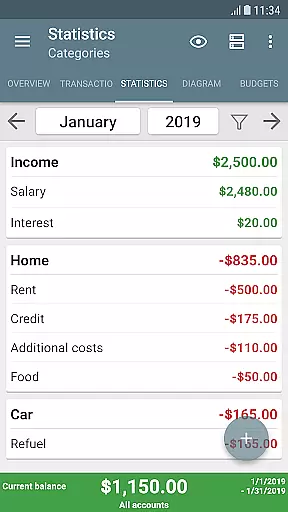
My Budget Book is a comprehensive financial management application designed to help users effectively track and manage their income and expenses. The app offers features for recording individual or recurring transactions, allowing users to monitor their balances and forecast future financial positions.
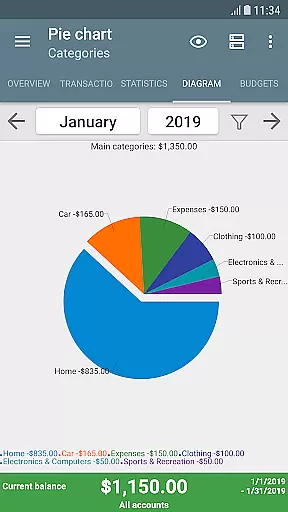
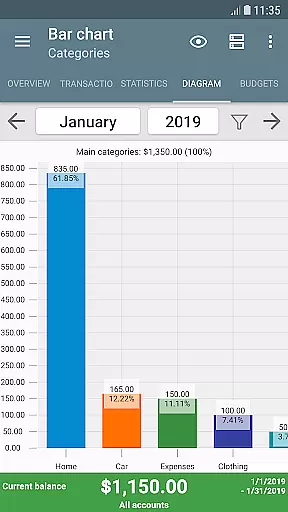
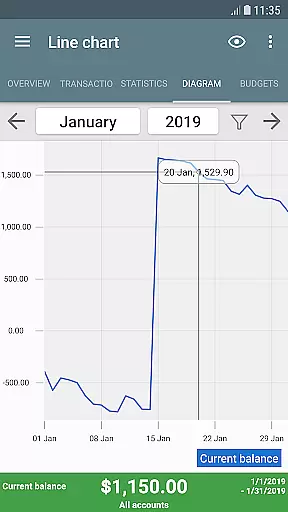
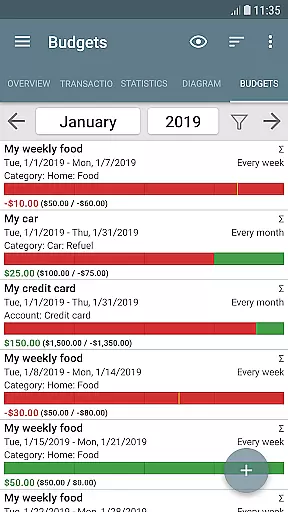
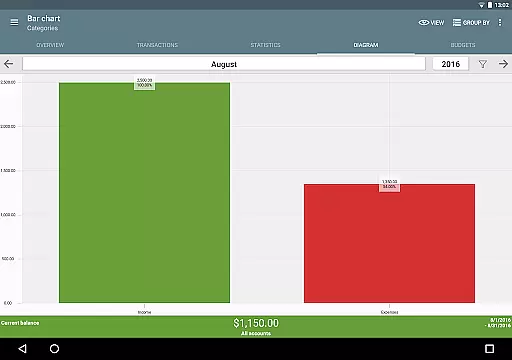
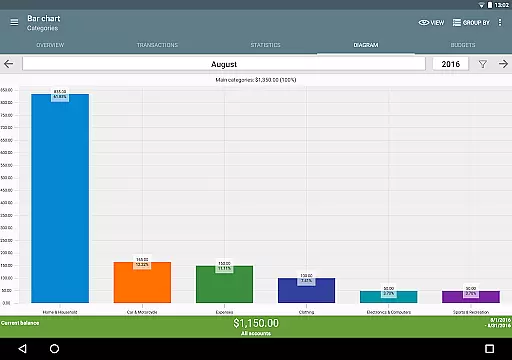
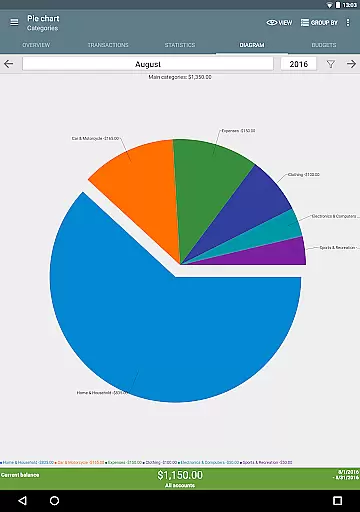
One of the standout capabilities is the budgeting mode, which enables users to set spending limits or savings goals over custom time periods. Whether it's controlling clothing purchases, reducing coffee expenses, or saving for a vacation, the app provides flexible budgeting options. Additionally, users can visualize their financial data through dynamic charts and graphs, making it easier to understand spending patterns.
The app is particularly useful for individuals seeking a secure, offline solution for managing their finances. With no internet permission required, user privacy is prioritized. It also supports multiple accounts, transaction categorization, and even photo attachments for receipts, making it a versatile tool for personal finance management.
My Budget Book stands out with its rich feature set tailored for effective money management. The app allows users to create personalized budgets with specific caps or targets, such as weekly coffee spending limits or monthly savings goals. This flexibility ensures that users can tailor the app to their unique financial needs.
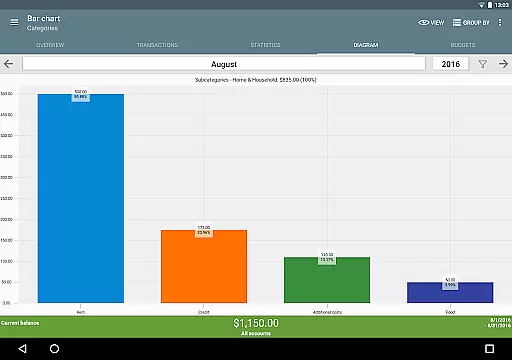
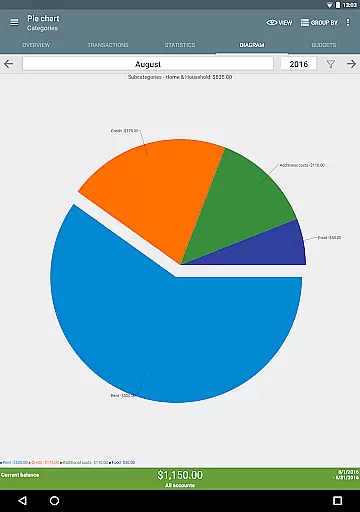
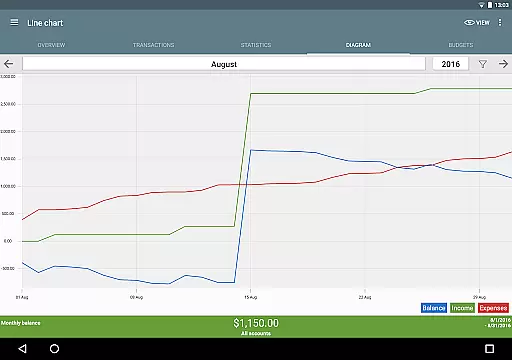
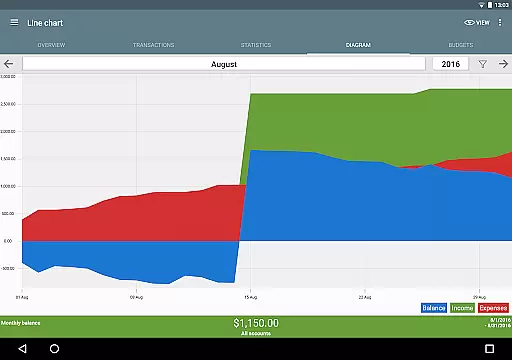
Another notable feature is the ability to visualize financial data using dynamic charts and graphs. Users can easily interpret their income and expenses, gaining insights into their financial habits. The app also supports advanced sorting options, customizable categories, and subcategories, enabling precise tracking of different types of transactions.
For added convenience, My Budget Book includes widgets, password protection, and fingerprint authentication. Users can import bank statements via CSV, export data in various formats, and benefit from automatic local backups. These features collectively enhance the overall user experience, making financial management both efficient and secure.
Account and fund security is a critical aspect of any financial management application. My Budget Book ensures your sensitive data remains protected through multiple layers of security.
The app offers optional password protection and fingerprint authentication, providing users with peace of mind when managing their finances. This feature prevents unauthorized access to your financial records, ensuring that only you can view and manage your income, expenses, and budgets.
In addition to local security measures, the app operates offline without requiring Internet permission. This privacy-focused approach protects your data from potential online threats while still allowing you to maintain comprehensive financial records.
For added convenience, users can create automatic local backups to prevent data loss. The combination of robust security features and user-friendly backup options makes My Budget Book a reliable choice for managing personal finances securely.
A seamless transaction experience is essential for effective financial management. My Budget Book excels in this area by providing intuitive tools for recording and tracking both income and expenses.
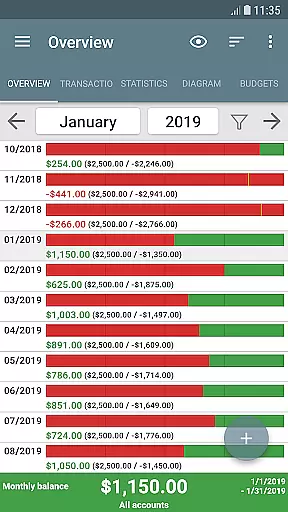
The app supports individual and recurring transactions, allowing users to accurately forecast their balances over time. This feature is particularly useful for managing regular payments such as rent or subscriptions, as well as tracking variable expenses like groceries or entertainment.
To enhance the transaction experience further, My Budget Book offers dynamic visualization tools. Users can view their financial data through charts and graphs, gaining valuable insights into spending patterns and budget adherence.
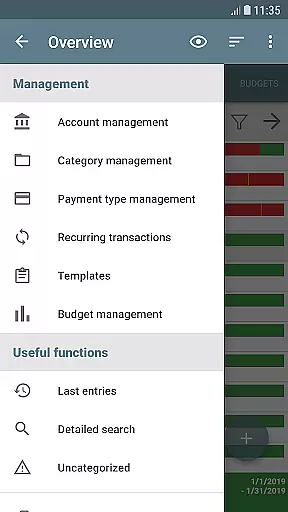
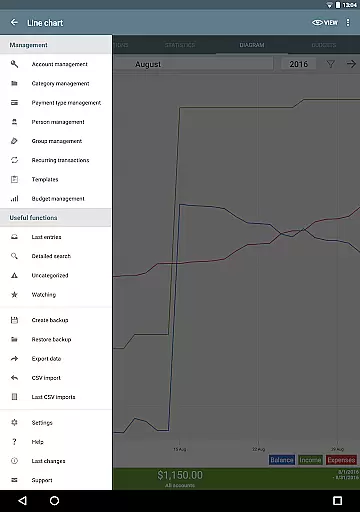
Additional features include customizable categories, subcategories, and sorting options, enabling users to organize their transactions according to their unique needs. The ability to add photos or receipts to transactions also helps reduce paper clutter while providing convenient reference points for future review.
User-friendly interface
Flexible budgeting options
Offline functionality
Comprehensive data visualization
Multiple account management
No automatic cloud sync
Limited in-app support
Manual data entry required
Basic free version
Occasional bugs reported

Currency Converter supports all currencies of the world.
 5.00
5.00
Secure Amex Account Access: View Balance, Make Payments, Redeem Rewards & more
3.60
Managing your money just got easier. Get the new Mobile app.
4.70
Your Big Financial Friend
4.70
Save, spend & get paid faster²
4.50
Money App - Earn Cash back, Fast Cash Advance, Personal Loan Offers, Banking
4.70
Currency Converter (200+ currencies) with live exchange rates and offline mode.
4.70
StockTiles lets you view prices & charts of your favorite stock assets
2.30
Wells Fargo Mobile allows you to access your investment and bank accounts.
4.80
Banking with no monthly fees, fee-free overdraft, and early payday.
4.70
Send money and bitcoin easily. Invest, bank and do more with your money
4.70
Banking, Budgeting & Investing
4.60 4.50
4.50
The all-in-one app to save, earn, travel, and put more money in your pocket
4.50
Get up to 500, get paid early, earn interest and find work with no hidden fees.
4.40
Change the way you money with Credit Genie
4.30
Your insurance, anytime, anywhere
4.00
Invest, bank & save in one app. Trade stocks, earn high APY & budget smarter.
4.00
Expenses, Bills, Budget and Accounts - All seamlessly integrated in one app!
3.80


User Reviews