

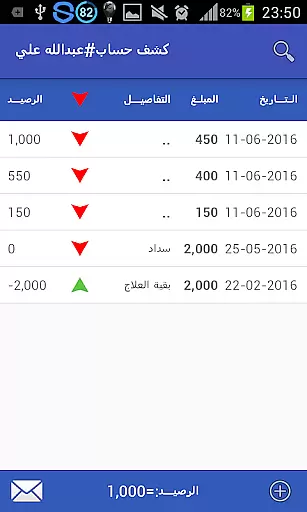


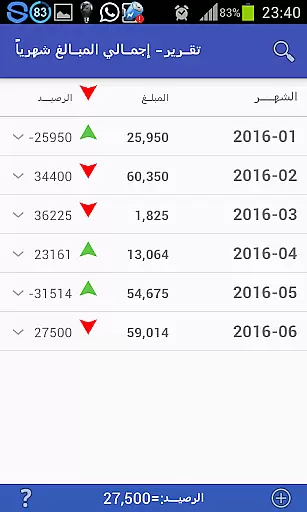


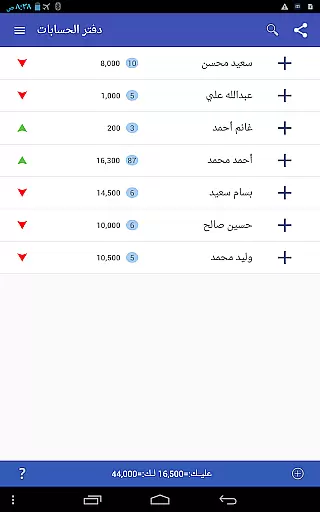


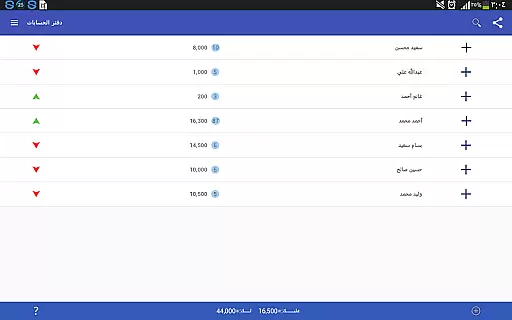
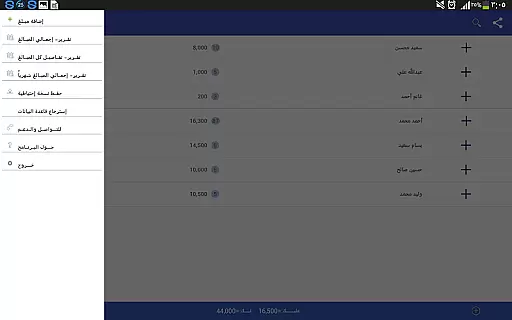
Pro Accounting Book is a comprehensive finance management application designed to simplify accounting processes for individuals and small businesses. The app allows users to effortlessly record debts, track receivables, and manage automatic account aggregation. With its user-friendly interface, it ensures that even those without an accounting background can maintain accurate financial records.
Beyond basic bookkeeping, Pro Accounting Book offers advanced features such as detailed financial reporting, Bluetooth data sharing, and database export/import capabilities. These functionalities save users significant time and effort in managing their finances. Whether you need to close accounts, search transactions by date or keyword, or rank entries by specific criteria, this app provides the tools necessary for efficient financial oversight.
The app is particularly beneficial for freelancers, small business owners, and anyone looking to maintain meticulous financial records. By offering backup and restore options, Pro Accounting Book ensures your data remains secure even if your device is lost or damaged. This peace of mind, combined with its robust feature set, makes it an invaluable tool for effective financial management.
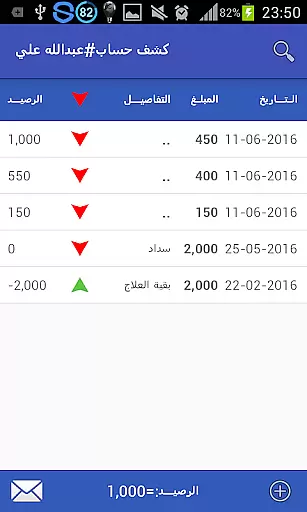
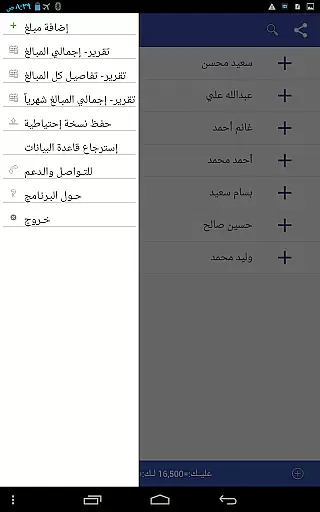
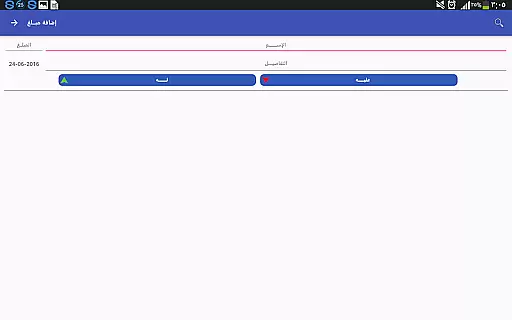
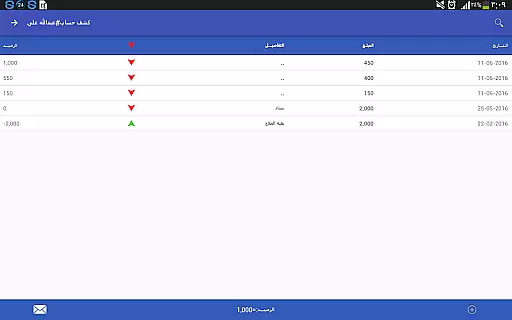
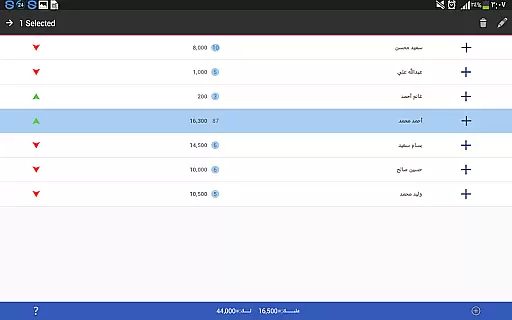
Pro Accounting Book stands out with its diverse range of features tailored to streamline financial management. One of its core strengths is the ability to record debts and credits seamlessly. Users can add new transactions via an intuitive interface, specifying names, dates, and amounts with ease. The app automatically aggregates these entries, providing a clear overview of financial standing at any given time.
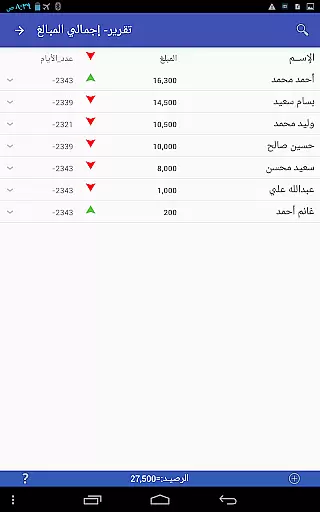
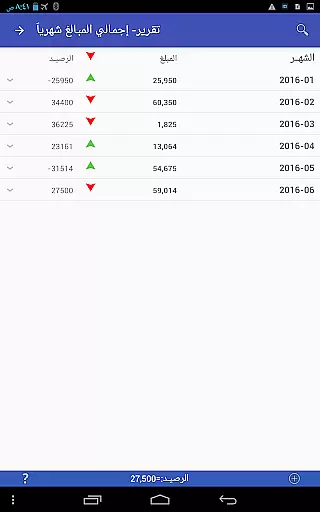
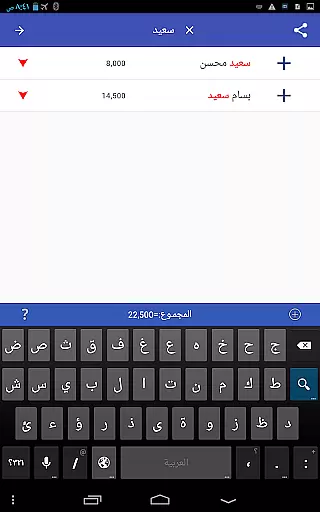
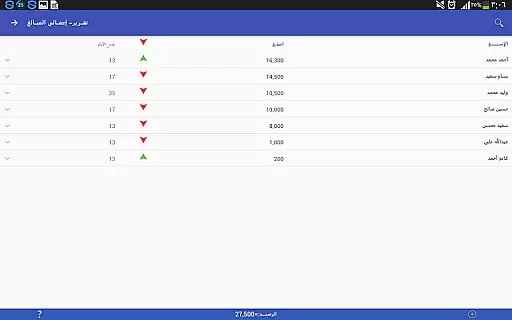
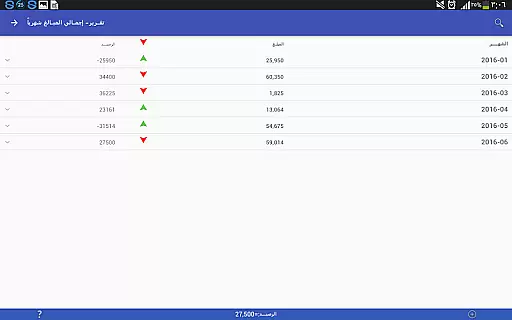
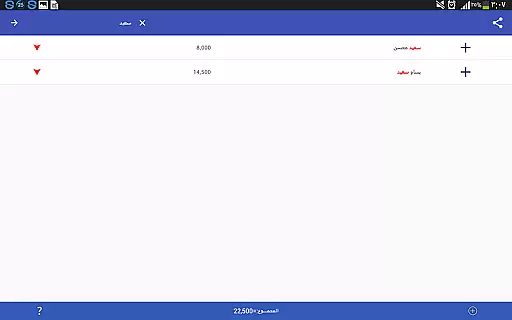
In addition to transaction recording, the app offers powerful reporting tools. Users can generate analytical reports that provide insights into their financial health, helping them make informed decisions. The search and ranking features further enhance usability, allowing quick access to specific transactions or ordered views based on user-defined criteria. These capabilities ensure that users can efficiently navigate through their financial data.
Another notable feature is the app's robust data protection system. Through options like database backup and restore, users can safeguard their financial information against device loss or damage. Sharing capabilities via Bluetooth or social media platforms enable easy collaboration and data exchange. These comprehensive features collectively position Pro Accounting Book as a versatile solution for modern accounting needs.
Account and fund security is a critical aspect of any financial application, ensuring that users' data and transactions are protected from unauthorized access. Pro Accounting Book takes this responsibility seriously by implementing robust security measures.
The app provides database protection through backup and restore functionalities. Users can create a backup copy of their financial data and share it via secure methods such as email or Bluetooth. This ensures that even if the device is lost or damaged, the financial records remain safe and can be restored on a new device.
Moreover, sensitive operations like editing or deleting data require long clicks, which serves as an additional layer of security against accidental changes. This deliberate action helps maintain the integrity of the financial information recorded within the app.
By incorporating these features, Pro Accounting Book not only secures user funds and accounts but also instills confidence in users when managing their financial transactions.
A seamless transaction experience is vital for maintaining efficiency and accuracy in financial management. Pro Accounting Book offers a streamlined process for recording debts and receivables, making it easy to track who owes you money and vice versa.
With just a click on the Add Amount (+) button, users can quickly enter transaction details. The app supports automatic aggregation of accounts, saving time and reducing errors associated with manual calculations. Additionally, specifying transaction dates and searching through past entries is straightforward, enhancing the overall transaction handling.
Pro Accounting Book further enriches the transaction experience by providing various reports that save effort and time. These analytical reports offer insights into financial activities without requiring complex setups or additional software.
Sharing capabilities via Bluetooth or social networking sites add another layer of convenience, allowing users to collaborate and communicate their financial status effortlessly.
User-friendly interface
Automatic account aggregation
Detailed financial reporting
Data backup and restore
Bluetooth sharing capability
Limited advanced accounting features
No multi-currency support
Occasional syncing issues
Basic UI design
Few customization options

Debt pay off. Build credit history. AI budget tool. Loan offers.
 4.60
4.60
Your insurance, anytime, anywhere
4.00
Easily invest, save, and plan—all in one app.
4.60
Get 250$ Cash Advance to solve emergencies instantly in loan app called LendMe
4.70
Money App - Earn Cash back, Fast Cash Advance, Personal Loan Offers, Banking
4.70
Loan Calculator, Mortgage Calculator, Compound Interest Calculator
4.70
Real-time tracking: Stocks, Indices, Futures, Commodities, ETF, & Funds prices.
4.60
Cash Advance, Credit Cards, Credit Lines, Score Monitoring, Saving, Budgeting
4.70
Pay, bank & build credit.
4.70
Pay rent on your schedule.
4.70
No credit check, no interest, no worries.
4.70
Powerful Money Manager, Expense & Savings Tracker, Budget Planner - Pro Version
4.70
Download the MySynchrony App to manage your accounts securely and conveniently!
4.60
Need help before payday? Get cash advances with no interest or credit checks.
4.60
Manage budget, save money, or file tax. Build, track & improve your credit score
4.40
Earn money as a tester with Testerup, get cash testing apps and games
4.20
The PayPal app is the secure way to send and receive money, shop and pay in 4.
4.20
StockTiles lets you view prices & charts of your favorite stock assets
2.30
Bill Manager is a simple app to help you keep track of your upcoming bills.
4.0


User Reviews