
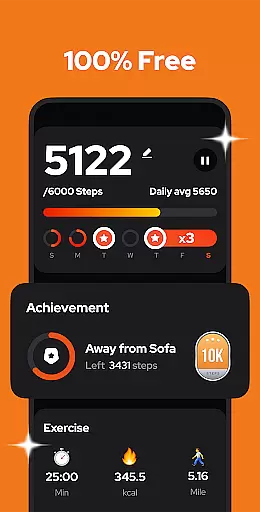
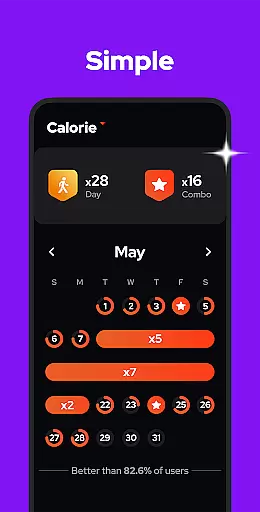
Step Counter - Pedometer is a premier health and fitness application designed to automatically track your daily steps, walking distance, calories burned, and exercise duration with precision. Compatible with all Android devices, this app leverages advanced built-in motion sensors for accurate step counting without the need for GPS or Wi-Fi, ensuring minimal battery consumption. Whether you're aiming to hit the recommended 10,000 daily steps or monitoring your fitness progress through detailed weekly, monthly, or yearly graphs, Step Counter offers an intuitive and comprehensive solution.
This pedometer app stands out by offering customizable sensitivity settings, pause and resume features to avoid unwanted step counts, and robust data privacy measures. Users can effortlessly back up their data to the cloud and restore it across devices, making it an ideal choice for those committed to maintaining an active lifestyle while managing their personal health information securely.
Step Counter - Pedometer boasts an array of sophisticated features tailored to enhance user experience in health tracking. The app's core functionality lies in its ability to deliver precise step counting using the phone's built-in sensors, negating the necessity for external wearables or GPS, which significantly conserves device battery life. Its offline mode capability ensures that users can track their fitness metrics without internet connectivity, providing uninterrupted service wherever they are.
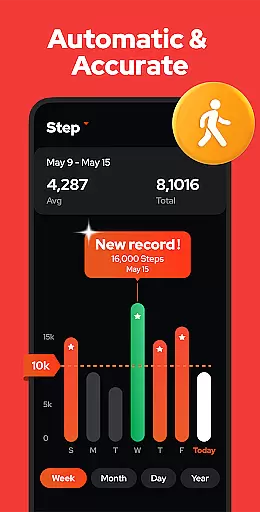
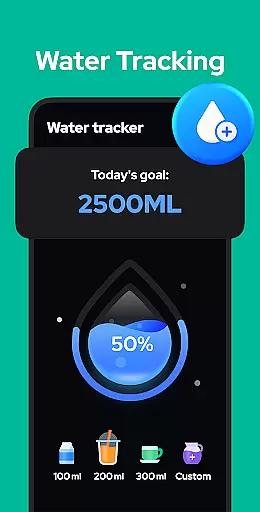
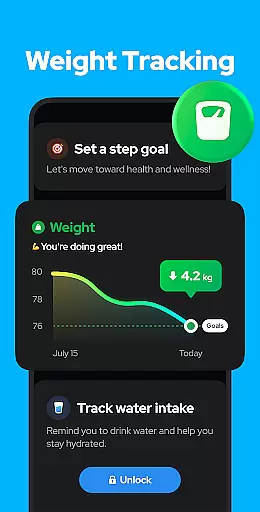
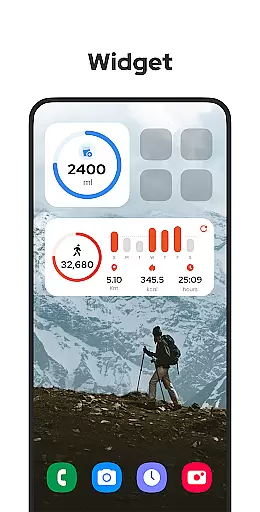
Further enriching its feature set, the app provides visual analytics through graphs segmented by day, week, month, or year, allowing users to discern patterns and trends in their physical activity. With adjustable sensitivity settings, users can fine-tune the accuracy of step detection. Additionally, upcoming features such as training mode customization, hydration reminders, and health metric recordings like body weight and blood pressure signify the app's commitment to continuous improvement and holistic health management.
Personalized planning in a fitness app refers to the ability to create tailored exercise routines based on individual user data and goals. This feature is crucial for users seeking an optimized and relevant fitness experience.
Step Counter - Pedometer offers personalized planning by analyzing your daily activity metrics such as steps taken, calories burned, and distance covered. The app uses this data to help you set realistic fitness goals and adjust them over time as you progress.
Users benefit from this feature by receiving customized recommendations that align with their fitness level and objectives. Whether aiming to hit 10,000 steps a day or monitoring calorie expenditure, the app adapts to each user's unique journey.
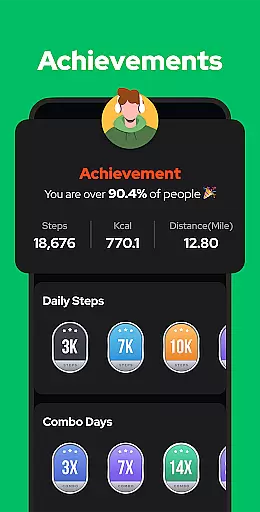
The true value of personalized planning in Step Counter lies in its power to keep users motivated and engaged. By offering insights into personal achievements and suggesting new targets, it fosters a sense of accomplishment and encourages continued use towards better health.
Progress visualization allows users to see their fitness journey through graphical representations, making it easier to understand improvements over time. For any health and fitness app, providing clear visual feedback is essential for user motivation and retention.
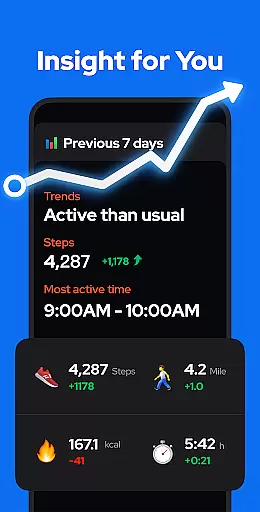
In Step Counter - Pedometer, progress visualization is executed through detailed charts and graphs. Users can view their step counts, walking duration, and calories burned on a daily, weekly, monthly, or yearly basis. These visuals provide a comprehensive overview of their activity trends.
This functionality empowers users by giving them tangible evidence of their progress. Seeing consistent increases in step counts or calories burned can be incredibly rewarding and spur users to maintain or increase their activity levels.
Moreover, the clarity and accessibility of these visual tools enhance the overall user experience. With easy-to-read charts, users can quickly grasp their performance metrics and make informed decisions about their fitness routines, ensuring they stay on track to achieve their health goals.
User-friendly interface
Accurate step tracking
Offline functionality
Battery efficient
Data privacy ensured
Limited to Android
No iOS version
Occasional inaccuracies
Basic UI design
Ads in free version

Control your sleep in real-time wearing Garmin device
 3.60
3.60
Build Healthy Habits!
4.60
Meditation app, head space app provides calm music to help you meditate & sleep
5.00
Histamine intolerance, low FODMAP diet and irritable bowel syndrome (IBS)
4.00
The Official Blood Type Diet® App - know your categorized foods anytime.
4.50
Eat smarter with Eato, your personal calorie counter and nutrition tracker!
4.40
Pedometer that gives you sweatcoins for steps. It pays to walk!
4.10
Lazy home workouts with your virtual fitness coach for weight loss.
4.30
Control your blood pressure, heart rate and blood sugar in a fast way.
4.00
Beauty Care, Makeup & Skin Care Scanner | Pregnancy App For A Mom | Healthy Baby
5.00
Weight loss app: home workout for women to lose weight & burn calories.
4.80
Load the bar with this barbell & plate calculator. It's leg day, not brain day!
4.70
Period Tracker, the easiest way to track your periods!
4.50
Relax to calm sounds, white noise, music, guided meditation and bedtime stories
4.40
Create powerful subliminal audio with custom affirmations and background music.
4.00
Make sense of your health data.
3.80
Focus on BP & Health
3.80
Dexcom G7 Continuous Glucose Monitoring
3.70
The Wear OS BeechBand app is designed to alleviate anxiety and other conditions
4.1


User Reviews