


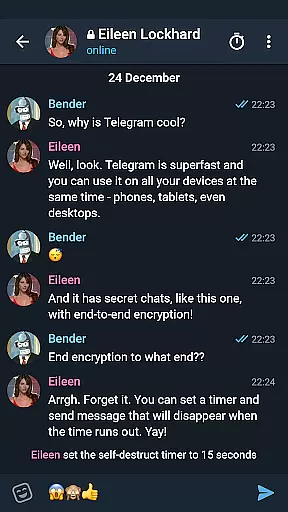

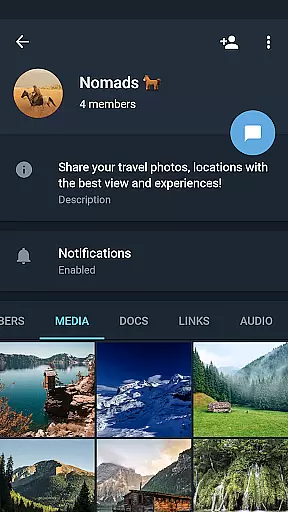
Telegram X represents a faster, more experimental version of the popular Telegram messaging app. Built on TDLib, it offers enhanced speed and smoother animations compared to its predecessor. This alternative client is designed for users who desire quicker interactions and a sleeker interface while maintaining the core functionalities of Telegram. With this app, users can send messages, share media, and join groups with improved performance. It's especially beneficial for those who need rapid communication without compromising on quality.
The application supports all standard messaging features such as text, voice, and video communication. Additionally, it includes experimental features that aren't available in the main Telegram app, making it an attractive option for power users. Whether you're coordinating with a team or staying in touch with friends, Telegram X ensures your conversations are seamless and engaging.
Telegram X stands out due to its innovative use of TDLib, which significantly boosts its operational speed and efficiency. The app incorporates cutting-edge animations that provide a fluid user experience, setting a new standard for social messaging applications. Users will find that navigating through chats and switching between different conversations is remarkably swift.
One of the key highlights is the inclusion of experimental features that allow early access to functionalities still under development. These features often include UI enhancements, advanced privacy settings, and customization options not yet available in the standard Telegram app. Such innovations ensure that Telegram X remains at the forefront of messaging technology, catering to tech-savvy individuals looking for the latest advancements.
User profile customization is a crucial aspect of any social application, allowing users to express their identity and preferences. Telegram X offers a range of options for personalizing profiles, from choosing profile pictures to setting custom statuses.
The authenticity verification process ensures that users are who they claim to be, which is particularly important for public figures and organizations. This verification adds a badge to the profile, signifying its authenticity and helping other users trust the account.
Telegram X's experimental features may include new ways to customize and verify profiles, offering users an enhanced experience compared to the standard Telegram app. These features leverage the capabilities of TDLib to provide faster updates and smoother animations.
By providing robust customization and verification options, Telegram X empowers users to create genuine connections and engage with confidence within the community.
Connection discovery in social apps refers to the ability to find and connect with friends, family, or like-minded individuals. Telegram X enhances this process by implementing advanced algorithms that suggest relevant contacts based on user behavior and preferences.
The alternative client's higher speed and slicker animations contribute to a seamless connection discovery experience. Users can quickly browse through suggestions and add new contacts without delays or interruptions.
Experimental features in Telegram X might introduce innovative methods for discovering connections, such as improved search functionalities or interactive interfaces that make it easier to expand oneu2019s network.
With these tools at hand, users of Telegram X can efficiently grow their social circles while enjoying a modern and responsive interface that supports their communication needs.
Enhanced speed
Smoother animations
Experimental features
Early access to new tools
Improved user experience
Limited user base
Potential instability
Fewer updates
Compatibility issues
Learning curve

Dive into diverse fandoms. Connect, create, reblog.
 3.90
3.90
Live video chat to connect with people around the world. Video chatting on Olive
4.40
Discover an open-minded dating experience when you download today
4.10
Sell unwanted items and buy preloved stuff in your local community.
4.10
Find your next obsession.
3.50
Message and video call your family and friends!
2.60
Widget Together, Share Whatever! Keep Pets & Share Sleep, Poop, Moods on Screens
4.70
Connection Beyond Content
4.50
TikTok Lite - Designed for speed, simplicity, and saving your phone’s space!
4.40
Social calendar for friends to make plans, group chat, share events & schedules
4.60
Live pics from your friends - Only the photos you want to see
4.60
Dating & make friend to chat, meet, flirt, and make real connections!
4.60
Looking for a date or a friend? Swipe to match and meet open-minded singles.
4.20
The official Skool app. Stay connected to your communities on the go.
4.20
Meet local people, make friends & network: Join a community, group, host events
4.00
Random chat & meet online. Find your soulmate or someone special and have fun!
3.90
Go Live, Chat & Meet New People! Friends. And more than friends.
3.80
Resonate & Date with New Match
3.70
Follow the Truth! Join America's leading free-speech social platform.
3.10


User Reviews