
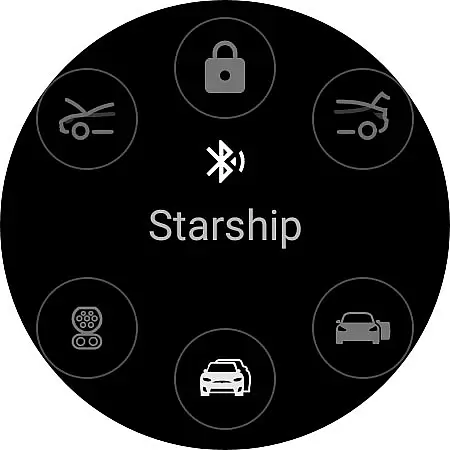
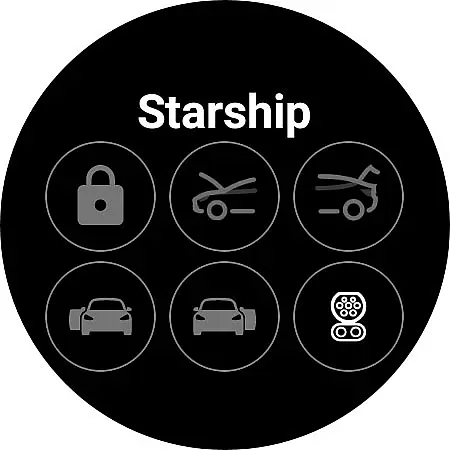
Watt Key is a cutting-edge Wear OS application that transforms your smartwatch into a key fob for Tesla vehicles. Designed specifically for Tesla models with Bluetooth key functionality, including Model 3/Y and the refreshed Model S/X, this app offers seamless interaction with your vehicle. Through advanced Bluetooth connectivity, users can perform essential functions directly from their wrist.
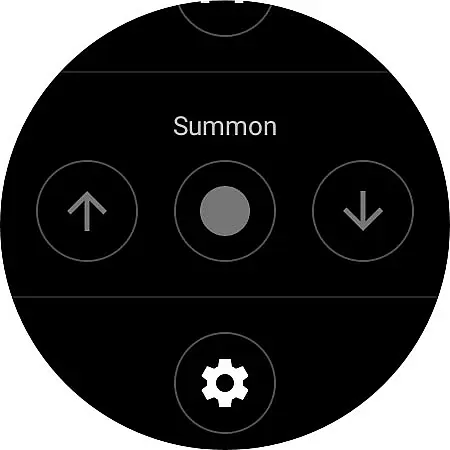
The app's core features include automatic locking and unlocking as you approach or leave your Tesla, driver door unlatching upon proximity, and manual lock/unlock options. Additionally, it provides quick access to commands through dedicated tiles, enabling actions like opening the frunk, trunk, and charge port. The app also supports Summon functionality for forward and reverse movements, provided your Tesla has Enhanced Autopilot (EAP) or Full Self-Driving (FSD) capabilities.
Watt Key emphasizes security and privacy by generating encrypted cryptographic keys stored securely on your watch. This ensures safe communication between the app and your Tesla. With no internet connection required, all actions are executed instantly via Bluetooth, making it an efficient tool for Tesla owners who value convenience and innovation in their daily lives.
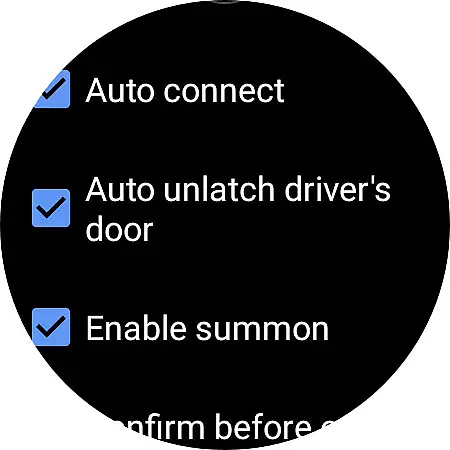
Watt Key stands out with its comprehensive feature set tailored for Tesla owners. The app leverages Bluetooth technology to provide real-time vehicle control directly from a Wear OS smartwatch. One of its standout features is the automatic lock/unlock functionality, which activates based on user proximity to the vehicle. As you walk towards your Tesla, the doors unlock automatically, and they lock again when you move away, enhancing convenience without compromising security.
In addition to proximity-based controls, Watt Key allows manual operations such as locking/unlocking, opening the frunk and trunk, and managing the charge port. Users can customize their experience through dedicated tiles that grant quick access to these commands. For Teslas equipped with Enhanced Autopilot or Full Self-Driving capabilities, the app includes Summon functionality for precise vehicle movement in tight spaces.
Security is paramount in Watt Key's design. The app generates unique cryptographic keys for each vehicle, ensuring secure authentication. These keys are stored encrypted on the watch and can be managed or deleted anytime through the app's Settings menu or Tesla's Lock menu. Supporting Tesla's end-to-end encrypted commands, Watt Key guarantees that all interactions remain private and protected, giving users peace of mind while enjoying the benefits of wearable technology.
Watt Key offers comprehensive lifestyle functionality by transforming your Wear OS watch into a convenient key fob for Tesla vehicles. This app covers essential aspects of vehicle interaction, including automatic locking and unlocking as you approach or leave your car.
The app extends its capabilities to unlatching doors, opening the frunk and trunk, and managing the charge port. These features cater to the modern lifestyle of Tesla owners who value seamless integration between their smart devices and vehicles.
With additional functionalities like Summon forward and reverse, Watt Key ensures users have control over their Tesla experience directly from their wrist. The inclusion of quick-access tiles further enhances user convenience, making daily operations swift and straightforward.
Watt Key assures content authenticity through its direct Bluetooth connection to Tesla vehicles, ensuring that all commands are executed with precision and reliability. The app's ability to function without an internet connection underscores its commitment to providing genuine and immediate vehicle interactions.
Security and privacy are paramount, with the app generating a secure cryptographic key for authenticating with Tesla vehicles. This key is encrypted and stored on the user's watch, accessible only by the app itself. Users can manage these keys via the Settings menu or Tesla's Lock menu, reinforcing trust in the app's security measures.
Although not officially endorsed by Tesla, Watt Key supports the company's new end-to-end encrypted commands, demonstrating alignment with industry standards for secure communication. This dedication to expert-level security protocols provides users with peace of mind while using the app.
Instant vehicle access
Secure encryption protocols
Customizable command tiles
No internet connection required
Seamless Bluetooth integration
Limited to Wear OS
Tesla model restrictions
Requires Bluetooth enabled
Notification permissions needed
Not compatible with older watches

Unique BIG BOLD TIME with amazing colors and customisations.
 3.70
3.70
Get your life organized with My Agenda!
4.30
A daily quote for success
4.5
Do you want to communicate with spirits?
3.80
Spirit Communicator is a real paranormal ghost hunting app with many fun modes.
3.90
Zodiac & Horoscope Launcher: Daily Sign Predictions & Astrology
4.40
The Miracle Box includes methods used by Steve Huff of Huff Paranormal.
3.20
Remotely monitor the time and temperature of food cooking on your grill.
4.60
Earn money for every survey and game you play, and get real rewards every time
4.50
A unique and customizable watch face which rotates its layout every minute.
4.80
Countdown to Christmas 2025 with festive games & activities in a virtual village
4.80
Kasa Smart is your portal to your TP-LINK Smart Home.
4.70
Have your Tehillim with you at all times
4.70
A smart Siddur with halachic times
4.50
PARAVOX 4 is a professional ITC paranormal research application.
4.50
Subwoofer school’s in session! You’ve now enrolled into KICKER U.
3.80
Take Hobby Lobby with you wherever you go!
3.40
Designed to delight, impress and energize your festive spirit every single day
4.3
The cutest Autumn watchface featuring the adorable Mr. Squirrel
4.3


User Reviews