
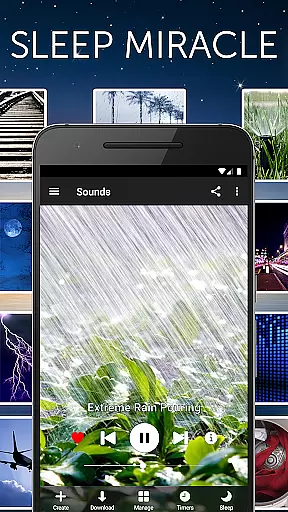


White Noise is a premier sleep aid application designed to help users achieve better rest by providing a variety of ambient sounds. This app is perfect for those who struggle with sleep disturbances or need background noise to relax during the day. With over 40 high-quality sound options, White Noise offers everything from environmental noises to specially engineered color noises that cater to individual preferences.
The app's standout feature is its ability to mask unwanted sounds that can interrupt sleep, making it invaluable for light sleepers and frequent travelers. Whether you're dealing with noisy neighbors or trying to soothe a crying baby, White Noise creates an ideal audio environment for uninterrupted rest. The application works seamlessly across all Android devices, ensuring a consistent experience regardless of your hardware.
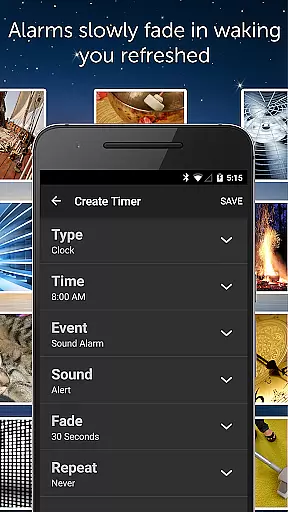
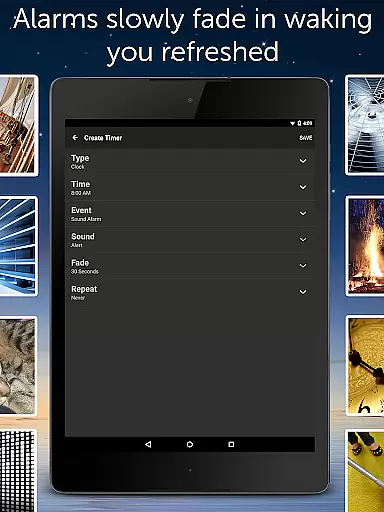
Beyond basic playback, White Noise includes advanced features like sound mixing, adjustable volume controls, and customizable alarms. These tools allow users to create personalized soundscapes that evolve throughout the night. The app's sophisticated alarm system gently wakes users with fading audio transitions, promoting a more natural and refreshing wake-up experience. For anyone seeking improved sleep quality, White Noise delivers both functionality and customization in one comprehensive package.
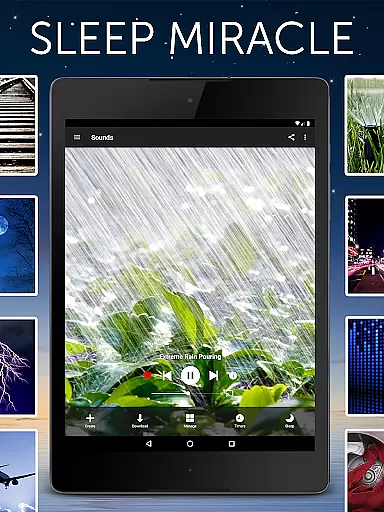
White Noise distinguishes itself through an impressive array of features designed to enhance user experience. The core functionality revolves around its extensive sound catalog, featuring over 40 perfectly looped ambient noises including rain, ocean waves, and specialized color noises. Unlike streaming services, these sounds are fully downloadable, ensuring uninterrupted playback even without internet connectivity.
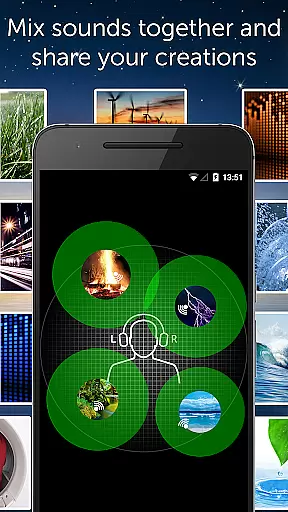
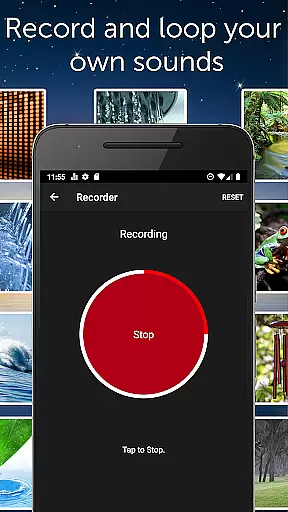
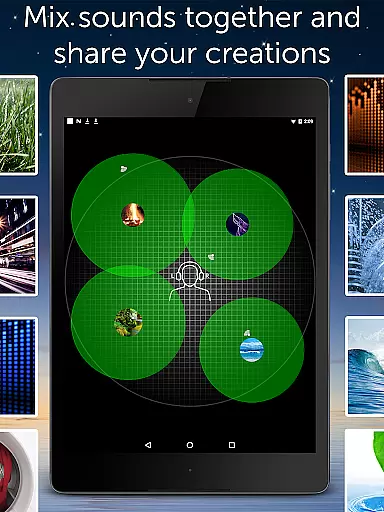
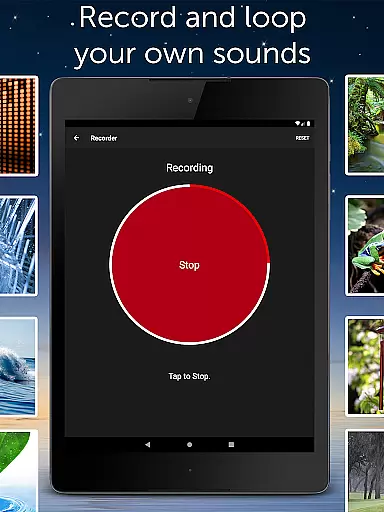
Advanced customization options set this app apart from basic white noise generators. Users can mix multiple sounds together while adjusting individual volume, balance, and pitch levels. The built-in recording feature allows creation of custom sound loops, while the Favorite view provides quick access to preferred combinations. Particularly noteworthy is the sophisticated alarm system that incorporates gradual audio fade-in and fade-out effects, simulating natural waking patterns.
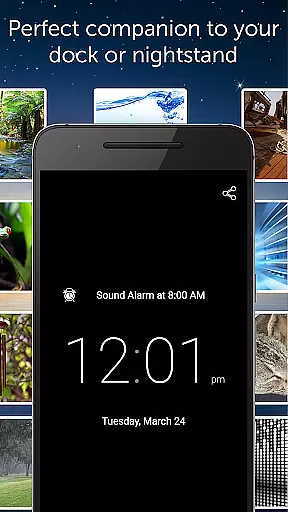
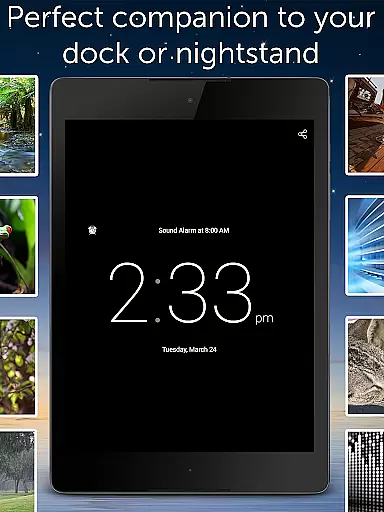
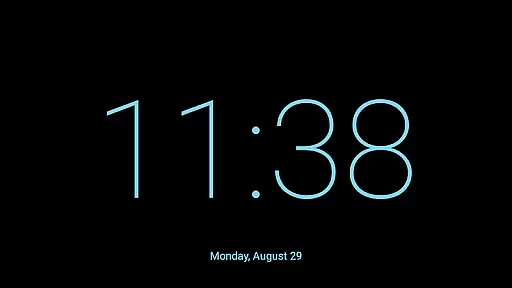
Technical excellence extends to device integration as well. White Noise supports background audio playback, enabling multitasking with other applications. The full-screen digital clock with customizable brightness proves invaluable for nighttime visibility. Additional professional-grade settings include buffer size adjustments, custom snooze times, and precise audio parameter controls. These comprehensive features make White Noise not just a sleep aid but a complete sound environment management system.
White Noise offers personalized soundscapes to enhance your sleep and relaxation experience. The app provides over 40 ambient sounds that can be customized to suit individual preferences, ensuring a unique approach to achieving better rest.
The application allows users to mix multiple noises together, adjusting the volume, balance, and pitch of each sound. This level of personalization ensures that whether you need to block distractions or soothe a headache, you can create an environment tailored specifically to your needs.
With features like the advanced alarm system that gently wakes you up, White Noise adapts to your daily routine, promoting a natural sleep cycle. This personalized planning extends beyond just selecting sounds; it encompasses how you interact with the app throughout your day and night routines.
By enabling users to record and loop their own sounds, White Noise empowers individuals to capture what works best for them. This feature, combined with the extensive sound catalog, makes personalized planning not just a promise but a customizable reality.
Tracking progress is essential in any health journey, and White Noise excels in visualizing improvements in sleep quality. While the app does not have traditional charts or graphs, the enhancement in sleep patterns becomes evident through consistent use of its features.
Users can observe changes in their sleep habits by monitoring how different sound combinations affect their rest. By experimenting with various mixes and settings, they can note which environments lead to the most restful nights, effectively creating a personalized progress report.
Additionally, the full-screen digital clock serves as a subtle tool for progress visualization. With customizable colors and brightness, it helps establish a visual cue for bedtime routines, reinforcing positive sleep habits.
Although White Noise focuses on auditory solutions, the overall improvement in lifestyleu2014better stress management, increased focus, and enhanced privacyu2014acts as a testament to the user's progress. These benefits highlight the app's role in fostering an environment conducive to both mental and physical well-being.
Extensive sound library
Customizable soundscapes
Background audio support
Advanced alarm system
No advertisements
Premium version cost
Complex interface
Storage requirements
Limited free features
Device compatibility

Easy access to health benefits
 4.70
4.70
Weight loss app: home workout for women to lose weight & burn calories.
4.80
Insanity blocks of intense physical activity, short breaks of 30 seconds.
4.4
Effortlessly and naturally release anxiety by harnessing the power of your brain
4.60
Get alert about getting out of desired heart rate zone.
4.10
Measure real-time wrist & ambient temperature with your Galaxy Watch (Wear OS)
3.20
Wall Pilates at home & Pilates workout for beginners for core and weight loss.
4.80
Download MadMuscles to start your positive body transformation!
4.30
Manage your and your family's health information.
4.60
Medbridge GO gets you moving - get back to doing what you love, faster!
4.90
App to stop smoking slowly or now with a motivational badges and helpful tips
4.80
A brain game that moves you
4.70
You deserve easy access to important insurance information. Download for FREE.
4.70
Memory, mind & logic exercises. Puzzle games, IQ & brain test for kids & adults
4.50
Chair Workout: Women's Edition for safe, flexible, and personalized fitness.
4.40
For Absolute Novices to Strength Training. Simple. Effective.
4.40
50 HD sounds to help you relax during the day and sleep great at night!
4.40
Interval timer for High Intensity Interval Training, Tabata and Circuit Training
4.20
Live Heart Rate Pro - Real Time Heart & Workout Data For Wear OS & Bluetooth BLE
3.20


User Reviews