
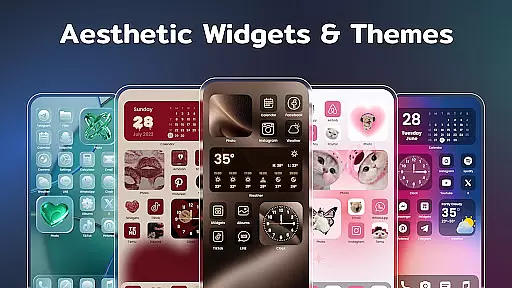
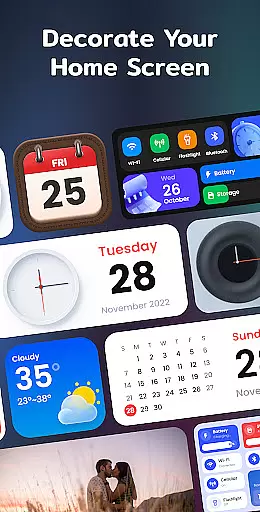
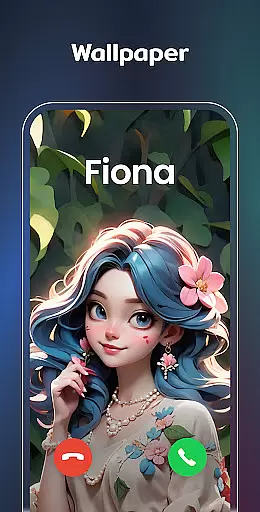
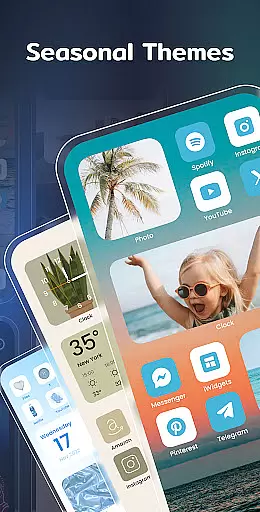
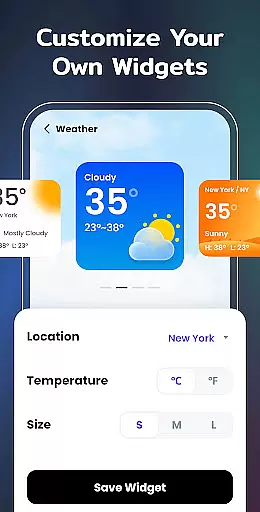
Color Widgets, Theme is a versatile lifestyle app designed to enhance your Android device's home screen with customizable widgets and themes. The app offers an extensive selection of aesthetic widgets including clocks, photos, X-panel shortcuts, calendars, weather displays, battery indicators, and Bluetooth statuses. These widgets come in multiple sizes and styles, allowing users to tailor their screens to fit personal preferences and practical needs.
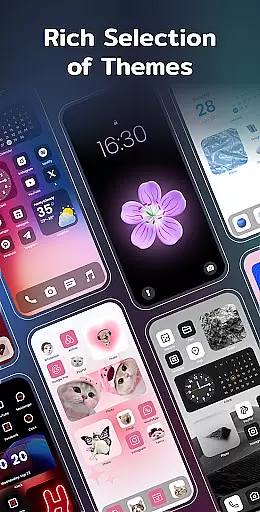
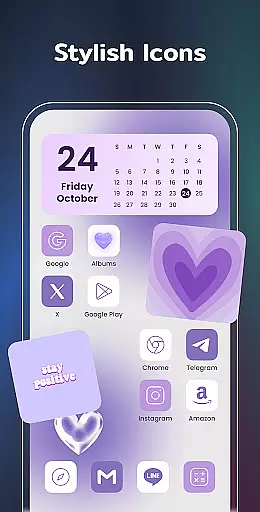
Beyond its widget offerings, the app provides stylish themes and custom icon packs that can completely transform the look of your device. Whether you're aiming for a sleek modern aesthetic or a playful anime vibe, Color Widgets, Theme has options to suit every taste. The intuitive one-click functionality makes it easy to add widgets and change themes, while advanced customization features let you redesign app icons and set up event timers for important occasions.
This application is particularly useful for users who want to create a personalized and organized digital space. By combining functional widgets with beautiful design elements, Color Widgets, Theme helps you build a home screen that not only looks great but also improves your daily efficiency. From tracking important dates to monitoring phone status at a glance, this app brings both style and substance to your mobile experience.
The standout feature of Color Widgets, Theme is its comprehensive collection of customizable widgets that cater to various user needs. The X-Panel widget consolidates essential phone information into one convenient location, displaying real-time data about network connections, battery levels, storage capacity, and more. Users can quickly toggle flashlight settings or manage Wi-Fi connections directly from their home screen.
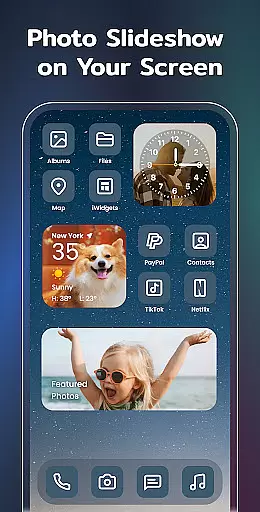
For those who value personalization, the app offers exceptional flexibility in designing unique home screen layouts. The photo widget allows users to showcase cherished memories through slideshow functionality, while the clock widget provides multiple aesthetic choices in both analog and digital formats. Weather enthusiasts will appreciate the local weather widget that delivers current temperature and conditions in an elegant display.
Additional notable features include the event timer for tracking important dates, complete theme packages with matching wallpapers and icons, and upcoming productivity-focused widgets like to-do lists and note-taking tools. The app's thoughtful design extends to its permission structure, requesting only necessary access for specific features such as storage for photo display and location for weather updates. This combination of functionality and customization options makes Color Widgets, Theme a powerful tool for personalizing your Android experience.
In the realm of mobile personalization, Color Widgets, Theme stands out by offering an extensive range of widgets and themes that cater to diverse lifestyle needs. This application provides users with a comprehensive suite of customization options including clock, photo, X-panel, calendar, weather, and battery level widgets among others. Each widget is designed not only to enhance the aesthetic appeal of your device but also to serve practical functions, ensuring that users can tailor their home screens to reflect their personal style and meet their everyday requirements.
The app's versatility is further highlighted by its compatibility with all Android devices, making it accessible to a wide audience. Whether you're looking to monitor your phone's status at a glance with the X-Panel widget or decorate your screen with cherished memories using the Photo widget, this app delivers. It bridges functionality with personal expression, allowing users to create a digital environment that is both useful and uniquely theirs.
Moreover, the inclusion of features such as event timers, custom icons, and exquisite themes underscores the appu2019s commitment to covering various aspects of a user's lifestyle. From countdowns to important events to presets in different styles like anime and neon, every feature is crafted to ensure that users can find something that resonates with their individual preferences. This holistic approach to personalization empowers users to design a perfect home screen that aligns with their daily routines and personal aesthetics.
Color Widgets, Theme prides itself on delivering authentic and credible content through its meticulously designed widgets and themes. Every element within the app, from the stylish themes to the functional widgets, undergoes rigorous design and testing processes to ensure they meet high standards of quality and reliability. This dedication to excellence guarantees that users receive accurate information and dependable performance from features such as the Weather widget and Battery Level indicator.
The app leverages expert knowledge in crafting its diverse widget styles and theme presets, which span across various categories including anime, neon, and vintage styles. By collaborating with designers and developers who possess deep industry insights, Color Widgets ensures that each customization option not only looks appealing but also functions seamlessly. This synergy between aesthetic appeal and technical precision reinforces the trust users place in the app's content.
Furthermore, the application fosters credibility by actively engaging with its user community for feedback and improvements. With direct contact channels available for support and suggestions, Color Widgets demonstrates a commitment to refining its offerings based on real user experiences. This ongoing dialogue helps maintain the relevance and accuracy of the app's content, solidifying its reputation as a reliable tool for personalizing one's digital space with confidence.
User-friendly interface
Wide widget selection
Customizable themes
Intuitive controls
Regular updates
Storage intensive
Premium features
Occasional bugs
Limited iOS support
Learning curve

Pay your rent, submit work orders and much more with the RentCafe Resident App.
 4.70
4.70
Earn points with every purchase with Moe Rewards.
4.20
A daily quote for success
4.1
This app is intended to support professional EMDR therapy.
4.50
Good magnifier app to see tiny things bigger and more clearly!
4.80
Discounts, savings, and rewards
4.20
Remotely monitor the time and temperature of food cooking on your grill.
4.60
No more juggling multiple apps, now you can control everything in one place!
4.60
Create slime on your phone and enjoy satisfying and relaxing ASMR games
4.50
Discover the "To Be a Christian" App: Your Guide to Deepening Faith!
5.00
Colorful minimal digital watch face for Wear OS
4.60
The go to app for taking unlimited notes!
4.50
The Work of Byron Katie— the mobile app for inner peace.
4.40
Cute Adorable Animals now on your wrist with our Wear OS watch face!
4.40
Fly your Solo like a boss.
4.10
Do you want to communicate with spirits?
3.80
Your home in your hand
3.80
Design and brew great homebrewing beer, mead, cider and wine recipes on the go!
3.60
Healthy eating timer app to track meal pace, improve habits, and eat slowly.
4.3


User Reviews