
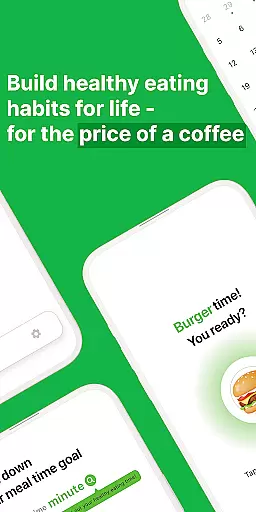
Eat Slowly is a lifestyle app designed to help users develop healthier eating habits by tracking and managing their meal times. The app functions as more than just a timer, offering features like goal setting for meal durations, a minimalistic calendar for tracking meal history, and a quick-access widget for instant timing. With support for both dark and light modes, it ensures a comfortable user experience at any time of day. This app is ideal for individuals looking to improve digestion, reduce bloating, and create mindful eating routines without the need for an internet connection.
By focusing on simplicity and sustainability, Eat Slowly empowers users to take small but impactful steps toward better health. Whether you're working on portion control or simply trying to eat more mindfully, this app provides the tools needed to make lasting changes in daily eating behaviors.
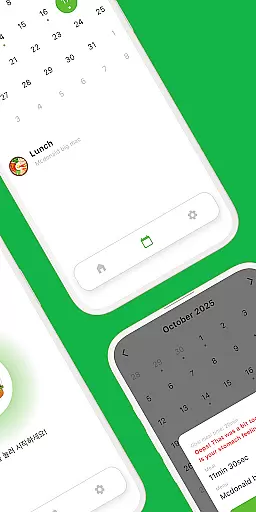
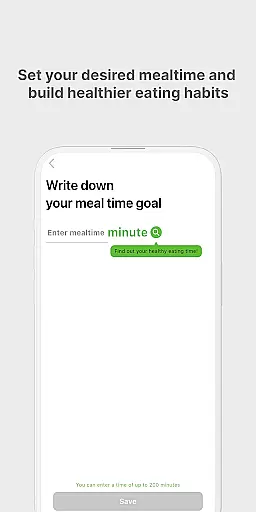
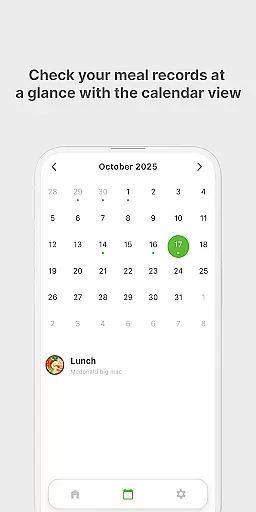
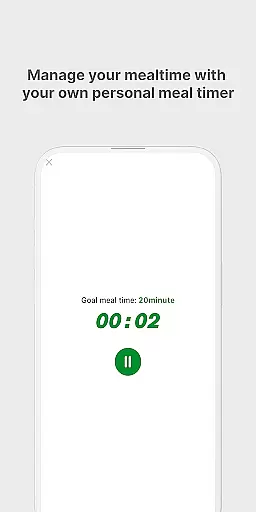
Eat Slowly offers a variety of practical features that cater to users aiming to build mindful eating habits. One standout feature is the ability to set personalized meal-time goals, allowing users to define target durations for their meals. This helps in training oneself to eat at a slower, healthier pace. Additionally, the app includes a clean and minimal calendar view, making it easy to review past meal records and track progress over time.
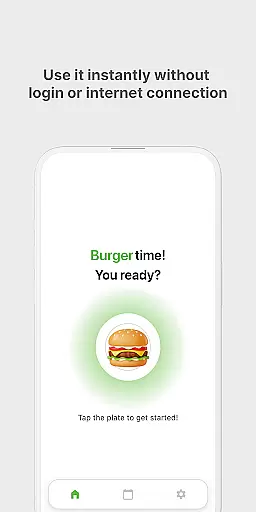
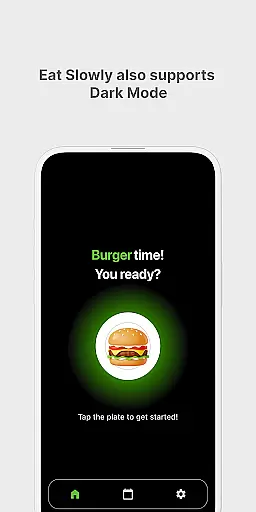
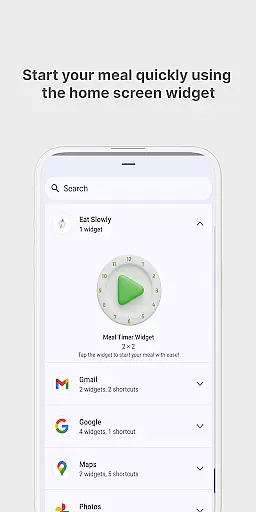
Another notable feature is the quick meal timer widget, which lets users start timing their meals directly from their home screen without needing to open the app. The app also supports both dark and light modes, ensuring usability in various lighting conditions. With no login or internet required, Eat Slowly provides a seamless offline experience while maintaining user privacy. These features collectively contribute to creating a sustainable habit-building tool that fits effortlessly into everyday life.
Eat Slowly - Build Habits offers comprehensive coverage of essential lifestyle categories, focusing on healthier eating habits. The app provides users with tools to manage and track their meal times without the need for logging in or internet access, making it accessible anytime, anywhere.
With features like setting meal-time goals, users can take control of their eating pace, addressing issues such as bloating after meals. This functionality not only helps in recording meals but also in creating long-lasting mindful eating habits, which are crucial for a healthy lifestyle.
The app includes a quick meal timer widget, allowing instant access from the home screen, and supports both dark and light modes for user comfort. These aspects ensure that users have a seamless experience while adapting to healthier routines.
The content within Eat Slowly is designed with authenticity and credibility at its core, aiming to instill sustainable eating practices. By encouraging users to monitor their meal durations and history through an intuitive calendar interface, the app ensures genuine engagement with its content.
All features, including the minimalistic design and easy tracking system, reflect expert understanding of user needs in personal health management. The simplicity of setting goals and viewing records underlines the app's commitment to providing credible and effective solutions for mindful eating.
Users can trust the effectiveness of Eat Slowly due to its straightforward approach, supported by professionals who endorse the significance of monitoring eating habits for better health outcomes.
User-friendly interface
No internet required
Customizable meal goals
Quick-access home screen widget
Dark mode support
No cloud backup for data
Limited advanced analytics
Basic UI design
No social sharing options
Manual data entry only

Turn your watch into a key fob for your Tesla
 2.90
2.90
Easily manage your child's playtime, spending messaging and more.
3.50
Paranormal EVP, Ghost Box, Spirit box, ITC, Haunted, Spirit communication device
3.70
Use your device sensors to detect energy and convert it into spoken words.
4.10
Connect to your Shark ROBOT™ from anywhere using the SharkClean™ App.
3.60
Discover your Nationality, Family Origin, and Ancestry from one selfie
4.50
Falling Fruit is a massive collaborative map of food in our cities.
3.20
The Miracle Box includes methods used by Steve Huff of Huff Paranormal.
3.20
Redecor your home with Home AI interior design, room planner and home designer.
4.50
Simple, stylish & fresh watch face. Customize colors, gradients & complications.
4.70
Have your Tehillim with you at all times
4.70
Make money, get paid cash rewards & gift cards for every survey. Earn today!
4.60
Retro animated weather with hourly forecast Watch Face for Wear OS
4.60
The Work of Byron Katie— the mobile app for inner peace.
4.40
Discounts, savings, and rewards
4.20
Subwoofer school’s in session! You’ve now enrolled into KICKER U.
3.80
Unique BIG BOLD TIME with amazing colors and customisations.
3.70
Customize your Wear OS watch with festive Christmas figures and colors!
4.3
Futuristic watchface inspired by Back to the Future: sleek, retro, timeless
4.3


User Reviews