
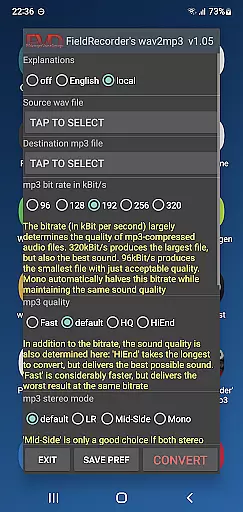
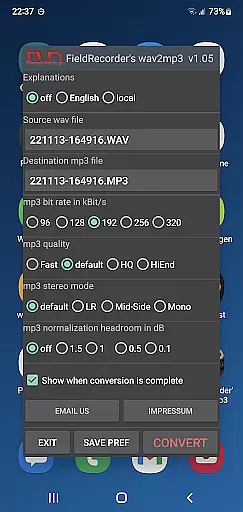
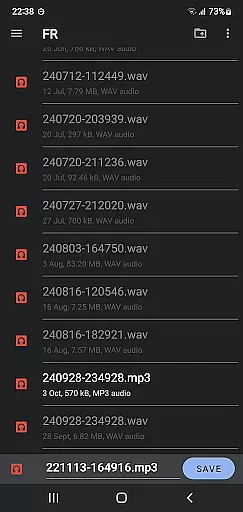
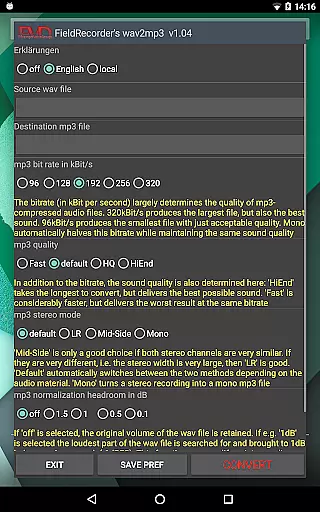
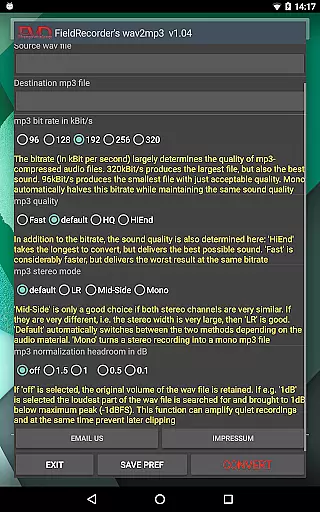
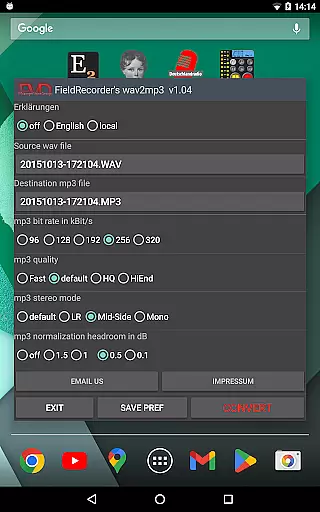
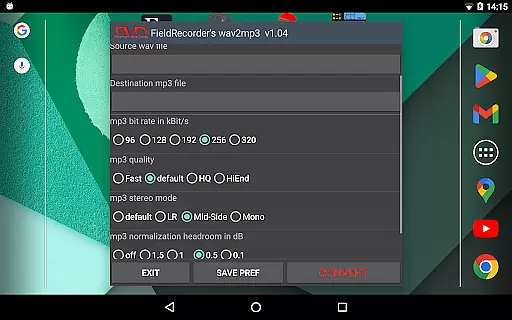
FieldRecorder's wav2mp3 is a streamlined audio conversion tool designed specifically for users who need to convert WAV files to MP3 format without any hassle. The app eliminates common frustrations such as intrusive ads, unnecessary rating prompts, and confusing options that often clutter similar applications. With its minimalist one-screen interface, users can effortlessly select source and destination files, then initiate the conversion process with a single tap.
What sets this app apart is its commitment to user privacy and efficiency. It operates without collecting user data, contacting external servers, or embedding hidden spyware, ensuring a secure and private experience. Additionally, the app boasts an impressively small download size of under 1.3MB due to its use of consistent native code, making it significantly lighter than comparable converter apps which average around 20MB. This makes FieldRecorder's wav2mp3 an ideal choice for users seeking a straightforward, reliable, and privacy-conscious solution for their audio conversion needs.
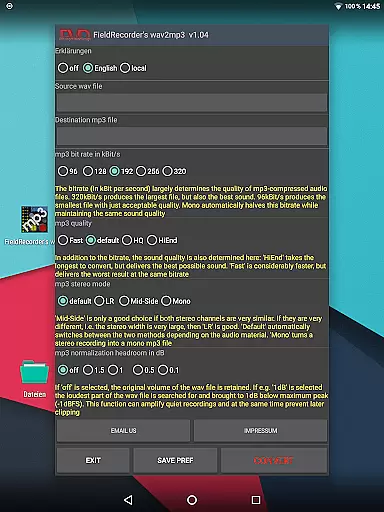
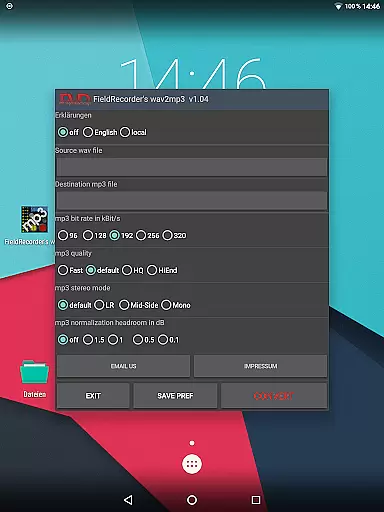
FieldRecorder's wav2mp3 offers several notable features that enhance the user experience. Firstly, the app provides a range of customizable options while maintaining simplicity. Users can choose from five preset bit rates, specify encoding complexity, and select stereo modes, allowing for tailored audio output that meets individual preferences. These options ensure that users can achieve optimal sound quality based on their specific requirements.
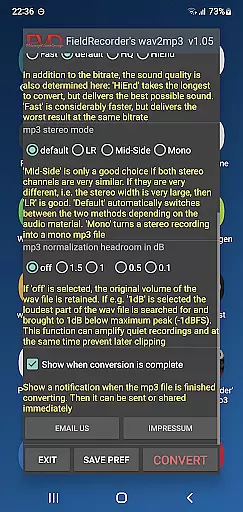
In addition to its core functionality, the app includes practical features such as language selection for explanatory texts, volume normalization settings, and end-of-conversion notifications. These thoughtful additions not only improve usability but also streamline the entire conversion process. Furthermore, the app supports seamless integration with the professional audio recorder app 'Field Recorder,' enabling remote control capabilities that keep the conversion process discreet and efficient. Overall, FieldRecorder's wav2mp3 combines essential features with user-centric design to deliver a powerful yet accessible audio conversion tool.
FieldRecorder's wav2mp3 may not boast an extensive music library, but it excels in providing a streamlined and focused experience for audio file conversion. The app allows users to convert WAV files to MP3 with ease, without the clutter of unnecessary features or ads.
The emphasis here is on quality over quantity. While the selection might be limited to user-uploaded WAV files, the app ensures that each conversion is handled with precision, maintaining the integrity and authenticity of the original audio content.
Copyright compliance is taken seriously, as the app operates on the premise that users will only convert files they own or have rights to. This approach provides peace of mind for users who want to ensure their audio files are managed responsibly.
For audiophiles and professionals alike, this respect for original content and legal compliance is crucial. It guarantees that converted files retain their legal status and can be used without concern for copyright infringement.
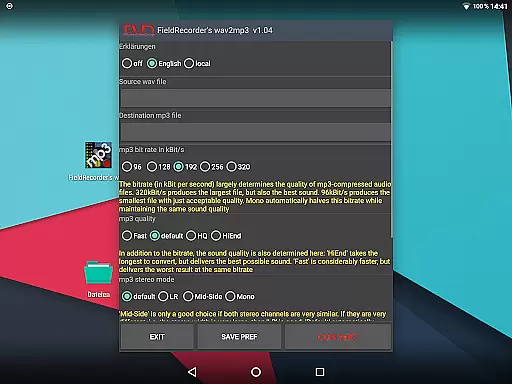
When it comes to audio quality options, FieldRecorder's wav2mp3 offers a variety of settings that cater to both casual users and audio enthusiasts. The app includes five common bit rates for quick selection, which can significantly affect the sound quality and file size of the resulting MP3.
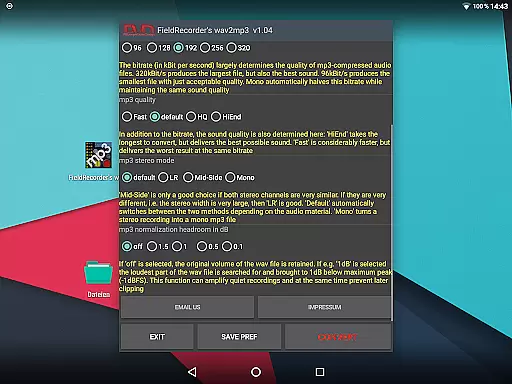
Users have the ability to choose how complex the MP3 file should be created. A more complex encoding process takes longer but can yield better sound results, allowing users to balance between time and quality according to their needs.
Stereo mode settings give further control over the audio output. Whether encoding channels separately for maximum clarity or opting for a mono file to save space, the app accommodates different preferences and uses.
Finally, volume normalization features ensure that the converted files maintain consistent audio levels. Users decide on headroom below full level to prevent clipping during playback, ensuring that the final product meets professional standards.
User-friendly interface
No ads or data collection
Small download size
Customizable options
Remote control capability
Limited advanced features
No batch processing
Basic UI design
Fewer format options
Paid app

A High-Precision Audio Spectrum Analysis App
 4.20
4.20
Permanently backup Now Playing. Maps, filters & listening stats.
4.00
USB audio recording and playback finally possible on Android 3.1 or higher!
3.90
A sleek, no-frills player designed for true music lovers.
4.20
Music, News & Sports Radio Tuner App. Tune in Live FM & AM Radio Stations.
4.80
The Minimalistic Premium Music Player. Handmade with passion for music
2.20
Learn the notes on the guitar fretboard fast with this easy and fun app
4.60
Ringtone Maker is free app create ringtone from music files or your recording.
4.40
Turn Every Moment into Music
3.60
24,000 free audio books and no ads!
4.90
JBL PartyBox APP works with 110/310/710/120/320/520/Encore/Encore 2/Encore Ess 2
4.80
Listen to live FM radio stations, sports, music and news on global radios online
4.70
Listen radio AM / FM Stations. Live AM / FM Radio App Station. Radio Com.
4.70
Visualize the guitar fretboard, master scales & play through changes like a pro!
4.50
DJ Music Mixer Pro is a real DJ controllers and DJ Music Studio to remix DJ.
4.40
DJ Music Mixer - DJ Remix: remix songs, make beat music & record mix of DJ.
4.40
Advanced 10-Band Audio Graphic Equalizer Sound Booster Pro
4.30
The ultimate media player for Android devices
3.90
The iconic iOS metronome app is now on Android.
3.70


User Reviews