
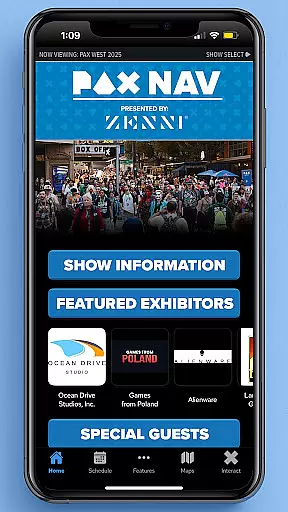
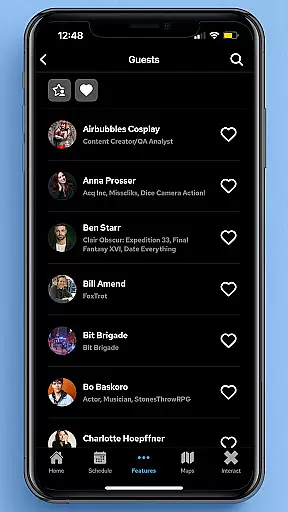
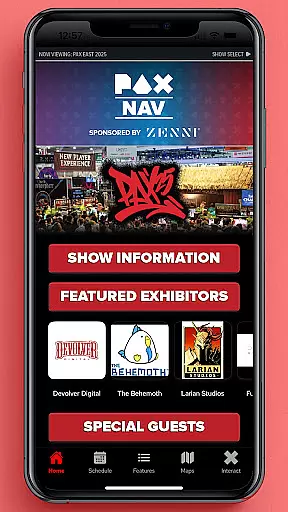
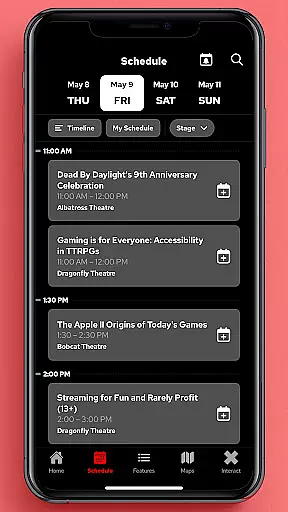
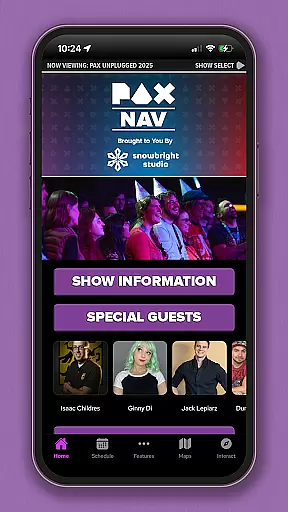
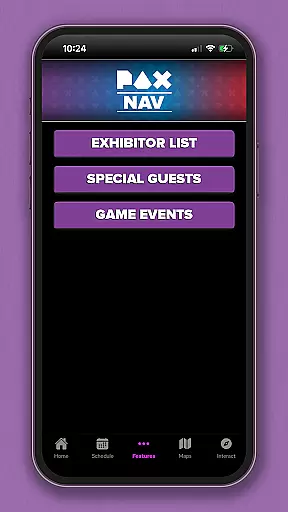
PAX Nav is the official app for PAX West, PAX East, and PAX Unplugged events. It provides users with comprehensive access to event schedules, exhibitor lists, interactive maps, exclusive show specials, and entry into the PAX XP program. Designed specifically for gaming enthusiasts and event attendees, this app ensures you never miss an important session or activity during these major gaming conventions.
The app's intuitive interface allows for easy navigation through complex event information, while its offline capabilities ensure you can access crucial details even without an internet connection. Whether you're planning your day or looking for last-minute changes, PAX Nav has you covered.
PAX Nav offers a robust set of features tailored for event attendees. The app includes a fully interactive schedule that lets users browse sessions, create personalized agendas, and receive real-time updates on any changes. Its exhibitor list feature provides detailed information about participating companies, including booth locations and special promotions.
One standout feature is the interactive map functionality, which helps users navigate large convention centers with ease. The app also integrates with the PAX XP program, allowing users to earn rewards and track their participation in various activities. These features collectively enhance the overall event experience by keeping attendees informed and engaged throughout the convention.
Task creation and detail customization are essential features for event management applications like PAX Nav. This functionality allows users to create personalized schedules by selecting specific panels, workshops, or exhibitors they want to see.
The app provides a seamless process for adding events to your personal agenda. Users can browse through the full schedule, which includes detailed descriptions of each session, speaker information, and venue details. The ability to filter and search makes it easier to find exactly what you're looking for.
Once an event is added to your schedule, you can customize its details. You have the option to set reminders for upcoming events, add personal notes, and even share your plans with friends. This level of customization ensures that attendees can optimize their time at PAX events.
By offering such comprehensive task creation and customization options, PAX Nav enhances the overall event experience. Attendees can navigate large conventions with ease, never missing out on the sessions that matter most to them.
Reminder settings in event apps like PAX Nav play a crucial role in ensuring attendees don't miss important sessions. These settings allow users to configure notifications based on their preferences and schedules.
PAX Nav offers flexible reminder options. Users can choose how far in advance they want to be notified about an upcoming event. Whether it's 10 minutes, one hour, or a day before, the app accommodates various timeframes to suit individual needs.
In addition to timing, the app also lets users select the type of reminders they receive. Options might include push notifications, email alerts, or both. This flexibility ensures that reminders are delivered through preferred channels, increasing the likelihood of timely attendance.
With these robust reminder settings, PAX Nav not only keeps users informed but also engaged throughout the event. By reducing the chances of missing key activities, attendees can fully immerse themselves in the convention experience without worrying about losing track of time.
User-friendly interface
Comprehensive event coverage
Real-time updates
Offline access
Interactive maps
Limited to PAX events
Occasional bugs
Heavy on battery
Requires login
No live streaming

Find tickets to upcoming concerts, sports events, festivals, shows, attractions
 4.70
4.70
Invitation card maker for birthday party & Wedding. Digital greeting card editor
4.90
Clubs, Festivals, Discounted Tickets, Guest Lists & VIP Tables
4.90
Get live football here
4.30
Track birthdays, habits & goals. Unlimited countdowns and count-ups
4.20
Instant photo sharing for every occasion
3.80
The KRUU app - plan, celebrate, remember
4.80
Invitation Card Maker, Design & share wedding, birthday & party invites fast
4.40
TodayTix is the easiest way to get tickets to the best shows in your city.
4.90
Find EDM shows near you! See your favorite artists live, and discover new music.
4.90
Design Invitations & Cards for Any Occasion
4.80
For weddings, parties & events
4.60
Text message invitations for birthday party, wedding, graduation, baby shower +
4.60
Greeting card maker with photos best app| Birthday cards| All wishes eCards FREE
4.50
Meet people over dinner
4.40
Manage all your events, leads, ticketing, payments and check-ins.
4.30
Local events, contests, and giveaways for local dads
3.70
An App for Bhutanese
4.1
Some connections are better kept private
4.4


User Reviews