
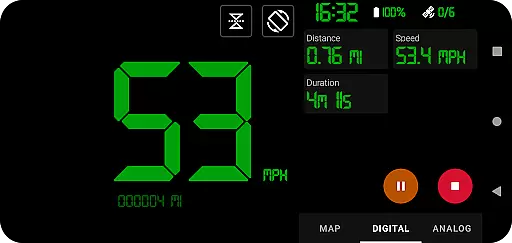
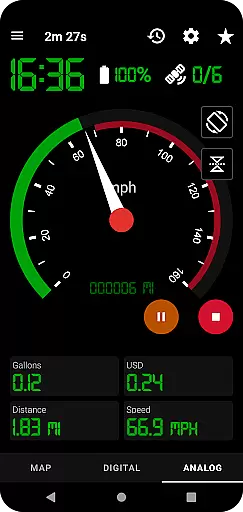
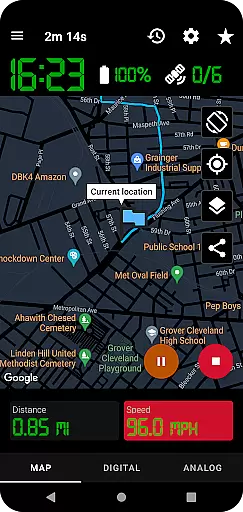
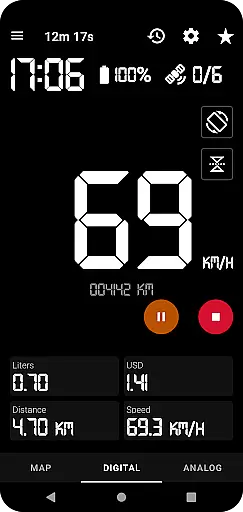
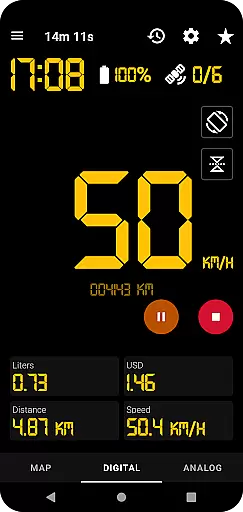
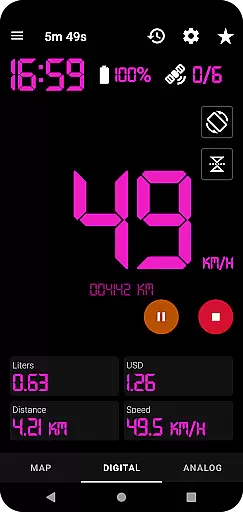
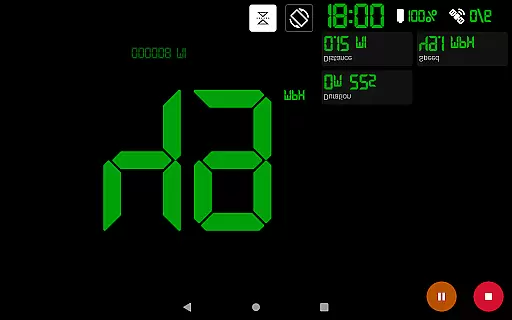
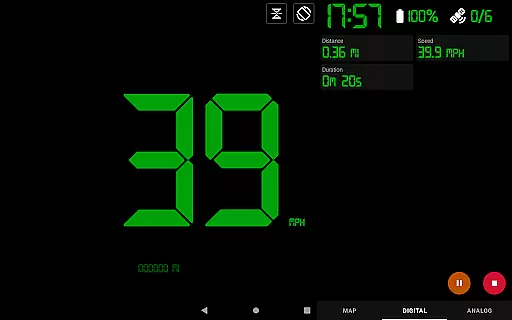
GPS Speedometer Pro is a comprehensive navigation and tracking application designed to monitor your speed, distance, and routes using your phone's built-in GPS. The app offers multiple display modes including analog, digital, and head-up display (HUD) options, catering to various user preferences. Whether you're driving, running, walking, or cycling, this app provides accurate real-time data while allowing background operation for uninterrupted tracking.
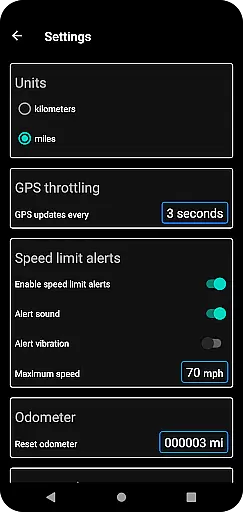
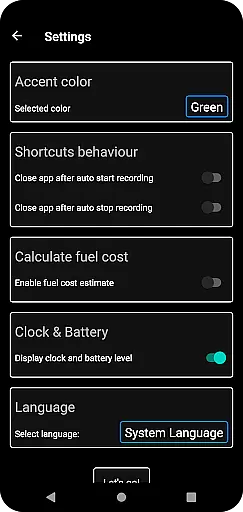
One of the standout features is its ability to save and export tracked routes in .gpx format, making it compatible with third-party mapping software. Additionally, users can estimate fuel costs, receive over-speed alerts, and customize map themes and units of measurement. With privacy as a priority, the app ensures no personal data is collected or shared, offering a secure tracking experience.
GPS Speedometer Pro stands out with its rich feature set tailored for both casual and advanced users. The app includes an odometer, fuel cost estimation, and detailed history tracking of all recorded routes. Users can download their tracks in .gpx format and even replay them within the app to review past speeds and routes.
Customization is key in this app, allowing users to switch between different speedometer styles, map themes, and measurement units. Practical functionalities like one-tap shortcuts for starting or stopping recordings, sharing capabilities for current locations or routes, and orientation adjustments enhance usability. Furthermore, the over-speed alert system works seamlessly in the background, ensuring safety without compromising convenience.
The app also supports dark and light themes, adapting to various lighting conditions, and provides flexibility with portrait and landscape orientations. These thoughtful design elements ensure that users have a personalized and efficient navigation experience.
Map accuracy is crucial for any navigation or tracking application, and GPS Speedometer Pro excels in this area. The app leverages your phone's built-in GPS to provide precise location data, ensuring that your routes, speed, and distances are recorded with high fidelity.
The app offers multiple map types including light, dark, and terrain views, allowing users to choose the most suitable option for their environment. This versatility ensures optimal readability and precision regardless of time of day or terrain type.
Users benefit from continuous tracking even when the app runs in the background, maintaining accuracy without interruptions. The ability to download routes in .gpx file format further enhances the utility by enabling detailed route analysis in third-party software.
Effective route planning can significantly enhance travel efficiency, and GPS Speedometer Pro provides several features to assist with this task. The app allows users to switch between different speedometer viewsu2014map, digital, or analogu2014offering flexibility in how they monitor their journey.
With functionalities like setting maximum speed alerts and receiving notifications even when the app is running in the background, users can plan their routes more safely and efficiently. These alerts help in maintaining speed limits and avoiding potential traffic violations.
Additionally, the app supports both portrait and landscape orientations, catering to user preference and providing a more intuitive interface for route management. Users can also share their current location or recorded routes as images or text, facilitating better communication and coordination during travels.
User-friendly interface
Accurate GPS tracking
Customizable display options
Background operation support
Privacy-focused design
Limited offline functionality
Occasional GPS inaccuracies
Premium features locked behind paywall
High battery consumption
Complex settings for beginners

Start your next adventure confidently using our Accurate Compass App
 3.70
3.70
Explore a light pollution map to find suitable dark sky locations for observing.
4.30
Turn your tablet or Android powered unit into a full blow Android Auto headunit.
2.30
"Balad" is a map and navigator with a Persian voice assistant and a complete city guide
4.40
GPS Speedometer & Odometer: Track car, bike, truck speed & distance in real-time
4.70
Live Satellite view app for find GPS navigation Direction and live location map
3.70
Explore offline maps with radar, satellite view, and real-time alerts.
3.60
Simple & easy to use a compass app. Get accurate directions.
4.20
Lets explore the world's famous places by using Live Cams, GPS & Satellite View.
4.20
LIRR and Metro-North tickets and trips
4.80
Navigate confidently with our precise Digital Compass app & Direction Compass!
4.70
Neshan: map & navigation app with 20M+ monthly active users
4.50
Plan routes, share locations, and set custom alert zones
4.40
Route schedules, maps, and real-time tracking of MTA buses in New York City.
4.20
Phone Tracker and GPS Location Sharing
4.20
Get directions, Maps, GPS navigation & GPS Maps using GPS App
4.10
Navigation, weather, offline maps & tools for smarter, safer travel planning.
4.00
Get route, find shortest path, near by places and weather update
3.90
Get route map navigation with 3D satellite view, and live earth camera streaming
3.70


User Reviews