
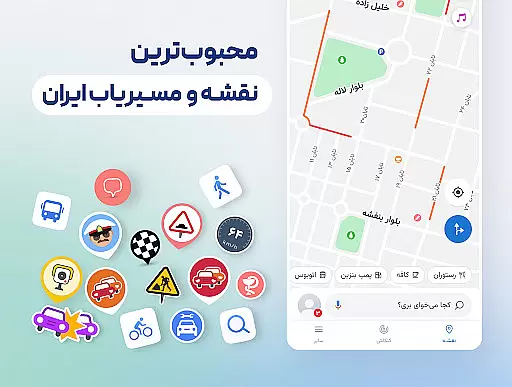
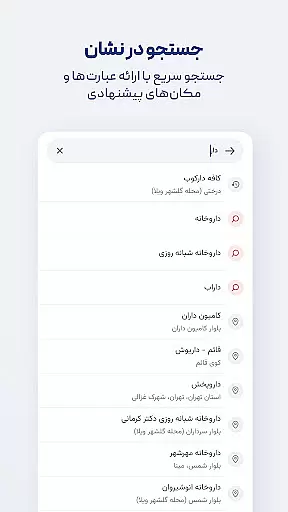

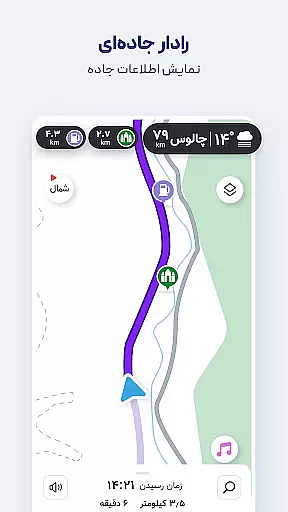
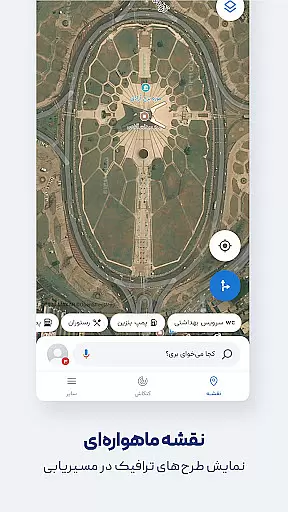
Neshan is a comprehensive navigation app that provides users with real-time traffic data and GPS functionality to suggest the fastest routes while avoiding congestion. The app stands out by offering unique features tailored to Iranian users, including air pollution level displays in cities with monitoring stations, warnings about speed bumps, and routing that considers traffic restrictions and low-emission zones. It also supports combined bus-and-metro navigation and motorcycle routing, making it a versatile tool for various commuters.
With detailed offline maps, global navigation capabilities, and Persian voice guidance that announces street names, Neshan ensures users can navigate confidently without needing to constantly look at their screens. Whether you're a daily commuter or a tourist exploring new places, Neshan's accurate location detection and extensive mapping data provide reliable assistance for all your travel needs.
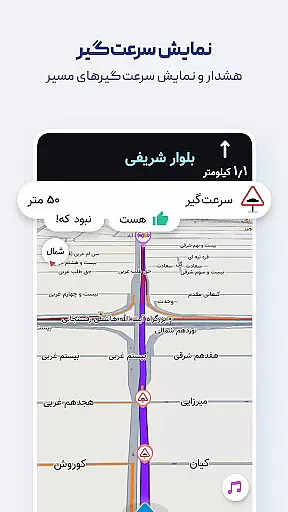
Neshan offers an array of advanced features designed to enhance the user's navigation experience. One standout feature is its ability to display air pollution levels in cities equipped with monitoring stations, providing valuable health-related information. Additionally, the app warns users about upcoming speed bumps, police checkpoints, and speed cameras, ensuring safer driving conditions.
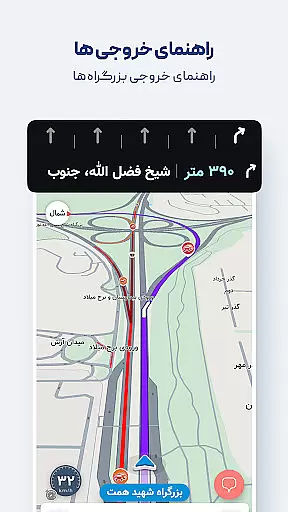
The app's routing system takes into account traffic restriction zones and low-emission areas, helping drivers avoid unintentional violations. With options for combined bus-and-metro navigation as well as motorcycle-specific routes, Neshan caters to diverse transportation preferences. Users benefit from accurate GPS location detection, offline map access, and Persian voice guidance that improves safety by allowing drivers to keep their eyes on the road.
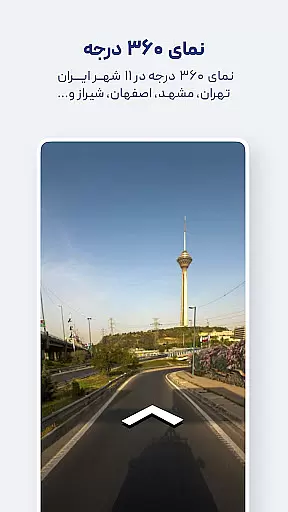
Map accuracy is a fundamental aspect of any navigation app, and Neshan excels in this area by providing detailed maps of all cities and countries worldwide. Powered by OpenStreetMap data, the app ensures that users have access to comprehensive and up-to-date geographical information.
The app's commitment to precision is further demonstrated through features like accurate location detection using GPS and displaying air pollution levels in cities with monitoring stations. These elements not only enhance the navigational experience but also contribute to users' overall situational awareness.
Neshan's dedication to accuracy extends to its offline capabilities as well. Users can benefit from detailed offline maps of all cities, complete with live traffic information, ensuring reliable navigation even without an internet connection.
Effective route planning is essential for efficient travel, and Neshan offers a suite of features designed to optimize this process. By utilizing real-time traffic data, the app suggests the fastest and least congested routes, adapting dynamically to current road conditions.
In addition to basic routing, Neshan provides specialized options such as combined bus-and-metro navigation and motorcycle routing. These alternatives allow users to choose the most suitable mode of transportation based on their preferences and needs.
The app goes beyond simple directions by incorporating considerations for traffic restriction zones and low-emission areas. This helps drivers avoid unintentional violations while promoting environmentally conscious travel choices.
User-friendly interface
Real-time traffic updates
Offline map availability
Persian voice guidance
Comprehensive city coverage
Limited international focus
Occasional GPS inaccuracies
Heavy on battery usage
Requires constant updates
Some features region-locked

Easy, Moderate and difficult offroad adventures.
 4.00
4.00
Discover over 800 points of interest along the canal.
3.70
All of NHSA's trail information at your fingertips for the 2025-2026 season
4.2
Instant diesel discounts - save big with each fill up!
4.40
Phone Tracker and GPS Location Sharing
4.20
Maps, Driving Directions & GPS navigation using directions app & GPS App
4.30
Find routes fast with GPS Maps, GPS Navigation & driving directions.
4.10
Ride or drive at YOUR price
4.70
Navigation, weather, offline maps & tools for smarter, safer travel planning.
4.00
This app is military GPS coordinate systems helper. (MGRS, UTM & DMS Maps)
4.80
Offline maps & GPS for hiking, travel, fieldwork & outdoor adventures
4.70
Explore with GPS Navigation with GPS offline, voice GPS, speed camera radar
4.60
Route tracker, Speedometer, Odometer, Fuel, HUD mode, save route as .GPX
4.40
MapQuest is your go-to app for maps, GPS, voice navigation & live traffic.
3.80
Gas Station & Fuel Rewards Points
3.70
Offline maps for phone and smart watch: topographic maps, satellite images...
3.30
Explore the world with Live Satellite View, 3D Maps, GPS Navigation & Earth Map.
2.90
Compass is an accurate compass and a great tool for any outdoor activities
4.0
Find 93 Octane Gas: Locate Gasoline Stations Selling Premium 93 Octane or Higher
4.5


User Reviews