
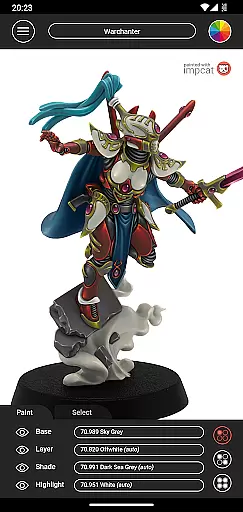
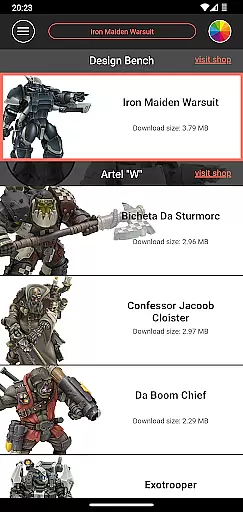
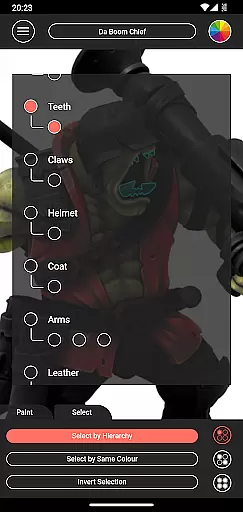
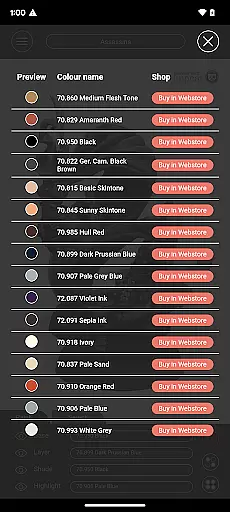
Impcat is an innovative simulator designed for hobbyists and professionals in the gaming and tabletop miniatures space. This application allows users to achieve photorealistic painting results on miniature models by simulating a comprehensive four-step painting process that includes base colouring, layering, shading, and highlighting. With its unique approach, impcat caters to both beginners looking to learn painting techniques and experts aiming to preview their work before applying physical paint.
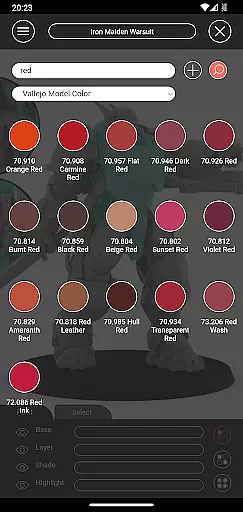
The app provides a rich selection of built-in miniatures and colour palettes from renowned manufacturers like Vallejo Model Color and Vallejo Game Color, offering a total of 308 colours. Additionally, it supports access to free downloadable content (DLCs) such as new miniatures and updated colour palettes without any micro-transactions. Impcat's advanced features, including complement recommendation mode, shopping list generator, colour mixer tool, and randomizer tool, make it an indispensable resource for anyone involved in miniature painting.
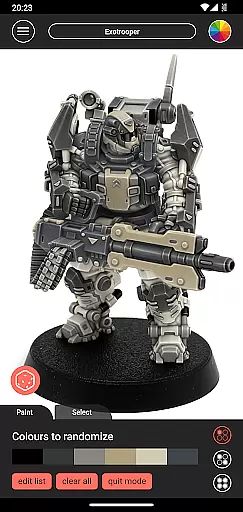
Impcat stands out with its array of sophisticated features tailored for miniature painting enthusiasts. One of its core functionalities is the simulation of a four-step painting process, which accurately mimics the real-world techniques of base colouring, layering, shading, and highlighting. This feature ensures users can visualize the final outcome of their projects with impressive realism.
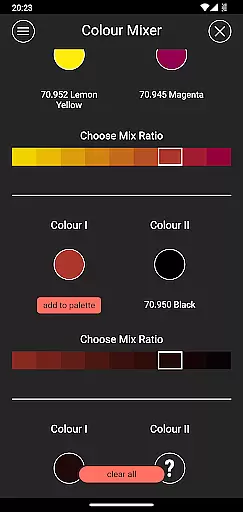
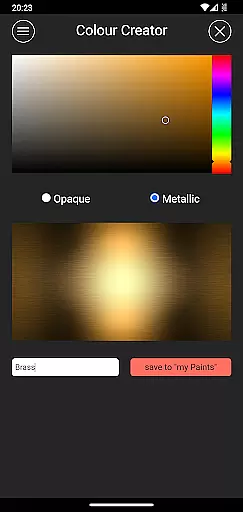
Beyond its primary simulation capabilities, impcat offers several tools to enhance user experience. The complement recommendation mode assists users in selecting harmonizing colours, while the shopping list generator simplifies the process of purchasing paints by providing direct links to online stores. Moreover, the app includes creative utilities such as the colour mixer and creator tools, alongside a randomizer function for spontaneous design inspiration. These features collectively empower users to experiment freely and efficiently within a virtual environment.
Customization is at the heart of impcat, allowing users to explore a vast array of miniature painting possibilities. With six built-in miniatures and over 300 color options from Vallejo Model Color and Vallejo Game Color, the app provides an extensive palette for creativity.
The application supports both predefined color palettes and user-generated colors, enhancing personal expression. Users can access additional content through free DLCs that offer more templates and color palettes, ensuring that their creative options continue to expand without any extra cost.
One standout feature is the complement recommendation mode, which suggests harmonizing colors for layering, shading, and highlighting. This not only simplifies the painting process but also inspires users to experiment with new color combinations they might not have considered before.
impcat excels in theme compatibility by offering tools that cater to various artistic styles and preferences. Whether you're looking to replicate classic techniques or try out avant-garde designs, this simulator adapts seamlessly to your vision.
The photorealistic simulation ensures that every paint job looks authentic on gaming and tabletop miniatures. By simulating a four-step painting processu2014base coloring, layering, shading, and highlightingu2014the app guarantees high-quality results regardless of the chosen theme or style.
Additionally, features like the randomizer tool allow for unexpected color schemes across models, encouraging exploration beyond traditional themes. This flexibility makes impcat suitable for hobbyists who enjoy diverse aesthetics in their projects.
User-friendly interface
Highly realistic simulations
Extensive colour palette options
No hidden costs for DLCs
Comprehensive painting process
Limited initial miniature choices
Requires internet for updates
Advanced features may overwhelm beginners
Occasional performance lags
Specific to miniature painting niche

Ultra realistic gold analog watch face with lots of customization options.
 4.50
4.50
Beautiful realistic hybrid watch face with numerous customization options.
4.50
Prank your friends with realistic broken screen and cracked HD effects!
4.0
Run multiple accounts of the same app on a single device
4.10
Unique Fonts, typefaces and stylish text. Fonts for Instagram, Whatsapp & others
4.20 3.50
3.50
⭐ OneUI inspired Fluffy Icon Pack – Soft. Stylish. Standout. ⭐
4.5
Customize your home screen with stunning themes, blur, widgets & icons.
4.60
Unleash Your Creativity and Connect with Loved Ones with Lockscreen Drawing!
4.20
A minimalist productivity launcher. One-hand-friendly. Zero ads.
4.70
300+ Stunning and well-designed widgets inspired by NOTHING.
4.70
Zip lock screen with magic wallpaper to decorate your phone with fun zipper lock
4.60
Choose your keyboard with RGB colors effect, themes, fonts, emojis.
4.60
200+ Material Inspired Widgets
4.50
More than 3000+ themes and 9000+ wallpapers for everybody!
4.10
Ultimate widget creator. Design custom widgets for a truly unique home screen!
3.90
Emoji Maker app - Design custom emojis and effortlessly blend them with Mixer
3.80
Turn your lock screen into fun with smile live wallpapers & animated wallpapers!
2.50
Custom edge gestures for volume control, brightness, apps, and shortcuts.
4.0


User Reviews