
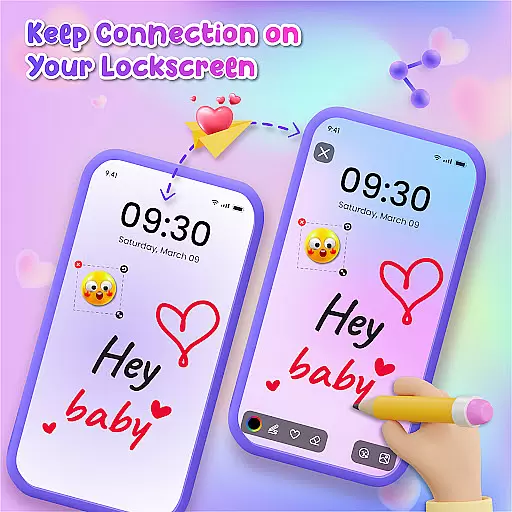
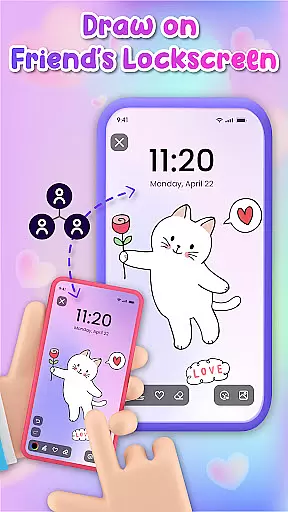
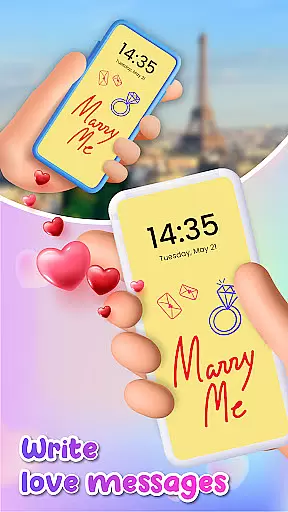
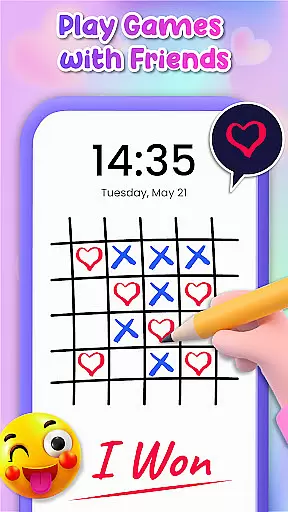
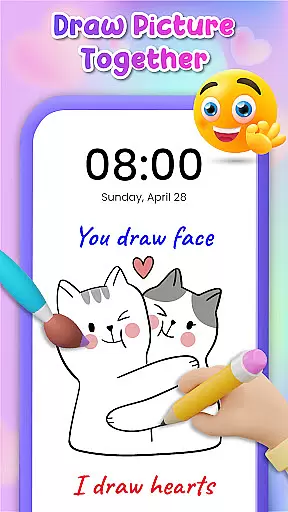
Lockscreen Drawing is a unique personalization app that transforms your phone's lock screen into an interactive canvas. This innovative application allows users to draw directly on their lock screens, share creations instantly with friends, and collaborate in real-time.
The app offers a variety of features including live lock screen collaboration, a handy widget for constant connection, and an in-app canvas for more detailed artwork. With over 100 stickers and multiple background options, it provides endless possibilities for creative expression. The app is particularly popular among couples and friends who want to surprise each other with personalized drawings and messages.
This creative platform serves as both an entertainment tool and a medium for emotional connection, making it valuable for users seeking interactive ways to engage with their contacts while personalizing their device experience.
Lockscreen Drawing stands out with its innovative live collaboration feature, allowing multiple users to draw simultaneously on their lock screens. This real-time interaction creates a unique social experience that sets the app apart from typical drawing applications.
The app includes a comprehensive set of creative tools such as diverse backgrounds, a vast collection of stickers, and various drawing implements. Its widget functionality maintains constant connection by displaying friends' latest doodles directly on the home screen.
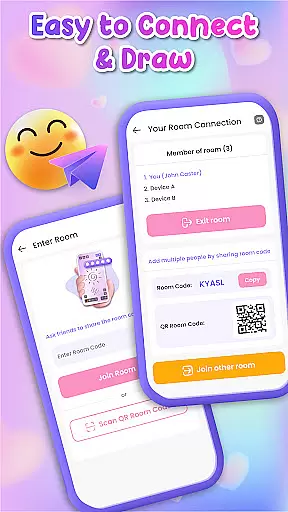
Additional notable features include multiple connection methods through QR codes and links, a gallery option for background selection, and easy sharing capabilities. These elements work together to create a versatile platform for both artistic expression and social interaction, all within a user-friendly interface.
Lockscreen Drawing offers a rich variety of customization options that allow users to express their creativity in unique ways. With over 100 stickers and more than 20 themed backgrounds, the app ensures that every user can find something that resonates with their personal style.
The ability to choose from different backgrounds, including photos from your gallery, provides a versatile canvas for your artistic expressions. Whether you're in the mood for something whimsical or romantic, the app has a backdrop that will suit your needs.
Moreover, the inclusion of a widget enhances the customization experience by allowing users to stay connected with friends' doodles even while using other apps. This seamless integration of personalization features makes Lockscreen Drawing an ideal choice for those who value creative freedom.
Theme compatibility is at the heart of Lockscreen Drawing's design, ensuring that all visual elements work harmoniously to create a cohesive look. The app supports various themes, which means that whether you prefer a vibrant or minimalist aesthetic, your drawings will always match your device's overall appearance.
Users can enjoy peace of mind knowing that their creations will not only be visually appealing but also fully integrated into their smartphone's ecosystem. This compatibility extends to the lock screen, where doodles come alive against chosen themes, offering a personalized touch every time the device is unlocked.
Furthermore, the app's dedication to maintaining high standards of theme compatibility ensures that all artwork looks professional and polished. By prioritizing this aspect, Lockscreen Drawing guarantees that each creation is displayed in the best possible way, enhancing both functionality and aesthetics.
User-friendly interface
Real-time collaboration
Versatile drawing tools
Wide sticker selection
Unique social features
Limited professional tools
Potential battery drain
Privacy concerns
Occasional glitches
Learning curve

Customizable Glass widgets. Over 360+ stunning widgets and more!
 4.70
4.70
Capture moments that pass like a storm, second by second.
4.1
Ninja Turtles Cowabunga SE watch face for Wear OS
4.50
Realistic animated snow on your wrist, with 10 images landscapes to choose from
4.00
Make your phone look simple & luxury, like iDevice
4.60
A launcher for Samsung Good Lock and Good Guardians modules without ads
4.70
Ultimate widget creator. Design custom widgets for a truly unique home screen!
3.90
Adaptive Dot Style IconPack with Light & Dark Theme.
3.70
Color phone with cool effects for call screen, flash alert & ringtones music
4.50
350+ widgets with a premium glass-style finish, perfect for home & lock screens.
4.70
A minimalist productivity launcher. One-hand-friendly. Zero ads.
4.70
Unique Android Launcher
4.60
Customizable screen pets that play, climb, and keep you company.
4.50
AI-powered Copilot. Personalized keyboard with gifs, stickers & themes
4.40
Yandex Browser — stylish and secure, with voice search and data compression
4.40
A light in the dark, a unique style and an andless cutomization!
4.30
Launcher OS™ Pro without ads help make your phone simple and pretty
4.30 4.10
4.10
Adorable pets roam and play right on your phone screen!
3.30


User Reviews