
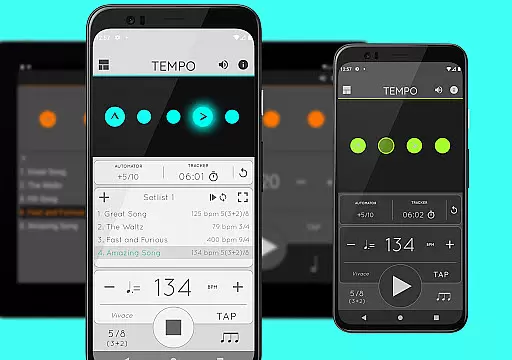
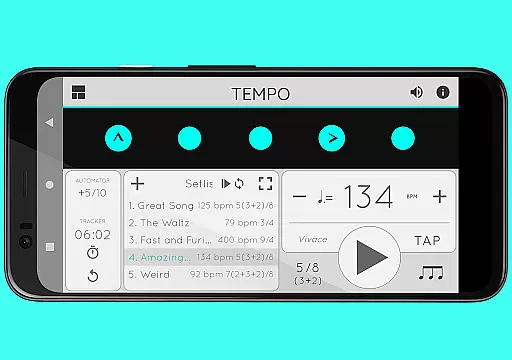
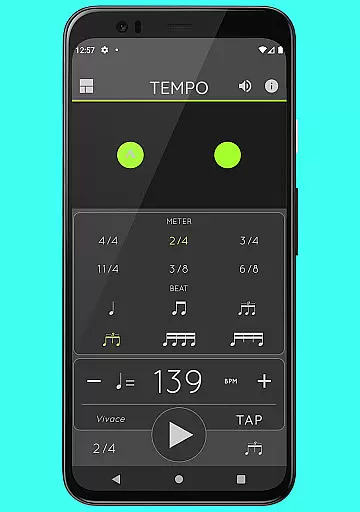
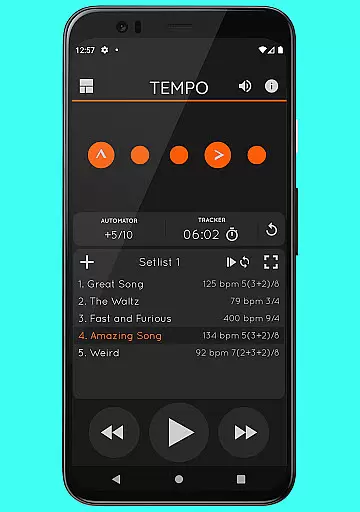
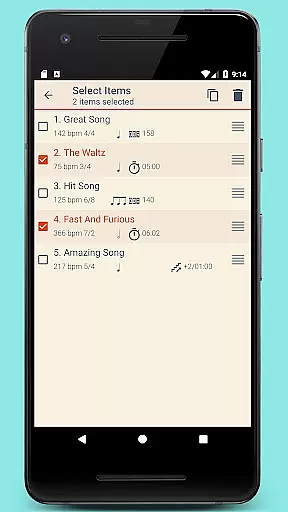
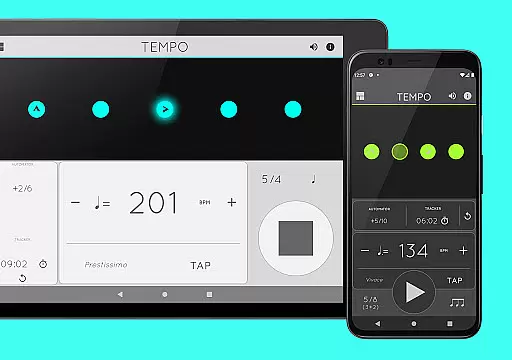
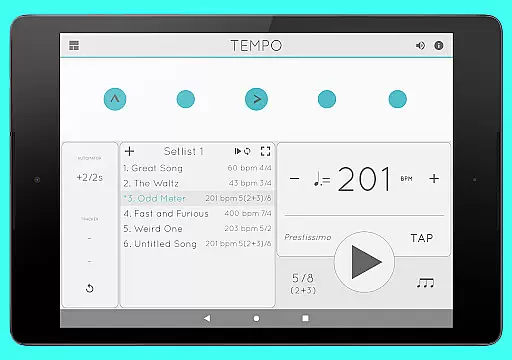
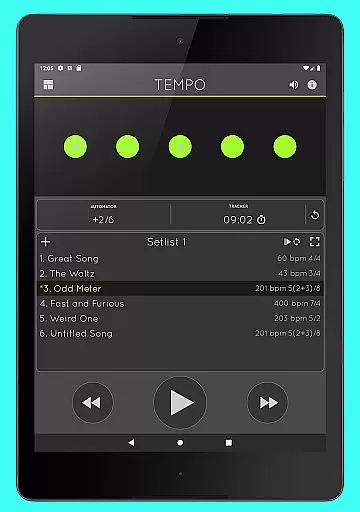
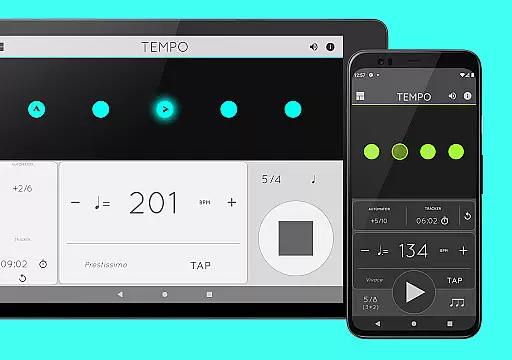
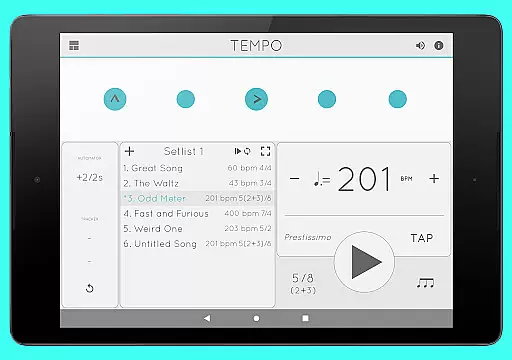
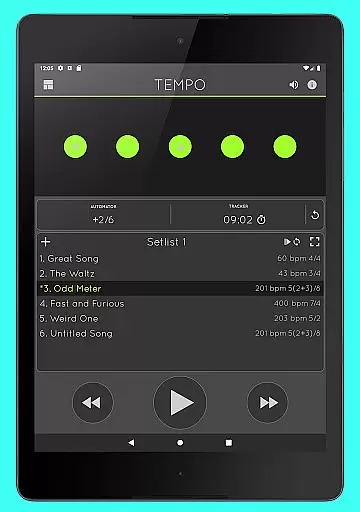
Tempo is a premier mobile metronome app designed for musicians, teachers, and students. It offers high accuracy and stability with an attractive single-screen interface. The app allows users to customize beats using flashing LEDs as buttons, creating complex rhythms. Tempo supports saving configurations as songs in setlists, which can be shared with others, including iOS users. Its innovative interface morphs between five modes optimized for different tasks: Basic, Preset, Setlist, Practice, and Gig.
This app is ideal for daily use by performing artists during gigs, teachers in lessons, and students during practice sessions. It also finds utility among golfers and bodybuilders for their training routines. Tempo's comprehensive feature set ensures it meets the needs of various users without compromising usability.
Tempo boasts a range of features that cater to diverse musical requirements. It supports 30 different time signatures and multiple rhythm patterns for both simple and compound meters. Users can customize accents or turn beats off to create intricate rhythms. The tap tempo function and tempo range from 10 to 400 provide flexibility in timing.
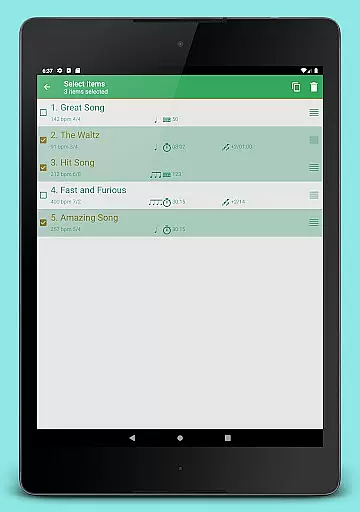
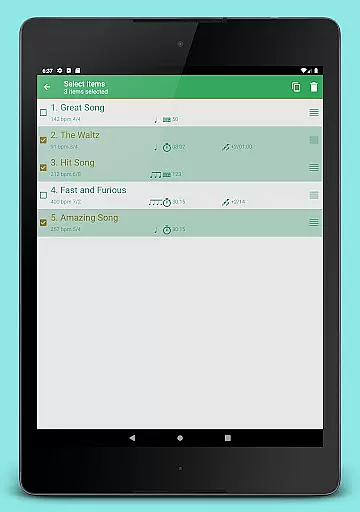
Setlist management is advanced, allowing users to store presets in multiple setlists, search, overwrite, copy between setlists, and perform multi-deletion. Quick editing and sharing via email are also supported. Additionally, Tempo includes tracker and automator functionalities, enabling users to track bars played or time practices and stop playback automatically when limits are reached. Sound options include 12 sound sets with volume control and multitasking support.
When it comes to music applications, the size and authenticity of the music library are crucial factors. Tempo offers an impressive collection of 30 different time signatures, ranging from 1-13/2, 1-13/4, and various compound meters. This extensive library ensures that musicians of all genres can find the rhythm patterns they need for their performances and practice sessions.
The app goes beyond just quantity by providing six rhythm patterns for simple meters and three for compound meters. Each pattern is carefully crafted to maintain musical accuracy and authenticity. Users can customize accents or mute certain beats to create more complex rhythms, ensuring that every musician's unique style is catered to with precision.
Furthermore, Tempo's sound sets include options optimized for live drumming click tracks, making it a reliable tool for both studio and stage use. The inclusion of classical metronome sounds and Italian tempo markings adds another layer of authenticity, appealing to traditionalists while embracing modern capabilities.
Audio quality is paramount in any music application, and Tempo excels in this area by offering 12 distinct sound sets. These sound sets are designed to cater to a wide range of musical preferences and performance settings, ensuring that users can find the perfect audio accompaniment for their practice or performance needs.
Volume control is another critical feature provided by Tempo, allowing users to adjust the sound levels according to their environment. Whether you're practicing quietly at home or performing on stage, you have the flexibility to set the volume at an appropriate level without compromising audio clarity.
Additionally, Tempo supports multi-tasking, meaning playback continues even when you switch to other apps. This seamless integration enhances user experience by providing uninterrupted rhythm tracking during multitasking scenarios. With these comprehensive audio quality options, Tempo stands out as a top choice for musicians seeking reliability and versatility in their metronome app.
User-friendly interface
Highly customizable
Accurate tempo tracking
Versatile rhythm creation
Comprehensive setlist management
Limited free features
Complex for beginners
Occasional bugs
Subscription required
No MIDI support

 4.70
4.70
Taal player that lets you sing any Indian & Western song with Tabla & Tanpura
4.60
Simple & Intuitive Metronome
4.70
Brian Eno and Peter Chilvers’ acclaimed music app Bloom, radically reinvented.
4.80
The only true audiophile music player with Hi-Fi audio rendering and DSP engine
3.90
USB audio recording and playback finally possible on Android 3.1 or higher!
3.90
Play your hearts out on TouchTunes jukeboxes & connect with fellow music lovers.
4.80
Let your Android device with the sound effects you want
4.50
MilkDrop for Android TV
3.00
Tune in to the greatest hits on UK Radio | The home of Capital, Smooth & Heart.
4.90
Full-featured, High-Quality Groovebox Workstation, perfect for Live Performance!
4.80
Ultimate Sonos Controller
4.70
Record, Mix & Master with all n-Track effects, 64-bit audio and Stem Separation.
4.70
SqueezePlayer turns your Android phone or tablet into a SqueezeBox on its own!
4.60
Ringtone Maker is free app create ringtone from music files or your recording.
4.40
A High-Precision Audio Spectrum Analysis App
4.20
Permanently backup Now Playing. Maps, filters & listening stats.
4.00
Sheet music reader, piano & music note player. Play music score & learn to read.
3.90
The Cubase remote control app
3.60


User Reviews