
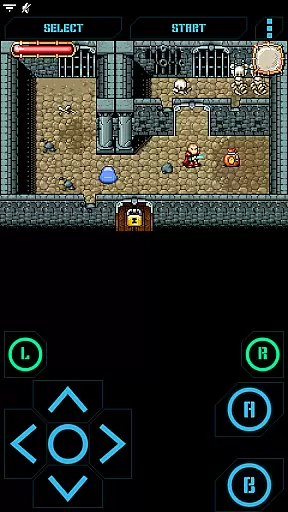
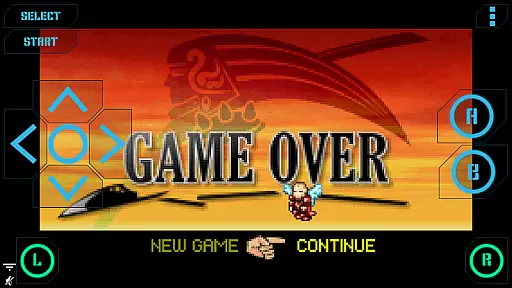
Nostalgia.GBA Pro is a premium GBA emulator that brings classic gaming to modern devices. Built on the mGBA engine, it delivers high-quality emulation with advanced features for an authentic retro experience.
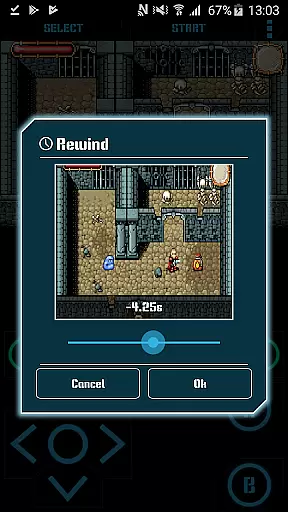
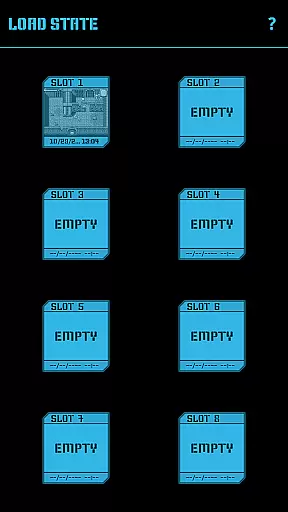
The app offers customizable controls, save states with screenshots, and rewinding functionality. Its user-friendly interface and hardware-accelerated graphics make it ideal for both casual players and retro gaming enthusiasts who want to relive their favorite Game Boy Advance games.
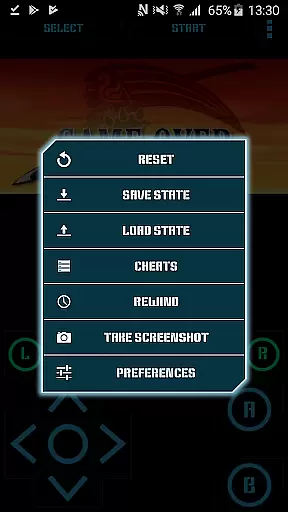
This emulator stands out with its modern feature set tailored for optimal gameplay. The highly customizable virtual controller allows users to adjust button size and position, while the 8 manual save slots with screenshots enable flexible game progress management.
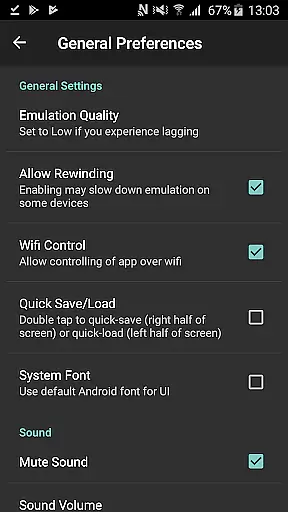
Unique capabilities include game rewinding for up to several seconds, Wi-Fi controller support, and turbo buttons. The app also supports hardware keyboards, Bluetooth gamepads, and special cheat codes, making it one of the most versatile GBA emulators available for mobile devices.
Arcade authenticity is at the heart of Nostalgia.GBA Pro, offering users a genuine throwback to the classic gaming era. This GBA emulator, based on mGBA, meticulously recreates the original Game Boy Advance experience with its hardware-accelerated graphics and 44100 Hz stereo sound.
The app's dedication to preserving the nostalgic essence of arcade gaming is evident through its support for GBA and ZIP files, allowing gamers to relive their favorite titles. With turbo buttons and an A+B button combination, it enhances the gameplay while maintaining the traditional feel.
Users benefit from a seamless blend of retro gaming and modern convenience, thanks to features like save state sharing across devices and rewinding options. These not only preserve the authentic arcade experience but also add a layer of accessibility and ease that contemporary gamers appreciate.
Control responsiveness in Nostalgia.GBA Pro is engineered to provide an intuitive and fluid gaming experience. The highly customizable virtual controller allows players to adjust the size and position of each button, ensuring that the controls feel natural and responsive to personal play styles.
With support for HID Bluetooth gamepads, including MOGA and 8bitdo, this emulator offers versatile control schemes that cater to both touch screen enthusiasts and traditional controller aficionados. Hardware keyboard support further extends the range of control options available to users.
This level of adaptability ensures that whether you're engaging in fast-paced action or intricate strategy games, your inputs are accurately reflected in-game without delay. Such precision empowers players with a competitive edge and immerses them deeper into their gaming sessions.
User-friendly interface
Advanced save features
Game rewinding option
Controller customization
Ad-free experience
No games included
Requires ROM files
Premium price point
Complex setup
Large file size

Neogeo MVS/AES Emulator
 3.30
3.30
Three awesome new levels for The Impossible Game.
4.30
Mine & Craft Block Mini World! Survival Crafting and Building & Creative Online.
4.30
Infinite Arcade
4.2
Jump and fly your way through danger in this rythm-based action platformer!
4.50
Meet Snake Run Race! Slither through an obstacle course in our fun running game!
4.70
Master the hills in this extreme downhill racing game!
4.60
Shoot the web, jump and teleport! Be a stickman hero and destroy your enemies!
4.50
Collect layers in running game & build the biggest slinky toy to beat the giant!
4.30
Jump and fly your way through danger in this rythm-based action platformer!
4.70
Hit as hard as you can and make the penguin learn to fly! Arcade jumping game
4.50
PC Engine/TurboGrafx-16 Emulator
4.50
Millions of crafters have smashed billions of blocks! Now you can join the fun!
4.40
Enter Double Dragon Trilogy, a compilation of the beloved arcade series
4.10
NEOGEO's masterpiece game is now available in the app!
4.10
Frenetic party game, pass the bomb to the other players!
3.80
A fast, full-featured GB/GBC emulator with link cable emulation.
3.80
John GBA is GBA emulator. This emulator is easy to use.
3.10
Infinite Arcade
4.0


User Reviews