
Pinardin: Parental Control is a comprehensive safety and monitoring solution designed for parents who want to ensure their children's well-being in the digital age. The app provides real-time location tracking, digital habit monitoring, and various security features such as Live Monitoring, App Block, and Sensitive Content Detection. With Pinardin, parents can foster healthy phone usage habits while ensuring their child's safety both online and offline.
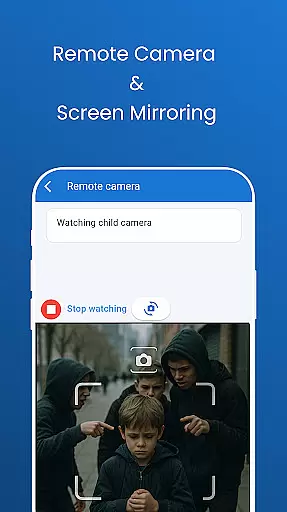
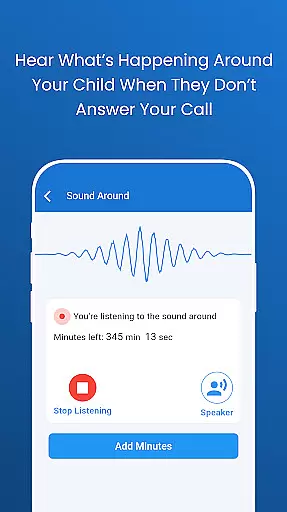
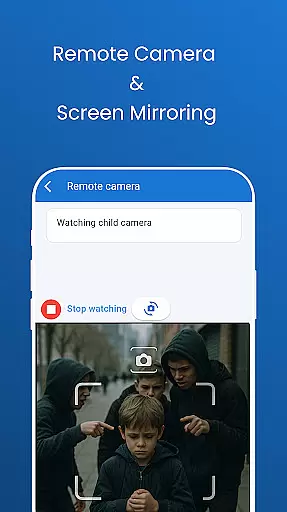
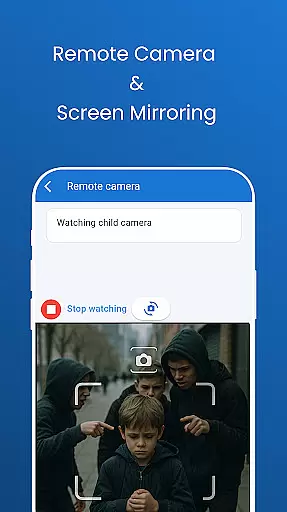
The application offers advanced tools like remote camera access, one-way audio monitoring, and automated screenshots of the child's phone screen. These features allow parents to stay informed about their child's environment and digital activities. Additionally, geo-fencing capabilities provide instant alerts on location-based events, functioning as a virtual bodyguard around the clock.
Pinardin stands out by promoting family bonding rather than secretive spying. It encourages open communication between parents and children, helping them develop responsible digital behaviors. By prioritizing privacy and security, Pinardin ensures that personal data is handled with care, complying with GDPR policies and maintaining transparency with its users.
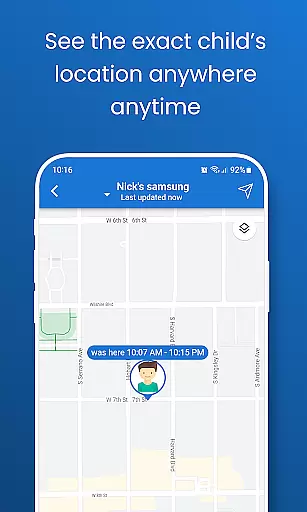
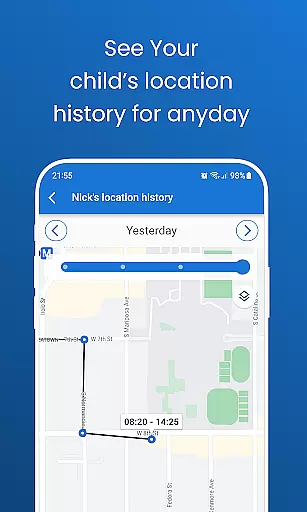
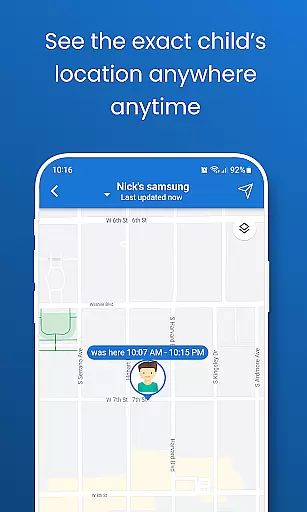
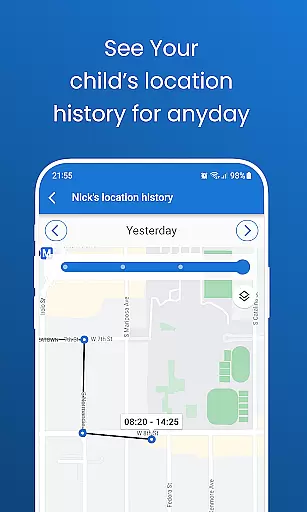
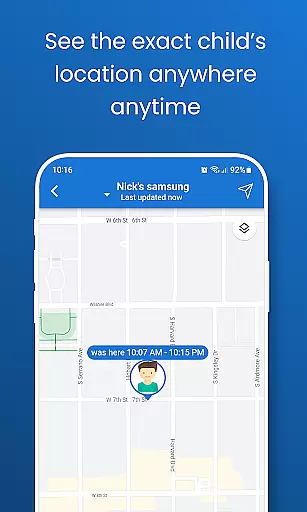
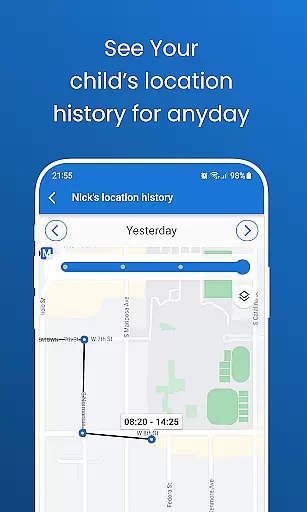
Pinardin boasts an impressive array of features tailored to parental control needs. One standout feature is Live Location Tracking, which uses high-precision GPS to monitor the child's whereabouts in real time. Parents can review past routes and set up customizable geo-fences to receive instant alerts when their child enters or leaves specific areas.
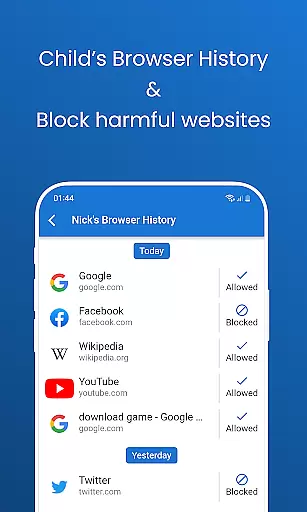
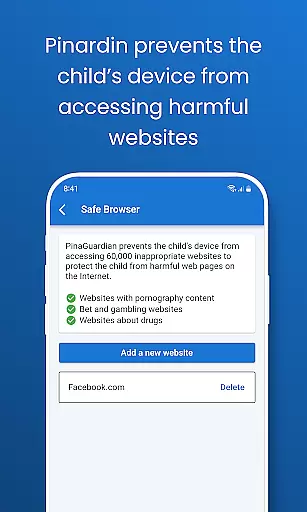
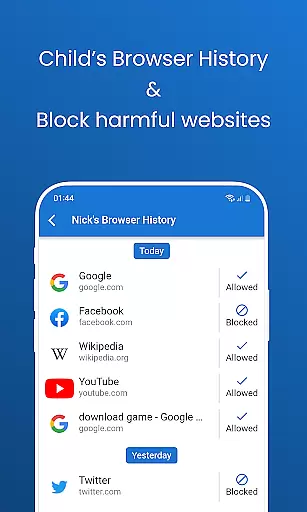
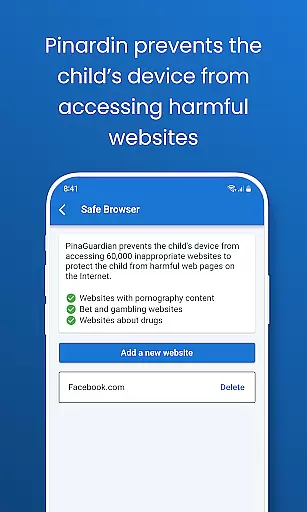
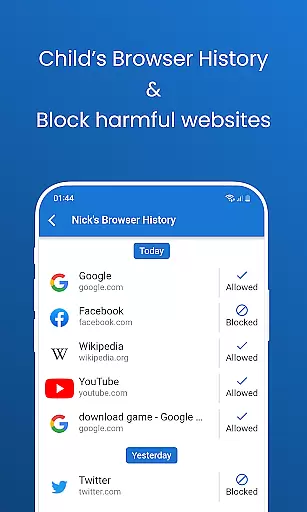
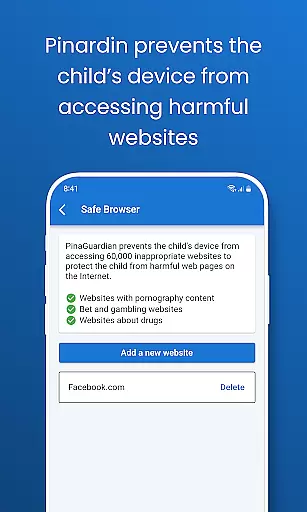
Another key aspect is Social Media Monitoring, allowing parents to detect sensitive content across platforms like TikTok, YouTube, Snapchat, WhatsApp, Facebook, Instagram, and Telegram. This ensures children are protected from harmful online interactions. Additionally, the Website Blocker enables browser safety by blocking inappropriate sites and guiding kids toward age-appropriate content.
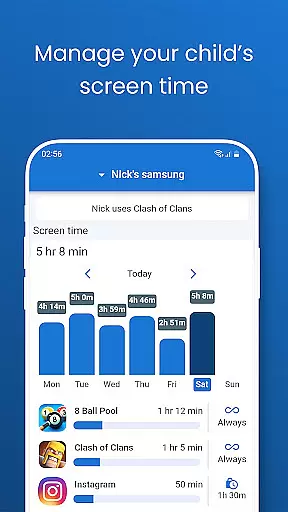
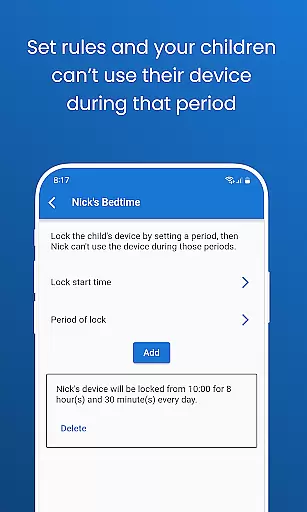
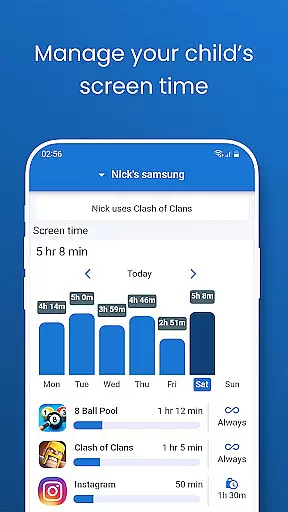
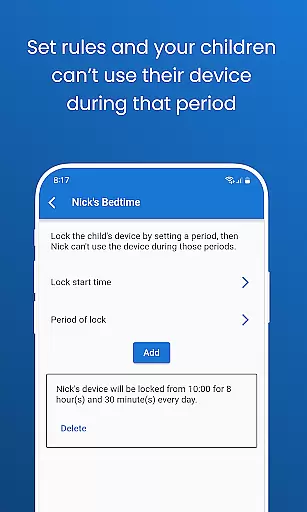
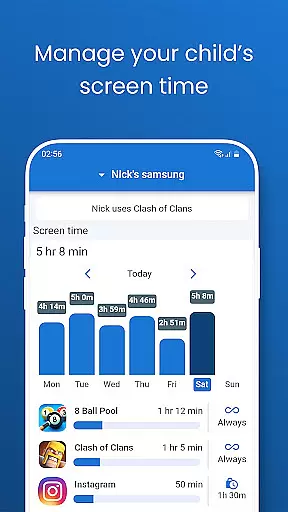
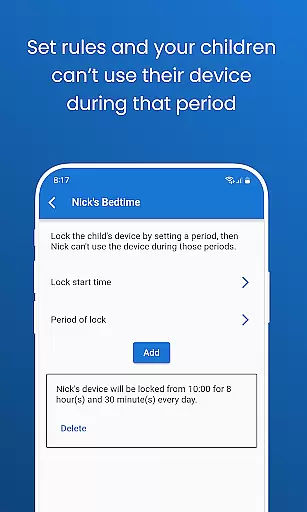
Screen Time Limits and Bedtime Mode further enhance the app's utility by helping parents manage device usage schedules effectively. Screen Time Limits reduce distractions during school hours, while Bedtime Mode locks devices at night to promote restful sleep. These innovative features collectively empower parents to create a balanced digital environment for their children.
Pinardin offers a comprehensive parental control solution that is both credible and validated by experts in child safety and digital wellness. The app provides features such as Live Monitoring, App Block, and Sensitive Content Detection, which are designed with the input of professionals to ensure they meet the needs of today's digital families.
The credibility of Pinardin's content is evident through its alignment with current privacy legislation and GDPR policies. This ensures that all monitoring features not only protect children but also respect their privacy rights, fostering an environment of trust between parents and children.
Expert validation comes from the app's approach to child safety, which includes remote camera access, one-way audio, and social media monitoring. These tools have been crafted to offer peace of mind to parents while encouraging open communication about digital habits within the family.
By choosing Pinardin, parents are equipped with reliable information and tools that help them guide their children's online experiences. With expert-backed features, Pinardin stands out as a responsible choice for modern parenting, ensuring that children can explore the digital world safely and confidently.
Pinardin excels in providing accurate growth tracking for children's digital habits, allowing parents to monitor their development in the online space effectively. Through features like Automated Screenshots and Live Location Tracking, parents receive precise updates on their child's digital activities and whereabouts.
The app's high-precision GPS technology enables parents to review past routes and set up geo-fencing alerts, ensuring that they are always aware of their child's location. This level of accuracy helps prevent potential dangers and supports proactive parenting.
With Screen Time Limits and Bedtime Mode, Pinardin allows for meticulous tracking of when and how long a child uses their devices. Parents can set schedules to limit phone usage, promoting healthy routines and reducing distractions during critical times such as school hours or bedtime.
Overall, Pinardin empowers parents with the data needed to foster balanced screen time habits and supports children's growth into responsible digital citizens. By leveraging these accurate tracking capabilities, families can maintain a healthy balance between digital engagement and real-world interactions.
Real-time location tracking
Sensitive content detection
Encourages family bonding
Prioritizes user privacy
Comprehensive social media monitoring
Requires child's consent
Premium features need subscription
Limited without pairing code
Dependent on internet connection
May require technical setup

AI Motion Video Maker & Ideas
 4.0
4.0
Daily Routine & Timer for kids, ADHD, & Autism
4.80
Educational resource for parents to inspire creativity in their children.
4.00
Live Location, Alerts & 2-Way Voice for Kids and Adults with Special Needs
4.60
Limit screen time, Block Apps & Games, Monitor with Parental control app
4.20
Save money on diapers. Get the Pampers Rewards app.
3.90
Findnumber: Real-time location tracker for ultimate family security
4.20
GPS tracker app: Simple GPS phone tracker for fast family location tracking
4.60
The Most Trusted Co-Parenting App.
4.60
All-In-One Pregnancy Tracker, Your Baby's Milestones, Growth Stages & Parenting.
4.90
Fun Ideas for Parents
4.70
Track your pregnancy & your baby's growth in 3D. Get support from our community
4.60
With BabyCam you can monitor your baby using your mobile phone, tablet, PC or TV
4.40
Join over 1MM parents & professionals who've used OFW to navigate co-parenting
4.40
FamilyMode helps you manage your family’s digital lives—at home or on the go.
4.30
Learn according to the age of your child and consult with other moms.
4.20
Discover fun videos, kids songs, bedtime stories and games
3.60
Happiest Baby App replaces the SNOO App (the mobile companion to SNOO & SNOObie)
3.20
Track pregnancy health and wellness with pregnant tracker from healthcare advice
4.2


User Reviews