
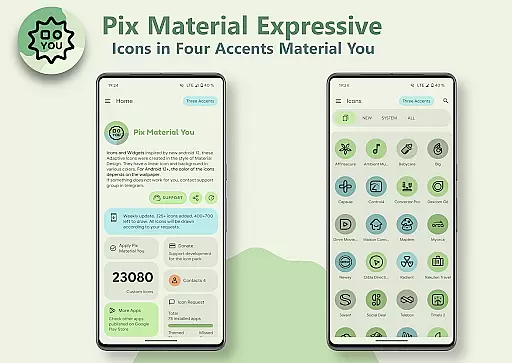
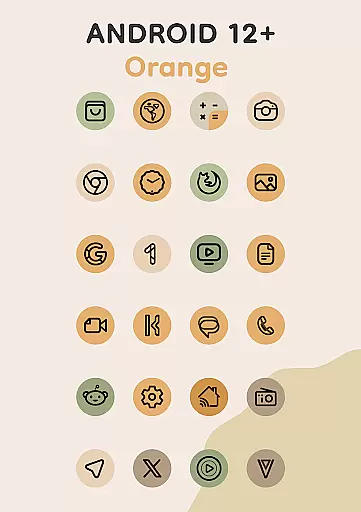
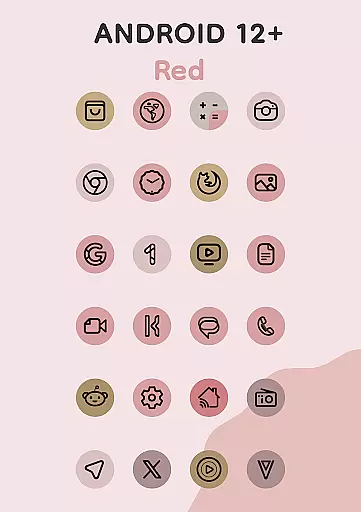
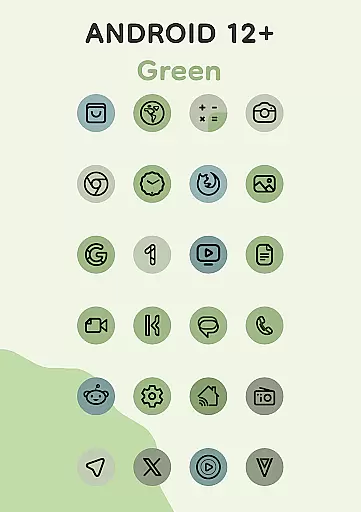
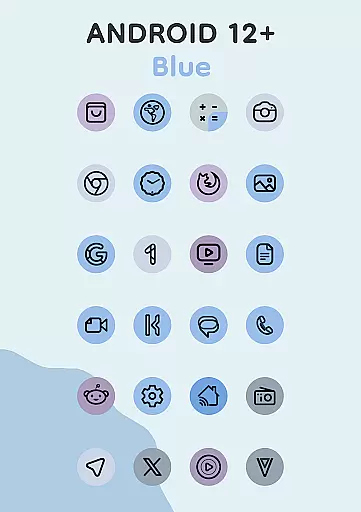
Pix Material Expressive Icons is a premium icon pack designed to enhance your device's appearance through adaptive icons that fully support Material You. This app offers over 24,000 adaptive icons, clock widgets, music widgets, and the innovative Icon Widget feature. Each icon boasts a clean linear outline with dynamic background colors that adjust based on your wallpaper, providing next-level personalization for Android users.
The app supports various launchers and includes special features for Android 12 and above, where icon colors change automatically according to the system's color scheme. With additional expressive accent colors beyond the standard Monet palette, these icons create a distinctive look while maintaining seamless integration with your device's theme.
This icon pack stands out with its comprehensive Material You support and enhanced Monet palette featuring four additional accent colors. The dynamic background color adaptation ensures icons remain visually harmonious with any wallpaper choice. Its adaptive nature allows shape-shifting on compatible custom launchers, offering extensive customization options.
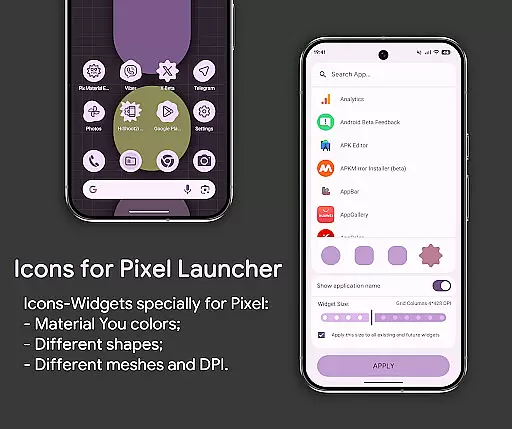
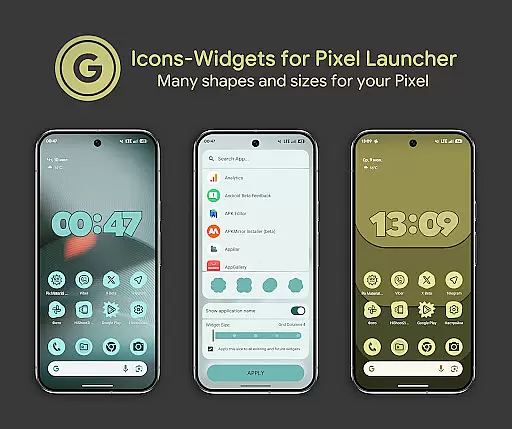
The Icon Widget functionality revolutionizes icon pack usage by enabling color changes based on wallpapers and system themes. Users can select from various icon shapes, sizes, and DPI settings, ensuring widgets closely resemble Pixel Launcher-themed icons. These features provide a modern aesthetic and unparalleled personalization possibilities.
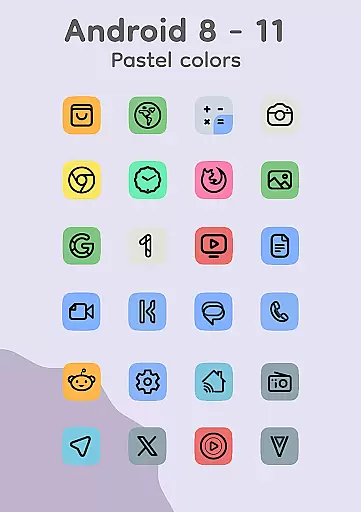
Additional notable features include clock and music widgets, automatic color adjustments on supported launchers, and compatibility with numerous popular launchers across different Android versions. The app also maintains pastel-colored icons for devices running Android 8-11, ensuring broad compatibility while delivering a consistent user experience.
Pix Material Expressive Icons offers an extensive range of customization options, allowing users to refresh their device's appearance with adaptive icons that support Material You. Each icon features a clean linear outline and dynamic background colors that change based on the user's wallpaper, ensuring seamless integration with the system's color scheme.
With full Material You support, the icon pack includes an enhanced Monet palette with four expressive accent colors, providing a more personalized and modern look. The adaptive nature of these icons allows them to shift shapes on compatible custom launchers, granting even more ways to tailor your device's aesthetics.
For devices running Android 12 and above, the icons and widgets adapt their colors from the wallpaper, offering a harmonious and unique style. Users can further customize their experience by choosing different icon shapes, names, and widget sizes for each screen grid, making widgets resemble themed icons in Pixel Launcher as closely as possible.
The Pix Material Expressive Icons pack is designed with theme compatibility in mind, ensuring that icons and widgets adjust their appearance according to the device's light or dark theme. This feature provides a visually consistent experience across various interfaces and maintains the aesthetic integrity of your device no matter the time of day or lighting conditions.
Icon-Widgets represent a novel approach to launcher icon packs, primarily optimized for Google Pixel but also adaptable to other devices. These widgets not only change color depending on the wallpaper but also conform to the deviceu2019s current theme setting, enhancing usability and visual appeal.
Users have access to a plethora of functionalities within Icon-Widgets, including full interaction with the icon pack, various icon shapes, animations, and size adjustments based on grid and DPI settings. To apply these widgets, simply add a widget, select the app, choose an icon shape and grid size, then click APPLY, ensuring a high degree of personalization and compatibility with your deviceu2019s existing themes.
Extensive icon library
Dynamic color adaptation
Wide launcher support
Innovative widget system
Modern design aesthetics
Manual reapplication needed
Limited Android 12+ features
Complex setup process
Premium price point
Technical issues possible

Ultra realistic high quality analog watch face for Wear OS.
 4.60
4.60
Sparkle your screen with Glitter Wallpapers For Girls and Cute Backgrounds!
4.80
Shimeji adds cute animated characters to your screen, lively and fun.
4.70
App Icon Changer & Shortcut Creator. Customize your icons without any watermarks
4.30
Aesthetic Widgets, HD Wallpapers, Themes in Mico Widget for Home and Lock Screen
4.50
Customize glowing edges, wallpapers, and caller screen with EdgeAura.
3.50 4.50
4.50
300+ widgets inspired by Material You and Material 3 expressive design.
4.60
Enjoy a variety of amazing live wallpapers and colorful EDGE lighting borders!
4.80
350+ widgets with a premium glass-style finish, perfect for home & lock screens.
4.70
Glass style colourful icons with a One UI look and feel
4.60
Unique Android Launcher
4.60
Over 28,000 high quality icons to bring color & homogeneity to your phone.
4.60 4.50
4.50
Your home screen, just the way you like it.
4.30
Adult video chat, dating, making friends, random matching
4.20
Magic fluids wallpaper 4D: Relax with stunning fluid simulation wallpaper app
4.20
Emoji Maker app - Design custom emojis and effortlessly blend them with Mixer
3.80
Turn your lock screen into fun with smile live wallpapers & animated wallpapers!
2.50


User Reviews