
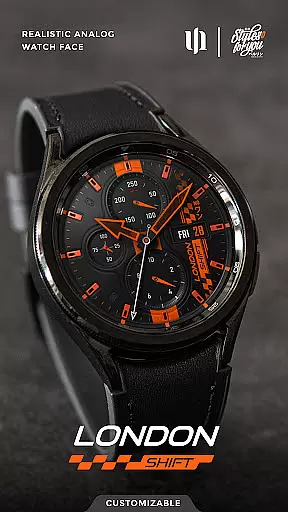
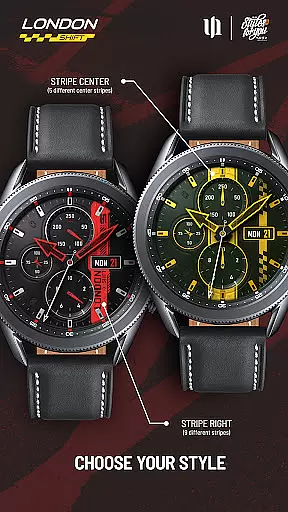
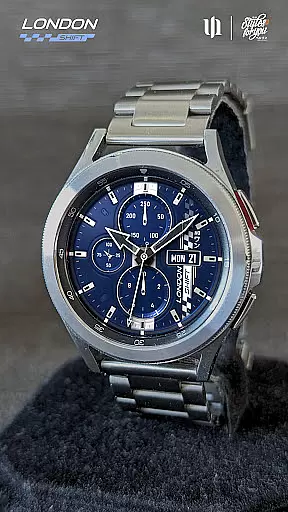
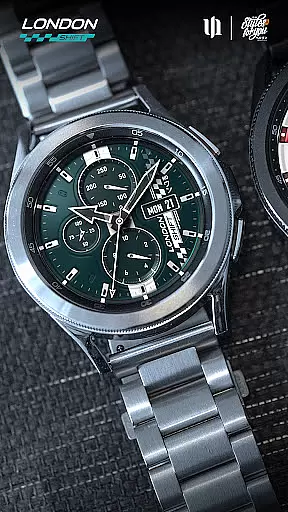
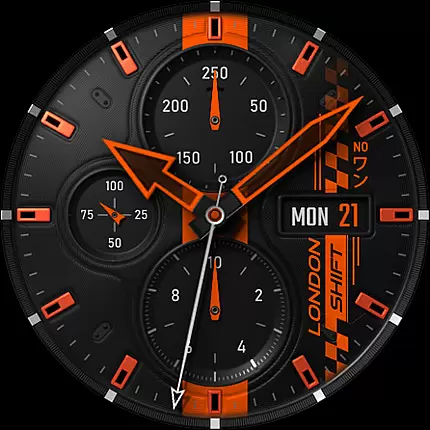
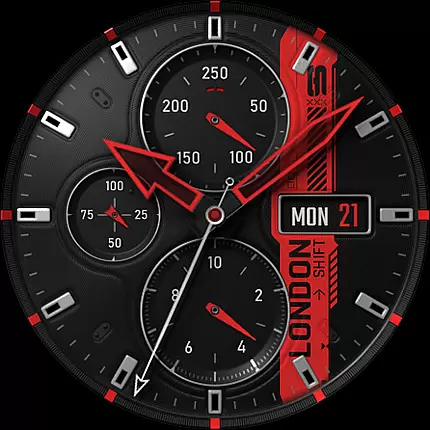
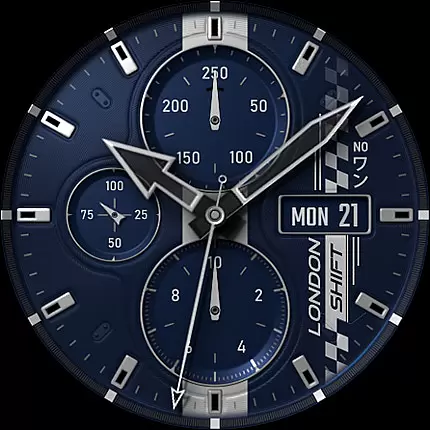
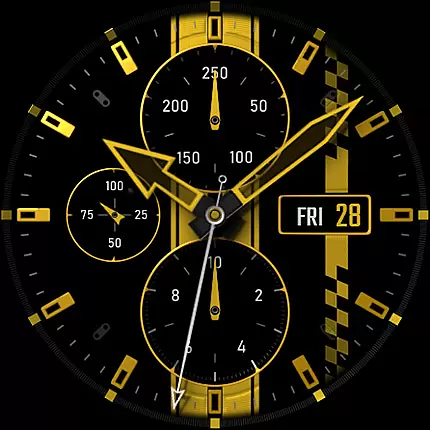
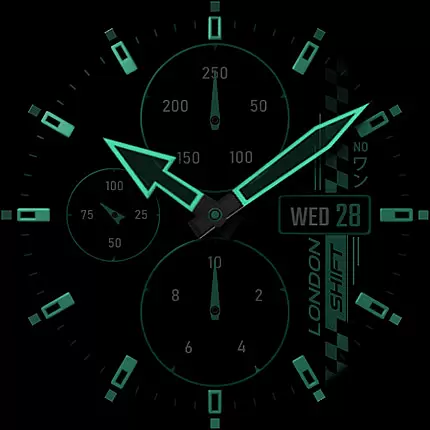
S4U Shift - Analog watch face is a premium Wear OS watch face designed for smartwatches running Wear OS 5 or higher. This highly customizable analog dial offers an ultra-realistic watch experience with its 3D effects and multiple color options, making it feel like wearing a real watch. Compatible devices include Samsung Galaxy Watch series, Google Pixel Watch, and other Wear OS 4+ smartwatches.
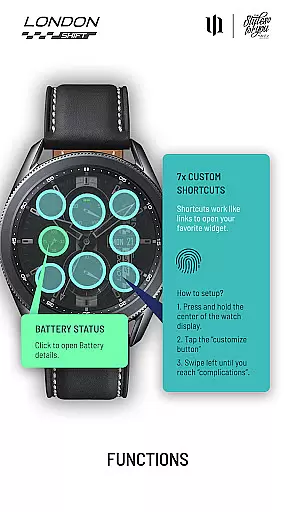
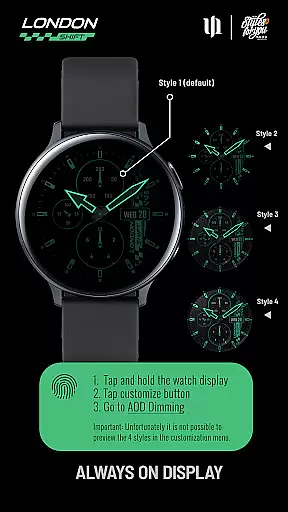
With features such as day, date, battery status, heart rate display, and an analog pedometer, this watch face combines functionality with aesthetics. The always-on display (AOD) provides four dimming options to balance visibility and battery life. Additionally, users can set up to seven custom shortcuts for quick access to favorite widgets, enhancing usability.
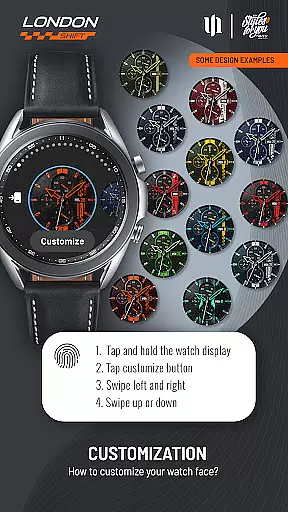
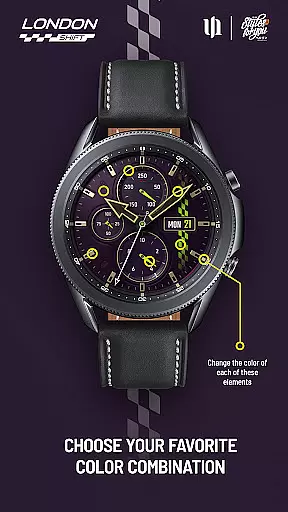
The S4U Shift watch face stands out with its detailed customization capabilities. Users can adjust colors for various elements including background, hands, indexes, and dials border, with multiple style options for each. The intuitive color adjustment process allows users to personalize the watch face by swiping left, right, up, or down on the display.
Functionality extends beyond aesthetics with practical features like battery details accessible via a tap on the battery indicator. The heart rate measurement has been upgraded to automatic, syncing with the watch's health settings. While some models may have limited feature support, the overall design ensures a versatile and user-friendly experience.
Additional tools include setting up shortcuts by accessing the complications menu. This allows seamless integration of frequently used apps or widgets. With compatibility across major Wear OS devices and continuous updates planned, S4U Shift remains a top choice for those seeking both style and utility in their smartwatch faces.
Customization is at the heart of the S4U Shift - Analog watch face, offering users an extensive range of personalization options to tailor their smartwatch experience. With over 70 color customization choices spread across various elements such as Background, Hands, Indexes, and more, users can create a look that truly reflects their personal style.
The app provides multiple ways to adjust colors and styles, including 13 options for the Color Stripes and Day of the month, 9 styles for Hands Main, and 10 for Dials Border. This level of detail ensures that every aspect of the watch face can be personalized, from the smallest index to the largest background element.
Users benefit from not only aesthetic control but also functional adjustments. The always-on display (AOD) feature comes with 4 dimming options, allowing users to balance visibility and battery life according to their preferences. Such comprehensive customization empowers users to optimize both the appearance and usability of their smartwatch.
This vast array of customization options distinguishes S4U Shift in the realm of Wear OS watch faces, making it an ideal choice for those who value individuality and precision in personalizing their devices.
The S4U Shift - Analog watch face excels in theme compatibility, ensuring seamless integration with a wide range of Wear OS devices. Compatible with Samsung Galaxy Watch series, Google Pixel Watch models, and other Wear OS 4+ smartwatches, this app delivers a consistent and high-quality user experience across different hardware platforms.
One of the key strengths of S4U Shift is its ability to maintain visual fidelity and functionality regardless of the device. Whether it's displaying the day of the week, battery status, or heart rate, users can expect uniform performance and design language on any supported smartwatch. This cross-device harmony enhances the overall utility and appeal of the watch face.
Moreover, the app supports advanced features like Always-On Display (AOD) synchronization and custom shortcuts, which work reliably across all compatible devices. These features not only improve usability but also ensure that users have access to critical information at a glance, without compromising on style or performance.
By prioritizing theme compatibility, S4U Shift guarantees that users enjoy a cohesive and optimized experience, regardless of their specific Wear OS device, thus broadening its accessibility and user base.
Highly realistic design
Extensive customization
User-friendly interface
Multiple device support
Active developer support
Limited to Wear OS
Some features not supported
Battery usage concerns
Complex for beginners
Premium pricing

Ultra realistic gold analog watch face with lots of customization options.
 4.50
4.50
Make your phone look simple & luxury, like iDevice
4.60
AI-powered Copilot. Personalized keyboard with gifs, stickers & themes
4.40
Art & Emoji Keyboard with Cool Fonts, Cute Themes and Custom Designs.
4.40
Turn your lock screen into fun with smile live wallpapers & animated wallpapers!
2.50
The definitive Icon pack maker and editor
4.30
Ultimate Gallery Lock App - Hide Pictures, Videos and Lock Apps Instantly!
4.60
Aesthetic Widgets, HD Wallpapers, Themes in Mico Widget for Home and Lock Screen
4.50
Customize glowing edges, wallpapers, and caller screen with EdgeAura.
3.50
Dark icon pack based on One 8
4.80
Wallpaper HD 4K Live - Thousands of high-quality Anime backgrounds for you.
4.80
Customizable Glass widgets. Over 360+ stunning widgets and more!
4.70
Choose your keyboard with RGB colors effect, themes, fonts, emojis.
4.60
300+ widgets inspired by Material You and Material 3 expressive design.
4.60
Beautiful realistic hybrid watch face with numerous customization options.
4.50
Customizable flower power digital watch face for Wear OS watches.
4.00
Transform your phone with stunning video wallpapers and a unique, personal touch
3.80 3.50
3.50
Capture moments that pass like a storm, second by second.
4.1


User Reviews