
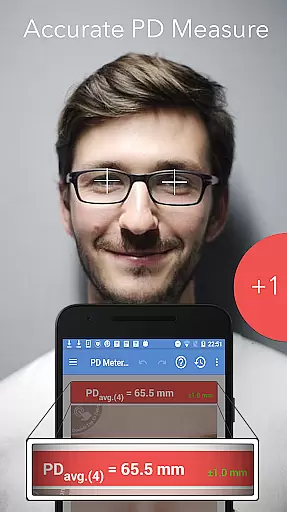
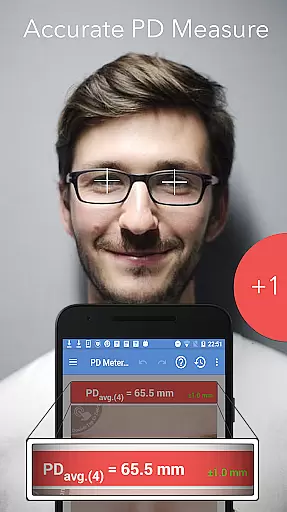
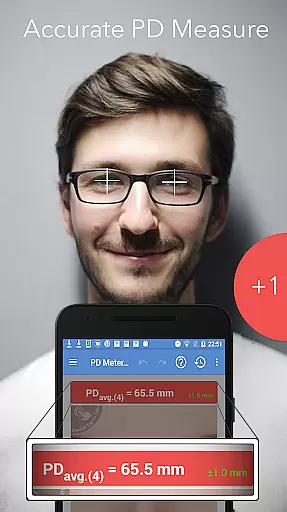
Pupil Distance PD Meter Pro is a specialized mobile application designed for accurate pupillary distance (PD) measurement using your smartphone's camera. This Health & Fitness tool offers users the ability to measure their interpupillary distance (IPD) with precision, which is crucial when purchasing eyeglasses, sunglasses, or VR headsets. The app stands out by providing a reliable alternative to in-person measurements, allowing users to conveniently check their PD from anywhere.
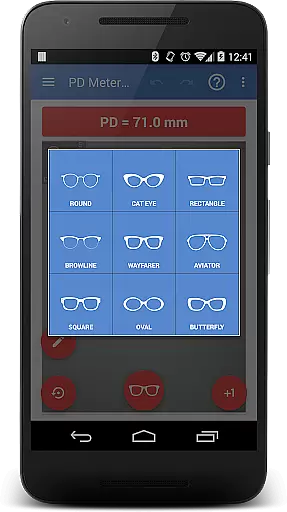
In addition to its core functionality, the app includes basic virtual try-on features for eyeglass frames. This allows users to preview how different frames might look on them. With a commitment to genuine user feedback and support, the developers ensure that all reviews are organic and offer responsive customer service for any issues or questions that may arise.
The key feature of Pupil Distance PD Meter Pro is its advanced camera-based measurement system, which enables users to accurately determine their pupillary distance. Unlike other apps that may rely on less reliable methods, this app uses sophisticated algorithms to ensure precise results. Users can follow simple on-screen instructions to capture their PD measurements effectively.
Beyond PD measurement, the app provides a bonus feature that lets users virtually try on basic eyeglass frames. This helps users make informed decisions about frame styles that suit them before making a purchase. Additionally, the app emphasizes ethical practices by avoiding fake reviews and focusing on real user feedback. The developers also prioritize customer satisfaction by offering prompt support and even refunds if necessary, ensuring a trustworthy and reliable user experience.
Personalized planning in health and fitness apps refers to the ability to create tailored workout or wellness plans based on individual user data.
Pupil Distance PD Meter Pro offers personalized planning by allowing users to accurately measure their pupillary distance, which is crucial for selecting the right eyewear. The app uses the device's camera to provide precise measurements, ensuring that users can make informed decisions about purchasing glasses or VR headsets.
By providing accurate pupillary distance measurements, the app helps users avoid discomfort or inefficiency caused by ill-fitting eyewear. This personalized approach ensures that each user gets a customized experience that suits their unique needs.
The value of this feature lies in its precision and convenience, enabling users to take measurements in the comfort of their home and at their convenience, without needing to visit an optician.
Progress visualization involves presenting user data in a way that makes it easy to track improvements or changes over time.
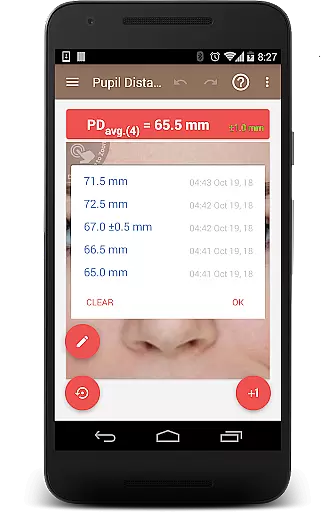
In Pupil Distance PD Meter Pro, progress visualization may not be as prominent due to the nature of the app's functionality. However, the app provides clear and accurate results for each measurement, allowing users to compare their current pupillary distance with previous readings if needed.
While the primary function is not tracking progress over time, having access to precise measurements empowers users to make better decisions regarding their eyewear purchases. This clarity in presentation ensures that users can rely on the accuracy of the information provided.
For those who need regular updates on their pupillary distance, such as individuals experiencing vision changes, this feature offers peace of mind and confidence in managing their eye health effectively.
Accurate PD measurement
User-friendly interface
Virtual try-on feature
Ethical business practices
Responsive customer support
Limited frame styles
Requires good lighting
Camera quality dependent
No advanced features
Premium version costly

Control your sleep in real-time wearing Garmin device
 3.60
3.60
Get alert about getting out of desired heart rate zone.
4.10
Measure real-time wrist & ambient temperature with your Galaxy Watch (Wear OS)
3.20
Load the bar with this barbell & plate calculator. It's leg day, not brain day!
4.70
Wall Pilates at home & Pilates workout for beginners for core and weight loss.
4.80
Find Paid Clinical Trials In Your Area
3.70
Raccoon AI Calorie Counter. Intermittent Fasting & Timer. Macro, Carb, Protein
4.50
beat yesterday.
4.00
Jogging app for calorie counter and distance tracker. Running app to lose weight
4.20
Easy reconstitution calc for mixing peptides and creating protocols
4.70
Measure your Pupil Distance for Eyeglasses and VR headsets in 3 quick steps.
4.70
Get lasting results with Chair Yoga, Wall Pilates, and Walking workouts!
4.60
Binaural Beats - Fully Customizable Waves - Pure Sound - No Loops
4.50
The Official Blood Type Diet® App - know your categorized foods anytime.
4.50
FODMAP, Gluten, Allergy, Vegan
4.50
See what's really going on inside your head! Real time EEG graphs from your Muse
4.40
Use your watch as a bike computer, heart rate monitor and cycling power meter
2.50
Insanity blocks of intense physical activity, short breaks of 30 seconds.
4.4
Using Recognise™ has been shown to reduce pain and improve performance.
4.4


User Reviews