

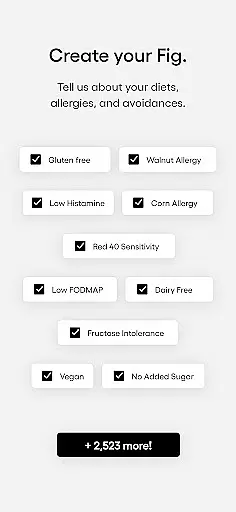
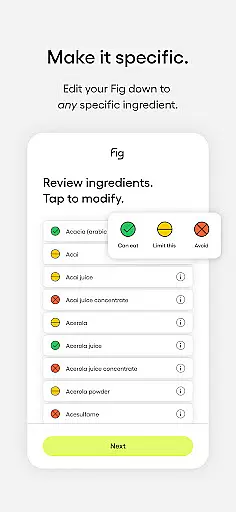
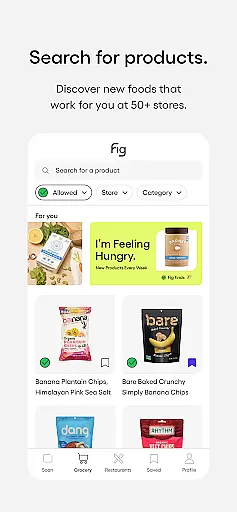
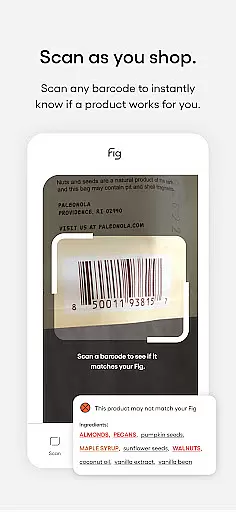


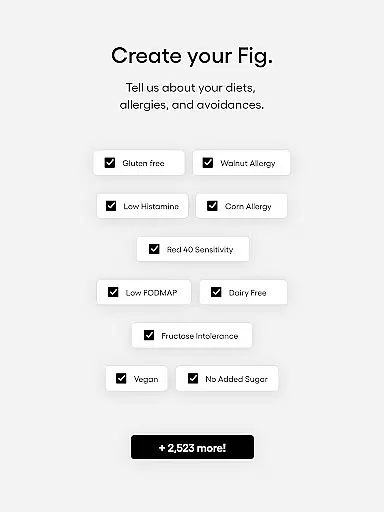
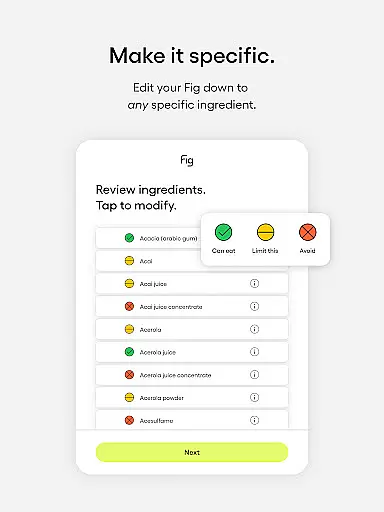
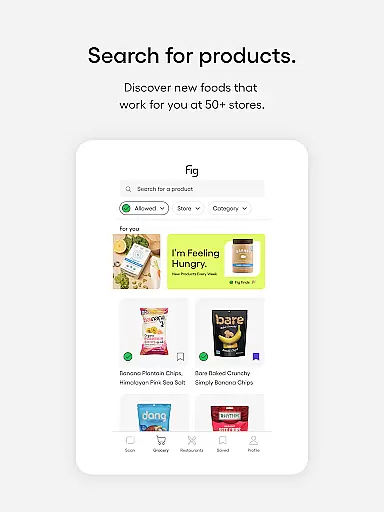
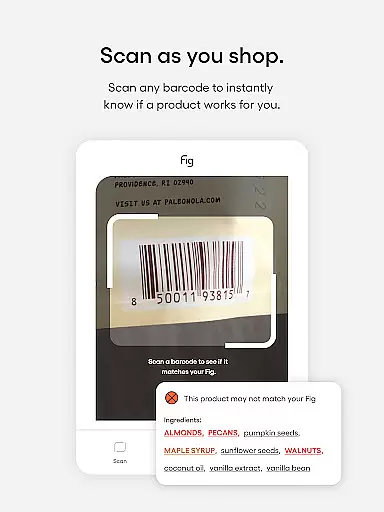

Fig is a revolutionary health and fitness app designed specifically for individuals with dietary restrictions and food allergies. With support for over 2,800 dietary options, including specialized diets like Low FODMAP, Gluten-Free, Vegan, and more, Fig empowers users to navigate grocery shopping and dining out with confidence. The app's powerful barcode scanner checks product compatibility in under a second, while expert insights from 11+ dietitians ensure accurate ingredient analysis.
This app goes beyond basic allergen detection by offering personalized profiles, comprehensive food lists from 100+ retailers, and time-saving features like shopping lists. Whether you're managing multiple food allergies or following a complex diet, Fig helps you discover foods that align with your specific needs. By combining advanced technology with a user-friendly interface, Fig transforms the way people with dietary restrictions interact with food.
Fig stands out in the Health & Fitness category through its innovative approach to dietary management. The app's key feature is its lightning-fast barcode scanner, which instantly determines if a product's ingredients are compatible with your dietary profile. This functionality is powered by millions of ingredient ratings curated by a team of expert dietitians, ensuring reliable results for even the most complex dietary requirements.
Beyond scanning capabilities, Fig offers several unique features that enhance user experience. The Multiple Figs function allows users to create and manage profiles for family members or friends, while the comprehensive food database covers both grocery stores and restaurants. Users can maintain organized shopping lists, access detailed ingredient information, and discover new products that meet their dietary needs. These features work together to save time, reduce stress, and improve overall quality of life for those with dietary restrictions.
Personalized planning in the context of dietary management refers to the ability of an application to tailor its services according to the unique dietary needs and restrictions of each user. This feature is crucial for individuals with specific health conditions, allergies, or those following specialized diets.
Fig achieves personalized planning by allowing users to create detailed profiles that encompass their dietary restrictions, allergies, and nutritional goals. The app supports over 2,800 dietary options, including but not limited to Low FODMAP, Gluten-Free, Vegan, and Low Histamine diets. By inputting these parameters, Fig can generate a personalized eating plan that aligns with the user's health requirements and preferences.
The benefit of this feature is profound; it empowers users to navigate grocery aisles and dining options with confidence. No longer do they need to second-guess ingredient lists or spend excessive time reading labels. Instead, Fig provides clear guidance on what foods are safe and nutritious, based on the individual's specific dietary profile.
This personalized approach not only saves time but also enhances the user's quality of life by reducing anxiety around food choices and enabling them to enjoy meals without fear of adverse reactions. It represents a significant advancement in managing complex dietary needs through technology.
Progress visualization is a critical component in applications focused on health and fitness, providing users with tangible evidence of their achievements and motivating continued adherence to their dietary plans. This feature involves presenting data in a visually engaging manner that highlights improvements over time.
In Fig, progress visualization is brought to life through comprehensive tracking and reporting tools. Users can monitor their compliance with dietary guidelines, track nutrient intake, and observe trends in their eating habits. The app employs charts and graphs to illustrate this data clearly, making it easy for users to understand their progress at a glance.
The practical advantage of progress visualization is that it transforms abstract health goals into concrete milestones. For instance, someone following a Low Histamine diet can see how consistently avoiding certain foods has impacted their overall well-being. This visual feedback loop reinforces positive behaviors and encourages users to maintain their dietary discipline.
Ultimately, progress visualization in Fig serves as both a motivational tool and an educational resource. It helps users recognize patterns in their dietary choices, celebrate successes, and identify areas needing adjustment. By offering a dynamic view of personal growth, Fig fosters a deeper connection between users and their health journeys.
User-friendly interface
Comprehensive allergy support
Fast barcode scanning
Expert dietitian insights
Personalized profiles
Premium subscription required
Limited free features
Occasional scan errors
Restaurant coverage varies
Learning curve for new users

Home workouts for fitness & fast bodybuilding at home - no equipment needed.
 4.90
4.90
Weight loss app: home workout for women to lose weight & burn calories.
4.80
Histamine intolerance, low FODMAP diet and irritable bowel syndrome (IBS)
4.00
Binaural Beats - Fully Customizable Waves - Pure Sound - No Loops
4.50
The Sleep Miracle Sound Machine: Soothes baby to sleep with a gentle "Shhh"
3.00
Memory, mind & logic exercises. Puzzle games, IQ & brain test for kids & adults
4.50
The most accurate heart rate app to monitor and track your heart rate & pulse.
4.40
GloryFit is a companion app for the smart bracelet.
3.60
Comprehensively record and manage your health
4.50
Show your support for the development of FitNotes - Gym Workout Log
4.90
Easy to use step counter, calorie counter helps lose weight, count steps offline
4.80
a fun app full of surprises :)
4.70
You deserve easy access to important insurance information. Download for FREE.
4.70
Effortlessly and naturally release anxiety by harnessing the power of your brain
4.60
Eat smarter with Eato, your personal calorie counter and nutrition tracker!
4.40
Interval timer for High Intensity Interval Training, Tabata and Circuit Training
4.20
This is an application that serves as a companion app for smart watch.
4.20
Find Paid Clinical Trials In Your Area
3.70
Using Recognise™ has been shown to reduce pain and improve performance
4.5


User Reviews