
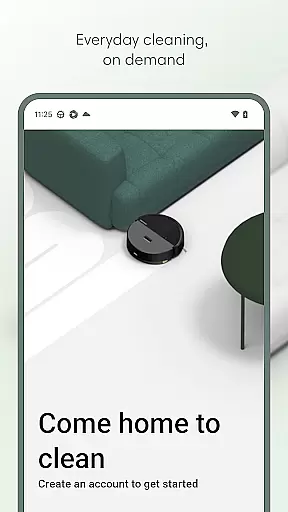
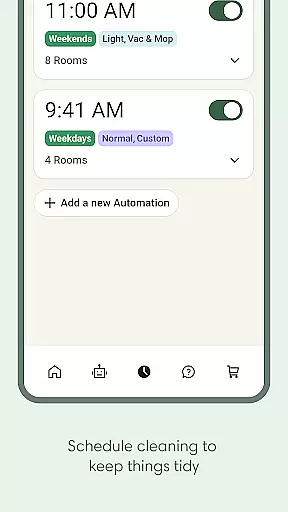
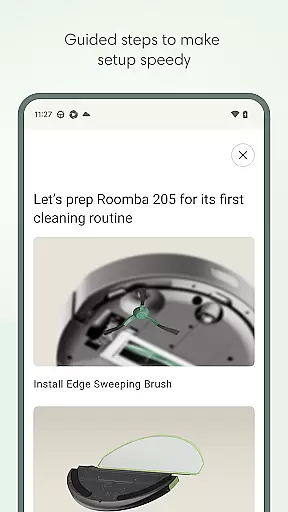
Roomba Home is a smart cleaning management app designed for Roomba vacuum robot users. The application allows you to remotely control your Roomba device, schedule cleanings, and customize cleaning preferences through an intuitive interface. With support for real-time tracking of your robot's cleaning path and smart home integration, it offers a seamless cleaning experience.
The app is compatible with Roomba 100, 200, 400, 500, and 700 series robots sold after March 2025. It provides advanced features such as map customization, room-specific cleaning routines, and proactive maintenance alerts. Whether you're managing daily cleaning tasks or optimizing your cleaning strategy, Roomba Home ensures your living space remains spotless with minimal effort.
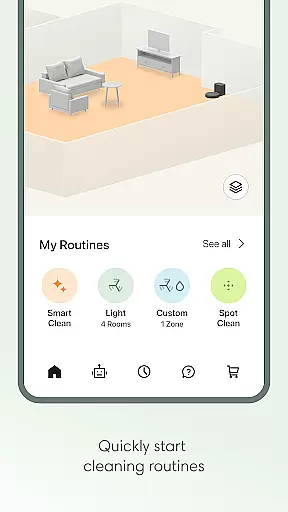
Roomba Home offers a comprehensive suite of features that enhance the user's interaction with their robotic vacuum cleaner. One standout feature is the Routine Builder, which allows users to create personalized cleaning schedules tailored to specific rooms and cleaning preferences. This includes options to adjust suction power, mopping intensity, and cleaning passes.
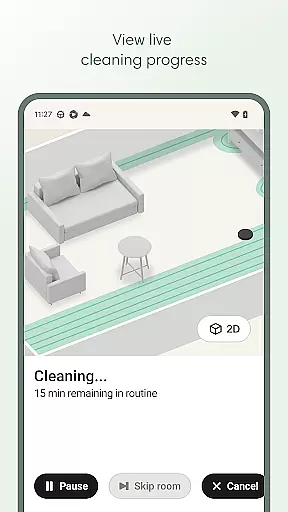
Another key feature is the real-time cleaning insights, where users can monitor their robot's progress on a map and make adjustments as needed. Additionally, the app supports voice commands via Alexa, Siri, and Google Assistant, enabling hands-free operation. These capabilities, combined with proactive maintenance notifications and multi-map storage, ensure optimal performance and convenience for maintaining a clean home environment.
The Roomba Home app offers comprehensive lifestyle category coverage by integrating multiple essential home management features into one intuitive platform. This includes advanced cleaning routines, scheduling options, and personalized cleaning settings tailored to different rooms.
Users can create detailed cleaning plans using the Routine Builder feature, which allows them to select specific rooms, adjust suction power, and even enable advanced scrubbing modes. The app also supports up to five saved maps, enabling users to label rooms, add zones, and target particular areas for cleaning.
Beyond basic cleaning functions, the app provides real-time insights into the robot's cleaning path and status. This ensures users maintain optimal control over their cleaning routines while benefiting from proactive maintenance alerts and smart home integrations.
With voice control compatibility through Alexa, Siri, and Google Assistant, the app extends its functionality to hands-free operation. This broad feature set demonstrates the app's commitment to covering various aspects of modern home maintenance and convenience.
The Roomba Home app maintains high standards of content authenticity and expert credibility through its direct connection with iRobot's ecosystem of home cleaning products. As an official application developed by iRobot, it provides verified and accurate information about Roomba robot vacuums and mops.
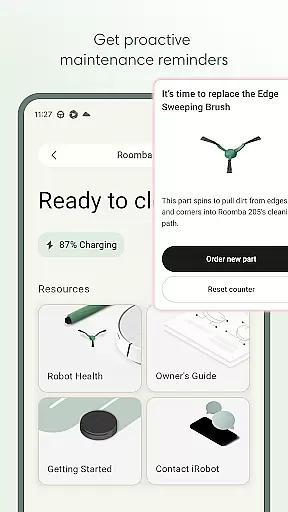
All cleaning data, maintenance suggestions, and performance metrics displayed in the app come directly from the connected Roomba devices. The Health Dashboard feature specifically demonstrates this commitment to authenticity by monitoring both robot and accessory conditions, providing users with reliable maintenance notifications.
The app's cleaning recommendations and optimization suggestions are based on actual usage patterns and device performance, ensuring that all provided information is both accurate and actionable. This level of verification helps users make informed decisions about their cleaning routines.
Furthermore, the integration with trusted smart home platforms like Amazon Alexa, Google Assistant, and Apple's Siri reinforces the app's credibility. These partnerships with established technology leaders validate the app's position as a trustworthy tool for home management solutions.
User-friendly interface
Customizable cleaning schedules
Real-time robot tracking
Voice command compatibility
Proactive maintenance alerts
Limited to newer Roomba models
Requires 2.4 GHz Wi-Fi network
No offline functionality
Premium features may require subscription
Initial setup can be time-consuming

Design and brew great homebrewing beer, mead, cider and wine recipes on the go!
 3.60
3.60
Discover how to help puppies stay calm around noise with this helpful app.
4.5
The all-new Cync app. The simple, connected app for Cync and C by GE.
4.50
Take Hobby Lobby with you wherever you go!
3.40
A watch face with transparency and fluid visuals inspired by liquid glass design
4.1
A smart Siddur with halachic times
4.60
Made To Order Faves
4.70
An Eerie Musical Trigger Toy for Spirits to Play with!
3.50
Decorate your home screen with custom icons, color widgets, themes & wallpapers
4.70
See wait times and check into a hair salon ahead of time with Online Check-In.
4.80
My Diary - Daily Journal with lock: Diary journal app and secret diary with lock
4.80
Make money, get paid cash rewards & gift cards for every survey. Earn today!
4.60
Retro animated weather with hourly forecast Watch Face for Wear OS
4.60
Zodiac & Horoscope Launcher: Daily Sign Predictions & Astrology
4.40
Material You inspired colors with BIG and Bold looks for Wear OS watches.
4.20
What is my face shape? Find out your face shape from picture, see fitting frames
3.90
Going above and beyond known spirit communication
3.60
Big bold weather watch face with dynamic backgrounds and 3 complications
4.0
Bring the warm colors of fall directly to your wrist with Autumn Leaves!
4.0


User Reviews