
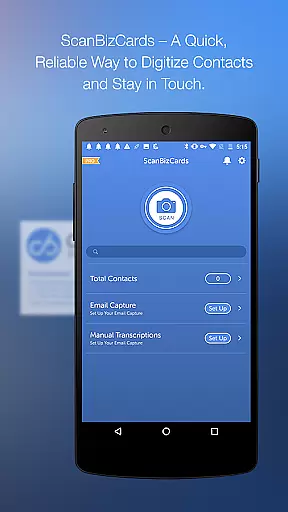
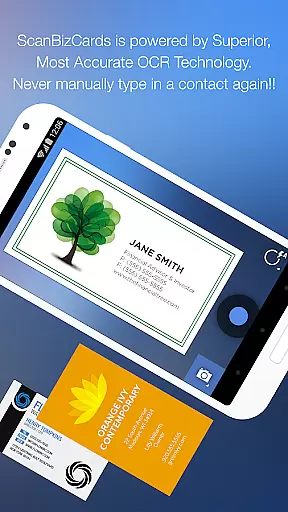
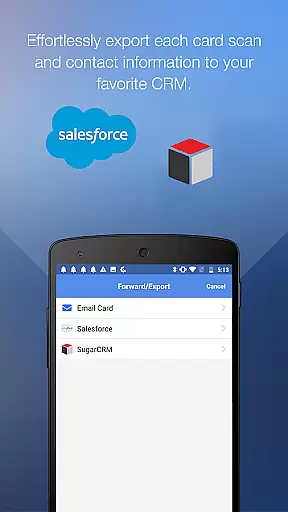
ScanBizCards Premium is a versatile business card management app designed for Android users. This app allows you to digitize and organize your scattered business cards efficiently, keeping them all in one place on your mobile device. With features like email signature capture, direct CRM exports, and advanced OCR scanning, it offers comprehensive solutions for professionals who rely on networking.
The app supports integration with major CRMs such as Salesforce and SugarCRM, enabling seamless synchronization of contacts. It also includes batch scanning capabilities, making it ideal for trade shows and conferences. Whether you're capturing contacts from physical cards or email signatures, ScanBizCards streamlines the process, ensuring your address book stays up-to-date effortlessly.
This app is particularly useful for sales professionals and frequent networkers who need to manage large volumes of contacts regularly. By providing tools like double-sided card scanning, 100%-accurate human transcription, and multi-language support, ScanBizCards Premium ensures that every interaction is captured accurately and efficiently.
ScanBizCards Premium stands out with its robust feature set tailored for business professionals. The app's latest OCR engine delivers faster and more accurate scanning results, processing cards up to five times quicker than before. Additionally, the new batch scanning functionality allows users to scan multiple cards simultaneously, significantly reducing the time required to digitize contacts.
One of the key highlights is the ability to export unlimited business cards directly to Salesforce CRM, a feature previously limited to seven cards per month. Users can also connect their email accounts to automatically capture and update contacts from email signatures, streamlining the contact management process. Furthermore, the app supports 22 languages, catering to an international audience and enhancing its usability across different regions.
Other notable features include the option to edit contact information side-by-side with the card image, create personal notes for each card, and organize cards using custom folder names. These functionalities ensure that users have a personalized and efficient experience while managing their professional networks.
ScanBizCards Premium revolutionizes collaborative work by integrating advanced CRM functionalities that are essential for modern businesses. The app allows seamless export of scanned business cards to leading CRM platforms like Salesforce and SugarCRM, ensuring your team's database is always up-to-date.
One of the standout collaborative features is the ability to connect email accounts for automatic signature capture. This functionality not only finds new contacts but also updates existing ones in real-time across the team's shared address book. By enabling this feature, teams can effortlessly maintain an organized and current contact list without manual input.
The batch scanning capability further enhances teamwork efficiency. Users can scan multiple business cards in quick succession and export these contacts directly into their CRM system within 30 seconds. This rapid conversion of physical cards into digital leads significantly boosts productivity during conferences and trade shows.
Moreover, the app supports unlimited card exports to Salesforce for users who connect their email, breaking previous restrictions. This ensures that sales teams can continuously feed new leads into their CRM without worrying about monthly limits, thereby fostering a more dynamic and responsive collaborative environment.
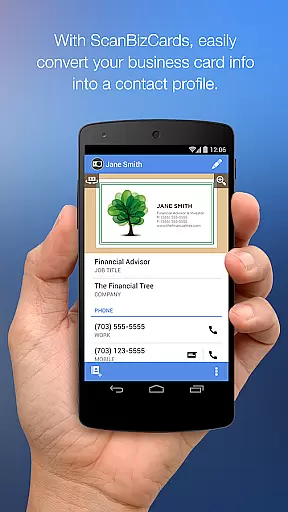
Effective task management is crucial for maximizing productivity, and ScanBizCards Premium excels in this area by offering a streamlined process for handling business contacts. The app provides a four-step method to transform business cards into actionable contacts: snap, scan, review, and add to the address book or merge with existing contacts.
Users benefit from the app's sophisticated OCR engine, which delivers faster and more accurate scans, making task completion more efficient. After scanning, the side-by-side editing feature allows users to meticulously review and edit contact information against the card image, ensuring precision in task execution.
In addition to individual task management, the app offers organizational tools such as custom folder names and personal notes for each card. These features help users categorize and annotate their contacts, making follow-ups and future reference more manageable and enhancing overall task organization.
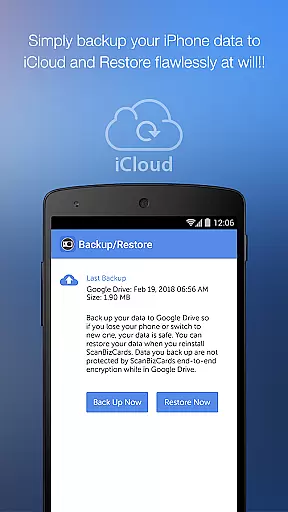
Finally, the ability to backup and restore data to Google Drive adds another layer of reliability to task management. Users can ensure their data is safe and accessible across devices, allowing them to manage tasks without the fear of losing important contact information. This comprehensive approach to task management makes ScanBizCards Premium an invaluable tool for professionals.
Efficient card scanning
Unlimited CRM exports
Multi-language support
Email signature capture
Batch scanning capability
Premium version costly
Occasional OCR errors
Limited free features
Heavy on storage
Requires internet

The revolutionary flexible staffing platform
 4.40
4.40
Quickly open and manage PDF files on your device.
3.80
Earn crypto with secure cloud mining. Monitor, track & withdraw easily
4.40
FaxCover - Create fax cover pages. Works with any app or fax machine.
4.90
Convert Your Lovable.dev Website into a Mobile App Instantly!
4.4
Master crypto trading with real-time simulations and exciting challenges!
4.50
view, manage, and share every PDF file you have
3.60
Ship, Track, Find a Location or Get a Quote with UPS. Anytime. Anywhere.
4.60
No more passwords, easier sign-in, and greater protection for your accounts.
4.60
Start earning fast. Apply Today.
4.80
The MyWalmart App is available for all associates in stores.
4.70
Find jobs and make money fast with JobStack.
4.60
Amazon A to Z is the place to manage your work-life at Amazon.
4.50
From Gone to Back Again — In Just a Few Taps
4.50
Measure distances, surfaces and draw plans in seconds with CamToPlan!
4.40
All Your Gig Work. One App.
4.30
Make money as a delivery driver with DoorDash and work when you want as a Dasher
4.30
enjoy effortless PDF reading anytime, anywhere
3.90
viewing and sharing of PDFs
3.60


User Reviews