
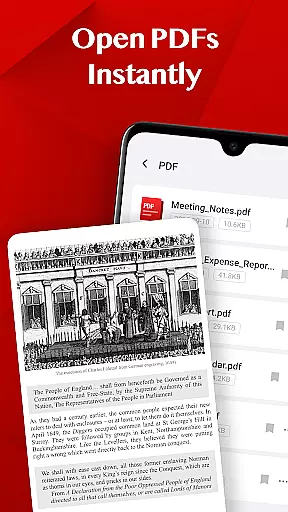
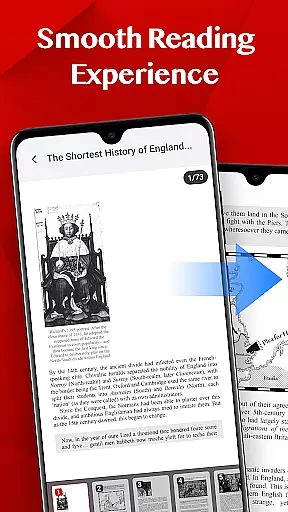
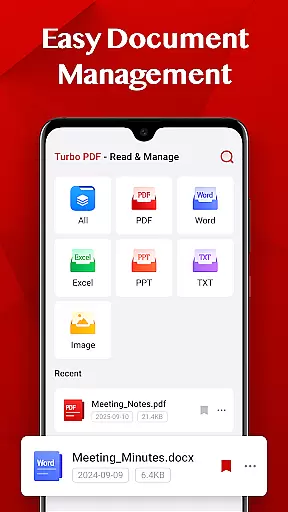
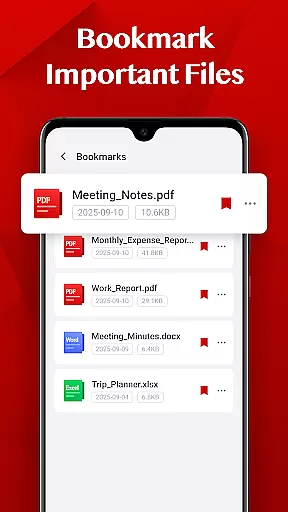
Turbo PDF is a practical and lightweight PDF reader designed specifically for Android devices. It offers an intuitive interface with essential tools that make reading and managing PDF documents simple and efficient. The app provides users with smooth scrolling, zooming, and page navigation features, ensuring a seamless reading experience. With Turbo PDF, you can easily organize your files by sharing or deleting them as needed. Additionally, the bookmark feature allows you to mark important documents for quick access later. This app is ideal for professionals and students who need a reliable tool to manage their PDFs on-the-go.
The application's design focuses on efficiency and ease of use, making it suitable for both personal and business environments. Whether you're reviewing reports, studying lecture notes, or simply reading eBooks, Turbo PDF ensures that your documents are always organized and accessible. Its compatibility with both phones and tablets means you can enjoy a consistent experience across different devices. Overall, Turbo PDF delivers significant value by simplifying how you interact with PDF files daily.
Turbo PDF stands out with its comprehensive set of features tailored for efficient document management. One of its key strengths is the ability to open PDF files instantly without any loading delays, providing immediate access to your documents. The app supports fluid scrolling and responsive zooming, allowing users to navigate through pages effortlessly. These features ensure that even large PDFs are handled smoothly, enhancing the overall reading experience.
In addition to its core functionality, Turbo PDF includes easy document management options. Users can share files directly from the app or delete unnecessary ones to maintain an organized library. The bookmark feature is particularly useful, enabling users to mark important pages or sections for future reference. Furthermore, Turbo PDF requires minimal permissions, only accessing storage when necessary to manage PDFs. This thoughtful design prioritizes user privacy while delivering robust performance. All these aspects combine to create a powerful yet user-friendly PDF solution.
Collaborative work features are essential for modern business applications, enabling teams to work together efficiently regardless of location. Turbo PDF offers practical solutions for collaboration by allowing users to share PDF documents effortlessly.
The app's sharing functionality ensures that team members can quickly distribute important files via email or other communication platforms. This seamless document exchange promotes better teamwork and faster decision-making processes.
While Turbo PDF focuses on individual productivity, its document management features indirectly support collaboration. Users can organize their PDF files systematically, making it easier to locate and share relevant documents with colleagues when needed.
The bookmarking feature further enhances collaborative potential by allowing users to mark key documents for quick reference during team discussions or meetings. This ensures that important information is always readily accessible.
Effective task management is crucial for maintaining productivity in business environments. Turbo PDF incorporates several features that contribute to better document-related task organization and tracking.
The application's bookmarking system serves as a basic task management tool, enabling users to flag important documents for future reference. This feature helps professionals prioritize their reading materials and manage their document review tasks more effectively.
With its smooth reading experience and efficient navigation capabilities, Turbo PDF allows users to quickly access specific sections of their PDF documents. This functionality supports task management by enabling users to locate relevant information promptly.
The app's document management features facilitate task completion by providing tools for organizing and maintaining a structured digital workspace. Users can easily delete unnecessary files and keep their PDF library well-organized, ensuring they can focus on their most critical tasks without distraction.
User-friendly interface
Fast PDF loading
Smooth navigation
Efficient file management
Bookmark functionality
Limited advanced features
No cloud integration
Basic design aesthetics
Restricted format support
Occasional bugs

VSD Viewer - Visio Drawings Viewer for Android Preview VSD, VDX, VSDX drawings
 4.10
4.10
FaxCover - Create fax cover pages. Works with any app or fax machine.
4.90
Find work, shifts and gigs near you. Jobs lasting a few hours to a few months.
4.30
Find part-time earning opportunities near you that pay within days.
3.20
Make invoices, bills, receipts & estimates on the go with Invoice Generator.
4.70
Collaborate seamlessly with Google Chat, part of Google Workspace
4.50
Permission Guard is a security app that helps you manage app permissions.
4.80
Earn money with the driver & delivery partner app for Uber, UberEats & Postmates
4.60
On the go? Take FedEx with you.
4.00 4.70
4.70
Earn free swag, G-Cards & food • Enter sweepstakes • Find stores • So much more.
4.70
Use Generative Summary to understand your rental or insurance docs in seconds.
4.70
Find jobs and make money fast with JobStack.
4.60
Mobile POS for any business: sales, invoices, retail, restaurants & appointments
4.60
Manage work life on the go
4.50
The app that lets you deliver with Amazon.
4.50
All document reader, pdf viewer app, read docs & excel files
3.80
Windows App allows you to connect to remote PCs and virtual apps.
3.70
Access All PDF Files
3.40


User Reviews