
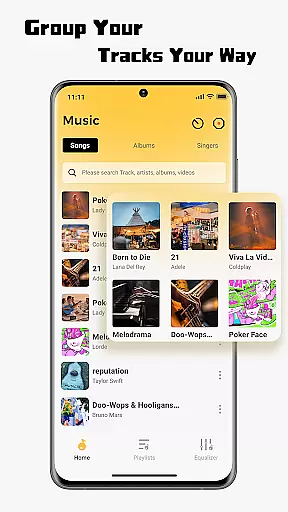
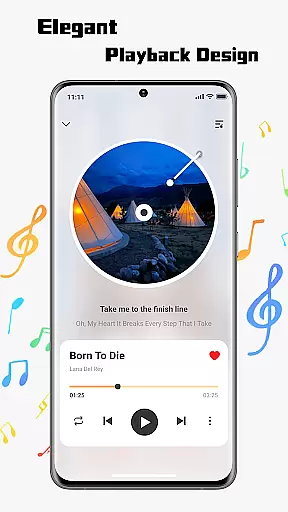
SonicNest is a feature-rich music player app designed to enhance your audio experience. It offers seamless local music import, allowing users to easily transfer their personal music libraries into the app. With an intuitive interface, it ensures effortless navigation and playback of your favorite tracks.
The app also includes advanced sound management tools such as a built-in equalizer for precision audio tuning. Whether you're looking to boost bass for workouts or enhance vocals for focused listening, SonicNest provides customizable options to suit every preference. Its smart local music management system helps organize tracks by album, artist, or custom folders, making it ideal for audiophiles who value both functionality and aesthetics.
SonicNest stands out with its sleek design and cutting-edge features tailored for music enthusiasts. The app's seamless local music import functionality lets users browse device storage and add tracks directly to their SonicNest library, consolidating all music in one accessible location.
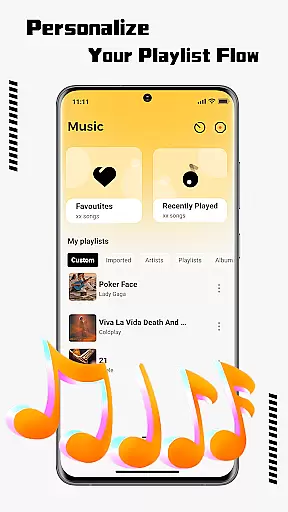
One of its key highlights is the smart local music management system. This feature allows users to edit track details, sort files by various criteria, and create custom playlists based on mood or activity. Additionally, the built-in equalizer offers multiple presets and manual customization options, ensuring that each track sounds exactly how you want it—rich, immersive, and perfectly tuned to your preferences.
These features collectively make SonicNest not just a music player but a comprehensive audio command center, catering to casual listeners and audiophiles alike.
When it comes to music applications, the size and authenticity of the music library are crucial factors. SonicNest offers a seamless local music import feature that allows users to effortlessly bring their personal music collection into the app. This ensures that all your tracks are centralized in one location, eliminating the need to switch between multiple apps.
The app supports browsing through your device's storage, selecting desired tracks, and instantly adding them to your SonicNest library. By focusing on local music management, SonicNest guarantees that your music is authentic and free from copyright issues, as you are in control of the content being added.
With this level of control, users can ensure their music library remains personal and expansive without legal concerns. The ability to manage extensive libraries with ease makes SonicNest an ideal choice for audiophiles who value both quantity and quality in their music collections.
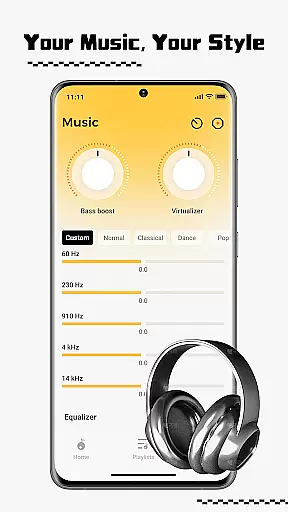
Audio quality is paramount for any music enthusiast, and SonicNest excels in delivering precision sound through its built-in equalizer. This advanced feature allows users to fine-tune every track to perfection, catering to individual preferences and listening environments. Whether you're boosting bass for energetic workout sessions or enhancing vocals for focused lyrical appreciation, SonicNest has you covered.
The equalizer includes expertly crafted presets that provide an excellent starting point for users who want immediate improvements without delving deep into settings. For those seeking more control, manual customization options enable precise adjustments to achieve the exact sound profile desired.
This combination of smart local music management and superior audio quality options ensures that SonicNest stands out among other music apps. Users can enjoy rich, immersive sound experiences tailored specifically to their tastes, making every listening session a delightful auditory journey.
User-friendly interface
Advanced equalizer
Smart music management
Seamless music import
Customizable organization
Limited streaming options
No cloud sync
Heavy on storage
Few social features
Premium-only EQ

Pay Once, no monthly payment
 4.60
4.60
Time Trainer: accurate metronome w tools to help you develop your internal time!
4.20
AI Music Maker: Generate And Compose AI Tunes & AI Songs & AI Music & AI Melody!
4.60
Learn to play the piano using falling notes!
3.80
Listen radio AM / FM Stations. Live AM / FM Radio App Station. Radio Com.
4.70
Music, News & Sports Radio Tuner App. Tune in Live FM & AM Radio Stations.
4.80
Help you quickly get started with Shokz headphones
4.40
Versatile MP3 recorder with auto-backup to Dropbox and Google Drive
4.10
One-tap booster for max volume - enjoy powerful sound with this audio booster
4.50 4.70
4.70
Walkout Song DJ is the most intuitive app to manage your sports music.
4.70
The best music and audio player, with beautiful UI, music search and equalizer.
4.60
Enhance the sound quality of your devices, listen to what you want
4.50
Save hundreds of dollars for a physical strobe tuner and instead use this app.
4.50
Let your Android device with the sound effects you want
4.50
Master Salsa Rhythm quickly and with a lot of fun!
4.30
Next generation modular control surface
4.10
Powerful beat maker & DJ mixer to remix tracks, make music, & perform DJ mix
3.70
MilkDrop for Android TV
3.00


User Reviews