
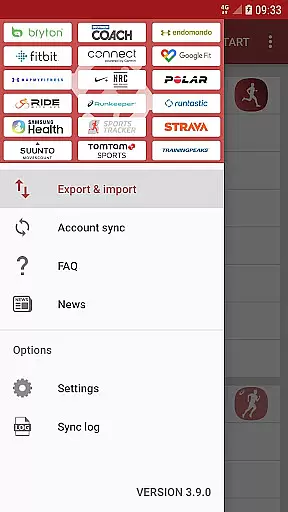
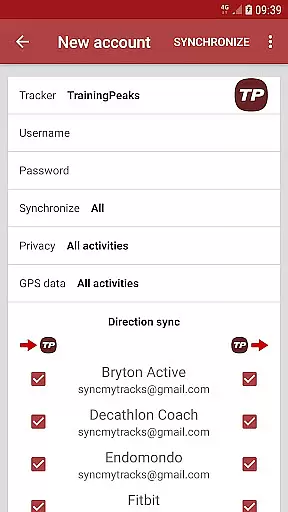
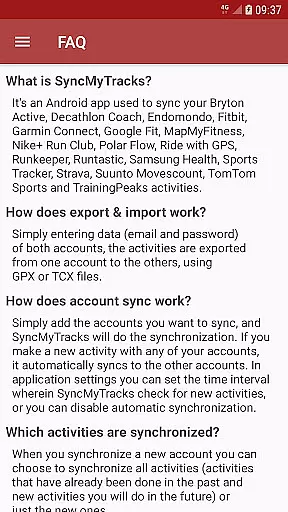
SyncMyTracks is a powerful Android application designed for fitness enthusiasts who use multiple sports tracking services. The app's core functionality lies in its ability to seamlessly synchronize activity data across different platforms, ensuring users maintain a comprehensive and unified record of their fitness journey. It supports the most popular tracking services and employs GPX or TCX file formats for reliable data transfer.
Beyond basic synchronization, SyncMyTracks offers advanced features such as selective activity syncing, where users can choose to sync either all past activities or only new ones. The app meticulously preserves crucial workout metrics including time, distance, pace, heart rate, and more. With customizable sync intervals and robust encryption for user credentials, it provides both flexibility and security.
This app proves especially valuable for athletes transitioning between tracking platforms or those wanting to consolidate their fitness data from various sources into one place. By preventing activity duplication and strictly adheroring to a policy of non-modification, SyncMyTracks guarantees data integrity while streamlining the management of fitness information across multiple accounts.
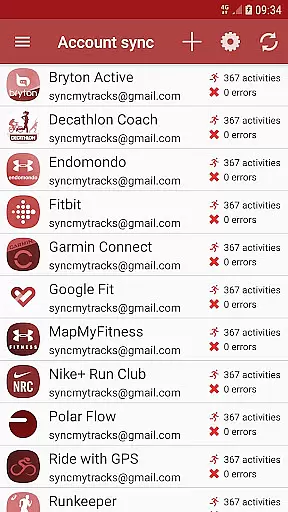
SyncMyTracks distinguishes itself through several notable features that cater specifically to the needs of active individuals managing multiple sports tracking accounts. One of its primary capabilities is automatic account synchronization, which enables real-time updates across connected platforms whenever a new activity is logged. This feature saves considerable time and effort for users who previously had to manually export and import their data.
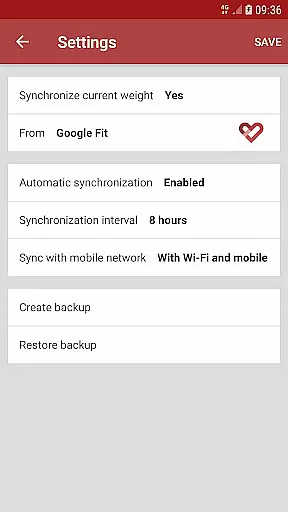
The app also provides extensive customization options, allowing users to define specific sync intervals or disable automatic synchronization entirely based on their preferences. Another standout feature is its comprehensive data handling - SyncMyTracks not only transfers basic activity information but also preserves advanced metrics like heart rate, cadence, power output, and temperature when supported by the connected services. The application maintains strict data protection protocols, storing user credentials locally on the device with encryption.
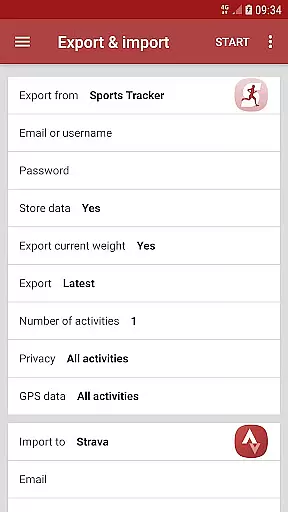
For users seeking even more control, the app offers both free and paid versions. While the free version facilitates manual export/import of activities (with a limit of 40 recent activities), the premium version removes this restriction and eliminates ads, providing an uninterrupted experience for serious fitness trackers.
SyncMyTracks offers personalized planning by allowing users to synchronize their activities across multiple sports tracking services. This ensures that all user data, including time, duration, distance, pace, and even heart rate, is consistently updated across platforms.
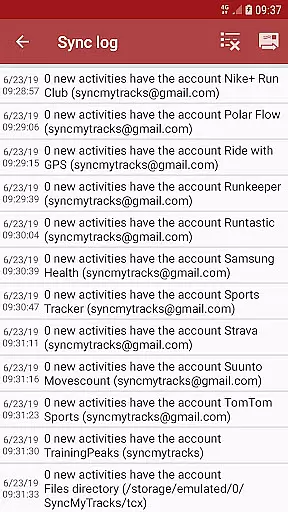
The app supports a variety of services, making it easy for athletes to maintain a comprehensive record of their workouts without manual intervention. By simply adding accounts, SyncMyTracks automatically syncs new activities, providing a seamless experience tailored to individual preferences.
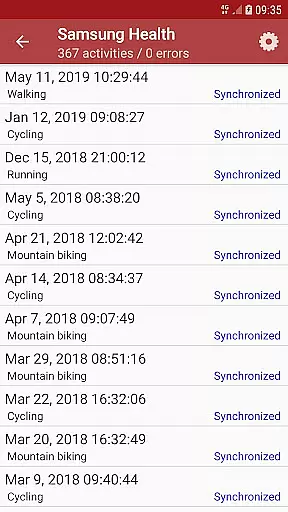
Users can choose to sync all past activities or only new ones, giving them control over their data management. This flexibility enhances the personalized planning aspect, as athletes can decide how much historical data they want to keep synchronized.
With its automated features and compatibility with major tracking services, SyncMyTracks delivers a personalized approach to fitness tracking, empowering users to focus on their training while the app handles the data synchronization.
One of the standout features of SyncMyTracks is its ability to provide clear progress visualization. By synchronizing activity data such as distance, pace, and heart rate, users can see their performance metrics across different platforms in one place.
This visualization helps athletes track their improvement over time, offering insights into their training effectiveness. Whether monitoring weekly mileage or analyzing changes in pace, SyncMyTracks makes it easy to understand progress through detailed graphs and charts.
In addition to basic metrics, the app also supports advanced data like cadence, power, and temperature when available. These additional layers of information enrich the progress visualization, allowing for a more nuanced understanding of athletic performance.
By preventing activity duplication and ensuring accurate data representation, SyncMyTracks provides reliable progress visualization that athletes can trust to guide their training decisions.
User-friendly interface
Secure data encryption
Comprehensive metric support
Automatic synchronization
Cross-platform compatibility
Limited free version
No social login options
Requires manual setup
Premium version costs
Device-specific storage

A simple way to calculate peptide doses and also to convert different units.
 4.5
4.5
Using Recognise™ has been shown to reduce pain, and improve performance.
4.1
Memory, mind & logic exercises. Puzzle games, IQ & brain test for kids & adults
4.50
Track heart rate & HRV in 30s! Get live health insights and anomaly alerts
4.40
Pilates, Calisthenics, Yoga
4.50
beat yesterday.
4.00
Jogging app for calorie counter and distance tracker. Running app to lose weight
4.20
Monitor blood sugar, gain insights, and manage diabetes with ease.
3.20
Workouts for everyone
4.70
Protect your healthy sleep
4.80
You deserve easy access to important insurance information. Download for FREE.
4.70
Build Healthy Habits!
4.60
Mind on steroids - relaxation, productivity, meditation and sleep!
4.60
Walk, track, and burn calories with step counter & GPS walking tracker
4.20
Understand your body’s most meaningful messages and transform your health.
3.90
Track sleep cycle, relax with white noise, sleep sounds & smart alarm clock
3.80
GloryFit is a companion app for the smart bracelet.
3.60
HRV4Training helps you optimize goals and improve performance. No sensors needed
3.30
Using Recognise™ has been shown to reduce pain and improve performance
4.4


User Reviews