
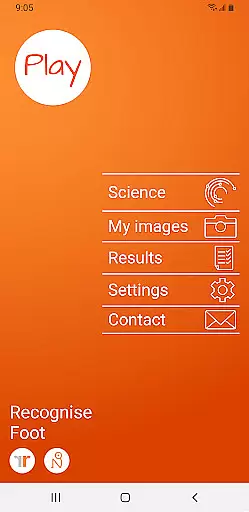
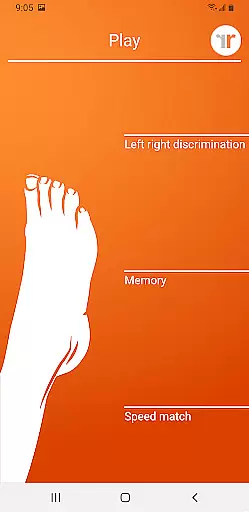
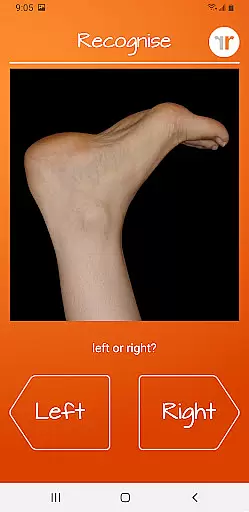
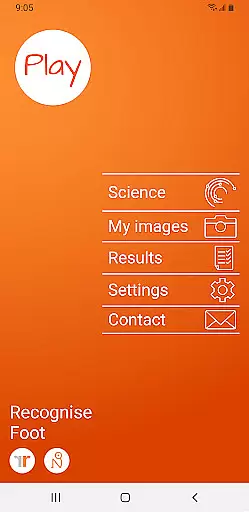
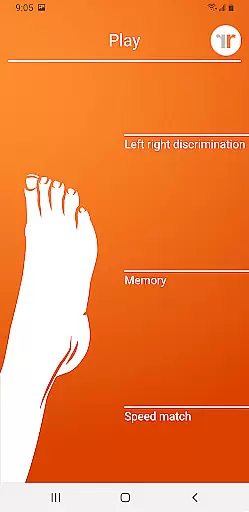
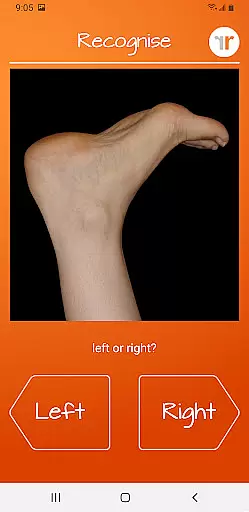
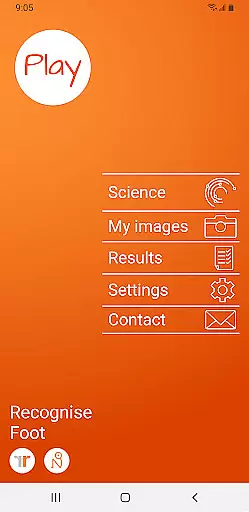
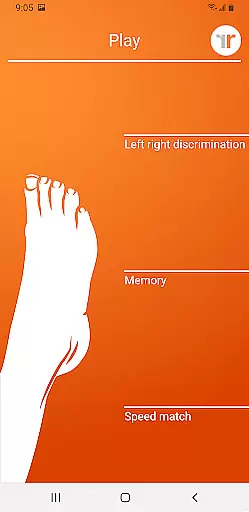
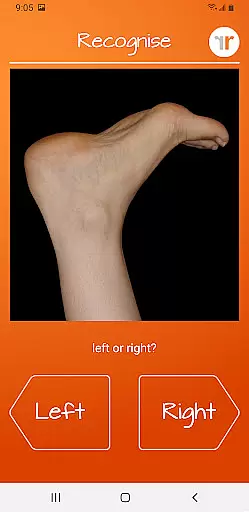
Recognise Foot is a specialized health and fitness application designed to assist users in managing pain, enhancing performance, and aiding rehabilitation through a structured Graded Motor Imagery program. The app focuses on improving the user's ability to distinguish between left and right body parts, which is crucial for recovery from various pain conditions and injuries.
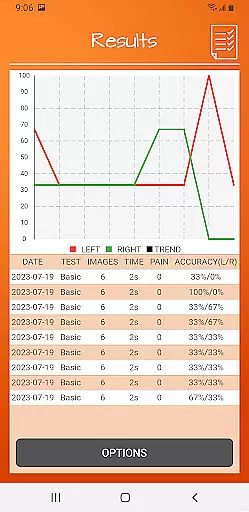
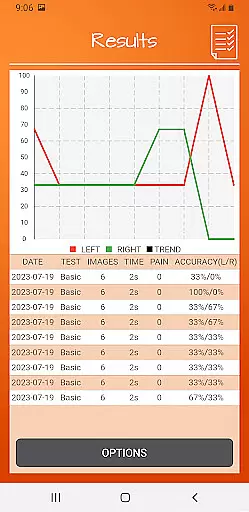
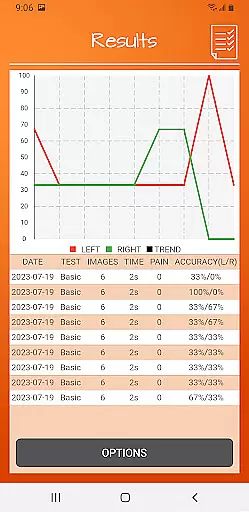
The application offers two primary modes of engagement - TEST and TRAIN. In TEST mode, users can assess their proficiency in recognizing images of body areas as either left or right. TRAIN mode allows users to leverage the brain's neuroplasticity with advanced tools like 'Memory' and 'Speed match', graded difficulty levels, and personal best challenges. Recognise Foot also provides detailed progress tracking through onscreen results and graphs, making it an essential tool for both patients and healthcare providers.
Recognise Foot stands out with its comprehensive set of features tailored to enhance motor imagery training. Users can take advantage of memory and speed match tools that elevate their training experience. The app includes graded difficulty levels and personal best challenges, ensuring that users remain engaged and see tangible progress over time.
One of the key highlights is the powerful clinical integration tools. Users can export and email their results directly to their clinician or therapist, facilitating better communication and more informed treatment plans. Additionally, the ability to capture and use personal images for training adds a personalized touch to the rehabilitation process. With its science-backed approach, Recognise Foot not only aids physical recovery but also educates users on the underlying principles of Left/Right Discrimination and Graded Motor Imagery.
Recognise Foot offers a personalized approach to motor imagery training, which is crucial for effective rehabilitation. The app's ability to adapt to individual needs ensures that each user receives a tailored experience.
Through features like graded difficulty levels and personal best challenges, the app creates a customized training plan. This allows users to progress at their own pace while maintaining engagement and motivation.
The integration of various tools such as 'Memory' and 'Speed match' enhances the personalization aspect. Users can capture their own images and incorporate them into their training sessions.
This personalized methodology not only improves performance but also helps in reducing pain and aiding recovery. The detailed onscreen results and graphs provide clear progress tracking, making it an invaluable tool for both patients and clinicians.
Visualizing progress is essential in any rehabilitation program, and Recognise Foot excels in this area. The app provides comprehensive graphical representations of user performance over time.
With detailed onscreen results and graphs, users can easily track their improvement in left/right discrimination tasks. This visual feedback helps maintain motivation and allows for better understanding of one's progress.
The app's powerful clinical integration tools enable users to export and email their results directly to healthcare professionals. This feature facilitates more informed discussions during consultations and helps in adjusting treatment plans.
Furthermore, the personal best challenges create additional milestones for users to aim for, enhancing the visualization of progress. These elements combined make Recognise Foot a valuable asset in monitoring and celebrating achievements throughout the rehabilitation journey.
User-friendly interface
Comprehensive progress tracking
Customizable training options
Direct clinician integration
Educational content included
Requires consistent use
Premium version costly
Limited to specific rehabilitation needs
Steep learning curve
Dependent on device camera quality

Text notifications, button control, heart monitor & more for your Amazfit.
 2.40
2.40
“Overcoming pain based on EMDR” helps you to alleviate chronic pain and stress.
4.10
The Wear OS BeechBand app is designed to alleviate anxiety and other conditions
4.1
Weight loss app: home workout for women to lose weight & burn calories.
4.80
App to stop smoking slowly or now with a motivational badges and helpful tips
4.80
Show your support for the development of FitNotes - Gym Workout Log
4.90
Turn your steps into cash, gift cards & rewards with our step counting pedometer
3.80
Medbridge GO gets you moving - get back to doing what you love, faster!
4.90
Drink water reminder app. Track water intake. Smart simple hydration tracker.
4.70
When the night comes, we prepare your eyes for deep, sweet dreams
4.70
Step Counter, track steps when you walk or run
4.70
Effortlessly and naturally release anxiety by harnessing the power of your brain
4.60
Memory, mind & logic exercises. Puzzle games, IQ & brain test for kids & adults
4.50
FODMAP, Gluten, Allergy, Vegan
4.50
50 HD sounds to help you relax during the day and sleep great at night!
4.40
Grow with self-tests and personal routine.
4.30
Monitor, analyze, track, and convert blood sugar & help you control diabetes.
4.10
Understand your body’s most meaningful messages and transform your health.
3.90
Make sense of your health data.
3.80


User Reviews