
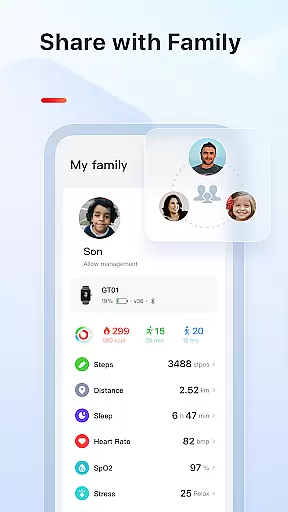
VeryFit is a comprehensive health and fitness tracking application designed to enhance your wellness journey. The app serves as the control center for your VeryFit smartwatch, enabling you to manage notifications, track activity, and monitor vital health metrics. With seamless synchronization between your wearable device and the app, users can access detailed insights into their daily habits and long-term progress.
The application provides an all-in-one solution for fitness enthusiasts who want to stay connected and informed. Whether it's receiving call and message notifications on your smartwatch or analyzing sleep patterns and heart rate trends, VeryFit ensures that you have the tools needed to maintain an active lifestyle. Its compatibility with various smartwatches makes it versatile for different users, ensuring everyone can benefit from its robust feature set.
VeryFit stands out with its diverse range of features tailored to optimize your health and fitness routine. One of the key highlights is the ability to push notifications directly to your smartwatch, keeping you updated with calls and messages without needing to check your phone. This ensures you stay connected while focusing on your activities.
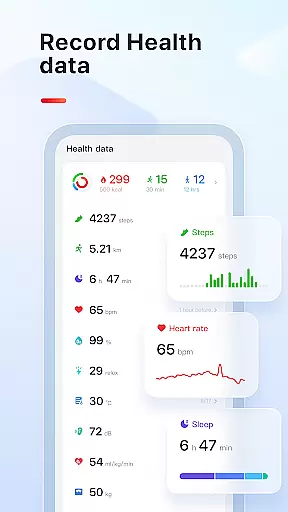
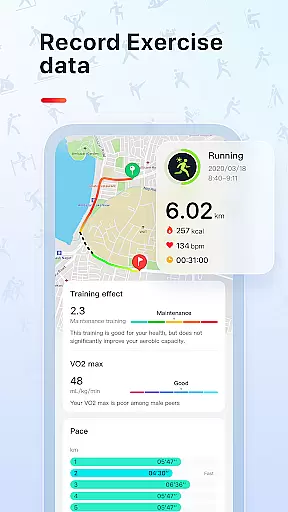
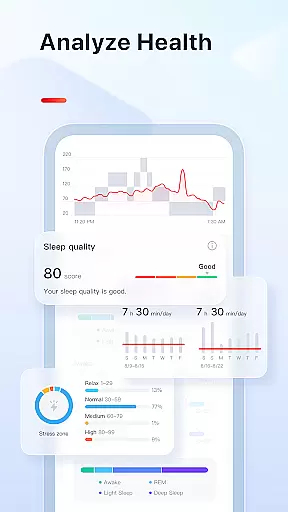
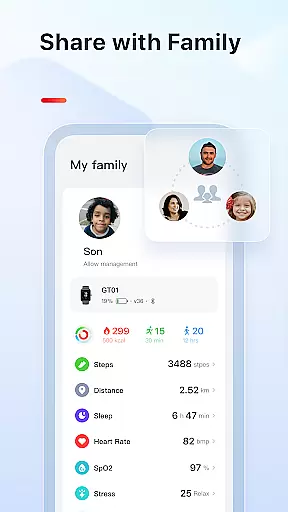
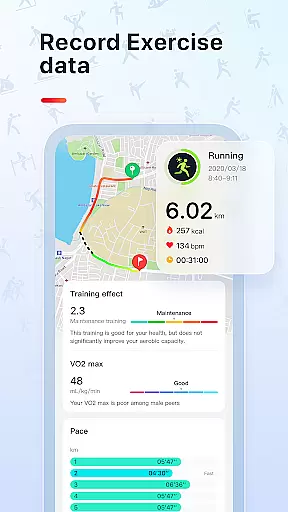
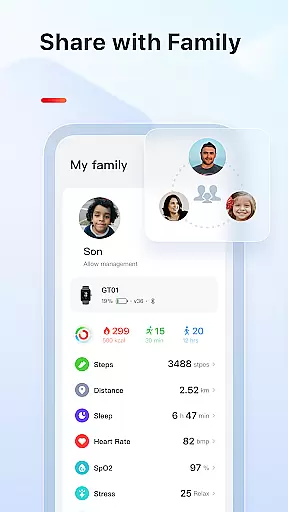
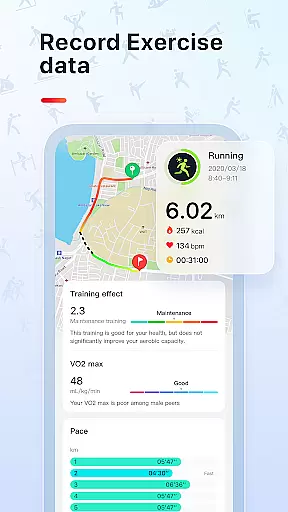
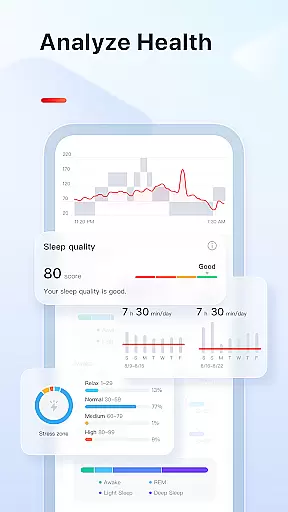
In addition to communication features, VeryFit excels in tracking your physical activities. It records essential data such as daily steps, calories burned, exercise intensity, and even tracks your movement throughout the day. For those conscious about their health, the app offers advanced monitoring capabilities including heart rate, stress levels, blood oxygen saturation, and sleep quality analysis. These insights empower users to make informed decisions about their well-being.
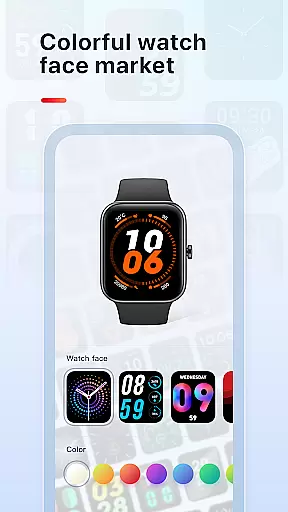
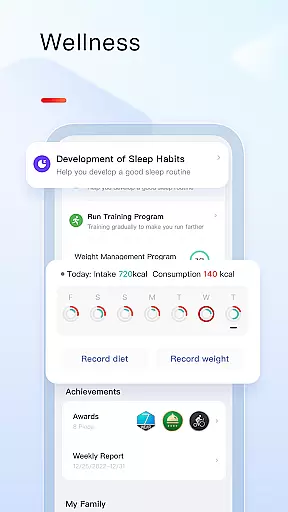
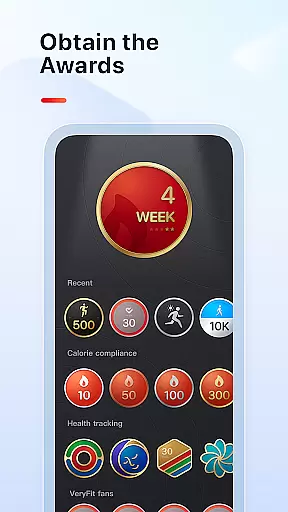
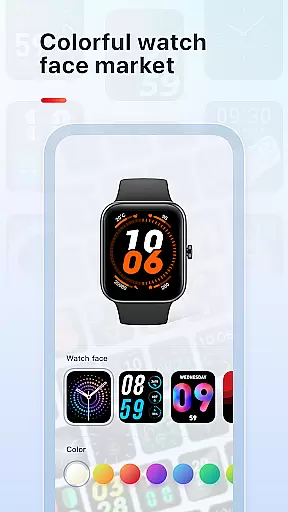
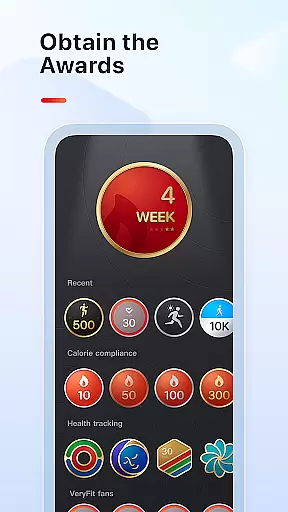
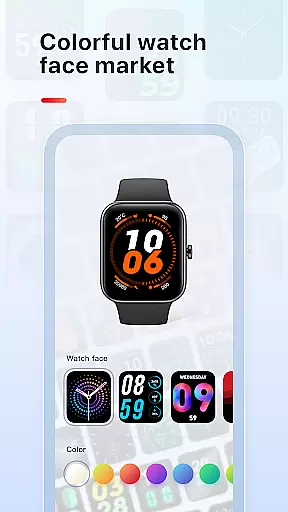
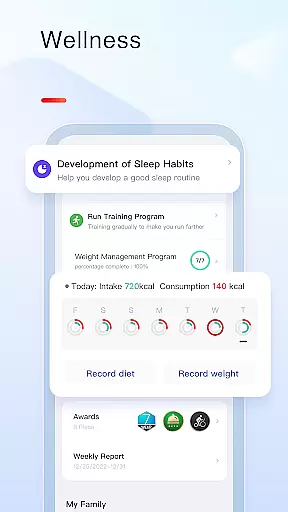
Customization and motivation are at the core of VeryFit's offerings. Users can personalize their experience by choosing from a variety of watch faces and setting reminders for hydration, exercise, and more. By setting goals for steps and weight management, the app encourages consistent progress towards a healthier lifestyle. Furthermore, sharing weekly workout summaries allows for community support and friendly competition among friends.
Personalized planning in fitness applications refers to the ability to tailor workout and health plans according to individual user needs and goals. This feature is crucial as it ensures that users receive a fitness regimen that aligns with their personal objectives, whether it's weight loss, muscle gain, or overall wellness enhancement.
The VeryFit app excels in personalized planning by leveraging data collected from its smartwatch. It analyzes daily steps, calories burned, heart rate, sleep patterns, and other metrics to offer customized recommendations. For instance, if the app detects a user's high-stress levels through heart rate monitoring, it might suggest specific stress-reduction exercises or mindfulness activities.
Users benefit significantly from this tailored approach. By receiving individualized advice, they can optimize their workouts, prevent overtraining, and achieve better results more efficiently. The app also adapts to changing user conditions, ensuring ongoing relevance and effectiveness of the proposed plans.
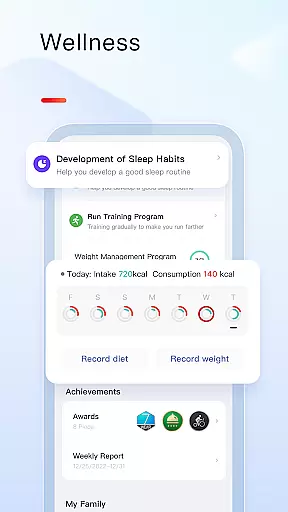
This level of customization not only enhances user engagement but also promotes long-term adherence to fitness routines. With features like menstrual cycle reminders and water intake alerts, VeryFit ensures that all aspects of health are covered, making personalized planning an indispensable tool for anyone serious about their fitness journey.
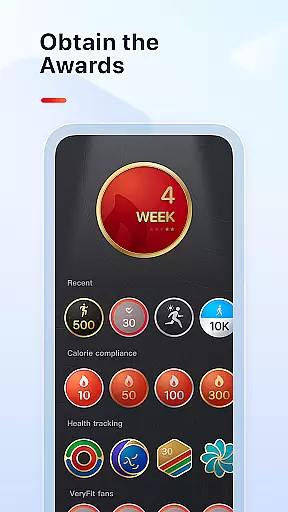
Progress visualization is a critical component of any fitness app, providing users with clear insights into their achievements and motivating them to continue their fitness journey. This feature typically includes charts, graphs, and milestones that display various health metrics over time.
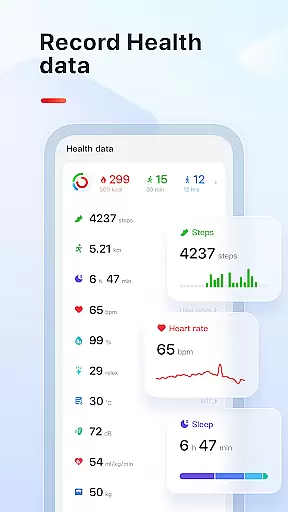
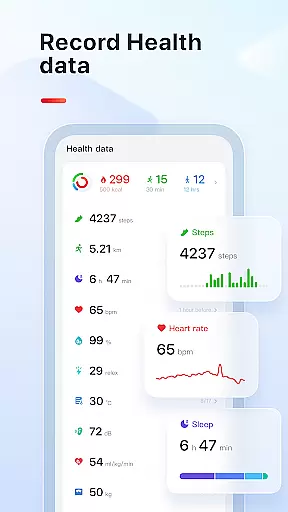
In the VeryFit app, progress visualization is comprehensive and multi-faceted. Users can view detailed histories of their daily, weekly, and monthly activities, including steps taken, calories burned, and exercise intensity. The app presents this data through easy-to-understand graphs that highlight trends and progressions, allowing users to see how their efforts translate into tangible results.
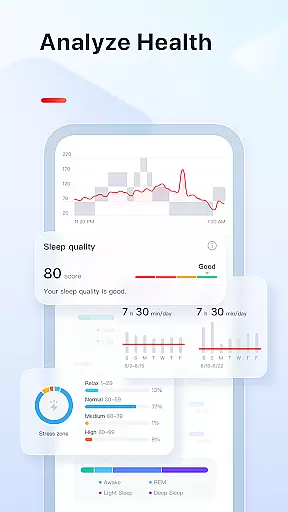
Beyond basic activity tracking, VeryFit offers advanced visualizations such as sleep quality charts, which break down sleep duration into deep, light, and REM phases. This helps users understand their sleep patterns and make necessary adjustments for improved rest. Additionally, heart rate and blood oxygen saturation data are visualized, giving users a holistic view of their health status.
These visual tools empower users by making complex data accessible and actionable. Seeing consistent progress in a visually appealing format boosts motivation and encourages sustained engagement with the app. Ultimately, progress visualization transforms raw data into meaningful insights, helping users stay committed to their health and fitness goals.
User-friendly interface
Comprehensive health tracking
Versatile device compatibility
Customizable watch faces
Actionable insights
Limited third-party integrations
Occasional sync issues
Premium features locked behind subscription
High battery consumption
Complex initial setup

A simple way to calculate peptide doses and also to convert different units.
 4.4
4.4
Relax. Sleep Better. Feel Better.
4.50
3D Body Measurement System
3.60
Eat smarter with Eato, your personal calorie counter and nutrition tracker!
4.40
Your personal BP tracking companion, focus on helping you achieve wellness goal.
4.10
Make sense of your health data.
3.80
The most accurate heart rate app to monitor and track your heart rate & pulse.
4.40
Lazy home workouts with your virtual fitness coach for weight loss.
4.30
Manage your and your family's health information.
4.60
Medbridge GO gets you moving - get back to doing what you love, faster!
4.90
Easy access to health benefits
4.70
Easy reconstitution calc for mixing peptides and creating protocols
4.70
Measure your Pupil Distance for Eyeglasses and VR headsets in 3 quick steps.
4.70
Looking to take control of your health? Our psychology-based programs can help.
4.10
Understand your body’s most meaningful messages and transform your health.
3.90
Enjoy the Gluten Free living with the best app. SCAN the barcodes & SEARCH.
3.60
Measure real-time wrist & ambient temperature with your Galaxy Watch (Wear OS)
3.20
Use your watch as a bike computer, heart rate monitor and cycling power meter
2.50
Insanity blocks of intense physical activity, short breaks of 30 seconds.
4.0


User Reviews