
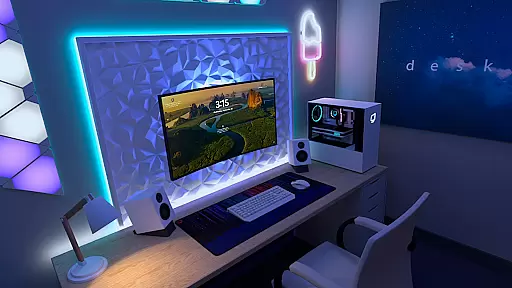
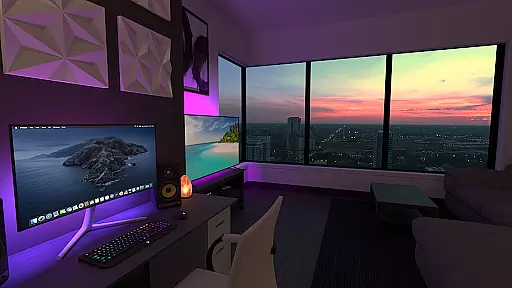
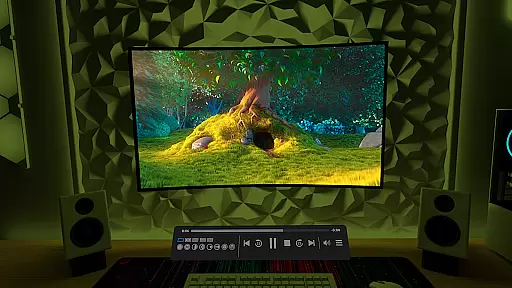
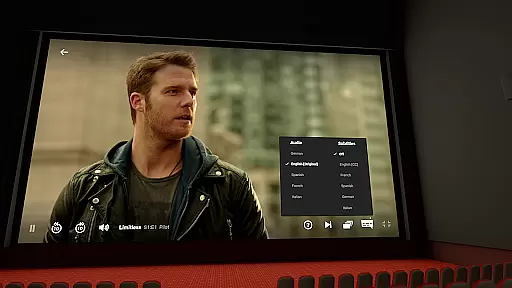
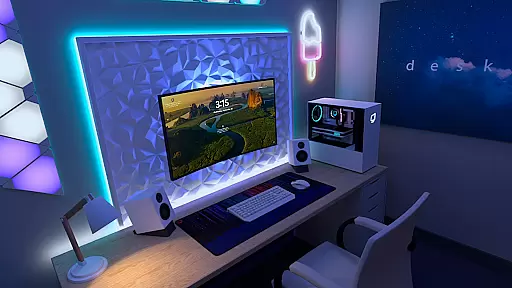

Virtual Desktop is a powerful tool that allows users to connect wirelessly to their computers for an immersive experience. With the ability to watch movies, browse the web, and play games on a giant virtual screen, this app transforms any device into a versatile workstation. The application supports streaming PCVR games, making it ideal for gamers who want to enjoy high-quality graphics without being tethered to their PCs.
Designed for low latency and high-quality streaming, Virtual Desktop is optimized for performance. It requires a computer connected via a Gigabit Ethernet cable to a 5 or 6 GHz router, ensuring stable and fast connections. Whether you're using Windows 10/11 or macOS Catalina or later, this app provides a seamless experience across multiple platforms. Its support for multi-monitors and 3D content makes it a valuable tool for both work and entertainment.
Virtual Desktop boasts a range of features that enhance user experience. One of its standout capabilities is the ability to stream regular, 180, and 360 videos directly from your computer, allowing for versatile media consumption. The app also supports Bluetooth devices such as mice, keyboards, and gamepads, providing flexibility in how you interact with your virtual environment.
Another key feature is the support for multi-monitors, which can be physical or virtual, enabling users to expand their workspace efficiently. Additionally, the Microphone passthrough option ensures clear communication during remote sessions. For those looking to connect over the internet, Virtual Desktop allows remote connections by enabling UPnP on your router, thus broadening accessibility beyond local networks.
Virtual Desktop excels in delivering a seamless and high-quality streaming experience. The application is optimized for low latency, ensuring that users can enjoy their content without frustrating delays. This is particularly important when streaming PCVR games or watching high-definition movies.
The app supports both local network streaming and remote connections over the internet. To achieve optimal performance, it requires a computer connected via a Gigabit Ethernet cable to a 5 or 6 GHz router. This setup ensures stable and fast data transmission, which is crucial for maintaining video quality and responsiveness during interactive tasks like gaming.
For users with multi-monitor setups, Virtual Desktop offers support for both physical and virtual monitors. This feature enhances productivity by allowing users to extend their workspace across multiple screens. Additionally, the app includes options like Microphone passthrough, making it versatile for various use cases, from professional work to entertainment.
Despite its advanced capabilities, Virtual Desktop maintains an intuitive and user-friendly interface. The main screen provides quick access to essential features such as video streaming, web browsing, and game streaming. Users can easily navigate between different functions without feeling overwhelmed by complex settings.
One of the standout features is the Videos tab, which allows users to download or stream regular, 180, or 360 videos directly from their computer. This simplifies the process of accessing multimedia content, eliminating the need for cumbersome file transfers. The interface also supports Bluetooth devices, including mice, keyboards, and gamepads, further enhancing ease of use.
For those interested in immersive experiences, Virtual Desktop supports 3D Side-by-Side and Over-Under content on the screen. This makes it an excellent choice for enjoying VR content without requiring extensive technical knowledge. Overall, the app strikes a perfect balance between powerful functionality and ease of use, catering to both tech-savvy users and beginners.
High-quality streaming
Multi-monitor support
Low latency performance
PCVR game compatibility
Flexible device integration
Requires wired connection
Limited OS compatibility
Internet setup complexity
Premium feature costs
Dependent on hardware specs

A convenient photo, video, and file recovery tool.
 4.00
4.00
Just one-tap to easy translate in any language after calls within seconds.
4.20
Just swipe the edge to do something!
4.40
Clean the junk files on your device
3.40
WiFi Signal Strength Meter help you detect WiFi Signal Strength in real time.
4.80
The ultimate tool for network analysis, wifi scanning and problem detection.
4.90
Clean up large files and similar photos, fast and easy to use
4.40
Enjoy a smooth mobile reading experience!
3.60
Your personal health butler
3.60
Enjoy smooth gameplay with Game Booster
4.90
Extremely fast, secure, and protects your privacy
4.80
Universal TV remote control all TVs, Roku, LG, Samsung, Fire, Vizio, Sony, TCL.
4.40
Forza Tuning Calculator App for Forza Horizon 5, Motorsport and Earlier Titles
4.40
Mirror your screen to Fire TV - Super fast and simple
4.40
Pro Emulator is an easy to use game console emulator for a range of consoles.
4.40
Carry a FTP server in your pocket and avoid USB cables for file transfer
4.20
Family Locator, Share location, StayConnect with your family in real time
3.90
A recovery soft,it features photo recovery, video recovery, file recovery.
3.40
Transfer Files, APK from Phone to Watch & Install.
4.1


User Reviews