
Network Analyzer Pro is a comprehensive diagnostic tool designed to identify and resolve issues within your wifi network setup and Internet connectivity. This application provides an extensive suite of utilities for network troubleshooting, including a fast wifi device discovery feature that lists all LAN devices with their addresses and names, along with the Bonjour/DLNA services they offer. It also includes standard diagnostic tools such as ping, traceroute, port scanner, DNS lookup, whois, and network speed test functionalities. The app supports both IPv4 and IPv6 protocols, ensuring compatibility across different network configurations.
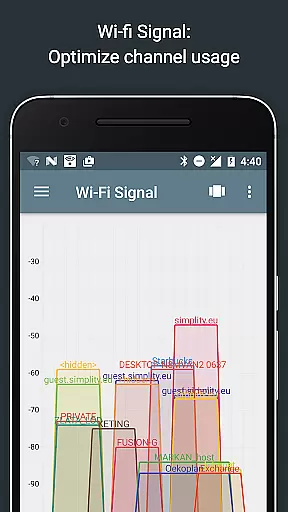
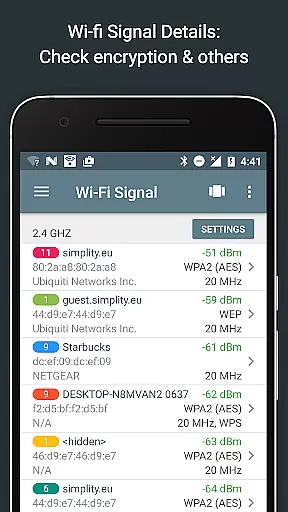
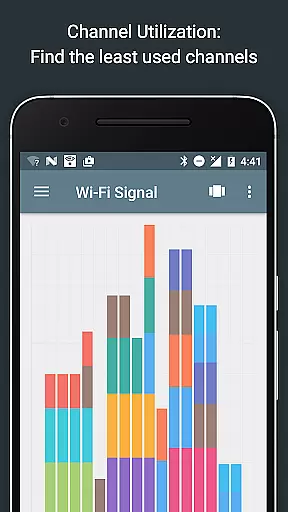
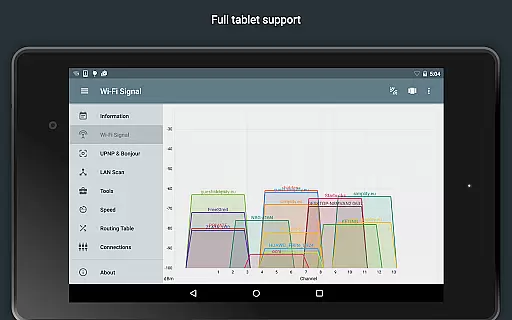
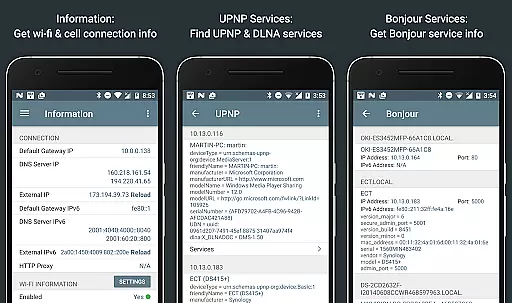
One of the key features of Network Analyzer Pro is its ability to display all neighboring wifi networks with additional details like signal strength, encryption type, and router manufacturer. This information helps users determine the optimal channel for their wireless router. Moreover, the app offers advanced capabilities such as routing table visualization, detailed network information, and local service discovery through Bonjour and UPNP/DLNA browsers. With regular updates and support, this tool ensures that users have access to the latest network diagnostic technologies.
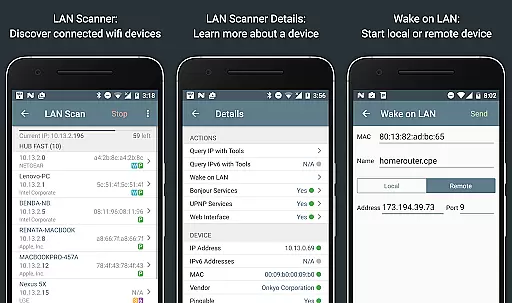
Network Analyzer Pro stands out due to its wide array of specialized tools tailored for network diagnostics. The app's wifi signal meter provides both graphical and textual representations of network channels and signal strengths, alongside details like wifi network type, encryption method, and BSSID. Its LAN scanner quickly identifies all network devices, providing IP addresses, NetBIOS, mDNS (Bonjour), LLMNR, and DNS names where available. Users can perform pingability tests on discovered devices and even use Wake on LAN (WOL) functionality, including remote WOL.
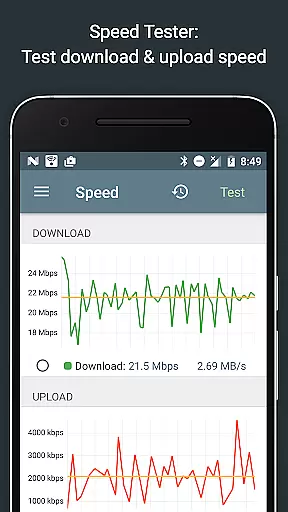
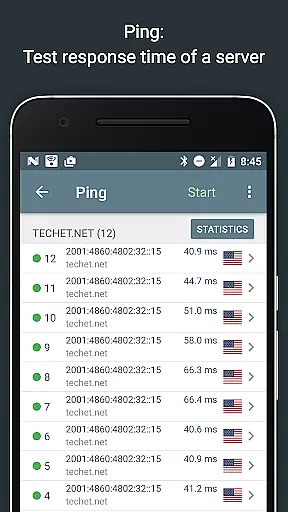
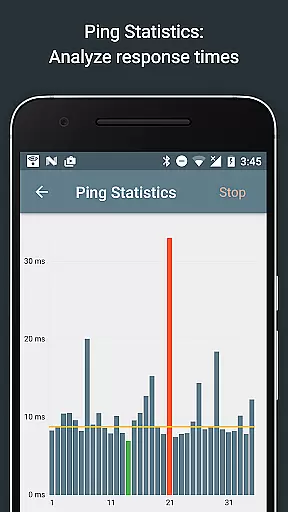
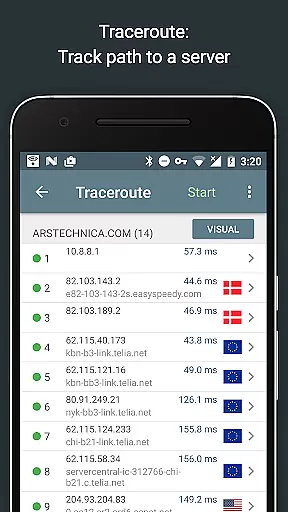
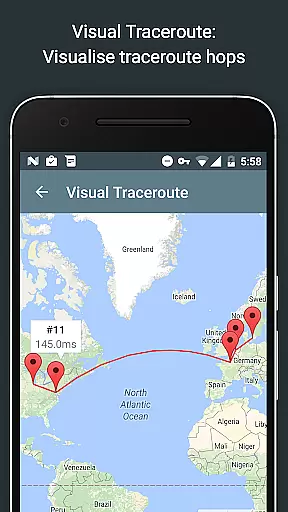
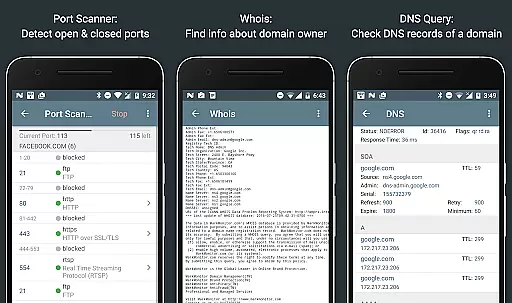
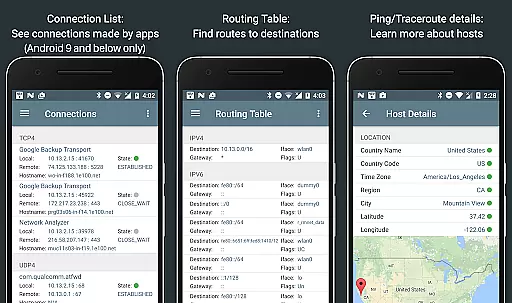
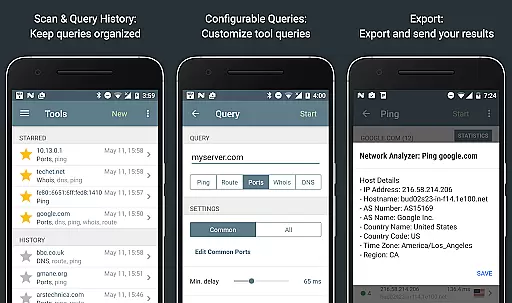
The routing table feature displays essential data such as destination, gateway, interface used, and flags for both IPv4 and IPv6. The ping and traceroute functions provide round trip delays, geolocation data, AS number, and network name information, visualized completely on a map with real-time graphical statistics. Additionally, the port scanner uses a fast adaptive algorithm to detect closed, firewalled, and open ports, offering descriptions of known open port services. Other notable features include Whois lookups, DNS lookups similar to nslookup or dig, internet speed tests, and comprehensive network information reports.
Network Analyzer Pro stands out for its precision and effectiveness in diagnosing network issues. The application provides a comprehensive suite of tools including ping, traceroute, port scanner, DNS lookup, and whois to accurately identify problems within your wifi network or Internet connectivity.
The app's capabilities extend to detecting issues on remote servers, ensuring that users can address a wide range of potential concerns. With support for both IPv4 and IPv6, it offers fast and reliable detection of all network devices, detailing IP addresses, device names, and the services they provide such as Bonjour/DLNA.
For users seeking to optimize their network setup, Network Analyzer Pro delivers detailed insights into neighboring wifi networks, signal strengths, encryption types, and router manufacturers. This empowers users to make informed decisions about channel selection for wireless routers, enhancing overall network performance.
A hallmark of Network Analyzer Pro is its user-friendly interface that simplifies complex network diagnostics. Despite the depth of its features, the app maintains an intuitive layout that makes navigation straightforward for users of all technical backgrounds.
Tools like the wifi signal meter and LAN scanner present information through both graphical and textual representations, allowing users to quickly grasp network conditions. The inclusion of visual aids such as channel usage graphs and signal strength indicators ensures clarity and ease of understanding.
Moreover, the app facilitates efficient analysis with real-time updates and interactive elements such as filtering and search functionalities in the discovered device list. Users can easily perform tasks and access detailed help resources, making network management more accessible than ever before.
Comprehensive network tools
Fast device discovery
Supports IPv6
Detailed network reports
Regular updates
Complex for beginners
Requires technical knowledge
No offline support
Premium price
Limited UI customization

 4.50
4.50
Excellent scientific calculator with symbolic algebra, integrals, derivatives
4.80
WiFi Signal Strength Meter help you detect WiFi Signal Strength in real time.
4.80
Connect wirelessly to your computer to watch movies, browse the web, play games
5.00
Mobile Security with Scam Protection | Malware & Virus Cleaner | Safe Browser
4.70
Clean up your phone, find files, play media, and share files offline
4.50
A clean app.
4.50
Fast VPN USA for any country. Super secure VPN for calls, streaming, games, TV.
4.40
Your personal health butler
3.60
Connect instantly to a fast, encrypted VPN with one tap
4.60
Canon PRINT is a companion app for your Canon printer.
4.60
Planner and Tracker for Stardew Valley
4.60
Complete kernel toolbox with features to manage and tweak your rooted device
4.30
pdf merge, word to pdf, jpg to pdf, edit pdf, convert to pdf and much more!
4.20
Just one-tap to easy translate in any language after calls within seconds.
4.20
Detect hidden spy camera with advanced scanning {{ Premium version }}
4.00
Create your own custom widget with endless possibilities
3.90
Save any video in HD - paste the link, download fast and watch offline.
4.4
Download any file easily and quickly with Downloader
4.2


User Reviews