
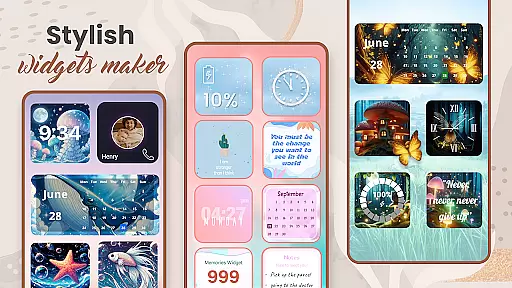
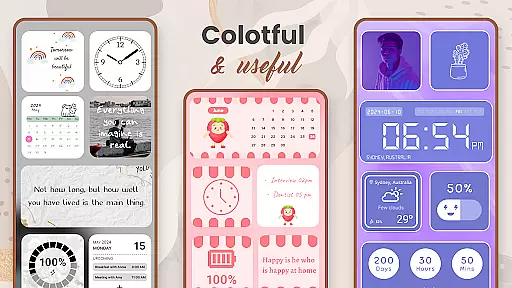
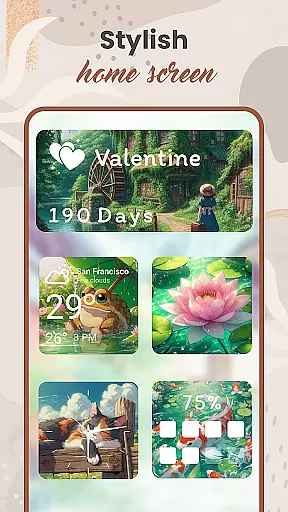
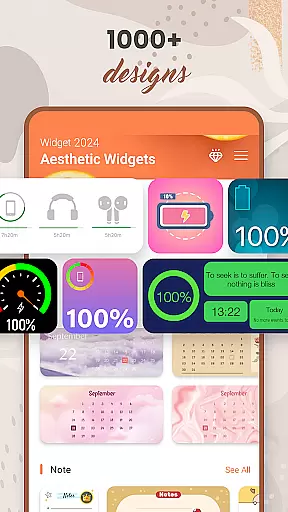
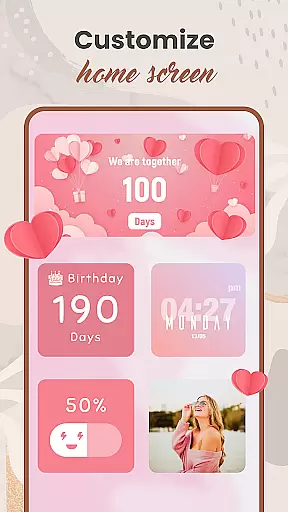
Widget 2025 is a comprehensive personalization app designed to transform your Android home screen into a visually stunning and highly functional space. The app offers a wide array of aesthetic widgets that allow users to customize their devices like never before.
At its core, Widget 2025 provides essential tools such as a Color Widget Maker, weather and clock styles, calendar widgets, countdown timers, and battery indicators. These features enable users to not only beautify their screens but also enhance their daily productivity. Whether you're looking to display motivational quotes, keep track of important dates, or showcase your favorite photos, this app delivers a complete solution for personalizing your Android experience.
The true value of Widget 2025 lies in its ability to make your smartphone truly unique. With over 1000 customizable styles and an intuitive editing interface, users can create widgets that perfectly match their personal aesthetic while maintaining full functionality. This makes it particularly useful for those who want to maintain an organized yet stylish digital workspace.
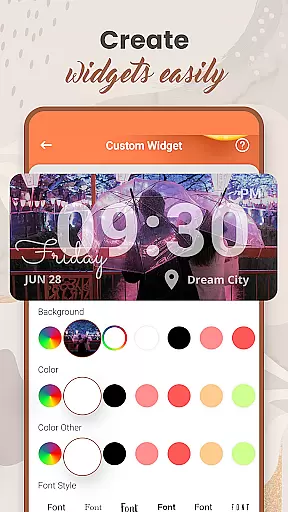
Widget 2025 stands out with its extensive feature set that caters to various personalization needs. The app's most notable characteristic is its powerful widget creation capabilities, which include advanced customization options for colors, fonts, styles, and backgrounds.
One of the key innovations is the integrated Color Widget Maker, allowing users to design custom widgets that precisely match their desired aesthetic. The app also supports multiple photo widgets on the home screen, enabling users to display their favorite images while maintaining full functionality. Additionally, the widget editor provides precise control over each element's appearance and behavior, ensuring that every component serves both form and function.
These features deliver significant value to users by combining visual appeal with practical utility. The ability to create fully customized widgets means that users can optimize their home screens for both aesthetics and efficiency. Furthermore, the app's user-friendly interface makes these advanced customization options accessible even to those with minimal technical expertise, setting a new standard in Android personalization tools.
Customization is at the heart of Widget 2025, offering users an extensive array of options to personalize their Android devices. With over 1000 aesthetic widgets to choose from, users can tailor their home screens to match their unique style and preferences.
The app provides a powerful widget editor that allows for the creation of custom styles, including color, font, and background adjustments. This flexibility ensures that each user's device reflects their personality, making every home screen genuinely one-of-a-kind.
From weather and clock styles to calendar and note functionalities, Widget 2025 enables users to enhance their Android experience with practical and visually appealing widgets. The ability to customize these elements not only improves usability but also adds a personal touch to everyday interactions with the device.
Widget 2025 excels in theme compatibility, ensuring that all personalized widgets integrate seamlessly with the user's chosen device theme. Whether you prefer a minimalist design or vibrant, colorful aesthetics, the app adapts to fit your visual preferences perfectly.
With support for various themes, including those created by the Color Widget Maker, users can maintain a cohesive look across their entire device. This compatibility extends to individual widget settings, allowing for detailed customization while preserving overall design harmony.
By prioritizing theme compatibility, Widget 2025 guarantees that users enjoy a unified and polished appearance on their home screens. This attention to detail enhances both the visual appeal and functional consistency of the personalized Android experience.
User-friendly interface
Extensive customization options
Versatile widget functionality
Regular feature updates
Stable performance
May drain battery faster
Some features are premium-only
Occasional loading delays
Limited iOS compatibility
Requires learning curve

Ultra realistic gold analog watch face with lots of customization options.
 4.50
4.50
Realistic animated snow on your wrist, with 10 images landscapes to choose from
4.00
3D, live, and moving wallpapers & themes in 4K and HD for your device.
4.50
Over 28,000 high quality icons to bring color & homogeneity to your phone.
4.60
Ultimate widget creator. Design custom widgets for a truly unique home screen!
3.90
Transfer your live wallpapers from Windows to Android using Wallpaper Engine!
4.00
Vibrant Adaptive Icons with Material You and Enhanced Monet Colors.
4.50
Handcrafted pixel art icons, widgets & wallpapers
4.60
Modern Glass Icon Pack with glossy icons, clean minimal theme & aesthetic style
4.0
Gun Chase - Let the chase begin.
4.80
Glass style colourful icons with a One UI look and feel
4.60
Stylish Pink Cute Hippo keyboard with 10000+ customized keyboard themes!
4.60
300+ widgets inspired by Material You and Material 3 expressive design.
4.60
Customizable screen pets that play, climb, and keep you company.
4.50 4.50
4.50
Transform your device in a game console
4.40 4.10
4.10
Your go to Weather App & Home Screen. Get your weather at a swipe of a finger!
3.80 3.50
3.50


User Reviews