
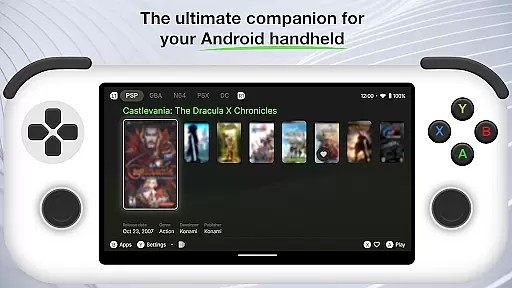
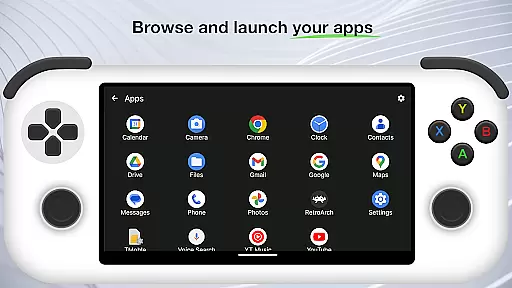
Beacon Game Launcher is an innovative Android launcher specifically designed for retro gaming enthusiasts. This application serves as a central hub to organize and launch your classic game collection.
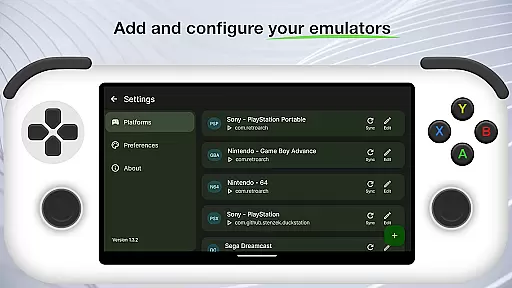
The app's core functionality lies in its ability to integrate with various emulators, allowing users to add their preferred emulation software and manage their entire retro gaming library from one convenient location. Its automated scraping feature enhances the user experience by fetching cover art and metadata for each game in the collection.
Ideal for gamers who value organization and accessibility, Beacon Game Launcher transforms the way you interact with your classic games, making it easy to find and play your favorites on Android devices.
Beacon Game Launcher distinguishes itself through several key features that enhance the retro gaming experience. The app's primary advantage is its seamless integration with multiple emulator platforms, giving users the flexibility to choose their preferred emulation software.
A standout feature is the automatic metadata and artwork scraping system. This intelligent function scans your game collection and automatically populates each entry with relevant information and cover art, creating a visually appealing and informative library interface.
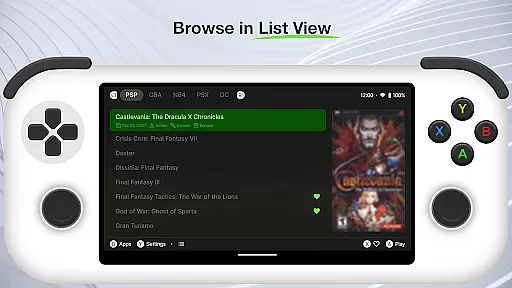
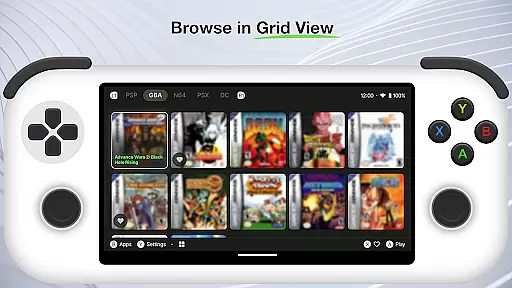
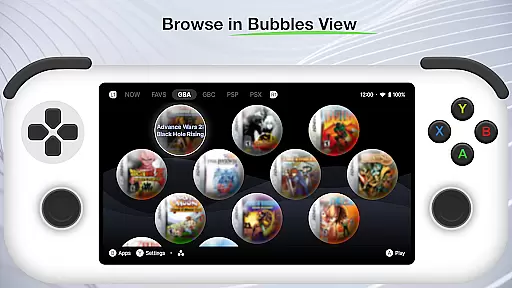
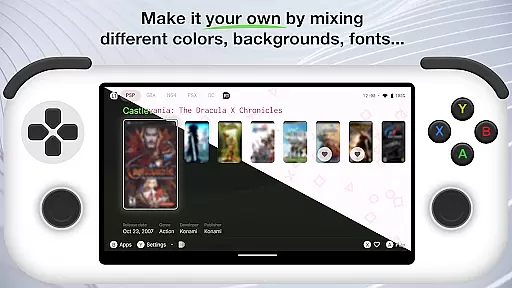
The launcher also offers customizable views and organization options, allowing users to sort and display their games according to personal preferences. This level of customization ensures that each user can create their ideal gaming environment tailored to their specific needs.
Beacon Game Launcher offers a wide array of customization options that allow users to tailor their gaming experience. The app enables you to add your preferred emulators, ensuring compatibility with various classic games.
With the ability to curate your retro game collection, you can organize and manage your library in a way that suits your personal style. This level of personal curation enhances user engagement by making each gaming session feel unique and personalized.
The launcher also supports automatic scraping of cover art and metadata, enriching your game library with visually appealing details and accurate information. This feature not only improves the aesthetic appeal but also makes navigation through your collection more intuitive.
Theme compatibility is a crucial aspect of Beacon Game Launcher, ensuring that the visual presentation aligns with your preferences. The app allows for seamless integration of themes, providing a cohesive look across all elements of the interface.
By supporting different themes, Beacon ensures that users can choose designs that resonate with their personal tastes or match the era of the games they are playing. This flexibility in theming enhances the overall user experience by maintaining visual consistency.
Moreover, the theme system is designed to be flexible yet robust, allowing for future updates and expansions without compromising on performance or usability. This forward-thinking approach guarantees long-term satisfaction and adaptability to evolving user needs.
User-friendly interface
Automatic metadata scraping
Customizable game views
Seamless emulator integration
Visually appealing design
Limited to retro games
No built-in emulators
Requires manual setup
Metadata accuracy varies
Android-only support

Classic analogue watch face. For wear os devices.
 4.60
4.60
Prank your friends with realistic broken screen and cracked HD effects!
4.0
More than 3000+ themes and 9000+ wallpapers for everybody!
4.10
Transfer your live wallpapers from Windows to Android using Wallpaper Engine!
4.00
Stylish Pink Cute Hippo keyboard with 10000+ customized keyboard themes!
4.60
200+ Material Inspired Widgets
4.50
Struggling to find apps? Use this app to locate and open any app on your phone!
2.20
400+ Beautifully crafted widgets inspired by NOTHING.
4.70
Amazing letter fonts in your messages and social statuses
4.70
Customizable Glass widgets. Over 360+ stunning widgets and more!
4.70
Shimeji adds cute animated characters to your screen, lively and fun.
4.70
300+ widgets inspired by Material You and Material 3 expressive design.
4.60
Transform your phone with Launcher iOS 26 - Smooth & elegant iOS experience
4.50
Turn text & photos into stunning AI videos, art, and creative visual stories.
4.50
AI-powered Copilot. Personalized keyboard with gifs, stickers & themes
4.40
Magic fluids wallpaper 4D: Relax with stunning fluid simulation wallpaper app
4.20
Emoji Maker app - Design custom emojis and effortlessly blend them with Mixer
3.80
Adaptive Dot Style IconPack with Light & Dark Theme.
3.70 3.50
3.50


User Reviews