
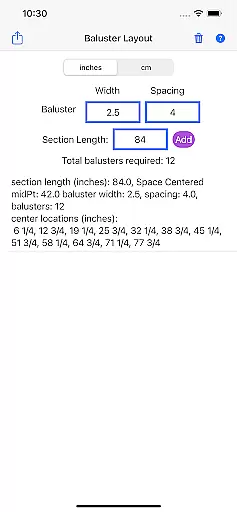
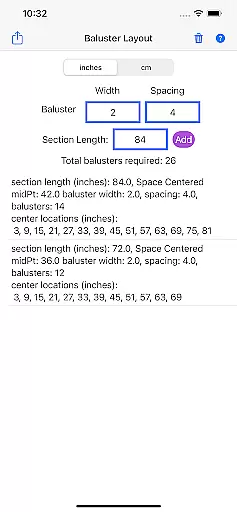
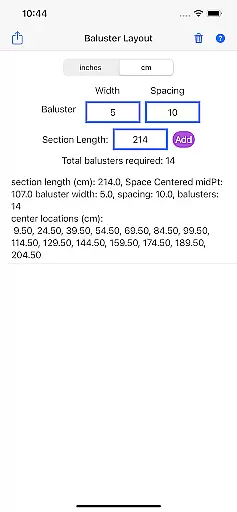
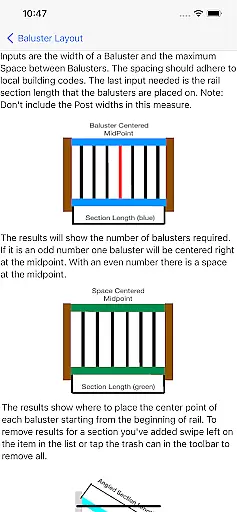
Baluster Layout is a specialized application designed for deck and stair builders, providing an efficient solution for calculating baluster spacing. The app's core functionality lies in its ability to precisely determine the number of balusters needed and their exact placement to comply with building codes. Users simply input the railing length, baluster width, and desired spacing, and the app performs the necessary calculations.
One notable feature is its support for projects with multiple railing sections, each having unique dimensions. Additionally, users can choose between inches or centimeters as their preferred unit of measurement. This flexibility makes Baluster Layout suitable for various construction projects. By streamlining the calculation process, the app not only saves time but also ensures that installations meet safety standards, making it invaluable for both professionals and DIY enthusiasts.
Baluster Layout stands out with several key features that enhance its utility in the realm of home construction. First and foremost, the app offers precision spacing capabilities, ensuring that all baluster placements adhere strictly to building code requirements. This precision eliminates guesswork and potential errors during installation.
Another significant feature is the app's ability to handle complex projects involving multiple rail sections. Each section can have its own unique dimensions, and the app provides detailed results for each one, specifying the number of balusters required and their exact placement. Furthermore, the app supports both imperial and metric units, allowing users to work in either inches or centimeters based on their project needs. These features collectively contribute to a more efficient workflow and help produce visually appealing, code-compliant structures.
In the realm of home improvement and construction, having reliable measurements and calculations is crucial for ensuring that all components fit perfectly and meet safety standards. Baluster Layout offers a dependable solution for calculating baluster spacing with precision, providing assurance that your project will comply with building codes.
This app employs advanced algorithms to deliver accurate computations based on user inputs such as railing length, baluster width, and desired spacing. By entering these parameters, users can be confident that the information they receive is not only tailored to their specific project but also adheres to necessary regulations.
For deck or stair builders, this level of authenticity in calculation translates into peace of mind, knowing that each baluster will be placed correctly, contributing to the overall stability and aesthetic appeal of railings. This accuracy helps prevent future complications, which can arise from manual measuring errors.
Beyond just calculating baluster spacing, Baluster Layout serves as an essential tool for managing various aspects of deck and stair building projects. Its ability to handle complex projects with multiple railing sections demonstrates its versatility and makes it suitable for both simple and intricate layouts.
The app provides detailed results, breaking down the number of balusters needed for each section and specifying their exact placement. This feature is particularly beneficial for larger projects where precision across different sections is paramount. Additionally, unit flexibility allows users to work in either inches or centimeters, accommodating international standards and personal preference.
By offering comprehensive data management features, Baluster Layout aids users in organizing their projects efficiently. This ensures not only compliance with building codes but also enhances workflow productivity by saving time and reducing potential errors during installation.
Time-saving
Code compliant
User-friendly interface
Unit flexibility
Detailed results
Limited to balusters
No 3D visualization
Basic design
Few customization options
Requires manual input

Unlock AI-based barcode scanning and support the development of Grocy Android
 4.0
4.0
An awesome mobile app for Home Security Surveillance - uses ZoneMinder
3.20
AI floor creator to design your dream house, plan rooms & style your home
4.00
Resident Center, powered by Buildium, is designed with simplicity in mind.
4.50
Book your local plumber 24/7, track your service order & get exclusive coupons
4.00
Design your dream home with 3D planning app, Visualize your dream home in 3D.
4.20
Apartment finder for apartments for rent. Compare prices, amenities & rentals.
4.50
3D House Design and AI Room Planner - from floor plans to full interior design.
4.40
Find homes for sale and apartments for rent in the best neighborhood.
4.70
Home Ideas | Renovation Advice | Local Pros. Go From Dream to Home with Houzz.
4.70
Real estate app to find homes for sale or rent in the right neighborhood for you
4.70
A Smarter Home in Seconds
4.70
Innovative and budget-friendly housing options
4.60
AI Home Designer & Room Planner: Decorate your interior space with AI
4.40
WiZ smart light system
4.40
For all of your Airthings devices
4.30
Use Home by ShowingTime to easily manage showings, tours, feedback and more
3.60
Draw your floor plan smartly. Make house design blueprint with home planner app
3.60
Find paints using a Color Muse & ColorSnap® Match
3.60


User Reviews