
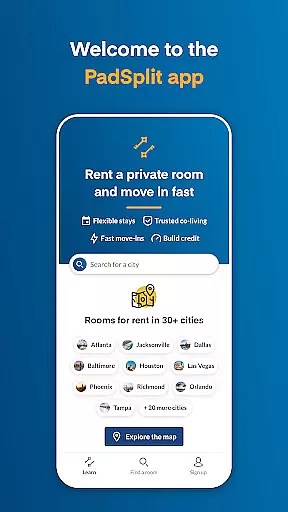
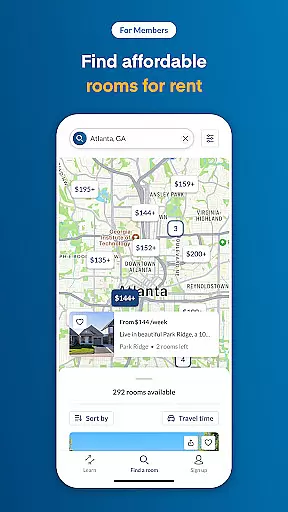
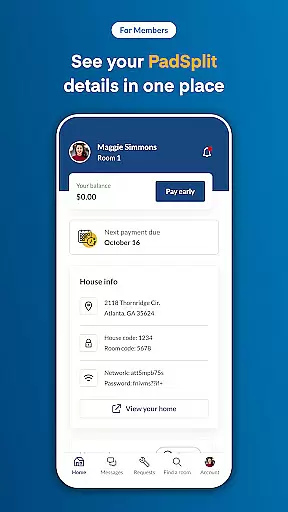
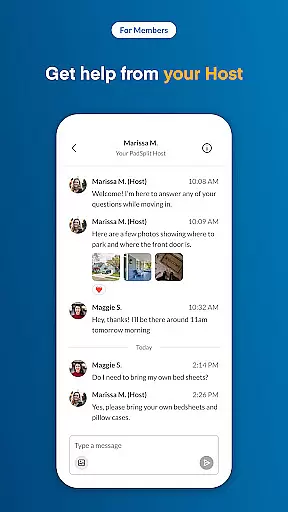
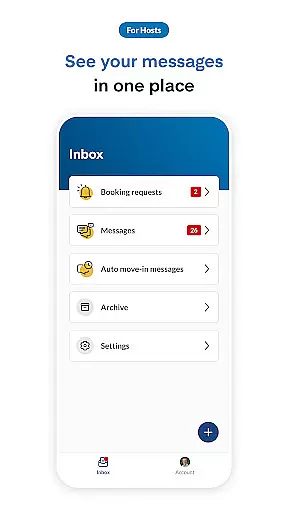
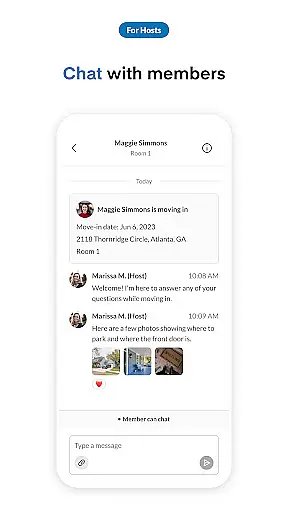
PadSplit is a co-living application designed to enhance the shared living experience for both members and hosts. The app provides an all-in-one platform where members can complete their membership applications, book rooms that fit their budget and needs, and move in within 48 hours. Additionally, users can pay dues, chat with housemates and hosts, and stay updated on home events. For hosts, PadSplit offers tools to communicate effectively with members through an anytime messenger, set messaging preferences, view member profiles, and automate move-in messages.
The app's intuitive interface ensures seamless navigation while its comprehensive features cater to the unique demands of co-living environments. Whether you're looking to find your next home or manage a co-living property, PadSplit streamlines the process, making shared living more efficient and enjoyable.
PadSplit stands out with its robust feature set tailored for the co-living community. One of the key highlights is the ability for members to complete a membership application and book rooms conveniently. This feature not only simplifies the search for suitable accommodation but also expedites the move-in process, allowing users to settle into their new homes within 48 hours.
For ongoing communication and management, PadSplit offers a real-time chat function enabling members to interact with housemates and hosts effortlessly. Hosts benefit from advanced tools such as anytime messaging, customizable messaging hours, and access to detailed member profiles. These features ensure that hosts can maintain a well-managed and harmonious living environment. Furthermore, automated move-in messages help streamline the onboarding process for new members, enhancing overall user satisfaction.
Ensuring the authenticity of property listings is crucial for both hosts and members using PadSplit. The app provides verified information about available rooms, ensuring that users can trust the details provided.
Each listing undergoes a verification process to confirm the accuracy of the information, including photos, room descriptions, and pricing. This helps members make informed decisions when booking a room that fits their budget and needs.
For hosts, the app allows them to create detailed and authentic listings by providing all necessary information about the property. Hosts can update availability and manage their listings efficiently, maintaining transparency with potential members.
This commitment to authenticity builds trust within the PadSplit community, making it easier for members to find their ideal living situation and for hosts to attract reliable tenants.
PadSplit offers a comprehensive suite of home management features designed to simplify the co-living experience for both hosts and members. Through the app, users can access tools that streamline communication and household organization.
Members benefit from features such as an anytime messenger, which facilitates seamless communication with housemates and hosts. This ensures everyone stays informed about household activities and can address any concerns promptly.
Hosts have access to advanced management tools, including setting messaging hours, viewing member profiles, and sending automated move-in messages. These features help hosts maintain a well-organized home environment while respecting their personal time.
By integrating these robust home management capabilities, PadSplit enhances the overall co-living experience, promoting harmony and efficiency within shared living spaces.
User-friendly interface
Quick room booking
Efficient payment system
Real-time communication
Comprehensive host tools
Limited to co-living
Few customization options
Requires constant updates
Occasional bugs
Dependent on user engagement

Our app allows Sunrun customers to monitor systems, pay bills, and get support.
 3.80
3.80
Smart AI plant care schedules, Real plant experts, support & Thriving community!
4.20
Control the scent and ambiance of your home and car, right from your phone.
4.50
Book your local plumber 24/7, track your service order & get exclusive coupons
4.00
Design your dream home with 3D planning app, Visualize your dream home in 3D.
4.20
Fire & Power Safety
4.50
Control your Vivint Smart Home with the next generation Vivint App.
4.30
Plan your remodel AI home renovation easily using planner 5D and home decor AI.
4.40
Samsung remote app helps control all Samsung Smartthings TVs. Fast and Stable!
4.10
View houses and apartments for rent, updated daily.
4.80
Convert your Phone to HiSense Smart TV Remote Control
4.70
Tailored Care Guides For Houseplants, Indoor Plants, Garden Plants & Flowers.
4.60
Your guide to apartments & rental homes. Find your next place to rent with AG.
4.60
Looking for the perfect apartment finder app? Find beautiful rental homes here!
4.60
The only mappable smart lights for custom decoration.
4.50
Make Renting Easy
4.40
SmartRent - Opening Doors To A Smarter World
4.40
Technology powering many in-home services for residents across the United States
3.80
Use Home by ShowingTime to easily manage showings, tours, feedback and more
3.60


User Reviews