
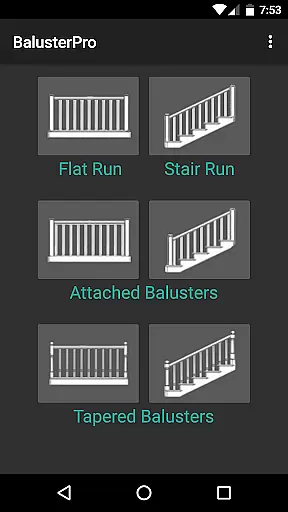
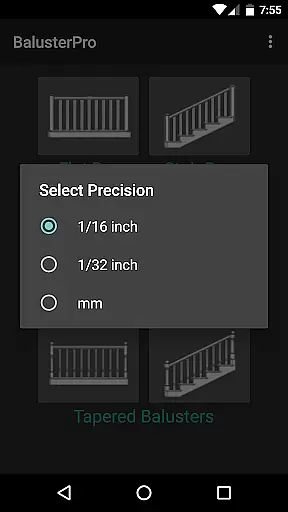
BalusterPro is a specialized tool designed for carpenters, woodworkers, and DIY enthusiasts. This app simplifies the task of calculating spacing between handrail balusters, making it quick and easy to determine the optimal number of balusters needed for any project. Whether you're working on staircases, picket fences, or chair backs, BalusterPro ensures accurate measurements every time.
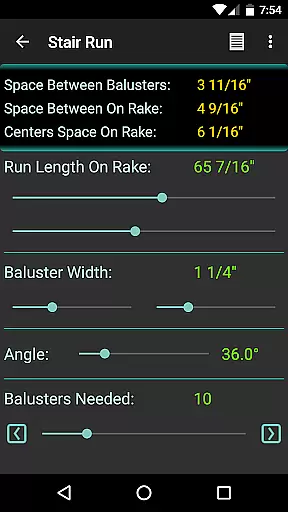
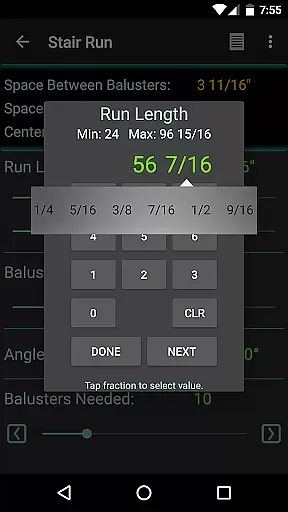
The app supports both flat and stair runs, tapered balusters, and offers options in both inch and metric units. By simply entering the run length and baluster width, users can adjust the 'Balusters Needed' slider until they reach the desired spacing value. This functionality not only meets professional code requirements but also enhances productivity by saving time on tedious calculations.
BalusterPro stands out with its user-friendly interface and precise calculation capabilities. The app allows users to input specific dimensions and preferences, providing tailored results that meet individual project needs. Its versatility extends beyond handrails to include various applications such as decking and column flutes.
One of the key features is the adjustable slider that lets users experiment with different configurations until they find the perfect fit. Additionally, the app's ability to switch between inch and metric units caters to a global audience. With positive endorsements from industry experts like Gary Katz and publications such as This Old House Magazine, BalusterPro has proven itself as an indispensable tool for professionals and hobbyists alike.
BalusterPro is a specialized tool designed to simplify the complex task of calculating spacing for handrail balusters, making it an essential companion for carpenters, woodworkers, and DIY enthusiasts. The app's core functionality lies in its ability to quickly compute optimal spacing between balusters based on user-defined parameters such as run length and baluster width.
The application provides precise calculations for both flat and stair runs, accommodating various configurations including tapered balusters. Its adaptability extends to supporting both inch and metric measurement systems, ensuring universal usability across different regions and project requirements.
Users benefit from BalusterPro's intuitive slider interface, which allows them to adjust the number of balusters needed until the spacing meets specific code requirements or personal preferences. This real-time feedback mechanism significantly reduces the time and effort traditionally associated with manual calculations.
The app's effectiveness is further enhanced by its portability, enabling professionals to perform these critical calculations on-site, in the office, or during client meetings. This convenience factor, combined with its affordable price point, makes BalusterPro a valuable investment for anyone involved in construction or woodworking projects.
BalusterPro distinguishes itself through its remarkably straightforward and user-friendly interface, designed to streamline the baluster calculation process without requiring extensive technical expertise. The app presents a clean layout where users can easily input their project dimensions and immediately view calculation results.
A key feature of the interface is the 'Balusters Needed' slider, which provides an interactive way to adjust spacing values. As users manipulate this slider, they receive instant visual feedback on how different configurations affect spacing measurements, allowing for quick decision-making that aligns with building codes or aesthetic preferences.
The app's developers have thoughtfully included customizable preferences, particularly for slider values, enabling users to set their own minimum and maximum parameters. This level of personalization ensures that the tool adapts to individual work styles and project requirements rather than forcing users to conform to predetermined settings.
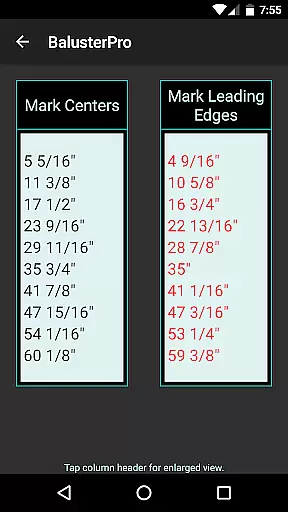
Additional interface elements, such as clear display indicators showing the calculated number of balusters and spacing measurements, contribute to the overall intuitive experience. These features, combined with the app's mobile platform, make BalusterPro accessible to professionals working in various locations, from job sites to design meetings, without compromising on functionality or precision.
Quick calculations
User-friendly interface
Versatile application
Accurate measurements
Global unit support
Limited design options
No 3D visualization
Basic color scheme
Few customization settings
Occasional bugs reported

 4.50
4.50
pdf merge, word to pdf, jpg to pdf, edit pdf, convert to pdf and much more!
4.20
Save any video in HD - paste the link, download fast and watch offline.
4.2
VESC Tool can monitor and configure VESC-compatible devices over BLE and Wifi
4.20
Create your own live wallpaper or check out thousands already made presets
3.90
Excellent scientific calculator with symbolic algebra, integrals, derivatives
4.80
Download any file easily and quickly with Downloader
4.0
Remote Play with FSR upscaling, low latency & full controller support
4.80
The ideal app to be the digital eye of your family
3.40
ADB support Android 4.X-Android 13(Support wireless pair mode).No root required!
4.70
FV File Manager Pro, Fast and powerful file manager for Android
4.60
Play your X-Box games remotely in 1080p with any controller and zero latency
4.60 4.50
4.50 4.50
4.50
With videos, electrical calculators, and built-in ebook, Ugly’s has your answer.
4.50
Complete kernel toolbox with features to manage and tweak your rooted device
4.30
Carry a FTP server in your pocket and avoid USB cables for file transfer
4.20 4.10
4.10
Undelete and recover your lost or deleted files with DiskDigger!
3.40


User Reviews