
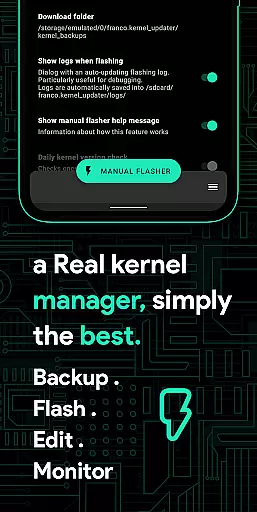
Franco Kernel Manager is a comprehensive toolbox designed for Android users who want to optimize their device performance. This app provides a rich set of features that cater to both novice and expert users, allowing them to manage and tweak their kernel with ease. Whether you're looking to enhance performance, extend battery life, or flash mods without a custom recovery, Franco Kernel Manager has got you covered.
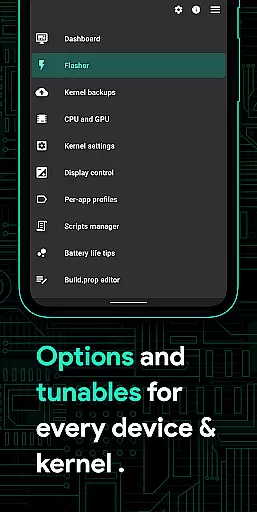
The application offers detailed battery monitoring, build.prop editing, auto-flashing capabilities, and advanced CPU/GPU controls. It also includes specialized features like High Brightness Mode (HBM), per-app profiles, and system health monitoring. With its user-friendly interface and powerful tools, this app empowers users to supercharge their devices while maintaining complete control over various system settings.
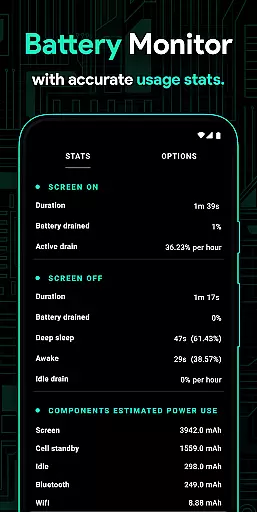
Franco Kernel Manager stands out with its extensive feature set tailored for power users. The app provides detailed battery stats, including power consumption in mAh for each component, and a Battery Monitor notification with charging time estimation. Users can edit build.prop files, flash kernels and Magisk modules, and access advanced GPU settings like Adreno Idler and GPU boost.
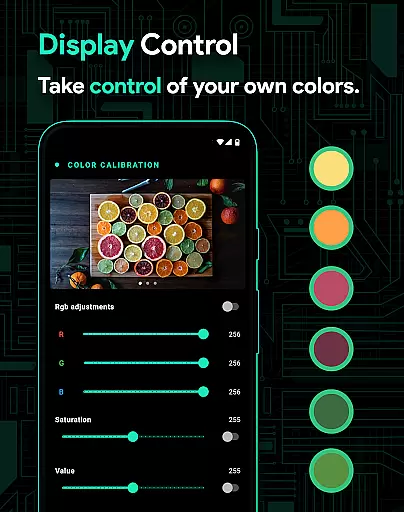
One of the key highlights is the ability to create Per-app profiles, allowing different settings for specific apps. For example, you can set max CPU frequency for gaming and lower it for reading e-books. The app also supports system health monitoring, display color temperature presets, automatic Night Shift, and CPU temperature notifications. With light and dark themes, backup & restore functionality, and an intuitive scripts manager, Franco Kernel Manager delivers a superior user experience.
Franco Kernel Manager offers a comprehensive suite of tools designed to enhance kernel management with precision and efficiency. The app provides detailed battery stats, including power consumption metrics for individual components like WiFi, screen, and signal, ensuring users can monitor their device's energy usage accurately.
With features such as auto-flashing kernels and mods without the need for custom recovery, the app streamlines the process of updating and customizing device performance. Its powerful CPU and GPU controls allow for fine-tuning frequencies, governors, and other settings, delivering an optimized experience tailored to user preferences.
The inclusion of per-app profiles enables users to apply specific settings depending on the app in use, enhancing both performance and battery life. Whether gaming or reading, users can customize CPU frequencies, manage Wi-Fi status, toggle battery saver modes, and more, ensuring optimal device behavior for different scenarios.
Overall, Franco Kernel Manager combines robust functionality with user-friendly interfaces, making advanced kernel management accessible to both novice and expert users alike. This ensures that all users can achieve superior device performance while maintaining ease of use.
The interface of Franco Kernel Manager is crafted to provide an intuitive and straightforward user experience, allowing seamless navigation through its rich feature set. Despite the complexity of kernel management, the app ensures that even less experienced users can easily access and utilize its powerful tools without feeling overwhelmed.
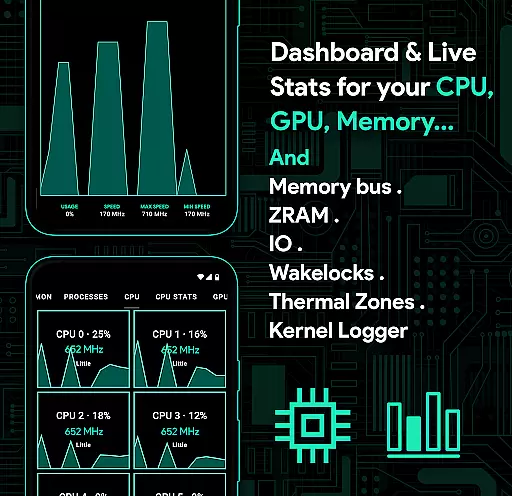
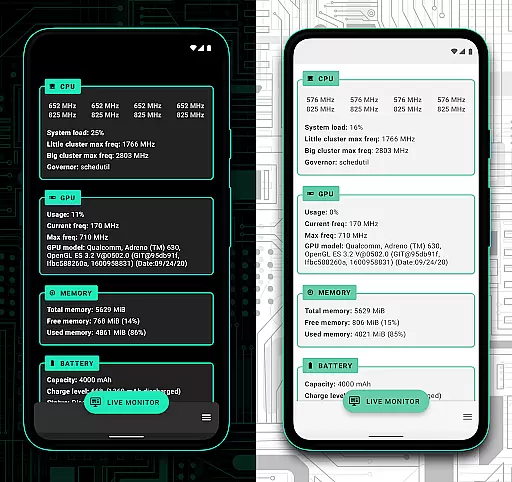
A key aspect of the app's design is the System Health section, which presents real-time data on CPU, GPU, RAM, and thermal zones in a visually appealing and easy-to-understand format. This helps users quickly assess their deviceu2019s performance and make informed decisions about optimizations or adjustments needed.
Additionally, the app supports light and dark themes, aligning with modern Android aesthetics and improving usability in various lighting conditions. These themes not only enhance visual comfort but also contribute to a cohesive and pleasant user experience across different devices and user preferences.
By focusing on clarity and ease of interaction, Franco Kernel Manager ensures that users can efficiently manage complex kernel settings without unnecessary complications, thus democratizing access to advanced device customization options.
Comprehensive feature set
User-friendly interface
Advanced customization options
Per-app profile management
Detailed battery monitoring
Requires root access
Complex for beginners
Limited official support
No iOS compatibility
Premium pricing model

Easily install aab(Android App Bundle) files on your Android device with our app
 4.80
4.80
Transfer Files, APK from Phone to Watch & Install.
4.4
HD Video player and downloader for all formats, fast & smooth 4K video playback.
4.60
The one-and-only remote control for PC, Mac, and Linux
4.70
Undelete and recover your lost or deleted files with DiskDigger!
3.40
Protect your device with antivirus, storage cleanup, and system monitoring
4.70
Screen recorder with audio to record high-quality videos and take screenshots.
4.40
Your personal health butler
3.60
fast and easy mp3 music downloader
4.80
Excellent scientific calculator with symbolic algebra, integrals, derivatives
4.80
Unit and currency converter with easy and simple UI.
4.80
FV File Manager Pro, Fast and powerful file manager for Android
4.60
Clean up large files and similar photos, fast and easy to use
4.40
Quickly & easily calculate the spacing of handrail balusters
4.20
Effortlessly run ADB commands directly on your device without a PC.
4.20
Screen Mirroring with sound for Samsung TV, LG TV, Sony TV, Smart TV and Browser
4.20
Introducing Smart Printer, your ultimate destination for printing solutions!
4.00
PDF Reader - Document Viewer: Read, Manage & Organize Your Documents
3.10
Save any video in HD - paste the link, download fast and watch offline.
4.4


User Reviews