
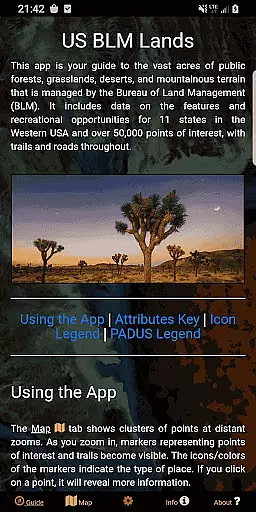
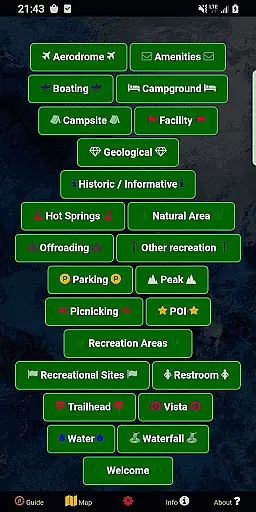
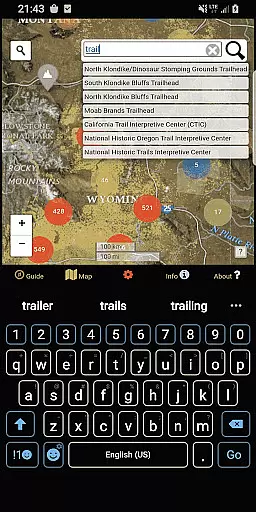
BLM Public Lands Map Guide USA is a comprehensive navigation tool designed specifically for exploring public Bureau of Land Management (BLM) properties across the Western United States. This app provides access to over 52,000 recreational points and features, categorized into distinct types such as campgrounds, hiking trails, boating access, and more. Each point is marked with intuitive color-coded icons, making it easy to identify different amenities and areas of interest.
Whether you're an experienced outdoor enthusiast or a casual explorer, this app offers valuable resources to enhance your adventures. The data is meticulously updated as of Summer 2024, ensuring accuracy and reliability. With functionalities like property boundary identification, custom My Points creation, offline imagery downloads, and multiple basemap options, users can tailor their experience to suit individual preferences and needs.
This app is particularly useful for travelers seeking to uncover hidden gems within America's public lands. By providing detailed maps, helpful tips, and links to various BLM properties, it empowers users to navigate confidently and discover breathtaking landscapes and historical sites. Experience the rich tapestry of natural beauty and cultural heritage that defines the United States through this powerful mapping guide.
One of the standout features of BLM Public Lands Map Guide USA is its robust categorization system. The app includes categories such as Access Points, Boating, Campgrounds, Points of Interest (POIs), Vistas, Bathrooms, Parking Lots, and Recreational Areas. These categories are represented by distinct color-coded icons, allowing users to quickly differentiate between various types of locations on the map. Additionally, the app highlights property boundaries and includes some hiking trails and roads, offering a comprehensive view of the terrain.
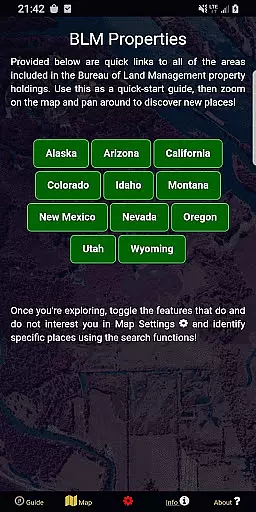
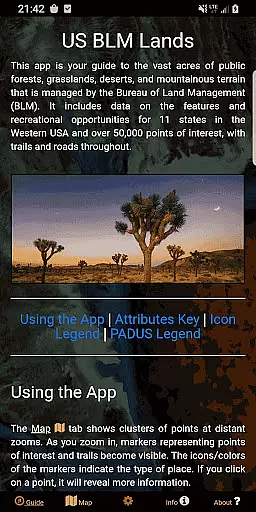
Another significant feature is the custom My Points tool introduced in the latest update. This tool allows users to create personalized points with unique colors and icons, which can be exported for external use. The app also offers five functional screens: Guide, Info, About, Map Settings, and Map. The Guide screen provides legends and optimization tips, while the Info screen contains spatial links to different BLM properties. The About section details open-source resources and developer information, and the Map Settings enable customization of basemaps, geolocation toggling, and category-specific filtering.
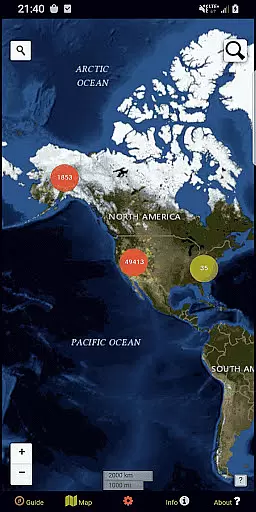
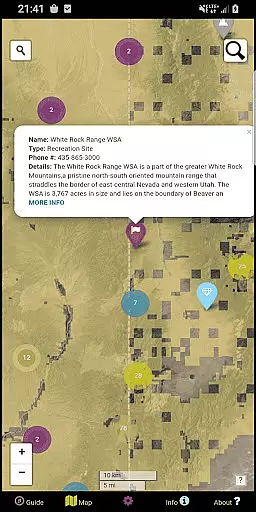
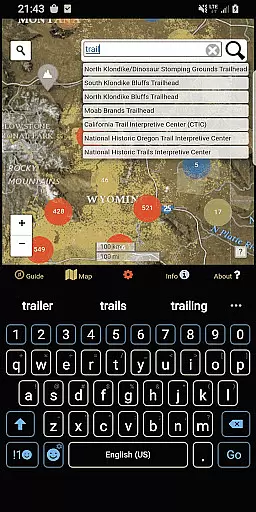
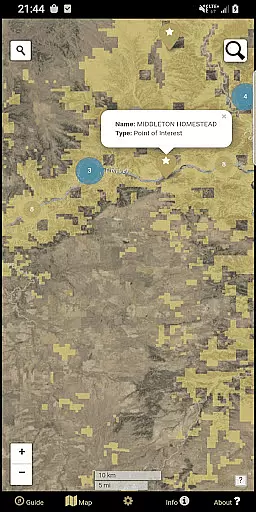
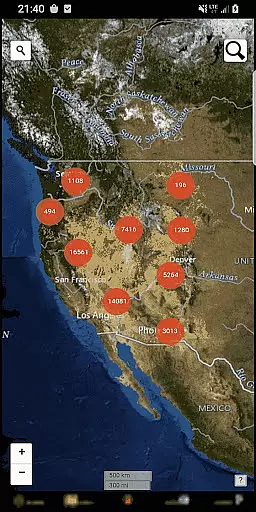
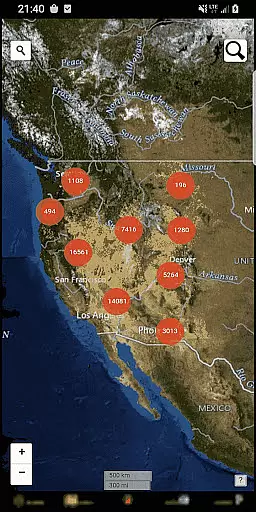
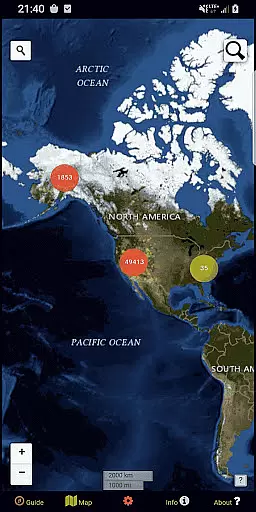
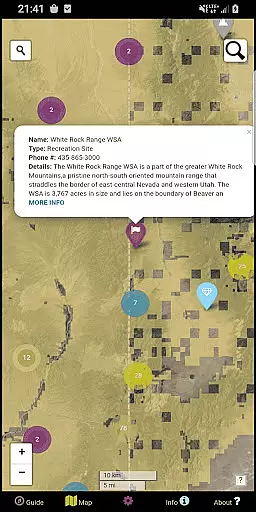
The Map screen integrates all these features, displaying circle clusters at distant zooms that indicate point density. As users zoom in, individual points, trails, roads, and boundaries become visible, complete with clickable details such as names and locations. Two search tools facilitate address lookup and database queries, enhancing navigational precision. Overall, these features make the app an indispensable companion for anyone looking to explore the vast recreational potential of America's public lands.
Map accuracy is essential for any navigation app, and BLM Public Lands Map Guide USA excels in this area. The app provides up-to-date data as of Summer 2024, featuring over 52,000 recreational points on Bureau of Land Management property.
These points are meticulously categorized with color-coded icons, representing various features such as Access Points, Campgrounds, and Vistas. This detailed representation ensures users can easily identify and locate points of interest on the map.
Moreover, the app distinguishes property boundaries and includes hiking trails and roads, enhancing spatial awareness. Such comprehensive mapping allows outdoor enthusiasts to explore with confidence, knowing they have reliable information at their fingertips.
With four different basemaps and offline imagery download options, users can customize their experience while maintaining high accuracy standards regardless of connectivity. This attention to detail makes every adventure both safe and enjoyable.
Effective route planning is crucial for successful navigation, and BLM Public Lands Map Guide USA offers robust tools for this purpose. Users can leverage multiple search functionalities within the app to look up addresses, towns, or specific feature names in the database.
The Map screen displays circle clusters that indicate point density, which helps in strategizing routes by revealing areas rich in recreational opportunities. As users zoom in, individual points become visible, providing clear guidance on where to go.
Additionally, the inclusion of trails, roads, and boundaries aids in creating well-informed travel plans. By clicking on these features, users gain access to valuable information like names and locations, ensuring they stay on course during their explorations.
Custom My Points tool further enhances route planning by allowing users to create personalized waypoints with unique colors and icons. These can be exported for future reference, empowering adventurers to craft tailored journeys through America's breathtaking landscapes.
User-friendly interface
Extensive point database
Customizable My Points
Offline map support
Multiple basemap options
Limited to Western US
No real-time updates
Occasional data lag
Requires internet for full functionality
Some features may overwhelm new users

Explore a light pollution map to find suitable dark sky locations for observing.
 4.30
4.30
Find 93 Octane Gas: Locate Gasoline Stations Selling Premium 93 Octane or Higher
4.2
Play in the outdoors with Android as your Handheld GPS and offline topo maps!
3.50
Parcel map, property lines, owner, acres, land use, zoning and more from Regrid.
4.60
GPS Speedometer & Odometer: Track car, bike, truck speed & distance in real-time
4.70
Navigate via GPS Maps of GPS Voice Navigation, driving directions to find routes
3.60
Explore with GPS Navigation with GPS offline, voice GPS, speed camera radar
4.60
ParkWhiz, an Arrive Mobility brand, part of the Arrive Network
4.30
Park in Chicago, NYC, Boston, SF, Houston & more!
4.70
Bolt is a ride-hailing app for requesting fast, safe, and affordable transport
4.80
GPX Viewer PRO shows tracks, routes and waypoints from gpx and kml files.
4.60
Voice GPS with driving directions, offline maps navigation GPS for safe travel
4.50
Neshan: map & navigation app with 20M+ monthly active users
4.50
Rideshare, taxi cabs, and more for your airport travels and everyday trips.
4.50
Use GPS maps or search by property owner, address or parcel to view parcel data
4.30
Find radar, speed camera, flight tracker. Use hud, location tracker, speedometer
4.20
Lets explore the world's famous places by using Live Cams, GPS & Satellite View.
4.20
Ride CTA, Metra & Pace: Manage your fares, buy Metra tickets, get arrivals.
3.00
Fully offline 1:50k New Zealand topographical map North Island
4.2


User Reviews