

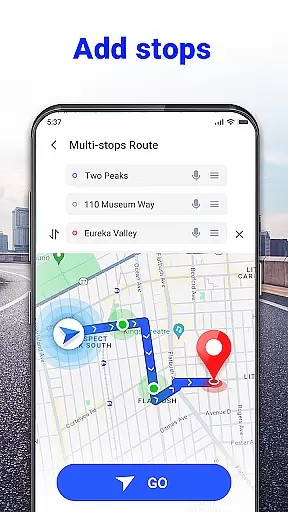
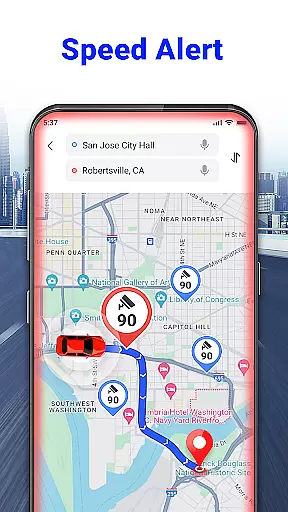
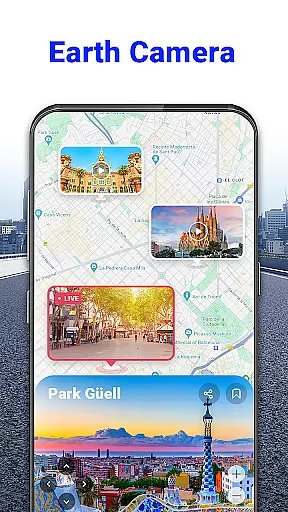
GPS Voice Navigation: Live Map is a cutting-edge navigation application designed to provide drivers, hikers, and travel enthusiasts with accurate location data and voice-guided directions. The app eliminates the need for paper maps by offering an intuitive, technology-driven solution that ensures users reach their destinations safely and on time. With its robust offline capabilities, it allows users to navigate without an internet connection while providing real-time traffic updates and alternative route suggestions.
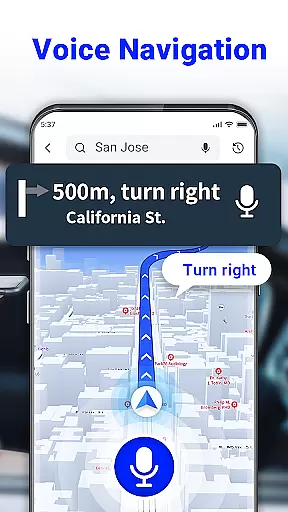
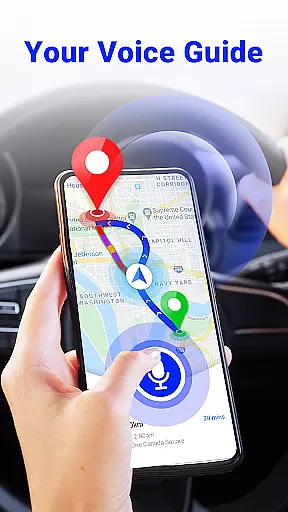
One of the standout features of this app is its voice command functionality, which enables hands-free operation. Whether you're driving in busy urban areas or exploring remote hiking trails, the app's voice navigation system guides you step-by-step, allowing you to focus on your journey rather than your phone screen. Additionally, GPS Voice Navigation includes practical tools like speed checks, nearby place searches, and over-speed alerts, making it an essential companion for any trip.
The app is particularly useful for travelers who frequently visit unfamiliar cities or countries. Its ability to function offline ensures that users can access maps and directions even in areas with poor connectivity. Furthermore, the app's radar map feature warns drivers about speed cameras and potential traffic hazards, enhancing road safety. Overall, GPS Voice Navigation: Live Map combines convenience, safety, and reliability into one comprehensive navigation tool.
GPS Voice Navigation: Live Map stands out due to its innovative features tailored for modern explorers. One of its key highlights is the advanced voice navigation system, which provides clear, turn-by-turn instructions such as "Go straight, after 500 meters, then turn left." This feature ensures that users never have to take their eyes off the road, promoting safer driving experiences. Moreover, the app supports voice commands for inputting destinations, allowing users to rearrange routes effortlessly without needing to type.
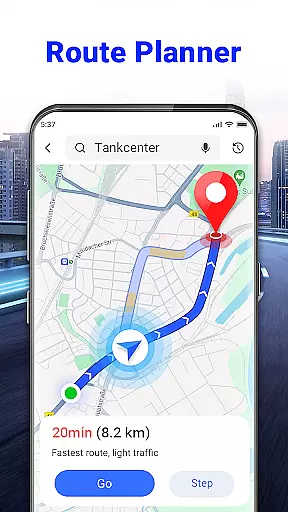
Another remarkable aspect of the app is its ability to plan the shortest and fastest routes using real-time traffic data. By avoiding congested areas and suggesting alternate paths, the app helps users save time and fuel. It also includes a radar map feature that identifies speed cameras and issues over-speed alerts, ensuring compliance with local traffic regulations. For travelers, the nearby place search function is invaluable, displaying essential locations like grocery stores, hotels, and parking lots directly on the map.
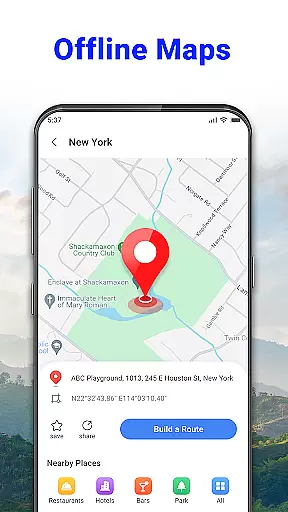
What sets this app apart from competitors is its offline functionality. Users can download maps for later use, making it ideal for international trips or regions with limited connectivity. The developers are also continuously improving the app, with upcoming features such as weather updates and enhanced offline GPS tools. These innovations make GPS Voice Navigation: Live Map not just a navigation app but a complete travel assistant.
Map accuracy is essential for any navigation app, and GPS Voice Navigation: Live Map excels in this area. The app provides users with the most up-to-date maps, ensuring that every route planned is based on the latest geographical data available.
The precision of the app's mapping system allows drivers, hikers, and travelers to reach their destinations without the worry of outdated information leading them astray. With accurate maps covering locations from Barcelona to Tokyo, users can explore new cities and hidden gems confidently.
In addition to its core mapping feature, the app also includes a radar map functionality that alerts users to speed cameras and traffic conditions. This contributes to an overall safer driving experience by keeping users informed about potential road hazards.
Effective route planning is a cornerstone of GPS Voice Navigation: Live Map, allowing users to find the shortest and fastest paths to their destinations. By utilizing simple voice commands, users can plan routes without ever needing to take their hands off the wheel or eyes off the road.
The app goes beyond basic route plotting by offering alternative routes when traffic conditions change. This ensures that users are always on the optimal path and can avoid delays, making each journey as efficient as possible.
Moreover, the inclusion of nearby place searches means that detours for essentials like groceries or accommodations are effortlessly integrated into the route planning process. Users can thus rely on GPS Voice Navigation not only to guide them to their end goal but also to assist with any impromptu stops along the way.
User-friendly interface
Accurate voice guidance
Offline map support
Real-time traffic updates
Speed camera alerts
Limited customization options
Occasional voice recognition errors
Heavy battery consumption
Ads in free version
Some features require premium subscription

Compass is an accurate compass and a great tool for any outdoor activities
 4.3
4.3
Turn your Android device into a real off-road GPS using off-line topo maps!
4.40
Find 93 Octane Gas: Locate Gasoline Stations Selling Premium 93 Octane or Higher
4.0
GPX Viewer PRO shows tracks, routes and waypoints from gpx and kml files.
4.60
Find shortest way and save energy . Distance and area calculator.
4.70
OpenCPN is a full featured ChartPlotter and Navigator for Android.
3.60
Get directions, Maps, GPS navigation & GPS Maps using GPS App
4.10
Affordable rides and food delivery with incredible discounts in just one app.
4.50
Get route map navigation with 3D satellite view, and live earth camera streaming
3.70
Get there with the Waymo Driver — The World’s Most Experienced Driver™
4.90
This app is military GPS coordinate systems helper. (MGRS, UTM & DMS Maps)
4.80
Find trails, organize your locations and navigate with offline maps.
4.60
Parcel map, property lines, owner, acres, land use, zoning and more from Regrid.
4.60
The fastest and most convenient way to pay for parking on our lots.
4.40
Plan routes, share locations, and set custom alert zones
4.40
Use GPS Maps and GPS Voice Navigation to find your way and get directions
4.10
Avoid delays. Get real-time GPS navigation, safety alerts and live traffic.
4.10
Route Planner is travel map to get turn by turn navigation & driving directions
3.90
Off-Roading Navigation App With Trails, Public Lands, & Private Property Info
3.30


User Reviews