
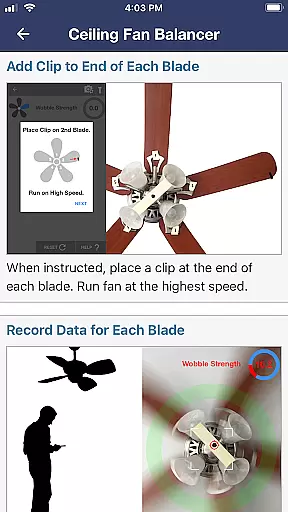
Ceiling Fan Balancer is a revolutionary app in the House & Home category that simplifies the process of balancing ceiling fans. Using your smartphone, the app accurately determines which fan blades require weight adjustments to achieve optimal stability. This eliminates the traditional trial-and-error approach, saving users time and effort.
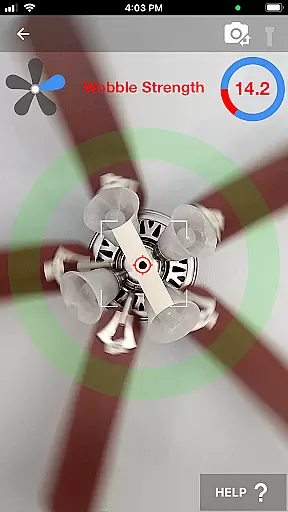
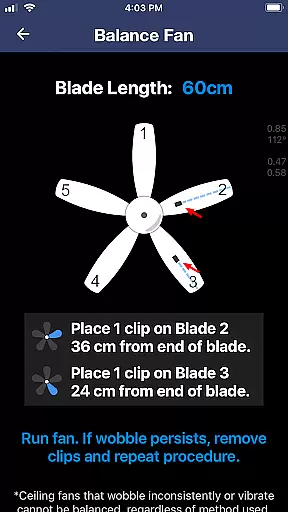
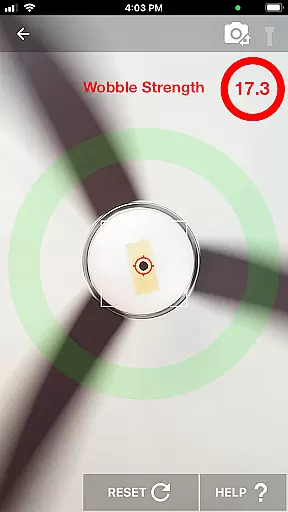
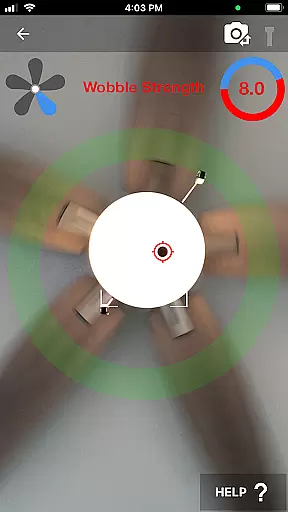
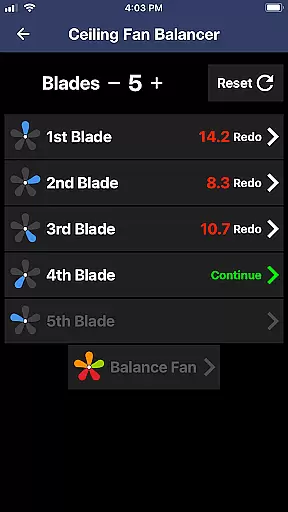
The app provides real-time wobble strength readings by analyzing a marked point on the fan. By following the guided instructions, users can systematically number blades, record wobble data, and calculate the best positions for placing counterweights. Whether you're a homeowner or a professional, Ceiling Fan Balancer ensures a smooth and quiet fan operation, enhancing comfort in any living space.
One of the standout features of Ceiling Fan Balancer is its ability to provide precise, real-time wobble analysis. The app uses your phone's camera to track a marked point on the fan, delivering instant feedback on wobble intensity. This functionality eliminates guesswork and allows for accurate adjustments.
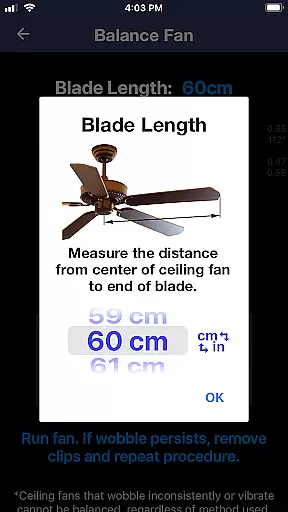
In addition to wobble tracking, the app includes detailed step-by-step instructions to guide users through the balancing process. From cleaning the fan to tightening screws and numbering blades, every step is clearly outlined. Users can also access external resources via the provided website link for more comprehensive guidance. These features make Ceiling Fan Balancer an indispensable tool for maintaining ceiling fans efficiently.
When it comes to maintaining a comfortable home environment, ensuring your ceiling fan operates smoothly is essential. Ceiling Fan Balancer provides an innovative solution by offering precise diagnostic tools that guarantee authentic and reliable results. The app eliminates guesswork through its data-driven approach.
The application employs advanced motion detection technology to analyze fan wobble patterns accurately. By marking a reference point on the fan and using the phone's camera, users can obtain real-time feedback on wobble intensity. This ensures that any reported instability is both genuine and actionable, allowing for targeted adjustments.
Users benefit from clear, step-by-step instructions that guide them in preparing their fans for balancing. From cleaning the fan blades to tightening screws, every preparatory step contributes to achieving accurate diagnostics. This meticulous process reinforces the reliability of the information provided by the app.
Beyond just identifying issues, Ceiling Fan Balancer equips homeowners with comprehensive tools to manage and resolve ceiling fan imbalances effectively. Its unique balance calculation feature simplifies what was once a complex task, making home maintenance more accessible than ever before.
By recording the wobble caused by each blade, the app calculates optimal weight placement positions to restore stability. This methodical approach not only saves time but also enhances precision when applying counterweights. Such functionality transforms routine home care into an efficient and hassle-free experience.
Additionally, the app offers supplementary resources, including detailed guides available on its website. These materials provide further insights into maximizing the toolu2019s potential while promoting better overall household management practices. With Ceiling Fan Balancer, maintaining a peaceful living space has never been easier.
User-friendly interface
Real-time wobble analysis
Eliminates trial-and-error
Detailed step-by-step guidance
Enhances home comfort
Requires manual input
Limited to ceiling fans
Dependent on phone camera
No automatic adjustments
Internet connection needed

Make Renting Easy
 4.40
4.40
Design house plans in 2D & 3D, style furniture, and preview renovation layouts
3.70
Universal TV Remote for TV, control all Smart TVs with your mobile phone.
4.4
Rent on-the-go with TurboTenant’s app made just for renters
4.50
Control the scent and ambiance of your home and car, right from your phone.
4.50
Night Owl Protect helps you secure, protect, and connect your world!
4.60
Plan your remodel AI home renovation easily using planner 5D and home decor AI.
4.40
The Merkury Smart app makes it easy to control your smart devices.
4.50
Looking for the perfect apartment finder app? Find beautiful rental homes here!
4.60
Plants, Beauty, Collectibles
4.60
AI-powered home design, interior design, home decor, and room design solutions
4.50
The only mappable smart lights for custom decoration.
4.50
Security App with HD Video, 2-way Audio, and event detection for Home monitoring
4.40
Make your phone a surveillance camera remote with a home camera app for Android!
4.40
For all of your Airthings devices
4.30
Control your thermostat, comfort, and home monitoring from your phone
4.30
Turn your phone into a wifi cam with smart features and umlimited reach.
4.20
Unlock AI-based barcode scanning and support the development of Grocy Android
4.0
Calculate baluster spacing with ease and precision.
4.0


User Reviews