
Connecteam is a comprehensive employee management app designed specifically for non-desk workers. It combines essential business tools like work scheduling, time tracking, internal communication, task management, and employee training into one affordable solution. The platform stands out with its intuitive design and robust feature set that requires minimal learning curve, making it ideal for small to medium-sized businesses.
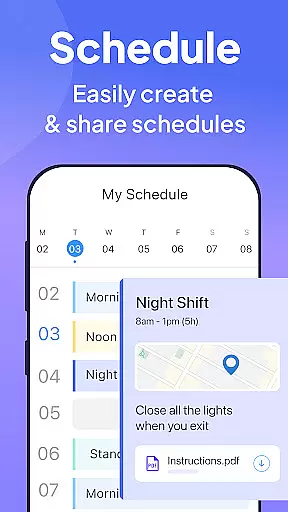
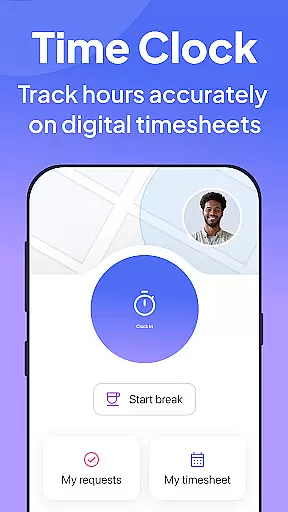
The app's scheduling tool offers advanced features including GPS status updates and auto-scheduling capabilities. Its time clock functionality provides precise tracking with geofencing and seamless payroll integrations. Additionally, Connecteam facilitates better workplace communication through live chat, surveys, and company-wide posts while enabling paperless operations through digital checklists and forms.
Connecteam distinguishes itself through its all-in-one approach to workforce management. The scheduling feature includes innovative elements like GPS-based job progress tracking and detailed shift information sharing. Time tracking goes beyond basic functionality with automated break calculations and multi-device support.
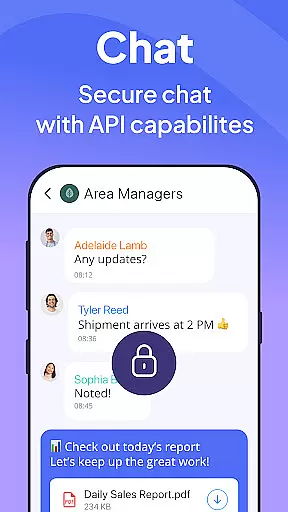
The app's communication platform offers versatile tools including live chat with external API integration and employee engagement features like surveys and reaction-enabled posts. Task management capabilities are equally impressive, allowing businesses to convert manual processes into automated digital workflows complete with photo documentation and geolocation reporting.
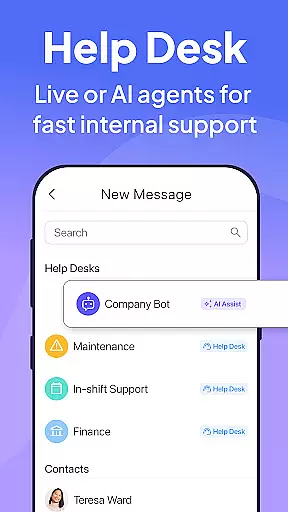
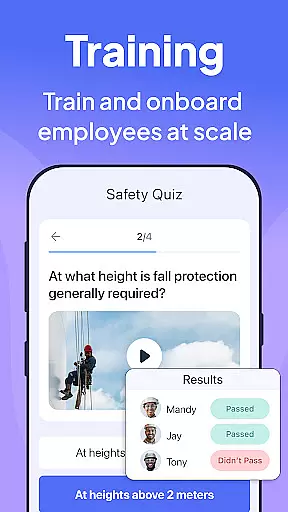
Additional notable features include a complete training system with premade templates and quizzes, an internal ticketing system for issue management, and digital employee ID cards with QR functionality for access control. These features collectively create a powerful ecosystem for managing non-desk employees efficiently.
Collaborative work features are essential for businesses aiming to streamline communication and task management among employees. Connecteam's Team Management App excels in this area by offering a comprehensive suite of tools designed to enhance team collaboration.
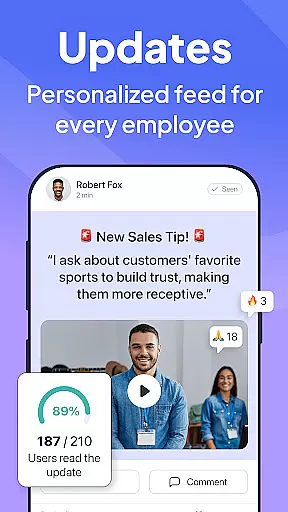
The app provides an internal communication platform that simplifies company-wide communication. With live chat capabilities for 1:1 or group conversations, a directory for all work contacts, and posts with comments and reactions, it ensures that the right content reaches every employee at the right time.
Connecteam also facilitates task management through automated processes. It allows businesses to convert traditional pen-and-paper procedures into fully automated checklists and tasks that can be managed from anywhere. This feature not only improves on-the-job compliance but also supports paperless operations.
By integrating these collaborative features, Connecteam helps businesses strengthen their culture, improve employee engagement, and ensure seamless day-to-day operations, making it an invaluable tool for managing non-desk employees effectively.
Task management is a critical component for ensuring productivity and accountability within a business. Connecteamu2019s Team Management App offers robust task management features that transform how businesses handle daily operations and compliance.
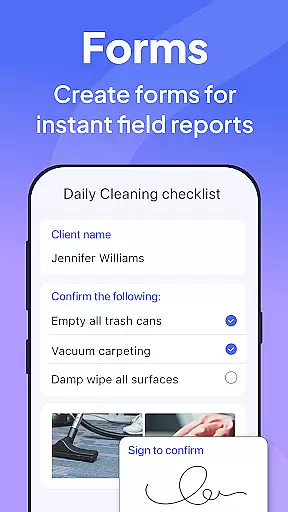
The app enables the creation of daily checklists with auto-reminders, ensuring that no task is overlooked. These checklists are complemented by online forms and tasks equipped with read & sign options, which are crucial for maintaining compliance and accountability across various job functions.
Moreover, Connecteam allows users to upload images and report geolocation, adding another layer of detail and verification to task completion. This functionality is particularly beneficial for businesses that require proof of task execution or location-based services.
With its customizable and user-friendly interface, Connecteam empowers businesses to go paperless and automate routine procedures efficiently. The ability to preview tasks live on mobile devices further enhances usability, making Connecteam a powerful ally in optimizing task management processes.
User-friendly interface
Affordable pricing
Comprehensive feature set
Excellent customer support
Quick implementation
Limited enterprise features
Occasional syncing issues
Basic reporting tools
Mobile-only access
Learning curve for admins

The revolutionary flexible staffing platform
 4.40
4.40
Create curriculum vitae, a professional cover letter creator and resume designer
4.80
BuildCalc - the easiest AND the most advanced construction calculator app.
4.80
Earn free swag, G-Cards & food • Enter sweepstakes • Find stores • So much more.
4.70
Find the right fit, faster.
4.70
Deliver and earn money
4.30
Grow your business and connect with more people with Meta Business Suite.
4.60
Find part-time earning opportunities near you that pay within days.
3.20
Access All PDF Files
3.40
Job search app that finds jobs for you! Takes the work out of looking for a job!
4.90
FaxCover - Create fax cover pages. Works with any app or fax machine.
4.90
The MyWalmart App is available for all associates in stores.
4.70
Make invoices, bills, receipts & estimates on the go with Invoice Generator.
4.70
No more passwords, easier sign-in, and greater protection for your accounts.
4.60
Find work, shifts and gigs near you. Jobs lasting a few hours to a few months.
4.30
Say hello to the mobile work experience built to help you thrive at work.
4.30
Formerly Facebook Ads Manager. Manage and create ads on the go.
4.20
We are a dynamic team of creatives people of design, marketing, web & apps
3.00
viewing and sharing PDFs and other files—anytime, anywhere!
4.2


User Reviews