


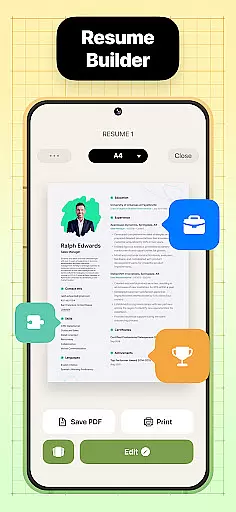
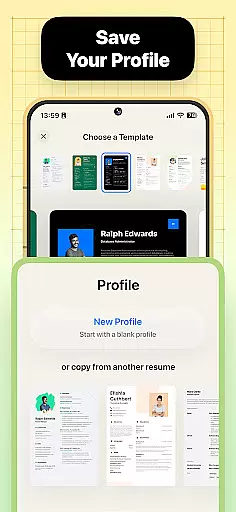

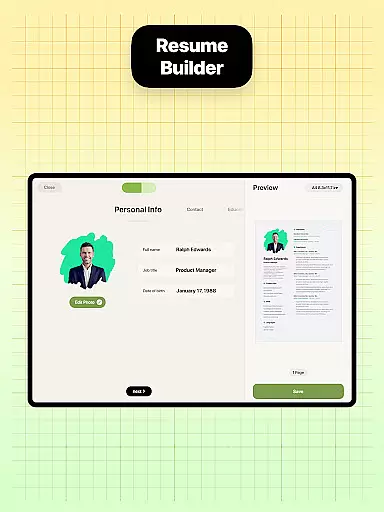
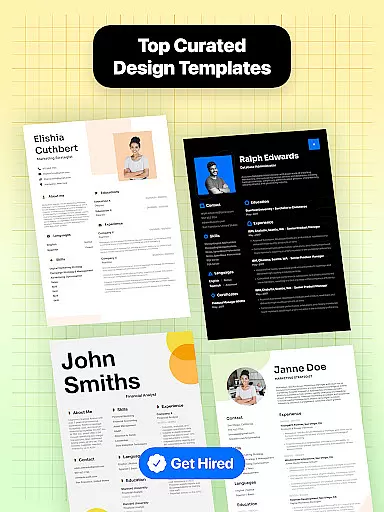
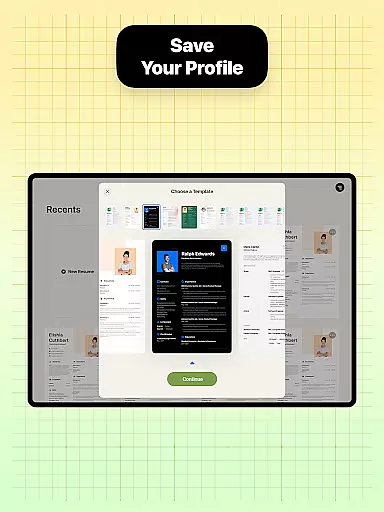

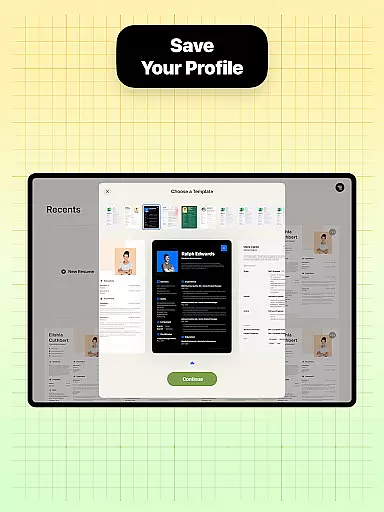
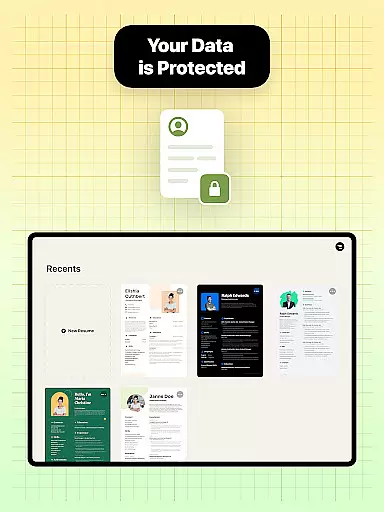
Resume Builder is a professional resume creation tool designed to help users craft impressive and well-structured resumes in PDF format. The app caters to both recent graduates and seasoned professionals, offering an intuitive interface that simplifies the often daunting task of formatting and structuring a resume. With Resume Builder, users can choose from a wide range of templates and customize sections with ease, ensuring their resume stands out visually while maintaining a professional appearance.
The app's standout feature is its adaptability to different career stages and goals. Whether you're aiming for a creative design or a clean, traditional layout, Resume Builder provides the flexibility to tailor your resume to specific job applications. Users can personalize their resumes by adding unique touches, ensuring their personality shines through. Additionally, the app supports real-time editing and updates, allowing users to see progress as they input professional experience and qualifications.
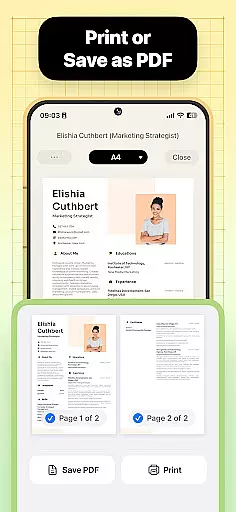
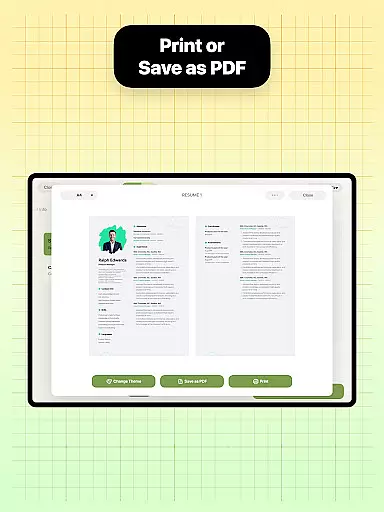
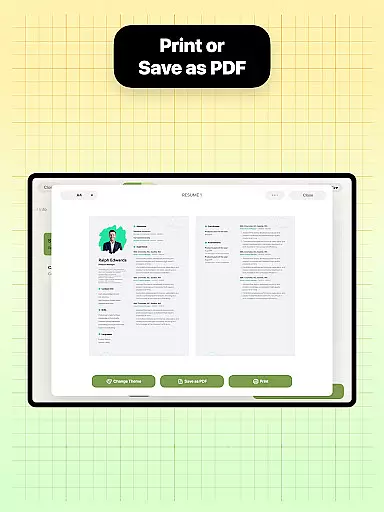
Resume Builder also ensures practicality by enabling users to export their resumes in PDF format, save them locally, or share them directly with employers and recruiters. Its user-friendly navigation system and step-by-step guidance make it accessible even for those unfamiliar with resume-building tools. By combining functionality, customization, and ease of use, Resume Builder empowers job seekers to create resumes that capture the attention of potential employers and enhance their career prospects.
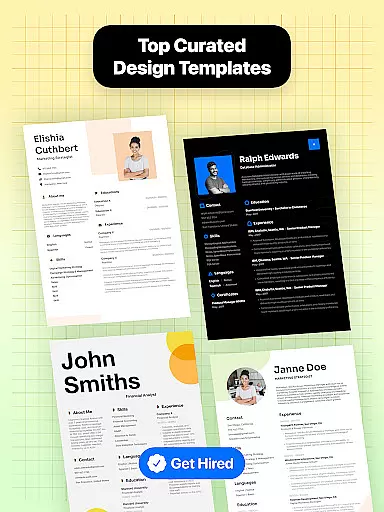
Resume Builder offers a comprehensive set of features designed to streamline the resume creation process. One of its key highlights is the wide selection of professionally designed resume templates. These templates cater to various industries and career levels, ensuring users can find a design that aligns with their professional goals. Each template is fully customizable, allowing users to modify sections, fonts, colors, and layouts to suit their preferences and the requirements of specific job applications.
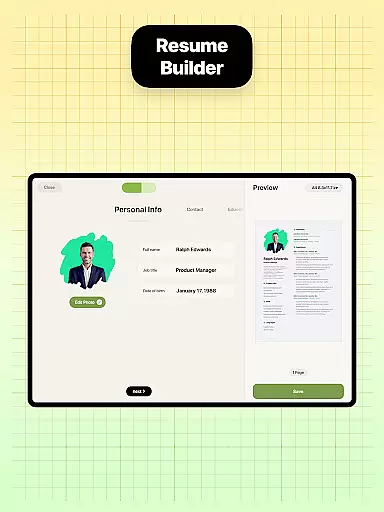
In addition to its robust customization options, Resume Builder provides step-by-step guidance throughout the resume-building process. This feature is particularly beneficial for first-time users or those unsure about structuring their resumes effectively. The app's intuitive navigation system allows users to edit and update their resumes in real time, providing a seamless experience. Users can input their professional experience, qualifications, and skills while seeing immediate updates on how their resume will look.
Another notable feature is the app's built-in sharing functionality. Once a resume is complete, users can export it in PDF format, ensuring compatibility across devices and platforms. The app also allows direct sharing with employers, recruiters, or networking contacts via email or other communication channels. With its focus on usability, flexibility, and professional results, Resume Builder equips users with all the tools necessary to create polished resumes that leave a lasting impression.
Collaborative work features are essential for modern business applications, enabling teams to work together efficiently regardless of location. Resume Builder incorporates these features by allowing users to share their resumes easily with peers or mentors for feedback and approval.
The app's built-in sharing functionality supports collaborative efforts by enabling direct sharing of resumes in PDF format. This ensures that all stakeholders can access and review the document without compatibility issues.
Users benefit from real-time updates as they make changes to their resumes. The app's intuitive interface allows collaborators to provide instant feedback, ensuring that the final resume is polished and professional.
This collaborative approach not only streamlines the resume creation process but also enhances the quality of the final document through collective input and expertise.
Task management is a crucial aspect of productivity, especially when crafting important documents like resumes. Resume Builder excels in this area by providing a structured, step-by-step guidance system that helps users manage the task of resume creation effectively.
The app breaks down the resume-building process into manageable sections, each with customizable options. Users can track their progress in real-time as they fill in their professional experience and qualifications, ensuring no critical information is overlooked.
With its user-friendly interface and intuitive navigation system, Resume Builder simplifies task management. Users can easily edit and update their resumes, making the process efficient and stress-free.
By offering a comprehensive suite of tools within a streamlined framework, Resume Builder ensures that users can focus on showcasing their skills and achievements without getting bogged down by the complexities of document formatting.
User-friendly interface
Wide range of templates
Real-time editing
Customizable options
Built-in sharing
Limited free templates
Premium subscription
No offline mode
Ads in free version
Basic guidance

Your employer must have UKG Ready software configured for Mobile.
 4.60
4.60
Manage Your Shop
4.70
Amazon A to Z is the place to manage your work-life at Amazon.
4.50
Recover what matters — quickly and easily.
4.70
Use Generative Summary to understand your rental or insurance docs in seconds.
4.70
All your team communication in one place
4.70
Master crypto trading with real-time simulations and exciting challenges!
4.50
USPS Mobile®Access USPS.com’s most popular tools on-the-go.
4.70
Access to Paylocity, empowering employees with information they need 24/7.
4.70
Permission Guard is a security app that helps you manage app permissions.
4.80
BuildCalc - the easiest AND the most advanced construction calculator app.
4.80
The MyWalmart App is available for all associates in stores.
4.70
Find the right fit, faster.
4.70
No more passwords, easier sign-in, and greater protection for your accounts.
4.60
Drive and earn extra money
4.50
The app that lets you deliver with Amazon.
4.50
On the go? Take FedEx with you.
4.00
All document reader, pdf viewer app, read docs & excel files
3.80
viewing and sharing PDFs and other files—anytime, anywhere!
4.3


User Reviews