
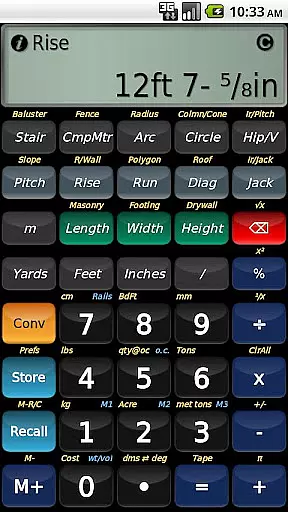
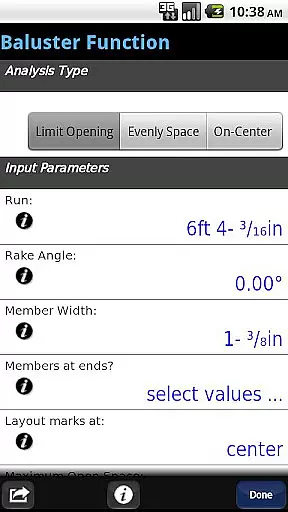
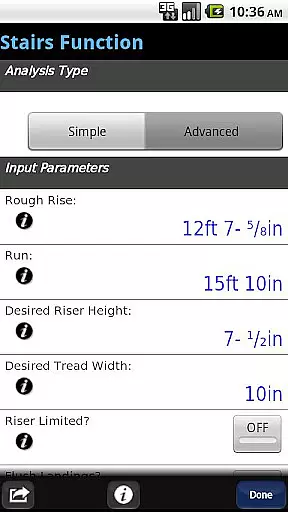
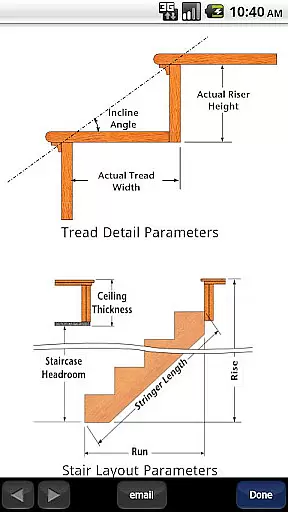
BuildCalc is a premier construction calculator app designed to enhance productivity and accuracy on the job site. This powerful tool combines advanced calculation functions with user-friendly features, making it an essential companion for construction professionals. Key functionalities include detailed stair layouts with dimensioned drawings, interactive baluster calculations, and comprehensive fence planning tools. The app also offers innovative daylight visibility modes and customizable material sizes for masonry and drywall work.
What sets BuildCalc apart is its ability to deliver professional-grade results while simplifying complex calculations. Users can generate and share PDF reports of their projects directly from the app. Whether you're working on intricate staircase designs or calculating materials for large-scale construction projects, BuildCalc streamlines the process through intelligent automation and intuitive interfaces. Its emulation of Construction Master® Pro functionality makes it familiar to seasoned professionals while offering enhanced capabilities.
The application proves particularly valuable in real-world scenarios where precision and efficiency are crucial. For instance, when planning a custom staircase installation, BuildCalc not only calculates all necessary dimensions but also provides visual representations and installation guidelines. This comprehensive approach saves valuable time during project planning and execution phases while ensuring accurate results that meet professional standards.
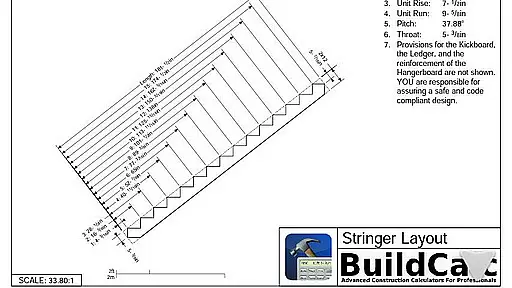
BuildCalc distinguishes itself through several innovative features that cater specifically to construction professionals' needs. The app's advanced stair function generates detailed Stringer installation drawings and finished staircase plans, complete with dimension measurements. These aren't just simple calculations - users can export professional PDF documents containing these technical drawings for client presentations or on-site reference.
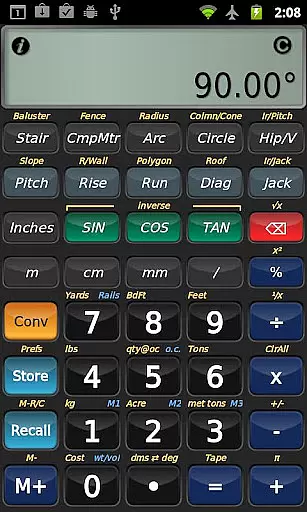
A standout feature is the interactive calculation mode across various functions including Stair, Baluster, and Compound Miter calculations. Unlike traditional calculators requiring sequential button presses, BuildCalc allows dynamic input adjustments with automatic result updates. The app's flexibility extends to material calculations, where users can store multiple custom sizes for different materials and switch between measurement formats effortlessly.
Additional notable features include the full daylight visibility mode for outdoor job sites and the automated switching between miter saw and protractor results for hip roof rafters. The Drywall and Masonry Room Mode exemplifies the app's practical approach to common construction challenges by calculating requirements for entire rooms with minimal input. These features collectively represent a significant advancement over traditional construction calculators, offering both depth and accessibility in professional construction computations.
In the realm of construction, collaboration is key to successful project completion. BuildCalc enhances collaborative efforts by providing tools that are essential for team projects.
With advanced functions like the Stair and Baluster layouts, teams can achieve professional results without guesswork. These features allow users to create dimensioned drawings of Stringers and Finished Staircases, which can be shared via email as PDFs, ensuring every team member is on the same page.
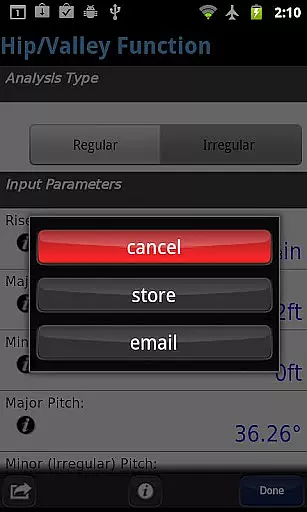
The app's interactive functions, including Stair, Baluster, Compound Miter, Diagonal, and Hip/Valley calculations, offer real-time updates. This means any change in input values automatically updates the results, streamlining the collaborative process and eliminating confusion.
By reducing the complexity typically associated with construction calculators, BuildCalc ensures that all team members, regardless of their technical expertise, can contribute effectively to the project, enhancing overall productivity and cohesion within construction teams.
Effective task management is crucial in the fast-paced world of construction, and BuildCalc offers innovative solutions to manage tasks efficiently.
BuildCalc simplifies task management by providing comprehensive answers with minimal input. For example, the app allows users to store multiple sizes for masonry functions or drywall sheets, enabling quick access to frequently used dimensions without recalculating each time.
Additionally, the Fence Function automates the calculation of necessary materials such as posts, rails, pickets, and panels based on a given fence row length. This automation not only saves time but also reduces errors, allowing users to focus on more critical aspects of their projects.
Moreover, the ability to save results from advanced functions ensures that users can retrieve complete results conveniently, facilitating better organization and management of various tasks throughout the construction process.
User-friendly interface
Comprehensive calculation tools
Interactive function adjustments
Customizable material settings
Professional PDF reporting
Steeper learning curve
Premium price point
Requires device space
Internet for updates
Complex for beginners

Earn free swag, G-Cards & food • Enter sweepstakes • Find stores • So much more.
 4.70
4.70
One marketplace. Hundreds of services. Unlimited possibilities. All on Fiverr.
4.40
Drive and earn extra money
4.50
All document reader, pdf viewer app, read docs & excel files
3.80
Deliver and earn money
4.30
We are a dynamic team of creatives people of design, marketing, web & apps
3.00
Start earning fast. Apply Today.
4.80
No more passwords, easier sign-in, and greater protection for your accounts.
4.60
Work happy with AI Companion
4.10
Create curriculum vitae, a professional cover letter creator and resume designer
4.80
TurboScan turns your phone into a full-featured PDF document scanner.
4.80
Manage Your Shop
4.70
Recover what matters — quickly and easily.
4.70
We help people get jobs
4.70
Manage work life on the go
4.50
All-in-one Mobile solutions for employees & managers to succeed at work
4.30
Build a store in minutes with our full suite of AI tools. Start for free!
4.20
Delivery Track App - Tracking with Fedex, USPS, UPS, DHL. Monitor your Orders.
3.20
Completed Course Lectures on how to use IBM Maximo in Maintenance issues
4.0


User Reviews