
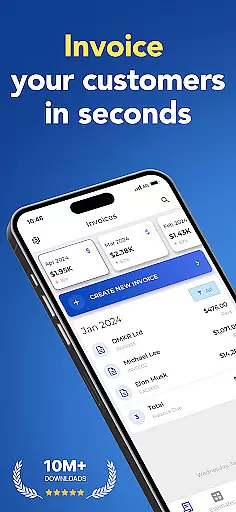
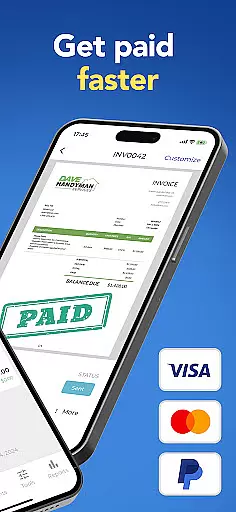

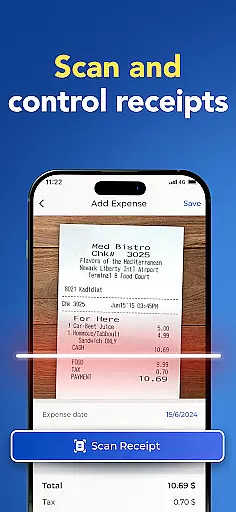
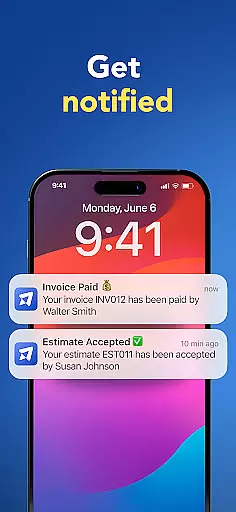
Invoice Maker is a powerful business application designed to streamline the invoicing process for freelancers, small businesses, and contractors. The app allows users to create professional invoices quickly and efficiently, ensuring timely payments and organized financial records.
With its intuitive interface, Invoice Maker enables users to configure detailed invoice information including payment terms, taxes, discounts, and more. The app also provides real-time notifications when clients view the invoices, ensuring transparency in the billing process. Its customizable templates and easy client management make it an essential tool for modern professionals.
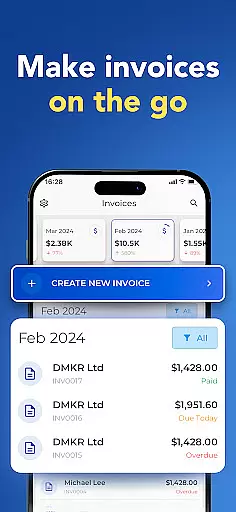
Whether you're working on-site or remotely, Invoice Maker ensures you can manage your billing process seamlessly from your mobile device. This makes it particularly valuable for service providers who need to generate estimates and invoices on the go.
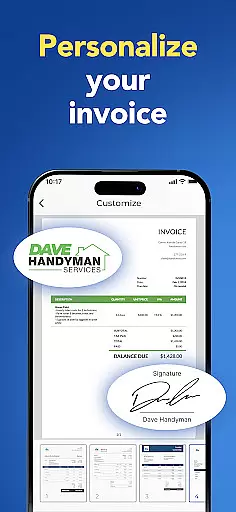
Invoice Maker stands out with its comprehensive feature set tailored for efficient invoice management. Users can create professional invoices in under a minute, choosing from multiple customizable templates that suit their brand identity.
The app supports advanced functionalities such as adding taxes and discounts on both item and total levels, attaching images and notes, and capturing client signatures directly within the app. These features ensure that all necessary details are included in each invoice, providing a complete billing solution.
Additional notable features include seamless integration with phone contacts for quick client setup, cross-device synchronization, income tracking through reports, and 24/7 customer support. These capabilities collectively enhance productivity and provide significant value to users managing their business finances.
Collaborative work features are essential for modern business applications, enabling teams to work together efficiently regardless of location. Invoice Maker excels in this area by providing seamless collaboration tools tailored for small businesses and freelancers.
The app allows users to quickly set up client information directly from their phone contacts, ensuring that all team members have access to the most up-to-date client details. This feature streamlines the invoicing process and reduces errors caused by outdated information.
Moreover, Invoice Maker supports real-time synchronization across all devices using the same account. This means that whether you're working on your phone, tablet, or computer, all your data is always current and accessible, facilitating smooth teamwork.
Additionally, the app offers 24/7 support, ensuring that any issues with collaboration can be swiftly addressed. This comprehensive approach to collaborative work ensures that Invoice Maker stands out as a reliable tool for businesses looking to enhance their team's productivity.
Effective task management is crucial for maintaining productivity and ensuring timely completion of work. Invoice Maker provides robust task management features designed to help small businesses, freelancers, and contractors keep their finances organized.
With Invoice Maker, users can create invoices in less than a minute, from anywhere. This rapid creation process is complemented by the ability to generate invoices from estimates with just a tap, significantly speeding up the billing process.
The app also includes tracking features that notify users when a client receives and opens an invoice. This real-time tracking helps manage follow-ups and ensures that payments are made promptly, enhancing cash flow management.
Furthermore, Invoice Maker offers easy-to-use reports that allow users to track their incomes effectively. These reports provide valuable insights into financial performance, helping users make informed decisions and plan future tasks more efficiently.
User-friendly interface
Customizable invoice templates
Real-time notifications
Cross-device synchronization
Comprehensive client management
Limited free features
Occasional syncing issues
Subscription cost
No offline mode
Advanced options require paid plan

Zoom built for Chrome OS
 3.90
3.90
GoTo Mobile is a simple & secure calling, messaging & meetings solution
4.80
Earn crypto with secure cloud mining. Monitor, track & withdraw easily
4.40
Employee Management Made Easy
4.80
Finance, Investing, Stocks, Trading and Stock news
4.60
Build a store in minutes with our full suite of AI tools. Start for free!
4.20
USPS Mobile®Access USPS.com’s most popular tools on-the-go.
4.70
The app that lets you deliver with Amazon.
4.50
Make money as a delivery driver with DoorDash and work when you want as a Dasher
4.30
Start earning fast. Apply Today.
4.80 4.70
4.70
The MyWalmart App is available for all associates in stores.
4.70
Use Generative Summary to understand your rental or insurance docs in seconds.
4.70
Access to Paylocity, empowering employees with information they need 24/7.
4.70
Drive and earn extra money
4.50
Deliver and earn money
4.30
Scan Business Cards & Conference Badges - Capture Leads at Events & Tradeshows
4.20
The All-in-One File Manager for Phone, TV, Watch, Cars, XR / VR, Chromebook
4.10
Roadie connects people with stuff to send with drivers already going that way.
3.50


User Reviews