

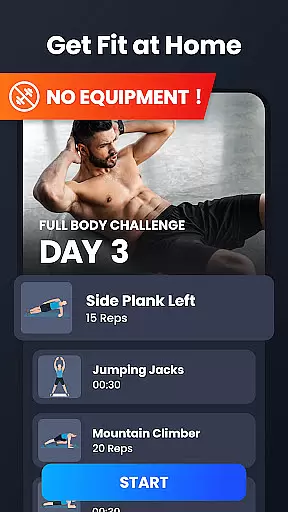
Home Workout is a comprehensive fitness application designed to provide daily workout routines for all major muscle groups. The app enables users to build muscles and maintain fitness at home without the need for gym equipment or personal trainers. With scientifically-designed warm-up and stretching routines, it ensures safe and effective exercise sessions.
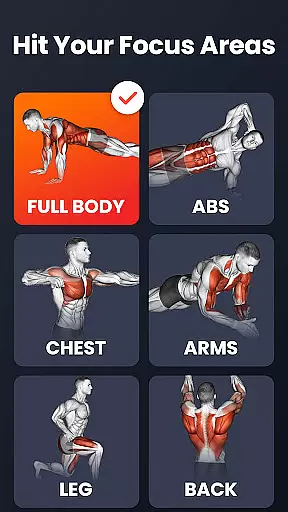
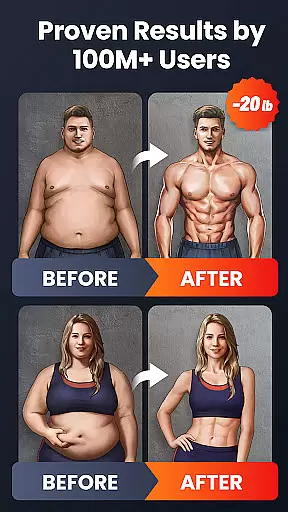
The application offers targeted workouts for abs, chest, legs, arms, and the full body, each developed by expert fitness coaches. Featuring detailed animations and video guidance, Home Workout guarantees proper form during exercises. Its efficient routines take only a few minutes a day but deliver noticeable results in just weeks, making it an ideal choice for busy individuals seeking to improve their physical health.
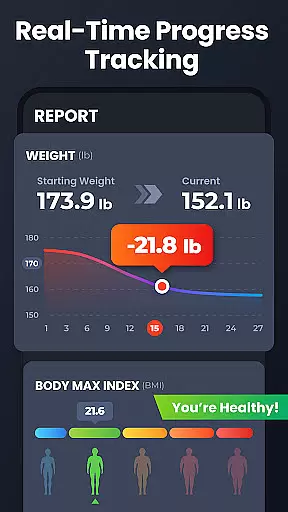
Home Workout stands out with its diverse features that cater to various fitness needs. The app automatically records training progress and includes weight tracking charts to monitor improvement over time. Users can customize workout reminders to maintain consistency in their fitness routines.
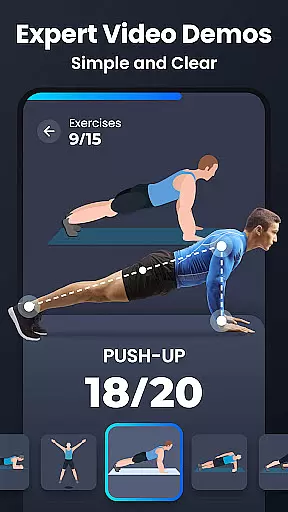
A key highlight is the extensive video and animation guides that ensure correct exercise techniques. The app also functions as a personal trainer for fat-burning and strength training workouts. Additionally, social sharing capabilities allow users to share their progress on social media platforms, keeping them motivated and accountable throughout their fitness journey.
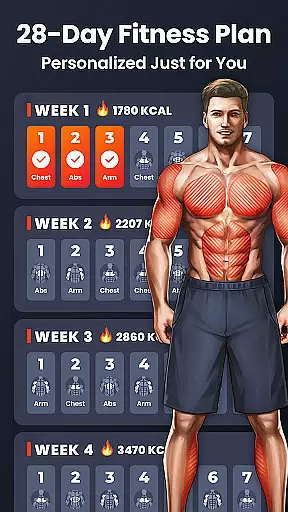
Personalized planning in fitness apps refers to the ability to tailor workout routines specifically to individual user needs and goals. Home Workout excels in this area by offering customized exercise plans targeting different muscle groups such as abs, chest, legs, arms, and the butt.
The app's personalized approach is designed by expert fitness coaches, ensuring that each workout plan is not only effective but also adheres to scientific principles of exercise. This means users get a balanced routine that promotes muscle growth and fat loss without needing any equipment.
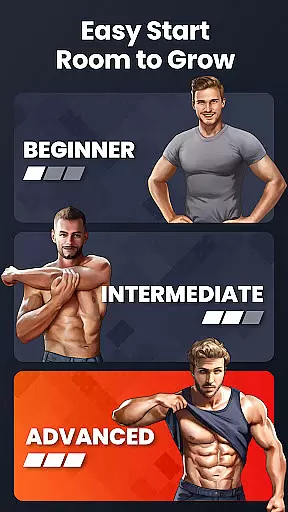
Users benefit from this feature through optimized home workout sessions that fit their schedules and fitness levels. Whether aiming for weight loss or muscle toning, the app adjusts its recommendations, providing a truly personalized experience.
This level of personalization ensures that users remain engaged and see tangible results faster, making Home Workout an essential tool for anyone looking to maintain or improve their physical health from the comfort of their home.
Progress visualization is a critical component of fitness applications, allowing users to track their achievements and stay motivated. Home Workout provides detailed charts and visual aids that display weight trends and training progress over time.
Through these visual tools, users can easily monitor changes in their body composition and performance metrics. The app automatically records completed workouts and updates the progress charts, giving users a clear picture of their fitness journey.
This feature significantly enhances user engagement by celebrating milestones and providing a sense of accomplishment. Seeing consistent progress encourages users to stick with their workout routines and make necessary adjustments to achieve better results.
Ultimately, Home Workout's progress visualization empowers users to take control of their fitness goals, fostering a proactive approach to maintaining a healthy lifestyle. With clear insights into their development, users are more likely to sustain long-term commitment to their fitness regimen.
User-friendly interface
Expert-designed workouts
No equipment required
Detailed video guidance
Customizable reminders
Limited advanced options
Premium features locked
Occasional ads
Basic nutritional advice
Requires self-discipline

Power-lifting, weightlifting and Wendler 531 app to track your workout program.
 4.90
4.90
Build Healthy Habits!
4.60
HRV4Training helps you optimize goals and improve performance. No sensors needed
3.30
A simple way to calculate peptide doses and also to convert different units.
4.0
Binaural Beats - Fully Customizable Waves - Pure Sound - No Loops
4.50
Interval timer for High Intensity Interval Training, Tabata and Circuit Training
4.20
Wall Pilates at home & Pilates workout for beginners for core and weight loss.
4.80
You deserve easy access to important insurance information. Download for FREE.
4.70
Fast Body building & Weight Loss. Home Workouts with Daily Coach, No Equipment.
4.30
When the night comes, we prepare your eyes for deep, sweet dreams
4.70
Personal Measurements - Track your gains!
4.50
The Official Blood Type Diet® App - know your categorized foods anytime.
4.50
FODMAP, Gluten, Allergy, Vegan
4.50
Grow with self-tests and personal routine.
4.30
Your portable blood pressure tracker. Record, monitor, and analyze BP anytime.
4.30
Histamine intolerance, low FODMAP diet and irritable bowel syndrome (IBS)
4.00
Understand your body’s most meaningful messages and transform your health.
3.90
Your plan in your pocket 24/7
3.00
Text notifications, button control, heart monitor & more for your Amazfit.
2.40


User Reviews