
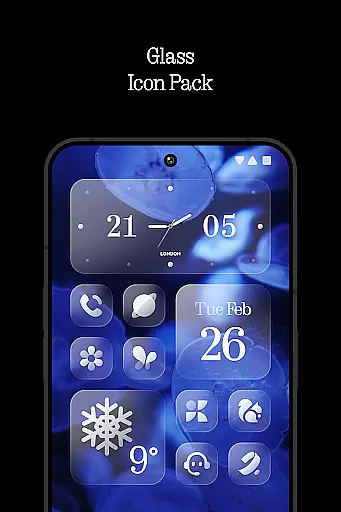
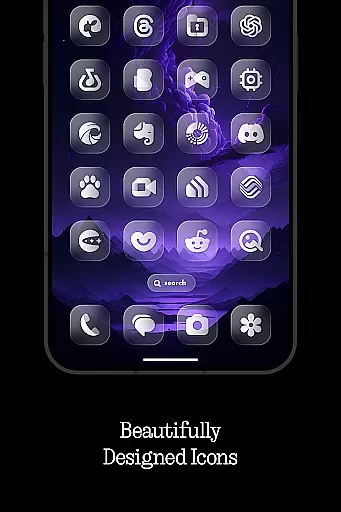
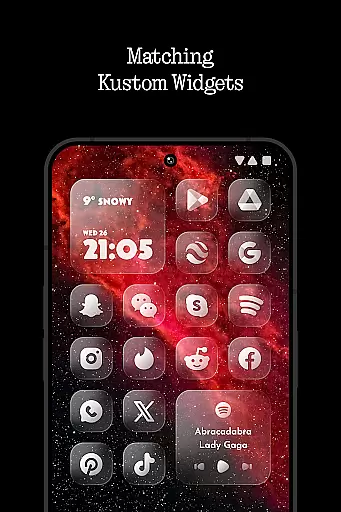
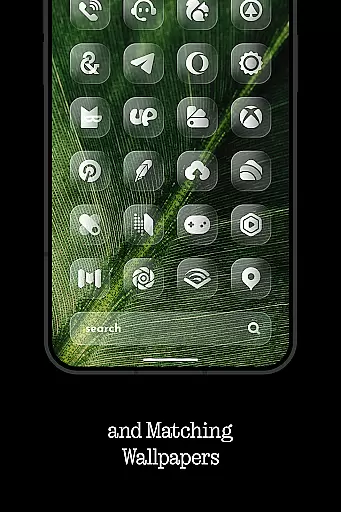
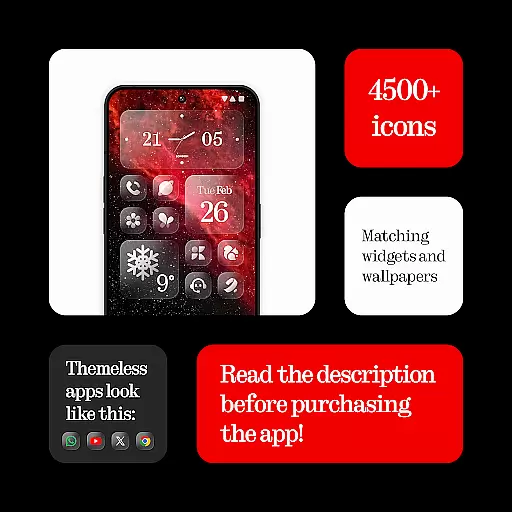
Glass Icons is a premium icon pack designed to provide users with a sleek and sophisticated visual upgrade for their mobile devices. Featuring over 5400 crystal-clear square icons, this pack seamlessly integrates with your device's interface, offering a modern and polished look.
In addition to the extensive icon collection, Glass Icons includes five customizable Kustom widgets and cloud-based wallpapers, allowing for a personalized user experience. The pack also offers regular updates and an icon request tool, ensuring compatibility with new apps and maintaining a fresh appearance over time.
This icon pack is particularly well-suited for users who appreciate minimalist design and want to maintain a cohesive aesthetic across their device. By supporting multiple launchers and offering easy application through its built-in Apply section, Glass Icons delivers both functionality and style.
The standout feature of Glass Icons is its comprehensive collection of over 5400 meticulously designed square icons, each crafted to provide optimal clarity and visual appeal. These icons are not just aesthetically pleasing but also highly functional, maintaining their quality across various screen resolutions and densities.
Beyond the core icon set, the pack includes five Kustom widgets that can be customized to match your preferred style. These widgets, combined with cloud-based wallpapers, enable users to create a truly unique home screen setup. The inclusion of an icon request tool demonstrates the developer's commitment to maintaining compatibility with new applications.
What sets Glass Icons apart is its dedication to regular updates and compatibility with numerous popular launchers including Nova Launcher, Lawnchair Launcher, and Niagara Launcher among others. This ensures that users can enjoy a consistent experience regardless of their launcher preference, while the detailed FAQ section and responsive support channels make troubleshooting straightforward.
Glass Icons offers an extensive range of customization options that cater to personal preferences and device compatibility. With over 5400 icons, users can enjoy a crystal-clear, sleek visual upgrade that seamlessly integrates with their device's interface.
The icon pack supports multiple launchers including Nova Launcher, Lawnchair Launcher, and Niagara Launcher, ensuring broad compatibility. This flexibility allows users to apply the icons through the app's Apply section or via their launcher settings for unsupported launchers.
Additional features like cloud-based wallpapers and Kustom widgets enhance the customization experience. Regular updates and an icon request tool ensure that users have access to new content and can suggest specific icons they desire.
Ensuring theme compatibility is crucial for an icon pack, and Glass Icons excels in this area by supporting numerous launchers. Whether you're using Nothing Launcher or Shade Launcher, this icon pack maintains visual consistency across different interfaces.
For devices with specific requirements, such as Pixel Launcher needing Shortcut Maker or Stock One UI Launcher requiring Theme Park, Glass Icons provides clear instructions to ensure proper functionality. The inclusion of shadows in Nova Launcher further exemplifies its commitment to theme integrity.
Kustom Widgets, which require KWGT PRO, add another layer of personalization while maintaining compatibility standards. By offering a FAQ section within the app, users can easily resolve common issues related to theme compatibility.
Extensive icon library
Regular updates
Wide launcher support
Customizable widgets
Cloud-based wallpapers
Paid KWGT requirement
Pixel Launcher limitations
One UI compatibility issues
No free version
Shadow activation needed

Realistic animated snow on your wrist, with 10 images landscapes to choose from
 4.00
4.00
Prank your friends with realistic broken screen and cracked HD effects!
4.3
Make your phone look simple & luxury, like iDevice
4.60
Dark icon pack based on One 8
4.80
Wallpaper HD 4K Live - Thousands of high-quality Anime backgrounds for you.
4.80
Embrace the Night. Unleash the power of darkness with Raven Dark Icon Pack
4.60
300+ Stunning and well-designed widgets inspired by NOTHING.
4.70
400+ Beautifully crafted widgets inspired by NOTHING.
4.70
set a new experience for the Android mobile phone
4.20
Nothing Icon pack with more than 3750+ highly crafted icons.
4.70
A retro cartoon style watch face and a punch right in the face of the copyright
4.60
Over 28,000 high quality icons to bring color & homogeneity to your phone.
4.60
Beautiful realistic hybrid watch face with numerous customization options.
4.50
Color phone with cool effects for call screen, flash alert & ringtones music
4.50
Yandex Browser — stylish and secure, with voice search and data compression
4.40
Organize and manage your photos and videos effortlessly with Photo Gallery
4.20
Ultimate widget creator. Design custom widgets for a truly unique home screen!
3.90
Design your screen with unique, vibrant clocks
3.80 3.50
3.50


User Reviews